- continuous integration
 Test Plan Details
 - REST API (Generic)
- Jenkins
- Azure DevOps
- AWS DevOps
- AWS Lambda
- Circle CI
- Bamboo CI
- Travis CI
- CodeShip CI
- Shell Script(Generic)
- Bitrise CI
- GitHub CI/CD
- Bitbucket CI/CD
- GitLab CI/CD
- Copado CI/CD
- Gearset CI/CD
- Codemagic CI/CD
- Google Cloud Build CI/CD
Integrate Testsigma with Github
When you want to automate, customize, and, execute your software development workflows right in your github repository, you need to use github actions. In this document, we will discuss how to integrate Github with Testsigma for CI/CD purposes.
Prerequisites
Before you begin, ensure that you have referred to:
For Github CICD Integration:
To start with Github Actions, create a .github/workflows directory in your repository on GitHub if this directory does not already exist.
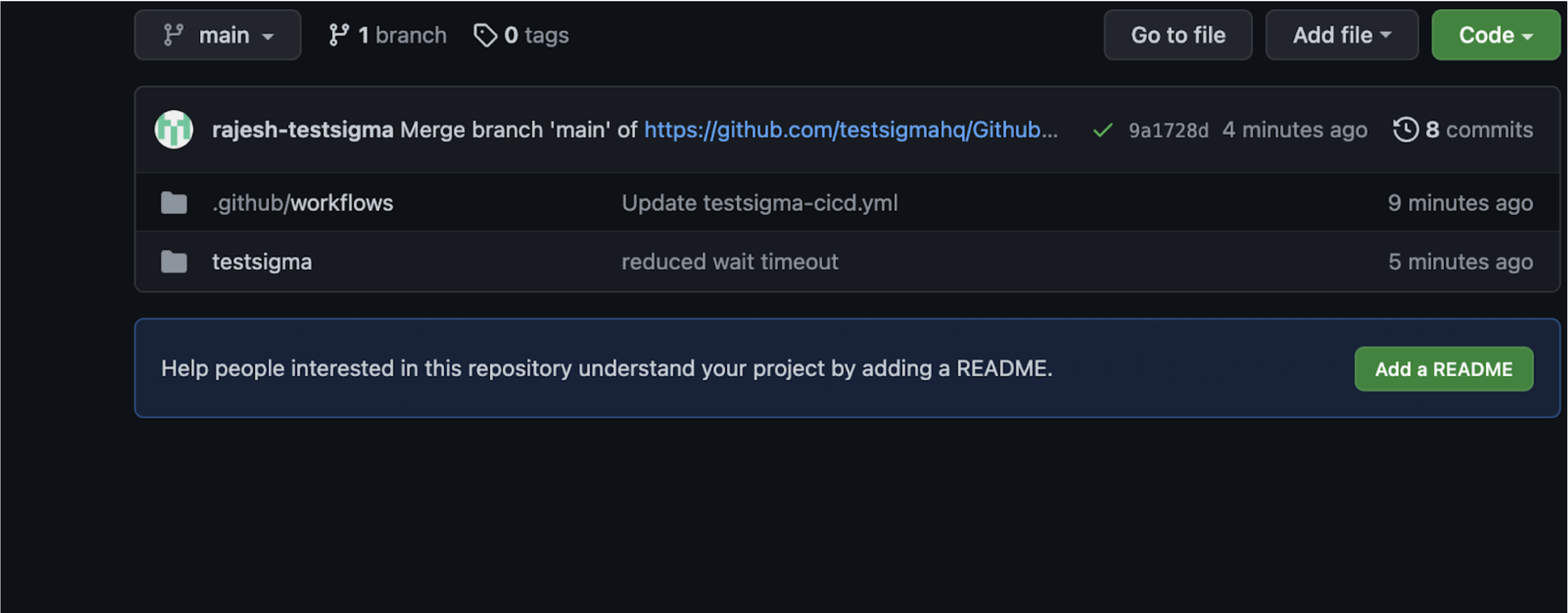
Once the workflow directory is created, for different pipelines/workflows we can create any number of YML files which cater to different build processes.
In this example, we have created a testsigma-cicd.yml file to trigger the build process whenever there is a commit to the provided git repository.
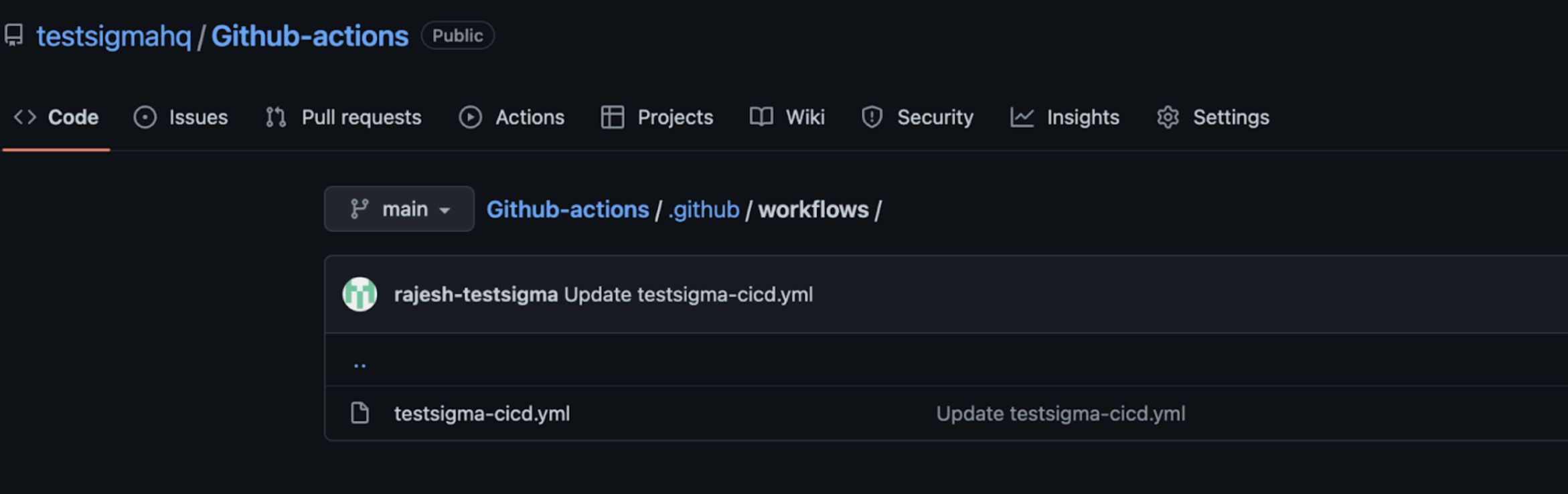
In this yml file, we have given a build step to trigger/run a Test Plan created in the Testsigma app.
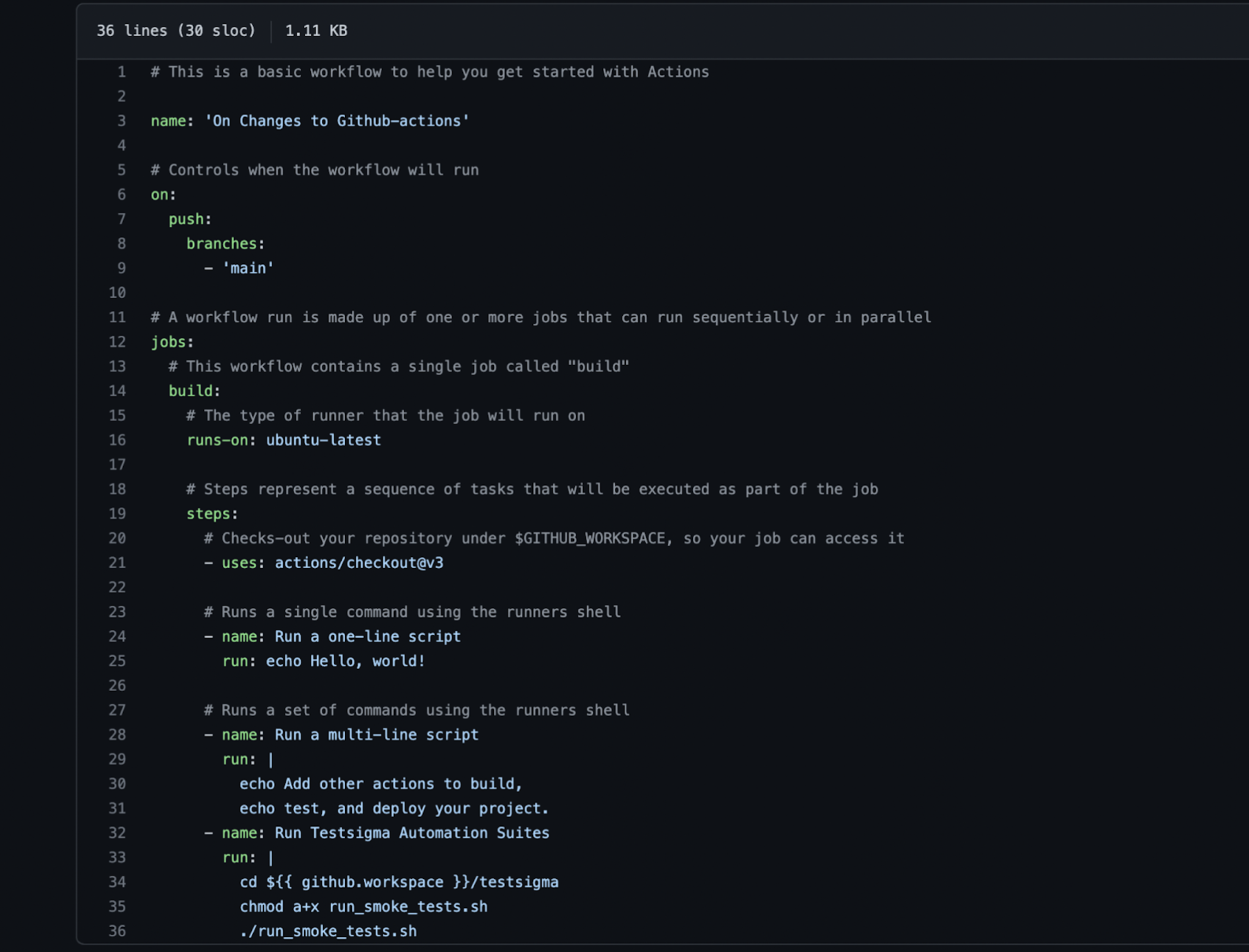
As you can see we are invoking the bash script contained in the file runsmoketests.sh. You can get a copy of this runsmoketests.sh file here: runsmoketests.sh
Refer https://testsigma.com/docs/continuous-integration/shell-script/ for a shell script to run/trigger Test plans in Testsigma.
Similarly, refer to the documentation on generic shell script to trigger a particular test plan within your Testsigma account. For that, you need to provide the ID of that Test Plan and the API Key along with other parameters. To know how to get the Test Plan ID, refer to the documentation on getting test plan details and to get the API key, refer to the documentation on generating API keys. The key "TESTSIGMAAPIKEY" in the script needs to be provided the API Key value and the key "TESTSIGMATESTPLAN_ID" needs to be provided the test plan ID. Below is how the script looks for our example:
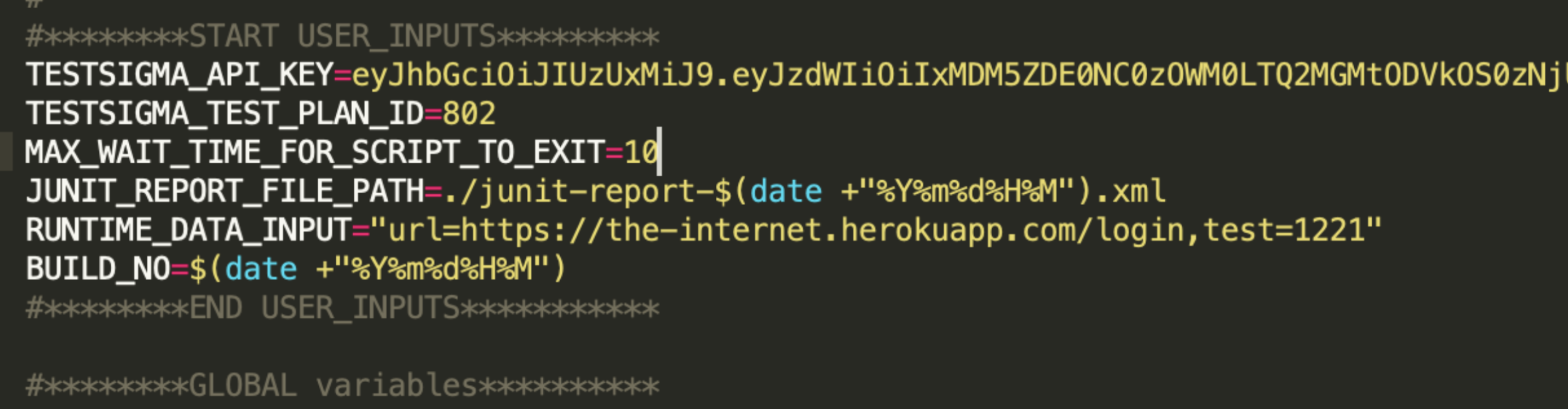
Repo used to create this document

Want to contribute or report missing content?