- test plans
 Add, Edit, Delete Test Machines
- Add, Edit, Delete Test Suites
- Schedule Test Plans
- Run Test Suites In Parallel
- Cross Browser Testing
- Distributed Testing
- End-to-End Testing
- Headless Testing
- Test Lab Types
- Disabling Test Cases in Test Plans
- AfterTest Case
- Post Plan Hook
- AfterTest Suite
- Email Configuration in Test Plan
- Execute Partial Test Plans via API
Email Configuration in Test Plan
Setting up email notifications for test plans in Testsigma helps you stay informed about test plan results and related events without constantly monitoring the application. By configuring these notifications, you receive timely updates in your inbox whenever key milestones are reached, or issues arise, enabling you to take prompt action and maintain efficient workflow management.
Prerequisites
Before you begin, ensure that you have referred to:
Configure email in Test Plan
- Navigate to Test Plans and create a new test plan or open an existing one.
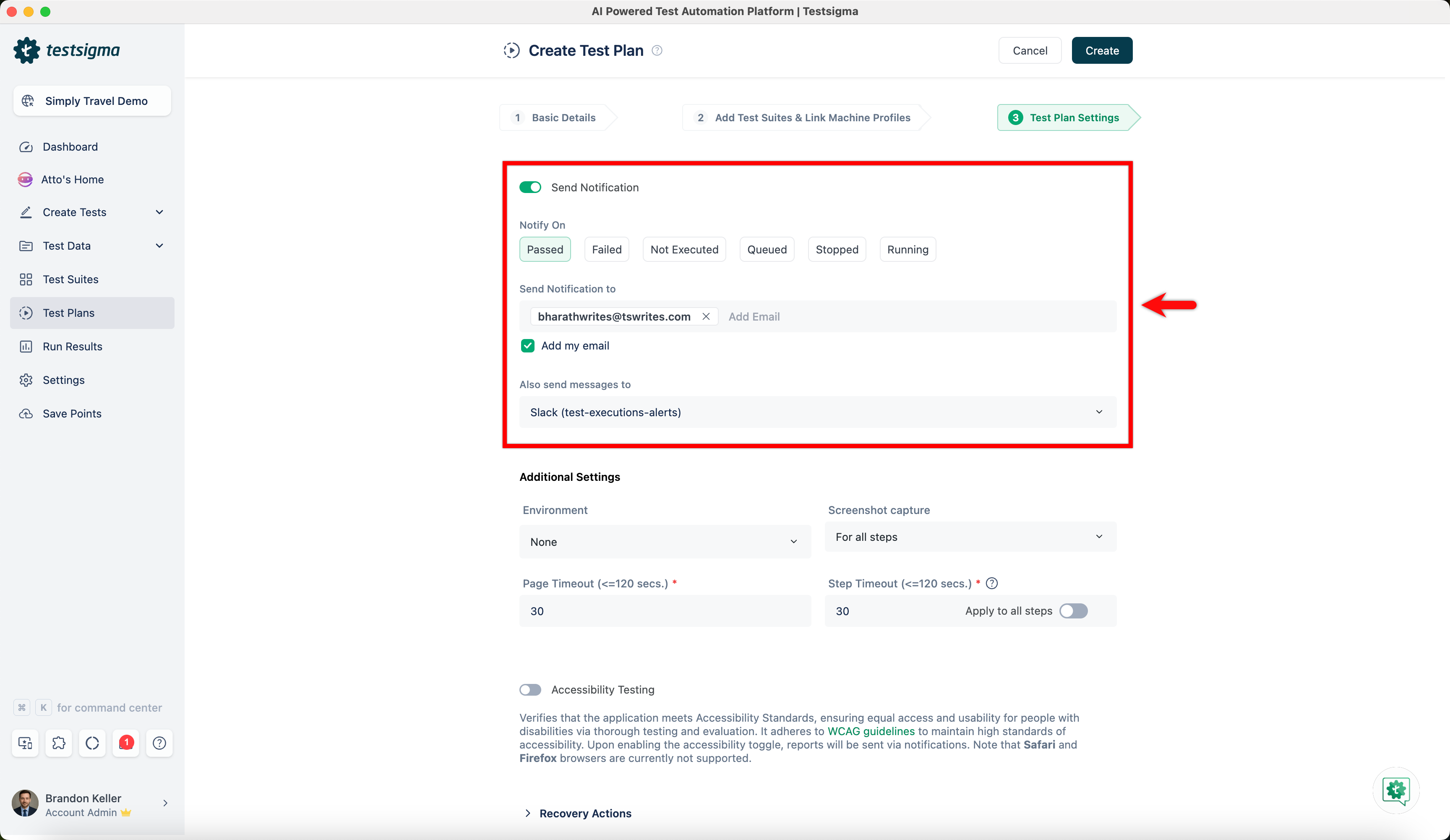
- On the Create or Edit Test Plan page, go to Test Plan Settings tab.
-
Enable Send Notifications toggle, select when to Notify On from below:
- Passed
- Failed
- Not Executed
- Queued
- Stopped
- Running
- In the Send Notification to field, enter the email address where you want to receive the notifications.
- If you want to use your Testsigma-registered email address, check the box labeled Add my email.
- If you prefer to receive notifications via chat, click the drop-down list below Also Send messages to.
- Select the chat channels where you want to receive the notifications, such as Google Chat, Slack or Microsoft Teams.
- Once all your preferences are set, click on Create or Update to save the changes.

Want to contribute or report missing content?