
Integrating Xray with Testsigma
Testsigma integrates with Xray to support test case generation from your existing test repositories. You can select Xray tests, epics, or stories as input, and use Testsigma’s Generative AI to generate new test cases aligned with your defined requirements. This helps bridge manual and automated workflows while maintaining consistency with your test management processes.
Prerequisites
Before you begin, ensure JIRA and Xray integrations are active, and you have the JIRA account URL, client ID, and client secret.
For more information on configuring global settings, refer to the *documentation on configuring global settings.
Integrating Xray with Testsigma
- Navigate to Settings > Integrations.
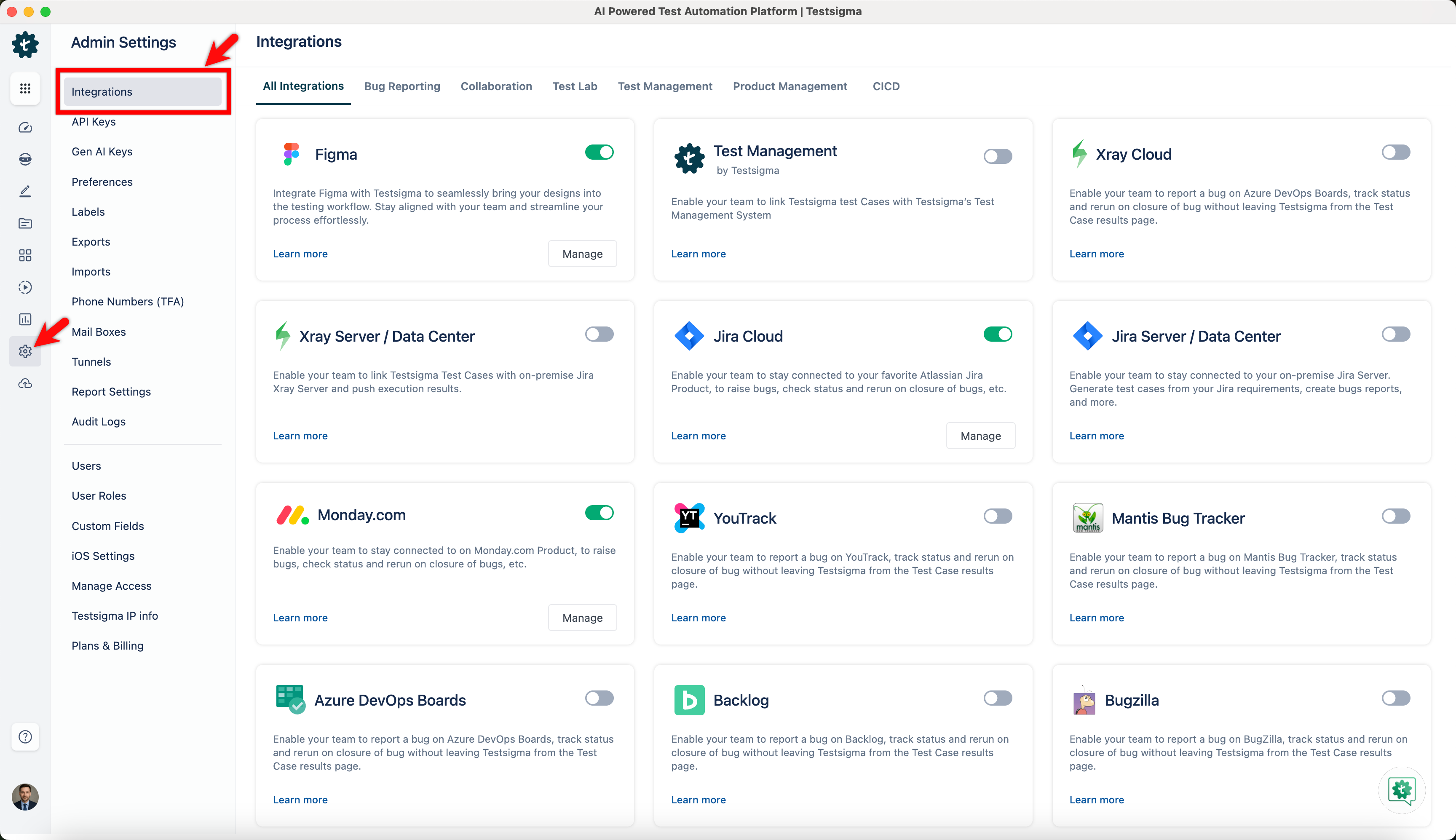
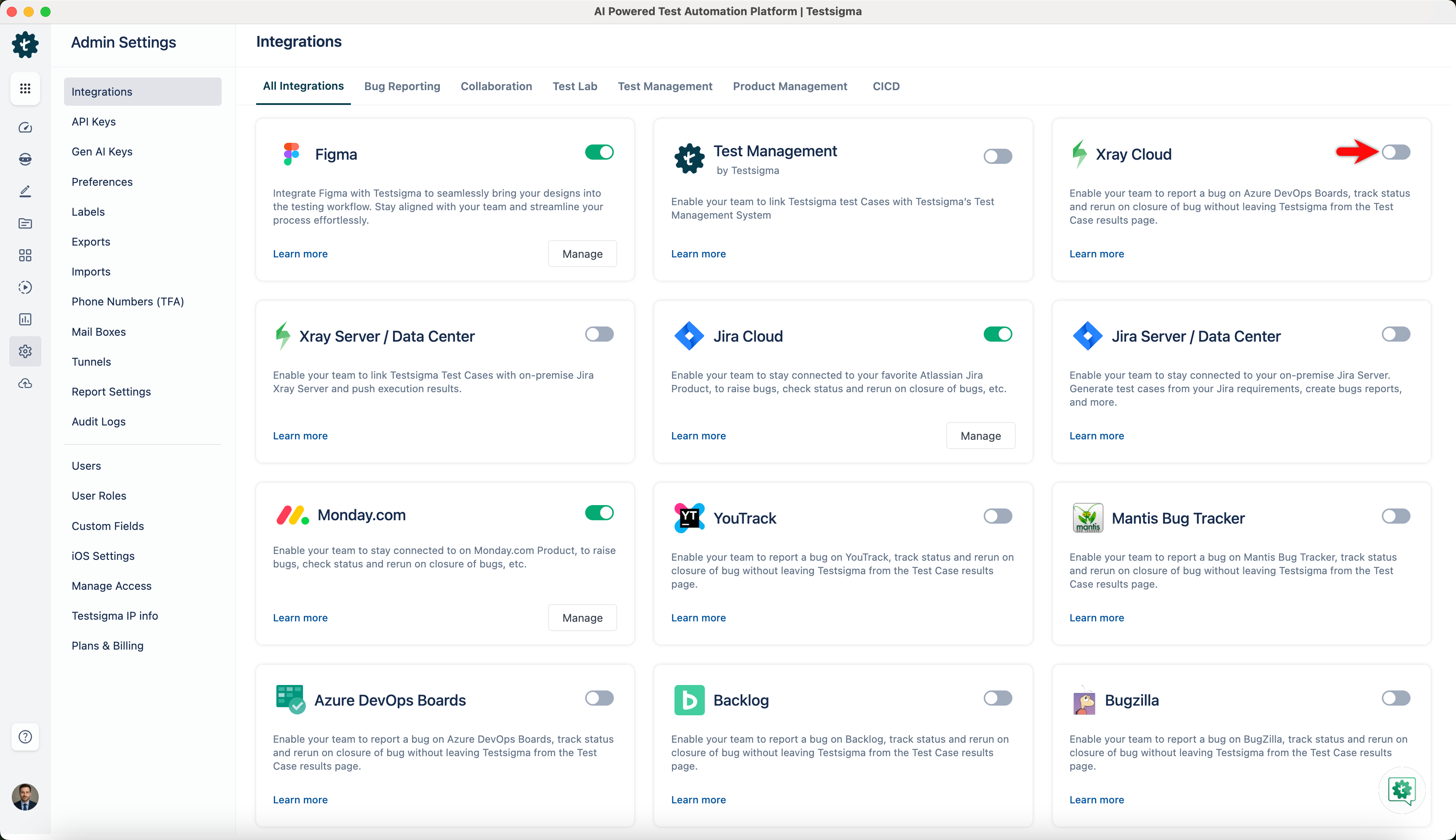
- Enable toggle on Xray widget.
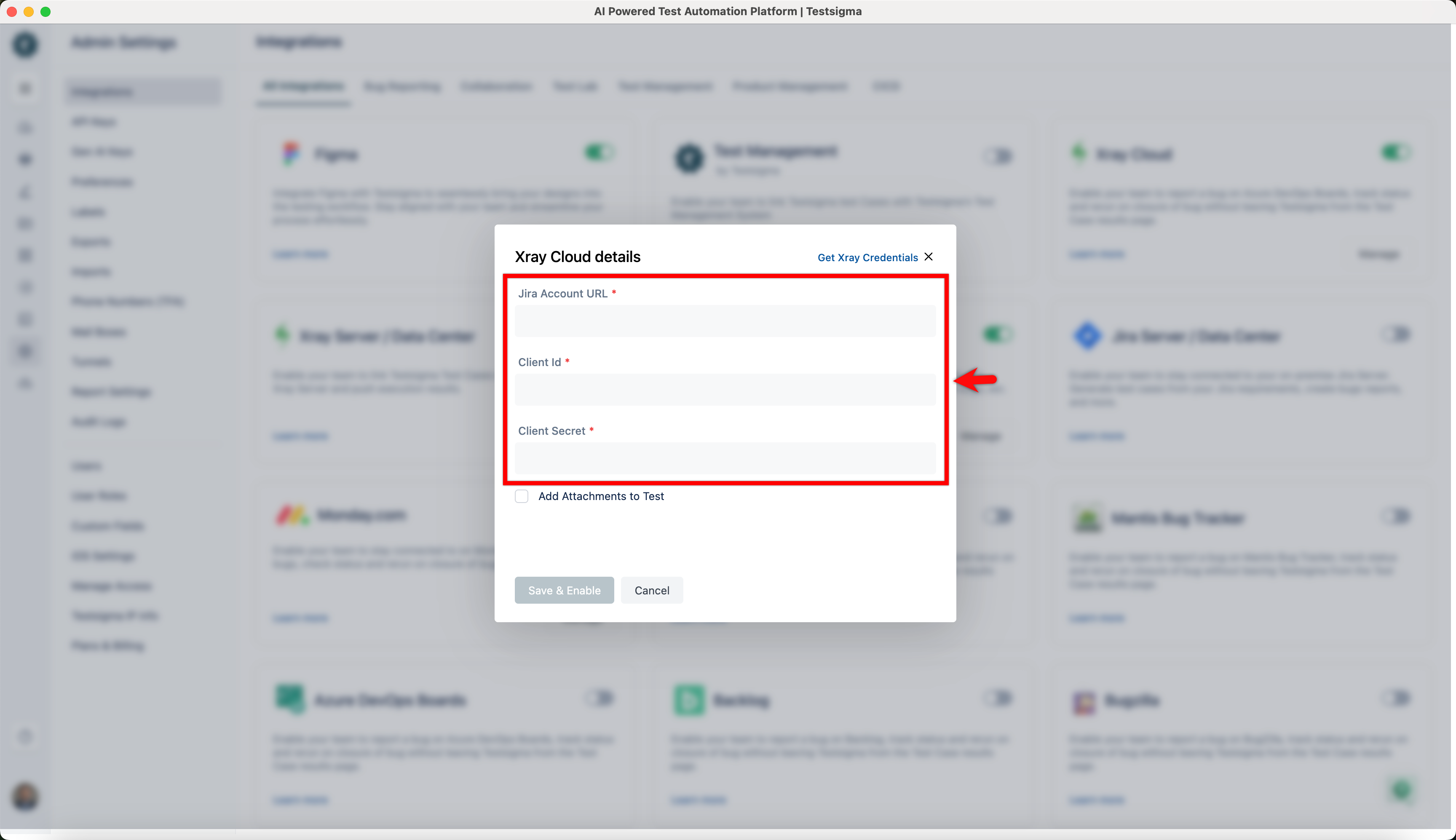
- On the Xray Details prompt, enter Jira Account URL, Client Id and Client Secret.
- Click on Save & Enable.
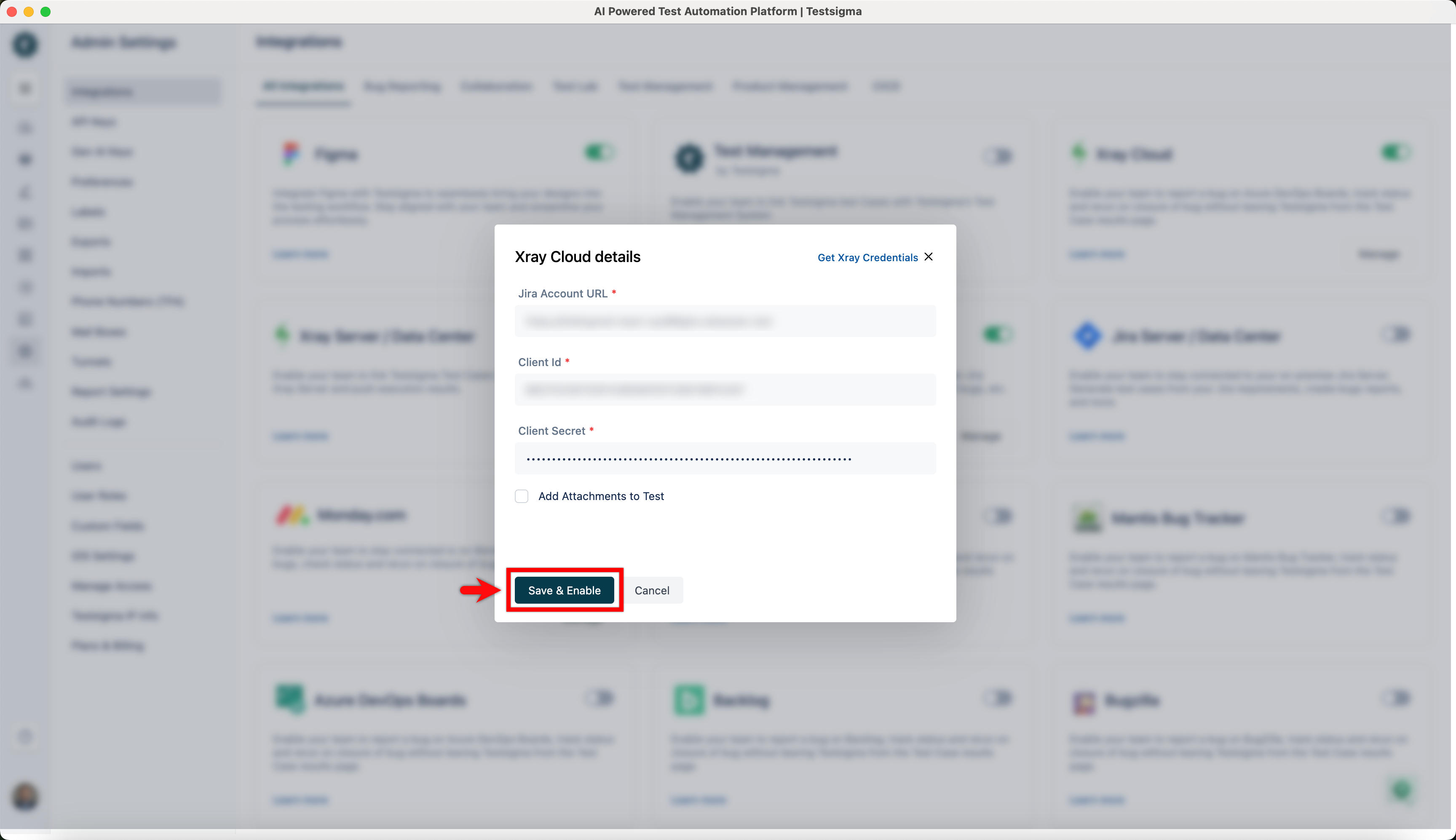
If you want to add attachments like logs, screenshots, and videos of execution for the test executions, please check the Add Attachments to Test.

Want to contribute or report missing content?