- create test cases
 Organizing Test Cases in Folders
- Test Cases for Web Applications
- Test Cases for Mobile Applications
- Test Cases for Mobile Web Applications
- Manage Test Cases for Web Applications
- Manage Test Cases for Android & iOS Apps
- Manage Test Cases for Mobile Web Applications
- Test Case List Actions
- Importing Postman Collections and Environments
- Custom Fields for Test Cases
- Label Management
- Update Test Case Result in a Test Plan
- Test Case: Advanced Options Guide
- Test Step Types
- Type: Natural Language
- Type: REST API
- Type: Step Group
- Type: For Loop
- Type: While Loop
- Type: Block
- Type: If Condition
- Nested Step Groups
- Image Injection
- Cross-application testing
Parameters
Adding parameters in RESTful API Testing is the process of sending data to a server in order to receive a response. This data is usually sent in the form of a query string or as part of the URL. Parameters can be used to specify the type of data that is being requested, the format of the response, and other information that the server needs to process the request.
- Query parameters are appended to the end of the request URL, following ? and listed in key-value pairs, separated by the & symbol. Sample Syntax: ?id=1&type=new.
- Path parameters form part of the request URL and are referenced using placeholders preceded by, as in the following example: /customer/:id
Send a Query Parameter
Testsigma keeps the request URL and the Parameters tab in sync, so you can add query parameters in whichever way is more convenient. Any change made in one place is automatically reflected in the other.
Method 1: Enter Parameters Directly in the URL
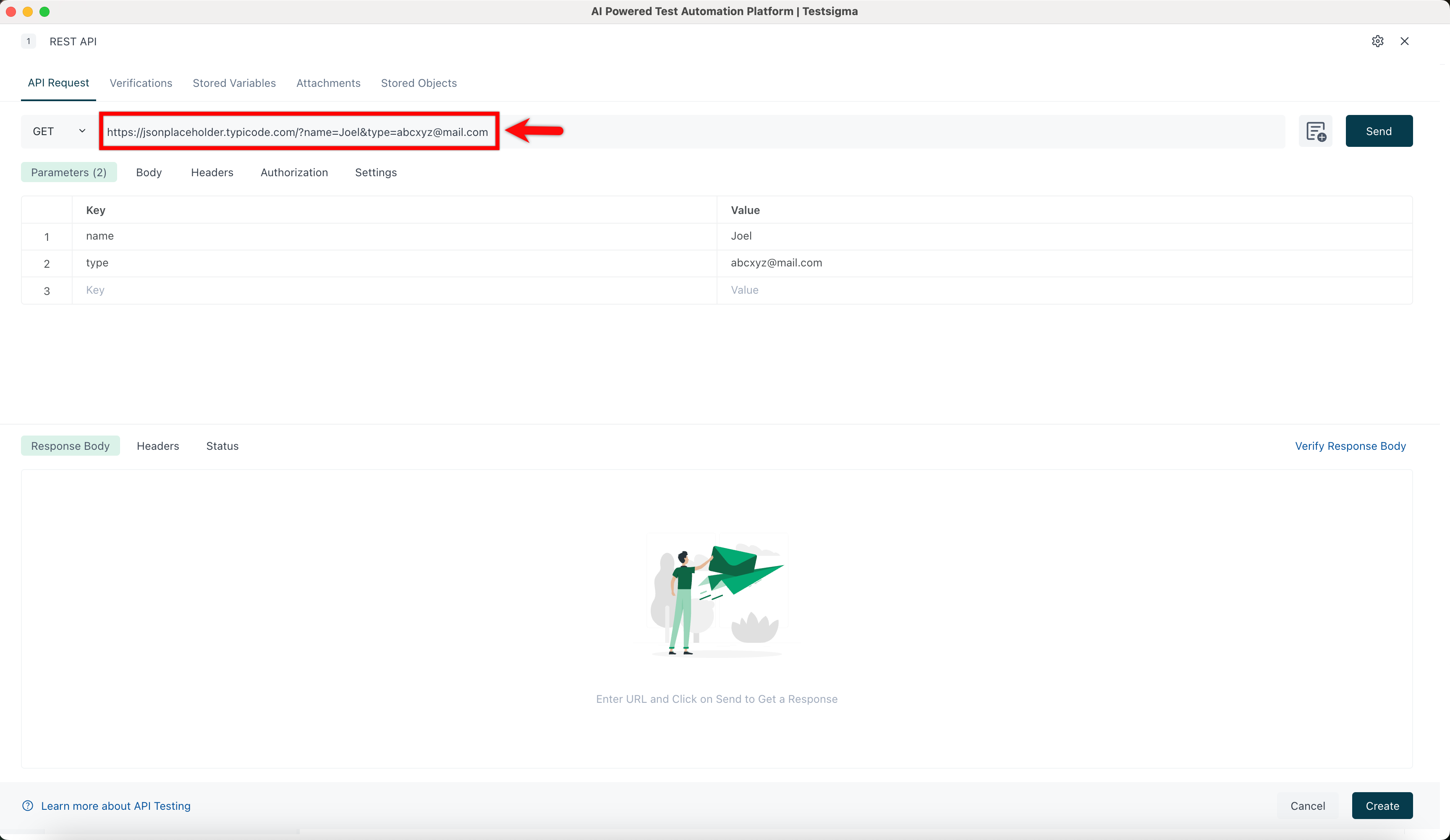
Type the full parameterized URL into the URL field. For example:
https://jsonplaceholder.typicode.com/?name=Joel&type=abcxyz@mail.com
The Parameters tab will automatically populate with the corresponding key-value pairs (name = Joel, type = abcxyz@mail.com).
Method 2: Enter Parameters in the Parameters Tab
Open the Parameters tab and enter your keys and values manually. The URL field at the top will automatically update to reflect them. For example:
- Entering page = 2 produces
https://jsonplaceholder.typicode.com/?page=2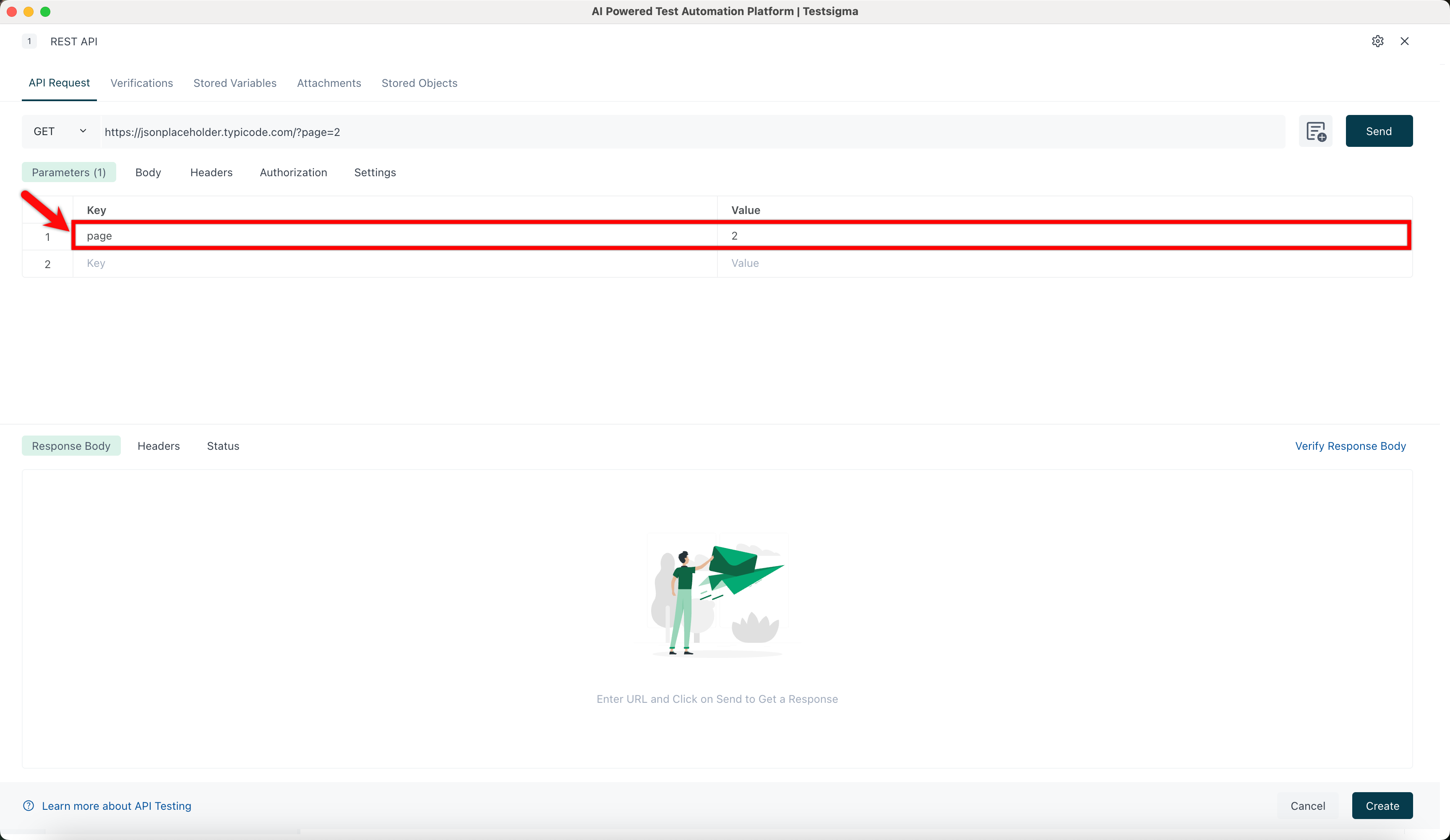
- Entering name = Joel along with type = abcxyz@mail.com produces
https://jsonplaceholder.typicode.com/?name=Joel&type=abcxyz@mail.com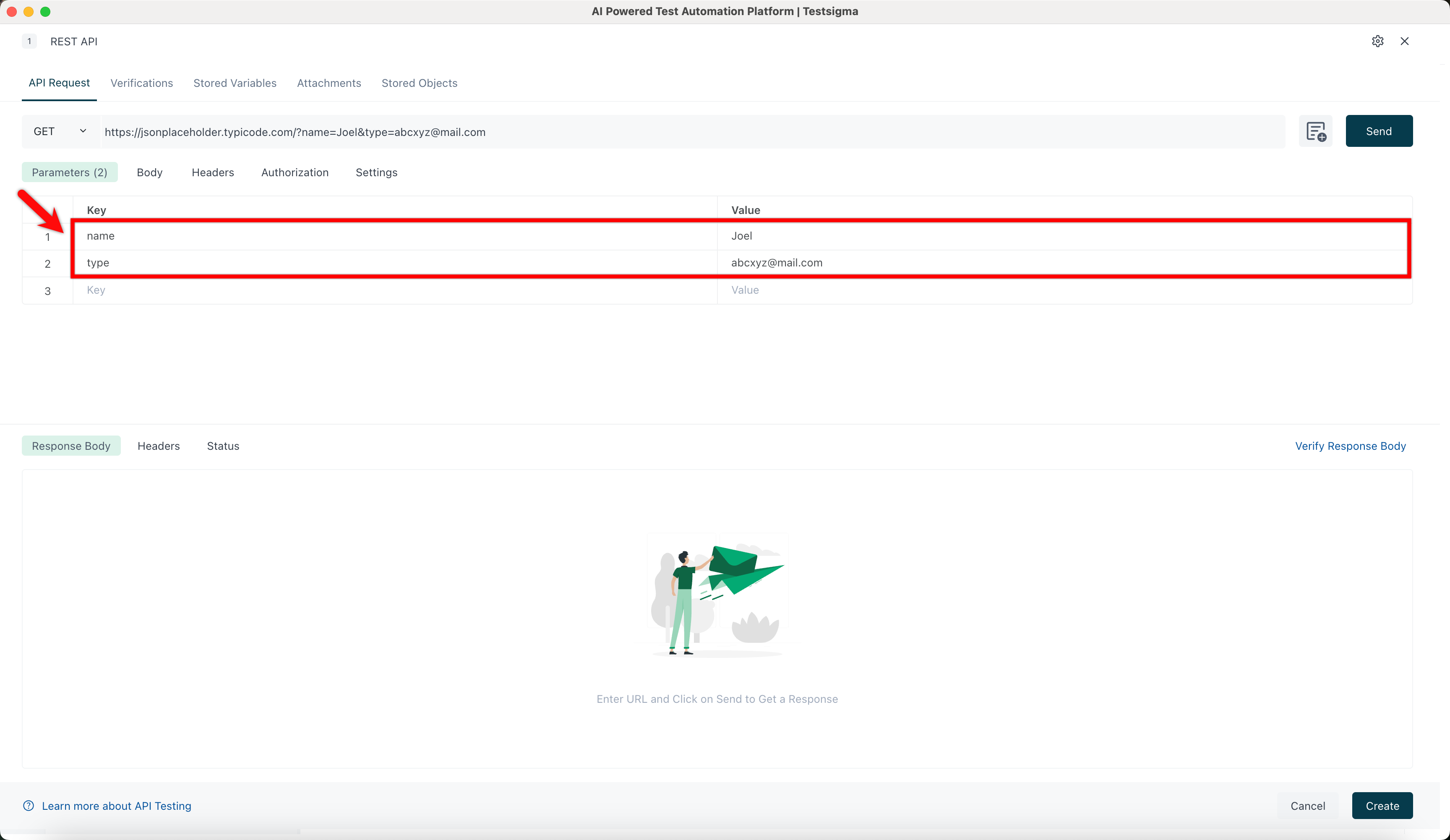
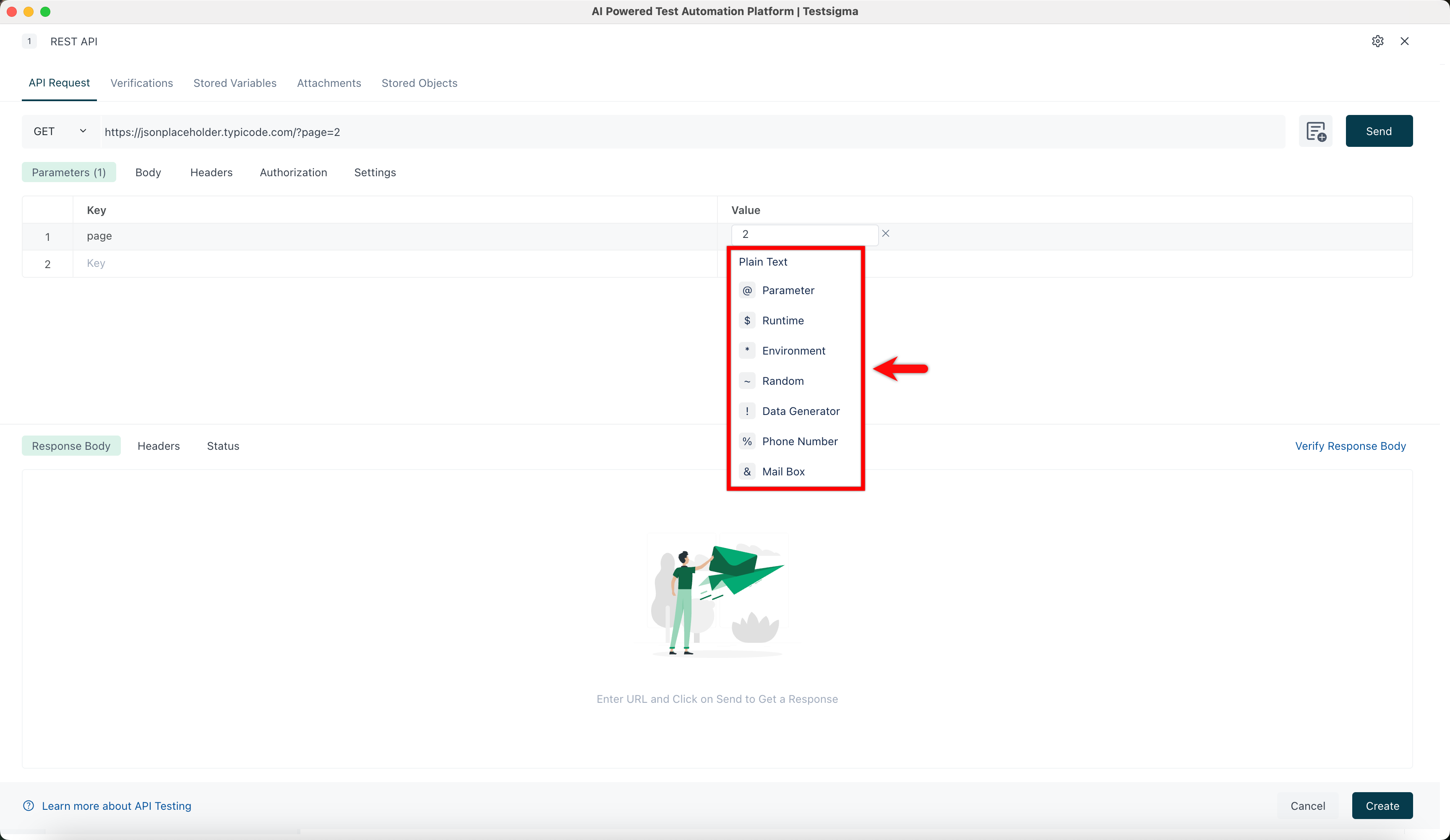
You can also click a Value field to replace it with a test data type such as Parameter, Runtime, Environment, Random, Data Generator, Phone Number, or Mail Box.
Send the Request
Once your parameters are set, click Send to fetch the response in real time. You can also configure Body, Headers, and Authorization as needed before sending.

Want to contribute or report missing content?