- test plans
 Add, Edit, Delete Test Machines
- Add, Edit, Delete Test Suites
- Schedule Test Plans
- Run Test Suites In Parallel
- Cross Browser Testing
- Distributed Testing
- End-to-End Testing
- Headless Testing
- Test Lab Types
- Disabling Test Cases in Test Plans
- AfterTest Case
- Post Plan Hook
- AfterTest Suite
- Email Configuration in Test Plan
- Execute Partial Test Plans via API
Distributed Testing
Distributed testing means that a test scenario is segmented into several parts, and each of them is performed on a separate machine, either sequentially or in parallel. It also suggests that the test parts interact with each other during a test run, which makes them coordinated and synchronized.
This type of testing is generally used to test distributed software — systems with components that run on different machines and interact with each other, such as a client-server system or an internet-based application web or intranet sites, with significant functional units running in multiple locations.
The goal of distributed testing is to know how different components of the system interact with each other. While multiple computers will run simultaneously during the test, each one will be running a different application component and playing a different role.
Distributed testing is achieved in Testsigma by splitting up test plan execution across multiple machines. To do this, Testsigma lets you select different test suites for each selected test machine, where each test suite encompasses one or more components of the application.
Prerequisites
Before you begin, ensure that you have referred to:
Steps to enable distributed testing
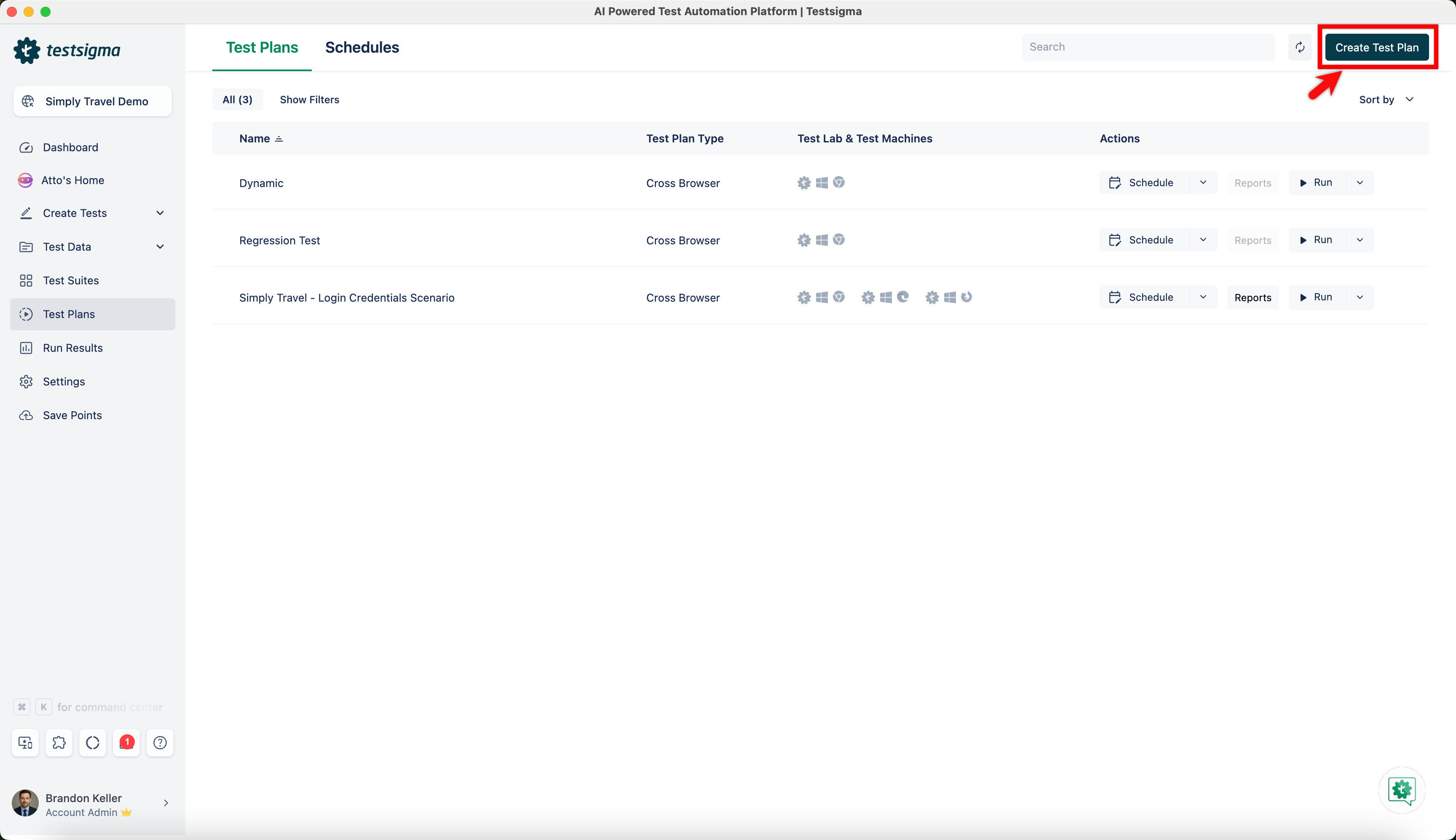
- Navigate to Test Plans and click on Create Test Plan.
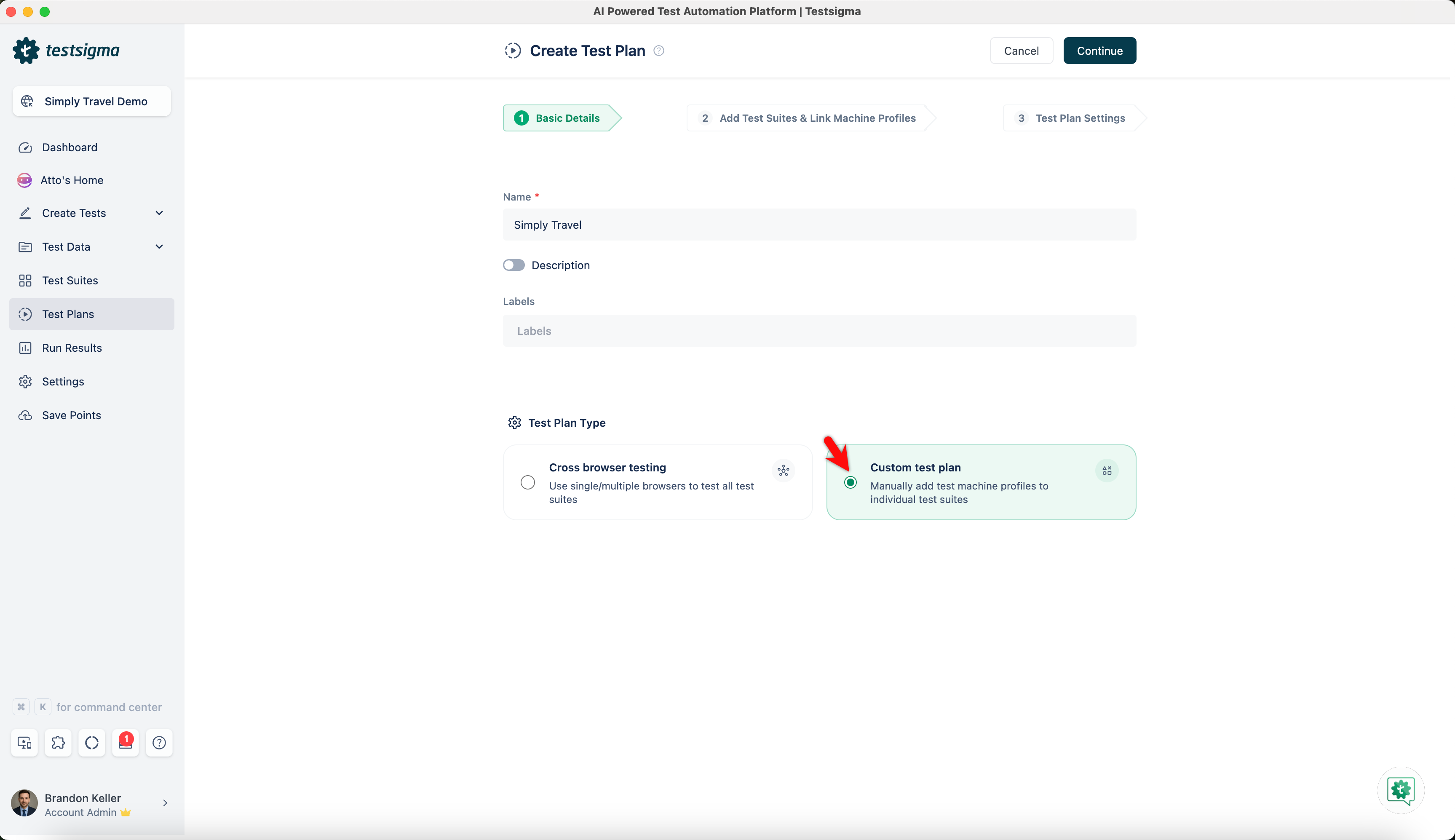
- On the Create Test Plan page, select Custom test plan from Test Plan Type.
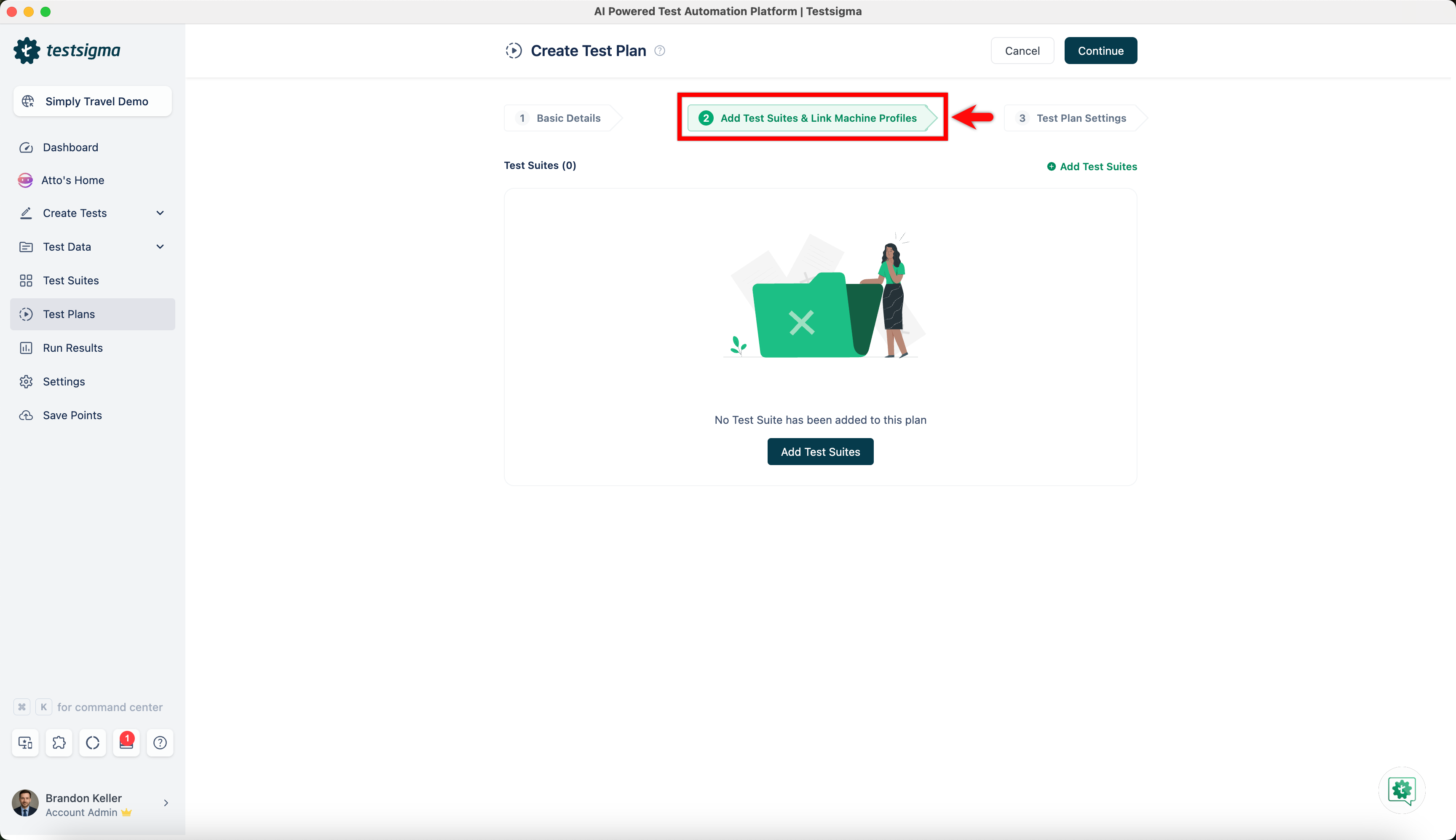
- Click on Add Test Suites & Link Machine Profiles.
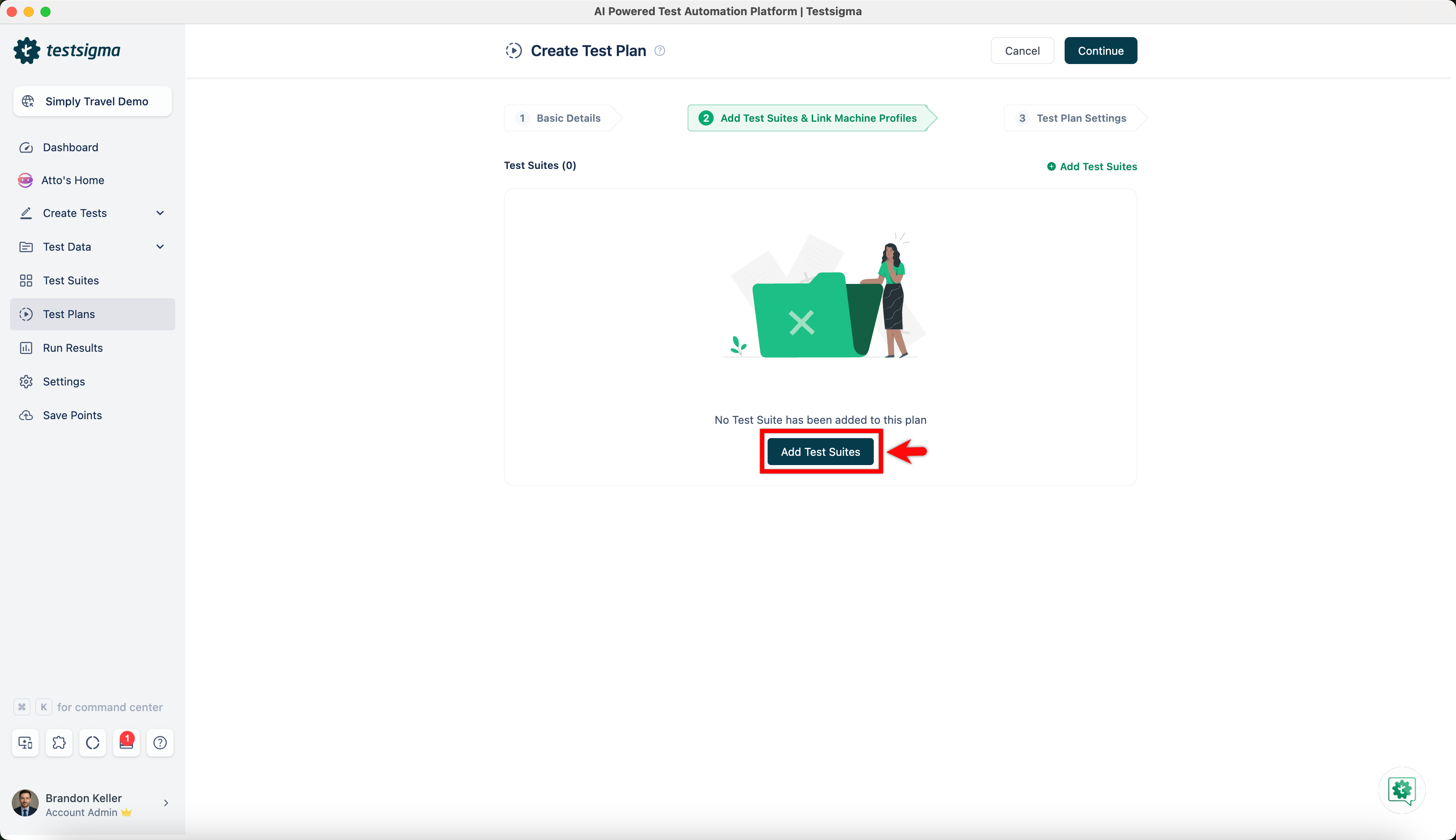
- Click on Add Test Suites.
- Select test suites and click on Add to Plan.
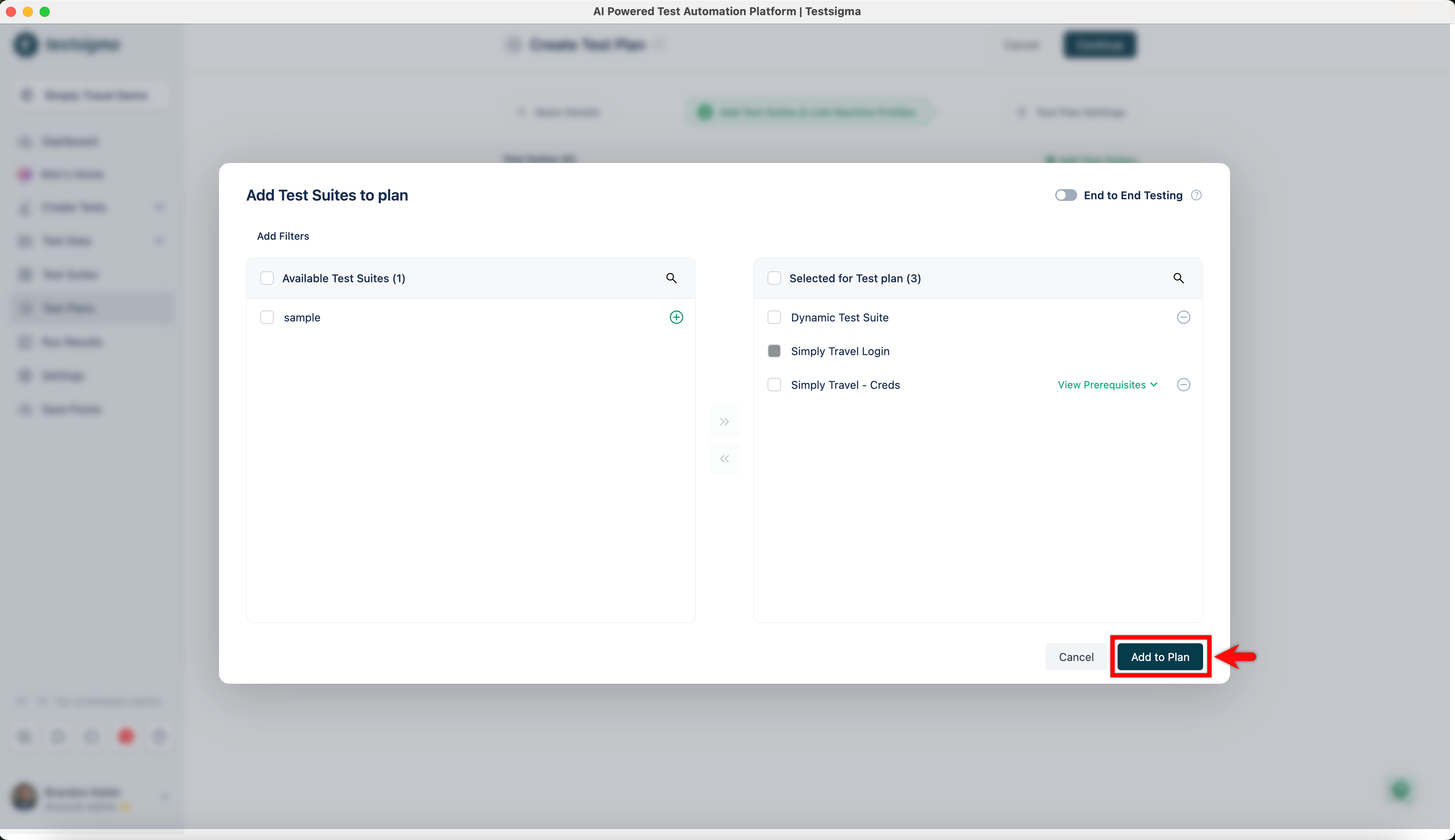
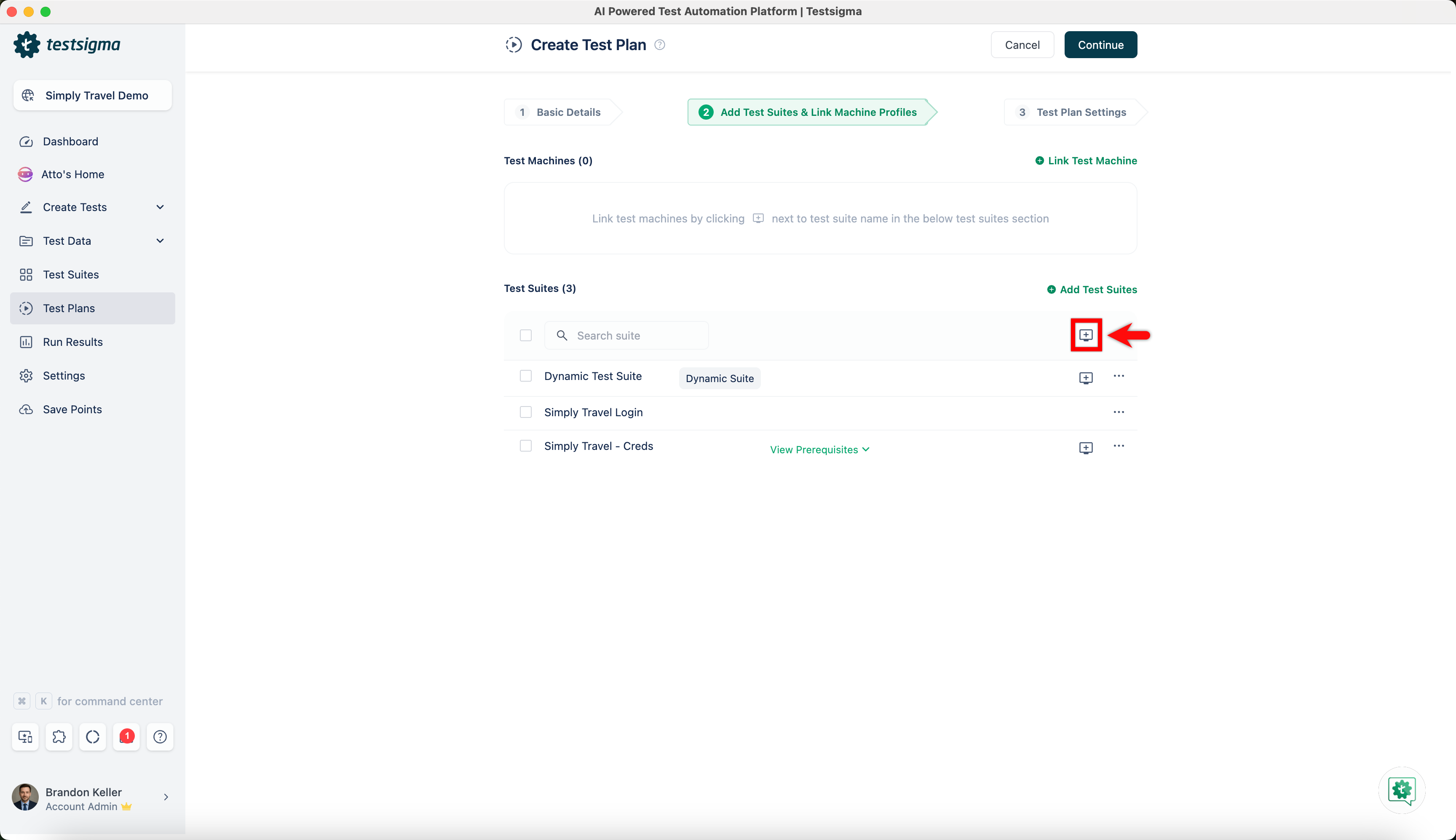
- Click on Test Machine to add test machines to run the test suite.
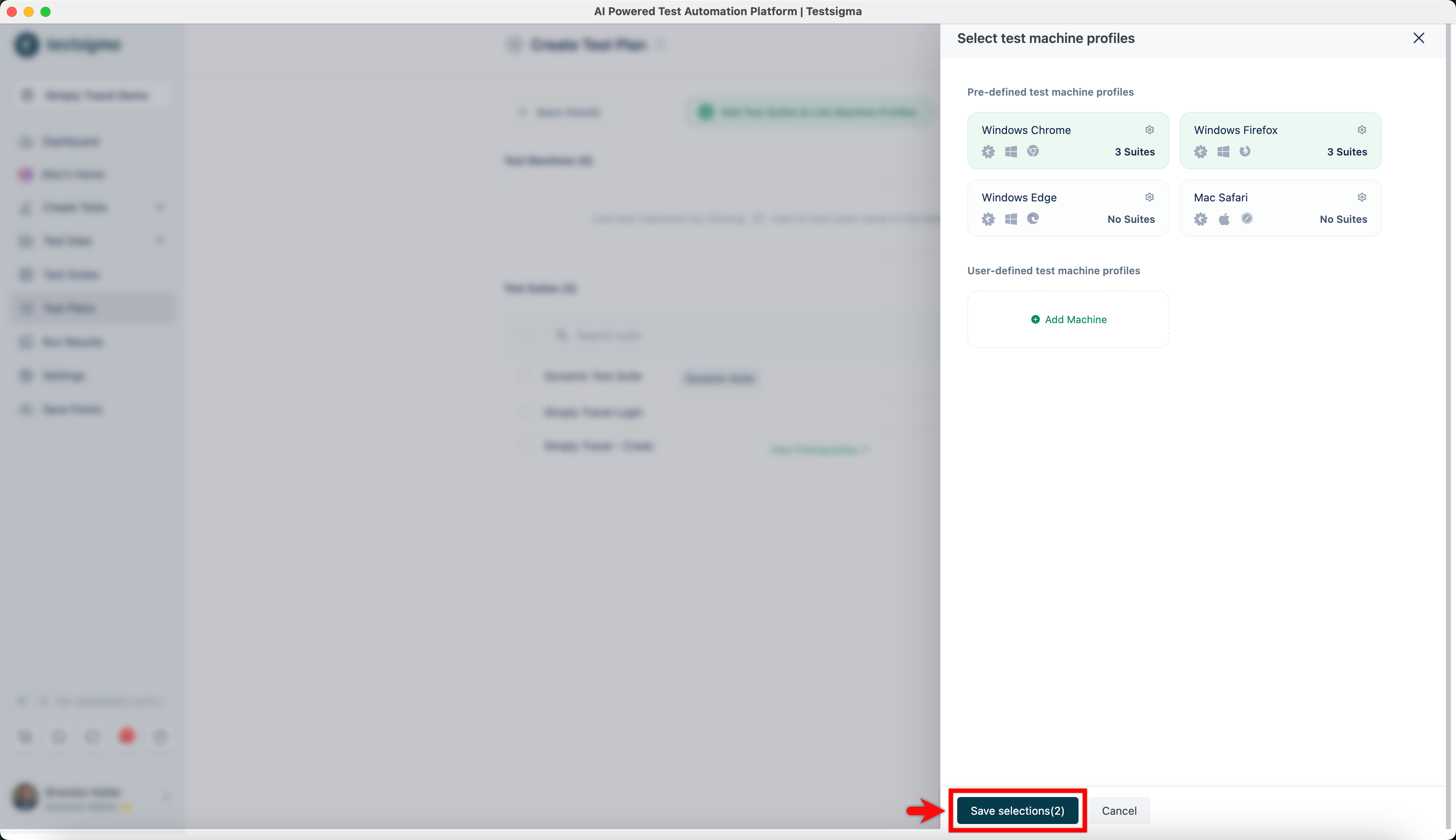
- On Select test machine profiles overlay, select test machines and click on Save selections.
For distributed testing, you must select different test suites for different test machines. You can hover over the test suite and click on the test machine corresponding to it to add a different test machine to the test suite.
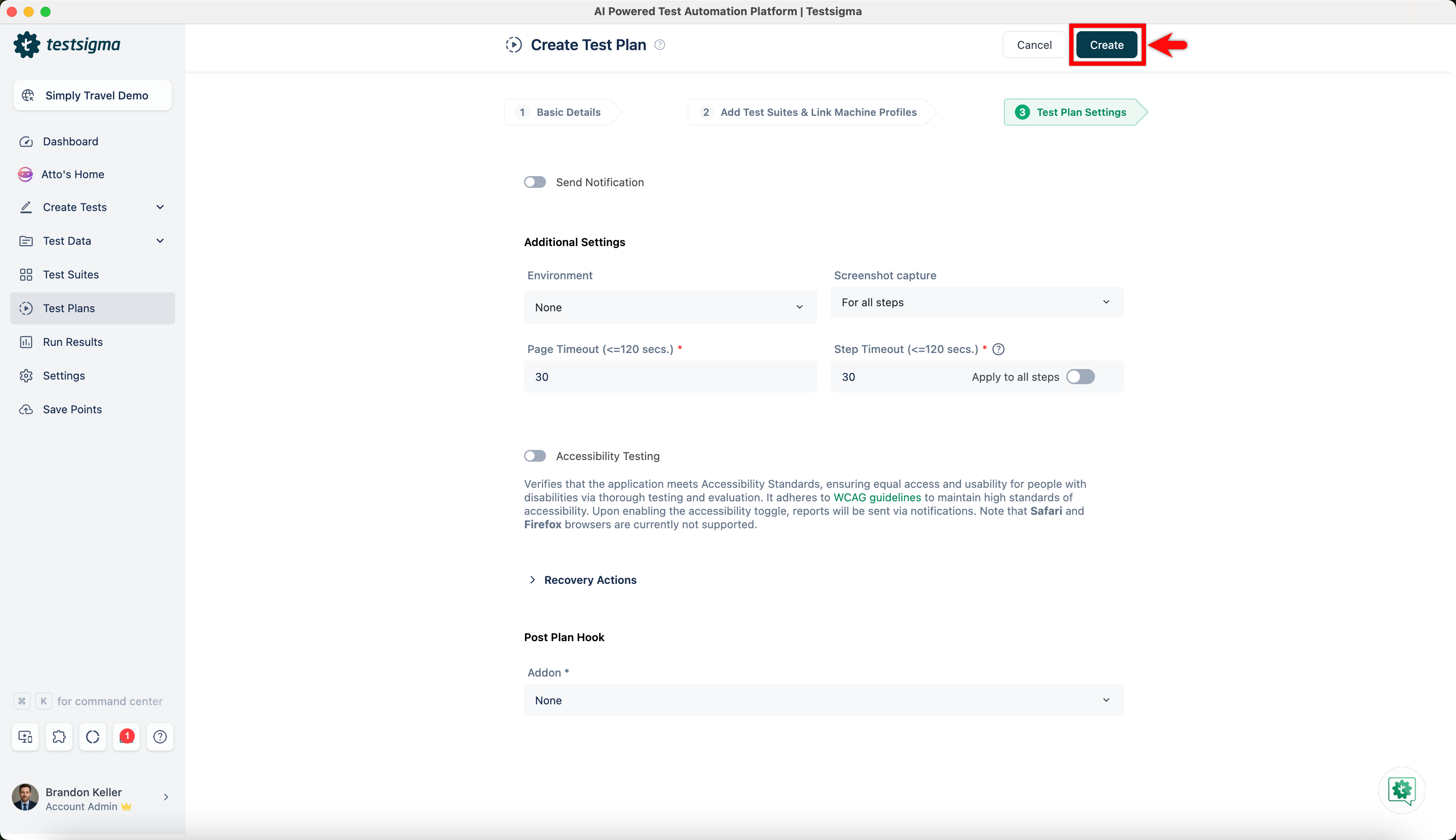
- Go to Test Plan Settings and click on Create.

Want to contribute or report missing content?