- create test cases
 Organizing Test Cases in Folders
- Test Cases for Web Applications
- Test Cases for Mobile Applications
- Test Cases for Mobile Web Applications
- Manage Test Cases for Web Applications
- Manage Test Cases for Android & iOS Apps
- Manage Test Cases for Mobile Web Applications
- Test Case List Actions
- Importing Postman Collections and Environments
- Custom Fields for Test Cases
- Label Management
- Update Test Case Result in a Test Plan
- Test Case: Advanced Options Guide
- Test Step Types
- Type: Natural Language
- Type: REST API
- Type: Step Group
- Type: For Loop
- Type: While Loop
- Type: Block
- Type: If Condition
- Nested Step Groups
- Image Injection
- Cross-application testing
Adding For Loops in Test Cases
For Loops are a powerful tool that will let us repeat operations. A For Loop loops a block of steps through each dataset (which is a multi-column, multi-row variable) in a test data profile. The loop ends when it reaches the end of the dataset or when a break is encountered.
Thus using For Loops, you can run the same test with a subset of test data. For instance, say you have a test data profile in the format below:
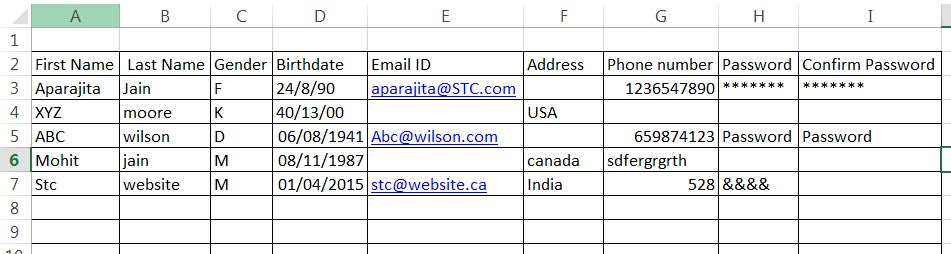
If you want to run a test case based on the above test data profile, but you just want to run it for rows 1 to 3, then you use a for loop.
Prerequisites
Before you begin, ensure that you have referred to:
Using For Loop in Test Cases
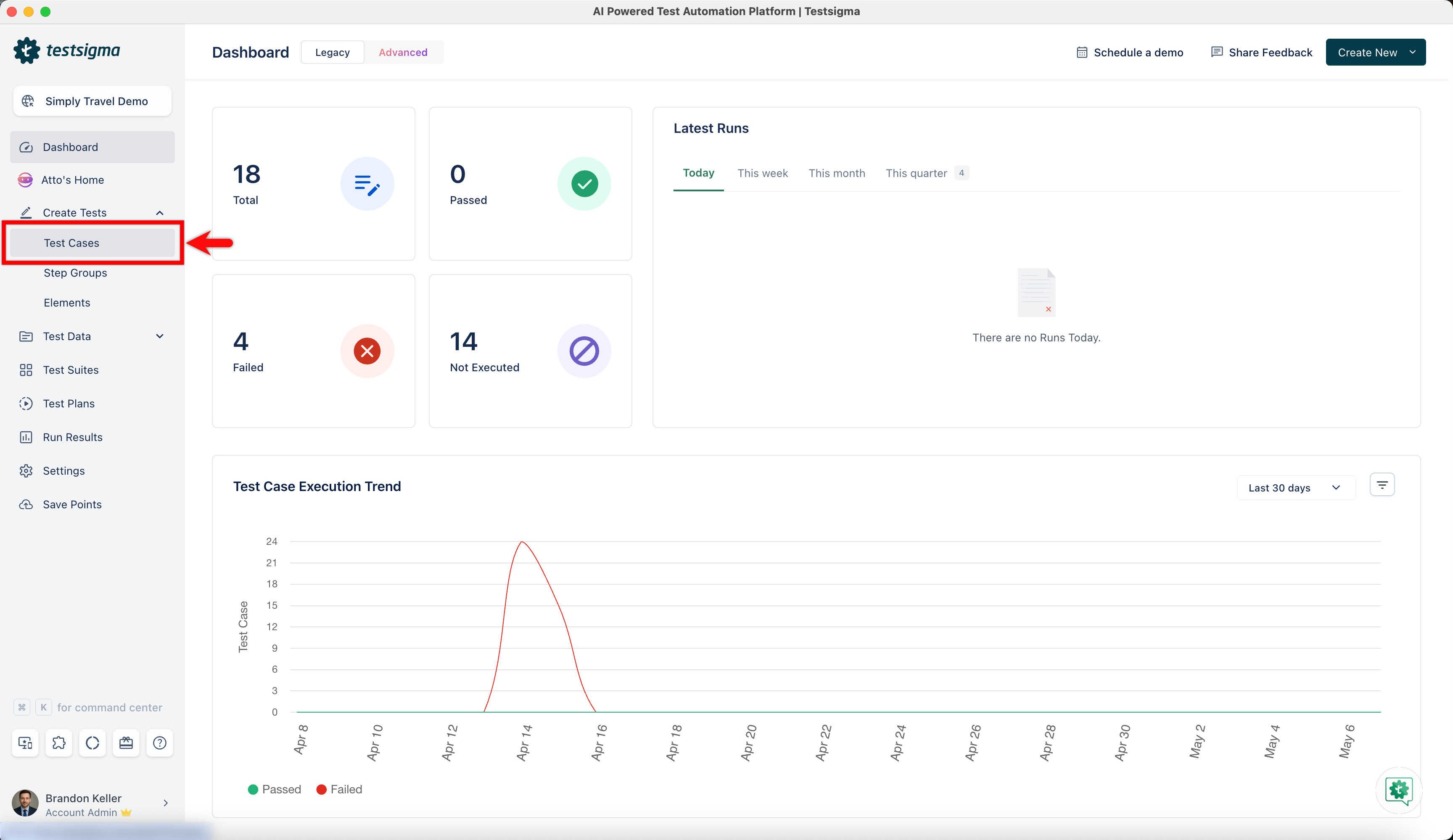
- Navigate to Create Tests > Test Cases, and create a test case or open an existing one.
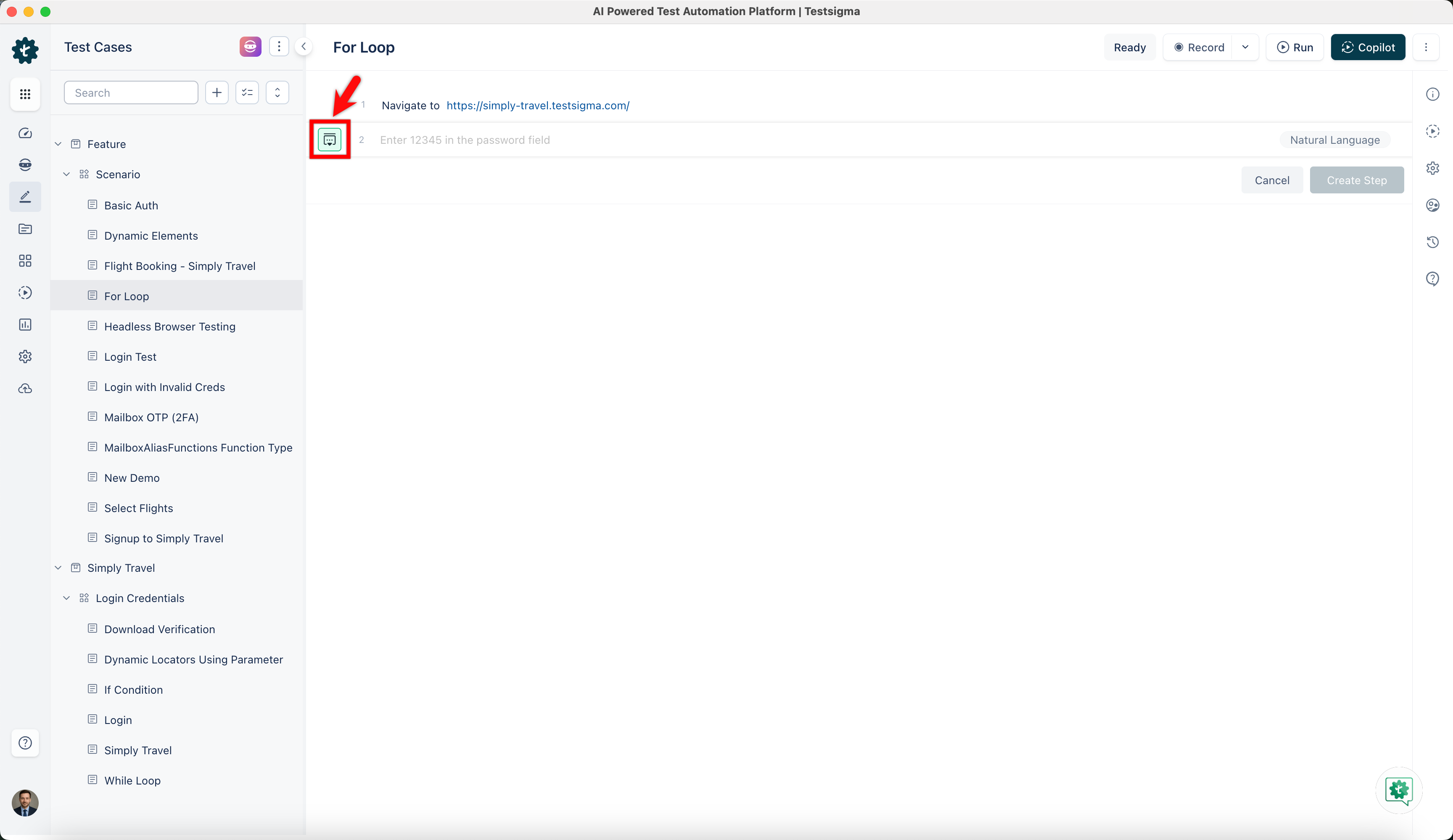
- On Test Case Details page, click on the option on the left side of the test step.
- This will open a side panel.
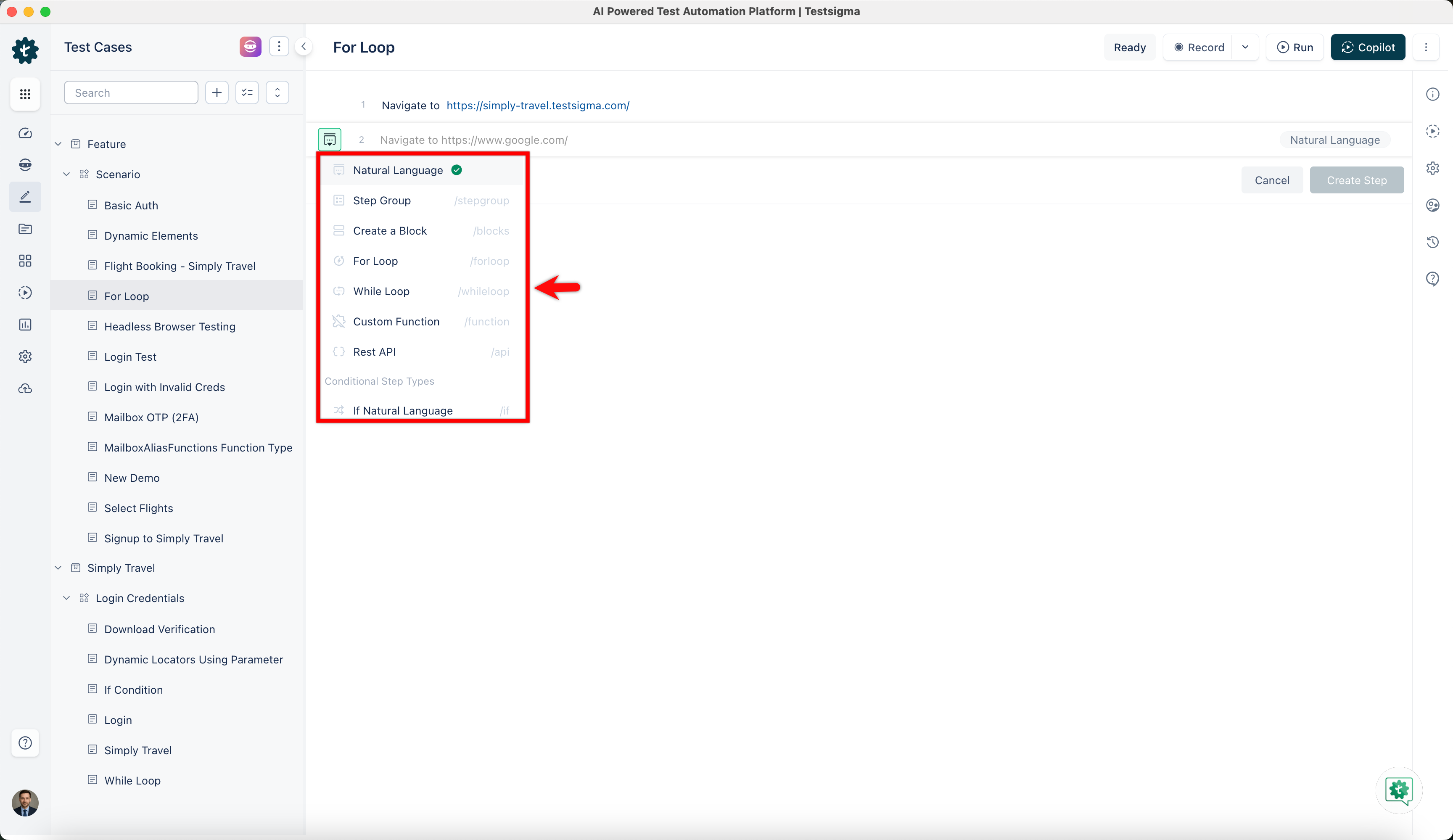
- Hover over to the options and click on For Loop.
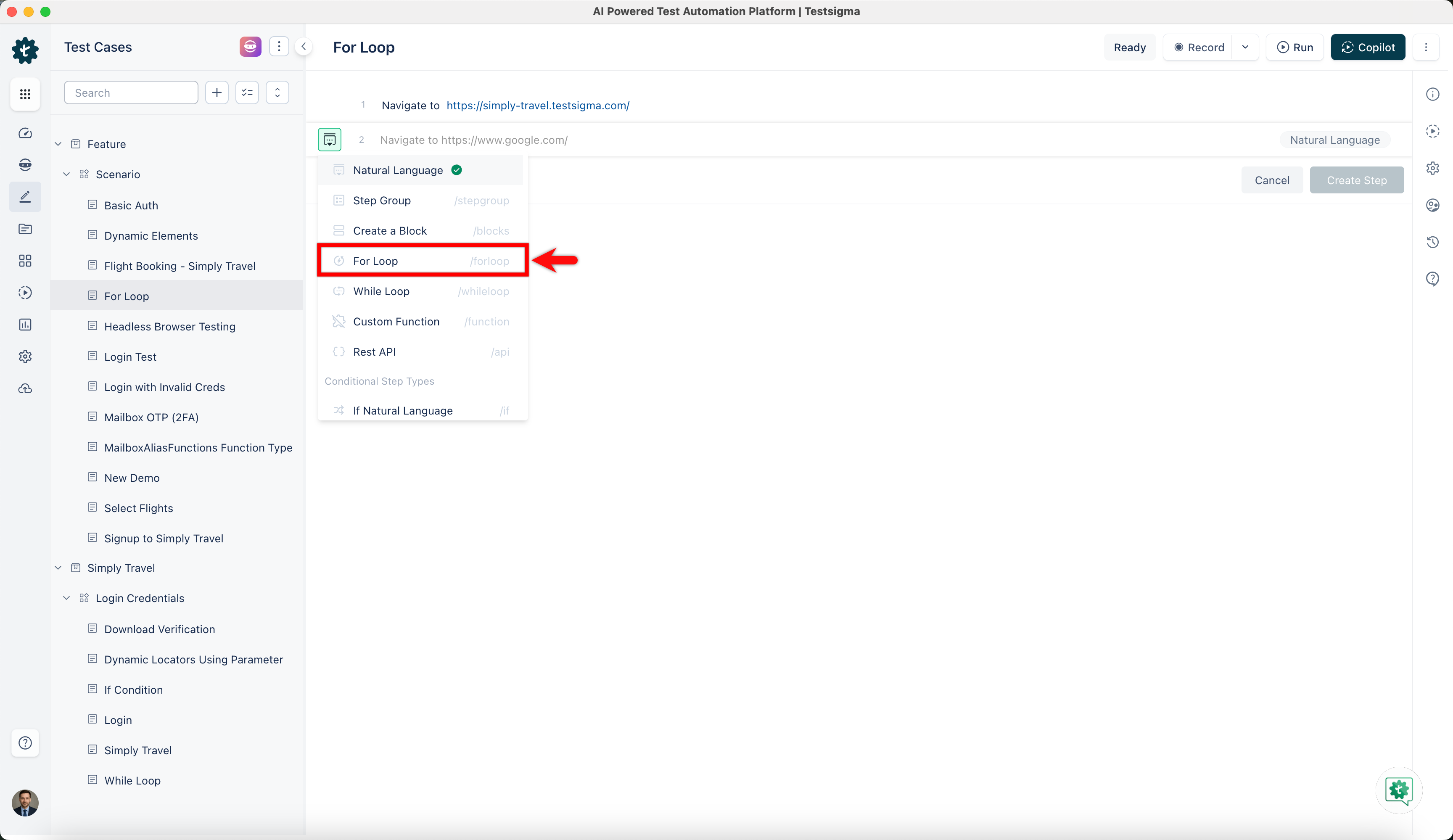
-
This option opens a drop down of NLPs that can be used inside the test step.
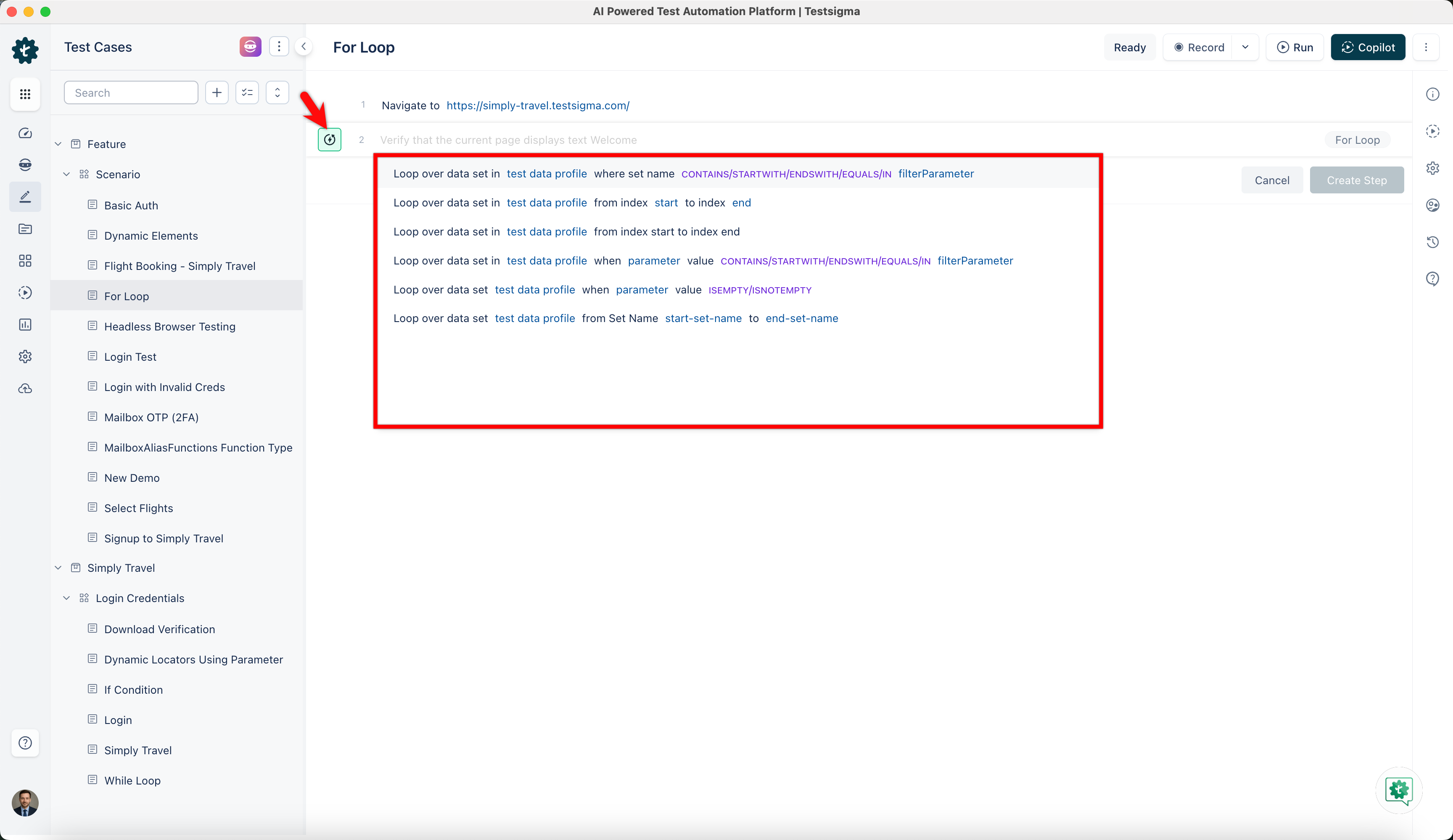
- If you want to iterate through all the data sets of your test data profile from start to end use the below NLP:

- If you want to start the index at a specific number and end the index at a specific number use the below NLP:

Sometimes you only want to work with a subset of the data sets of your test data profile. The subset of the data sets can be filtered based on data set name and parameter.
- To filter test data profile based on data set name use the following NLP:

- If you want to iterate through all the data sets of your test data profile from start to end use the below NLP:
The data set names can be subjected to advanced filtering based on the keywords contain, startswith, endswith, IN, and the different data types supported by Testsigma. For more information refer to data types.
- To filter test data profile based on parameter value use the below NLP:

- Another NLP to filter test data profile based on parameter value is the following:

- Select the suitable NLP to include in the test step and finish creating For Loop test step.
Additional actions possible on iteration count
- Store: Iteration count is the current count that is being iterated in a for loop in Testsigma. This Iteration Count can be stored into a variable for later use. Below is how the syntax for the Store NLP looks like:

- if: The test data set values, from a test data profile being iterated, can be compared within an if condition too. Below screenshot shows the NLP (The NLP can be added as a part of add-on “String Compare”. You can find the add-ons to use here: https://testsigma.com/addons):


Want to contribute or report missing content?