- create test cases
 Organizing Test Cases in Folders
- Test Cases for Web Applications
- Test Cases for Mobile Applications
- Test Cases for Mobile Web Applications
- Manage Test Cases for Web Applications
- Manage Test Cases for Android & iOS Apps
- Manage Test Cases for Mobile Web Applications
- Test Case List Actions
- Importing Postman Collections and Environments
- Custom Fields for Test Cases
- Label Management
- Update Test Case Result in a Test Plan
- Test Case: Advanced Options Guide
- Test Step Types
- Type: Natural Language
- Type: REST API
- Type: Step Group
- Type: For Loop
- Type: While Loop
- Type: Block
- Type: If Condition
- Nested Step Groups
- Image Injection
- Cross-application testing
Attachments
Attachments in RESTful API testing refer to the ability to send and receive files such as images, documents, and videos as part of an API request or response. This is typically done using the multipart/form-data content type, which allows for the inclusion of binary data in an API request or response.
There are two ways to upload files in Attachments.
Attach file from form-data
- Navigate to API Request > Body > form-data tab.
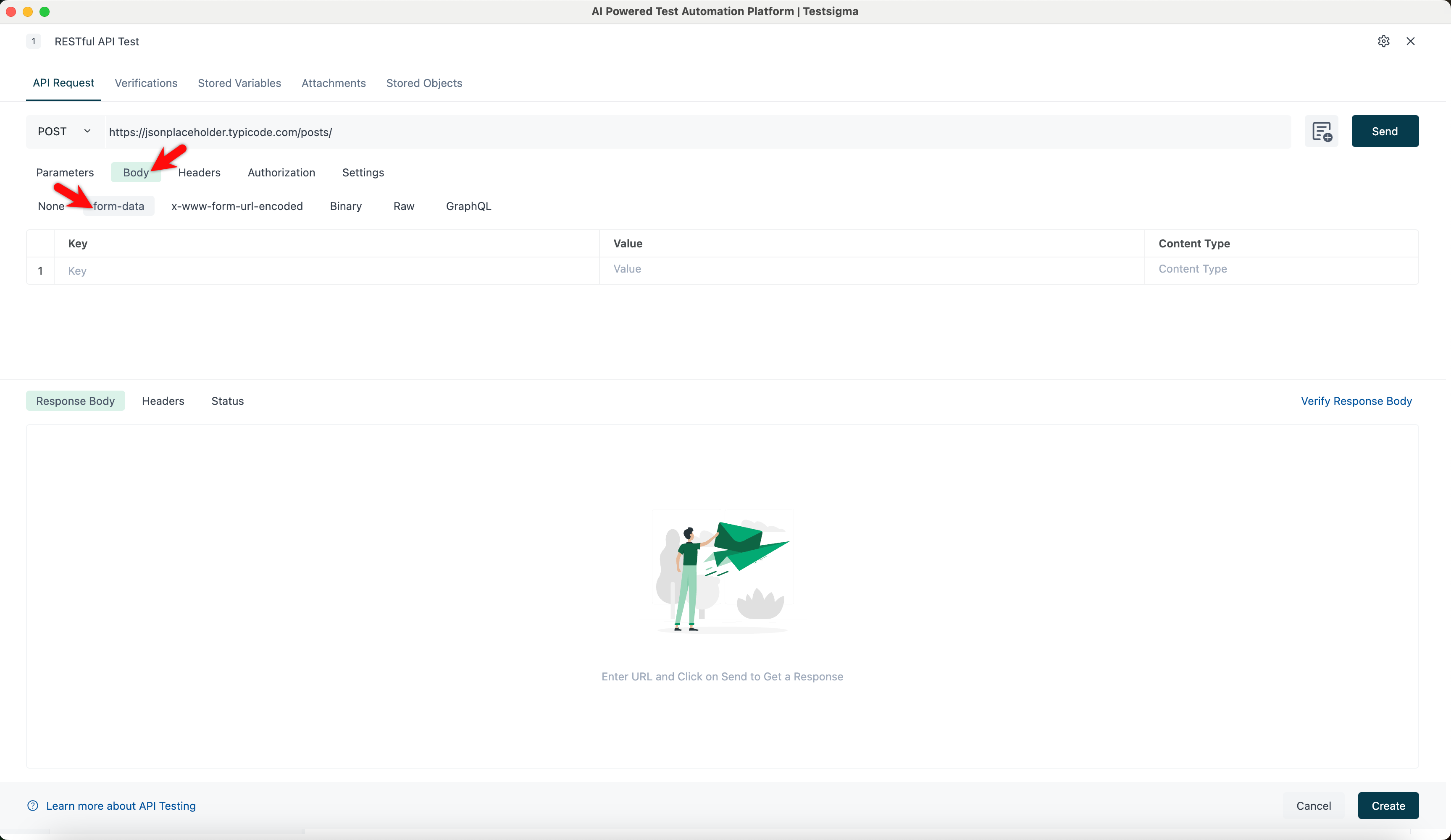
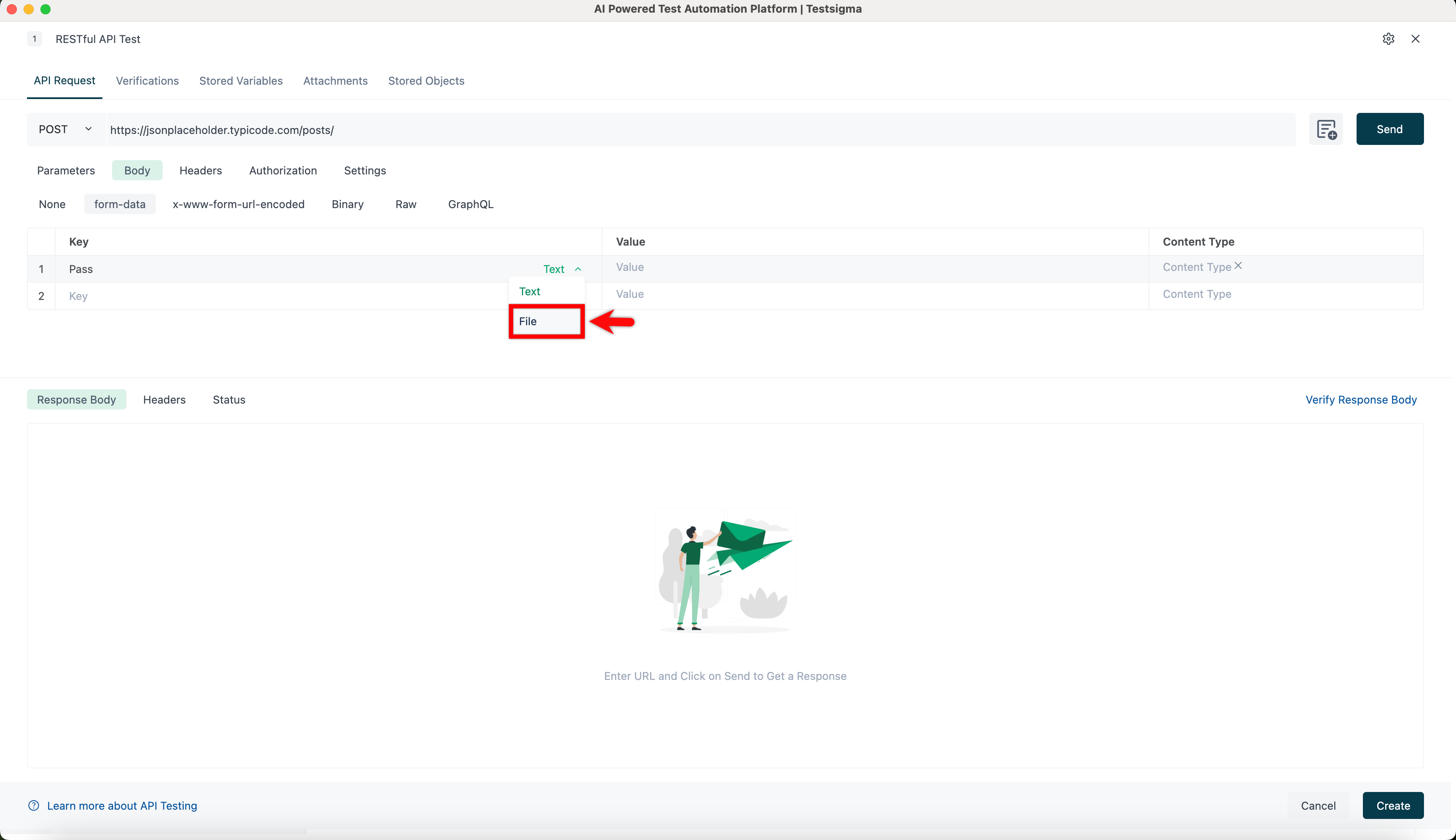
- Hover over the Key field and select File from the dropdown.
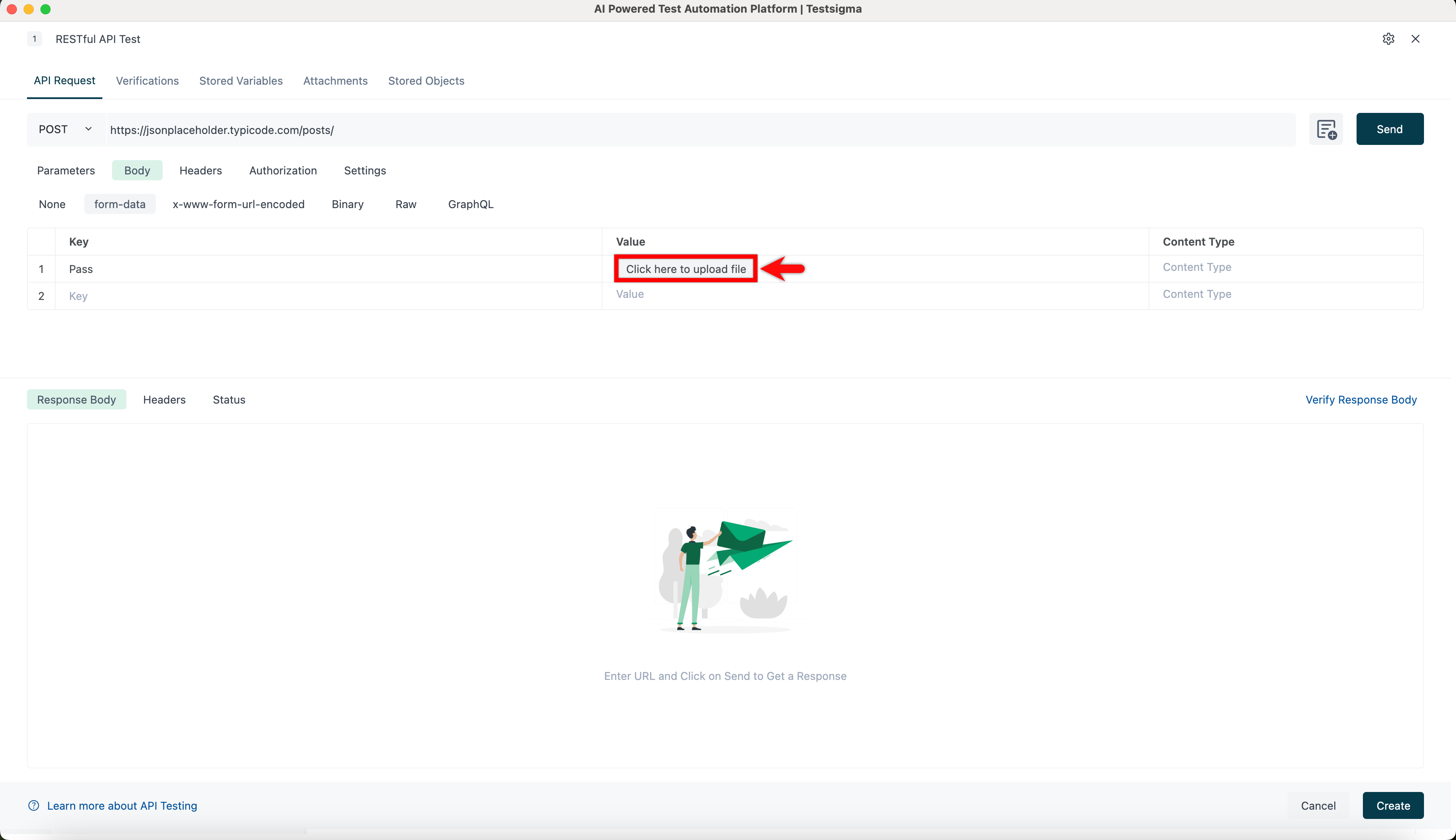
- Upload file in the Value field.
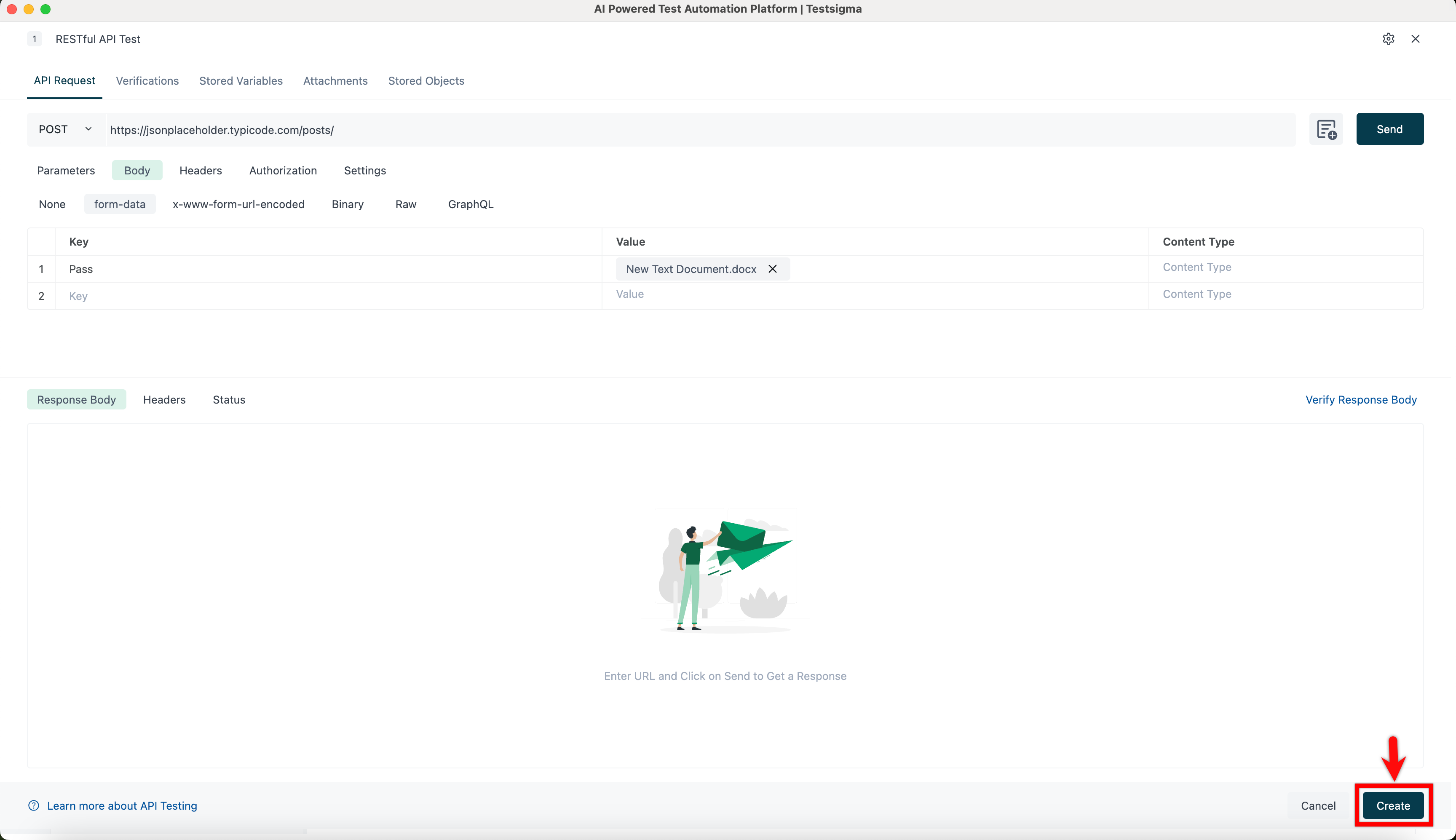
- Click Create to upload the file in the Attachments tab.
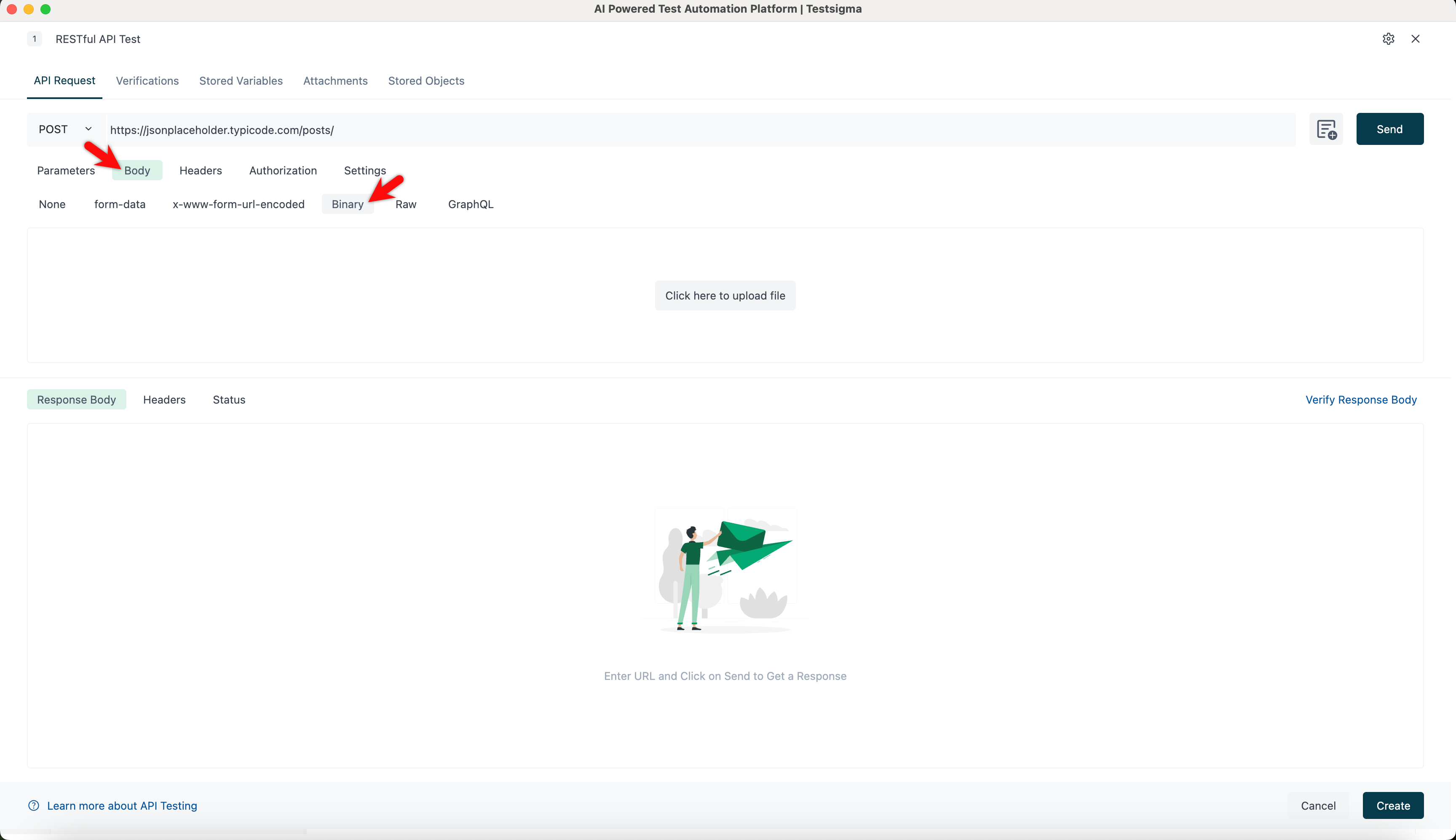
Attach file from Binary
- Navigate to API Request > Body > Binary tab.
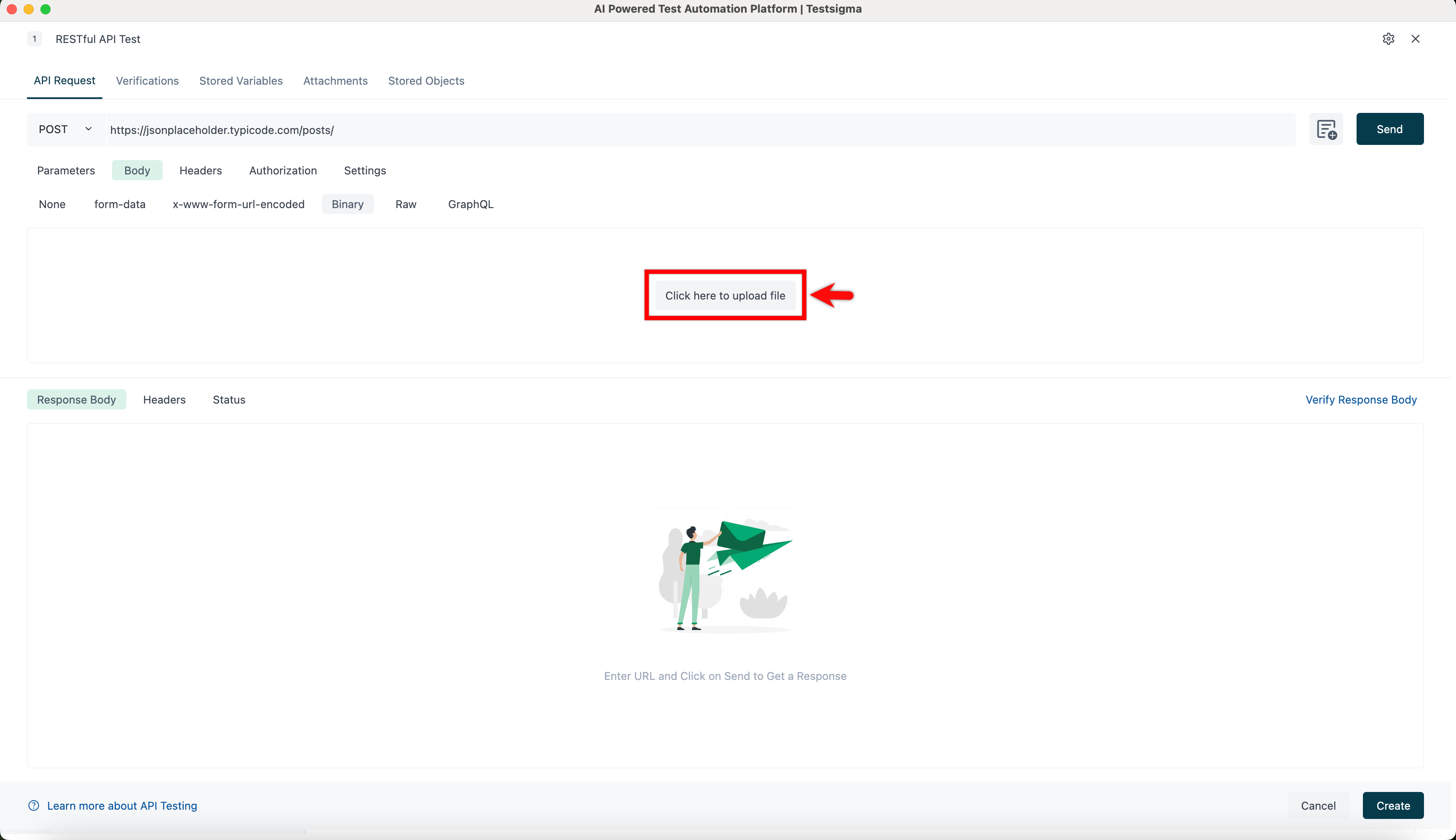
- Upload file.
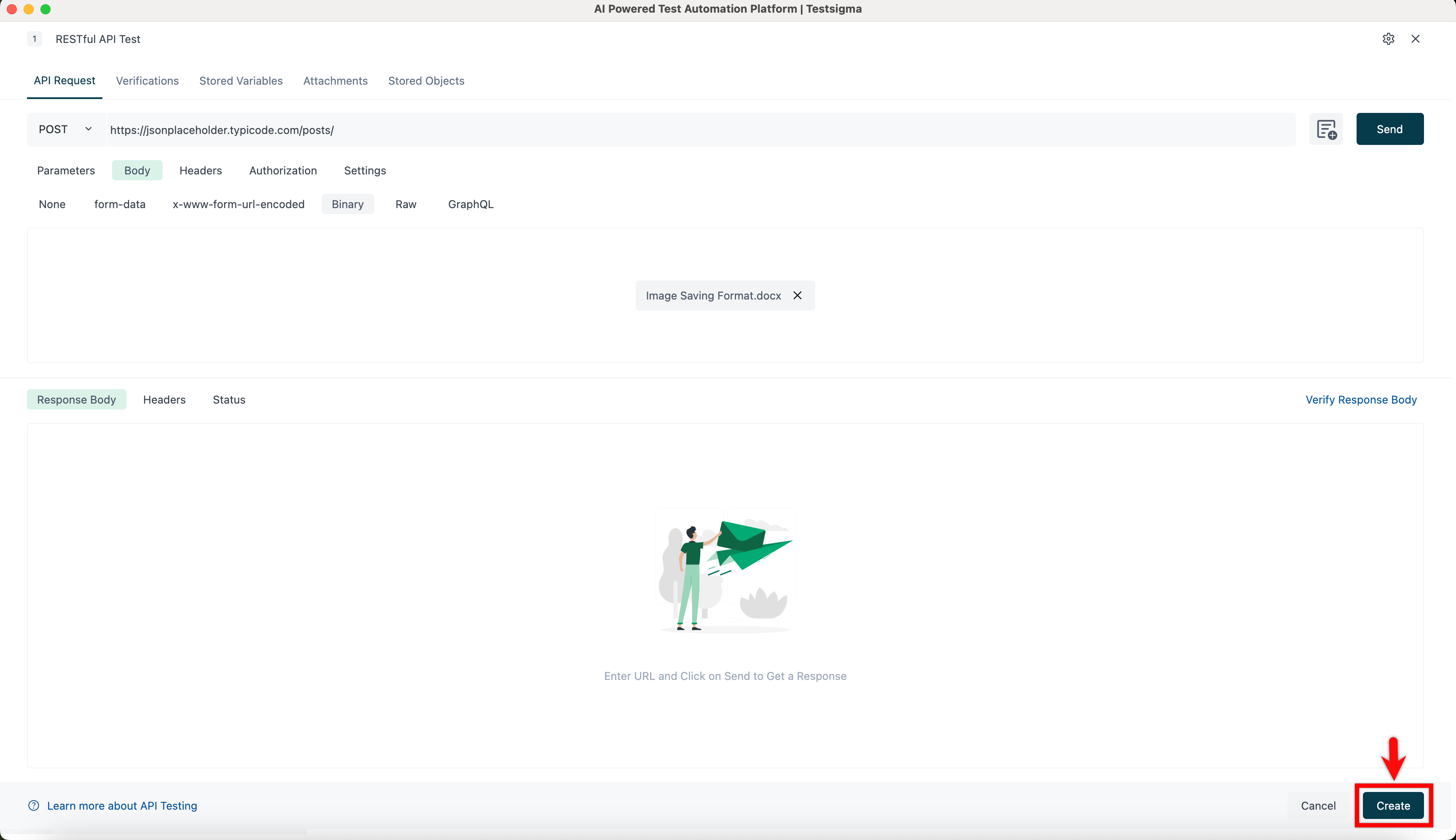
- Click Create to upload the file in the Attachments tab.

Want to contribute or report missing content?