- create test cases
 Organizing Test Cases in Folders
- Test Cases for Web Applications
- Test Cases for Mobile Applications
- Test Cases for Mobile Web Applications
- Manage Test Cases for Web Applications
- Manage Test Cases for Android & iOS Apps
- Manage Test Cases for Mobile Web Applications
- Test Case List Actions
- Importing Postman Collections and Environments
- Custom Fields for Test Cases
- Label Management
- Update Test Case Result in a Test Plan
- Test Case: Advanced Options Guide
- Test Step Types
- Type: Natural Language
- Type: REST API
- Type: Step Group
- Type: For Loop
- Type: While Loop
- Type: Block
- Type: If Condition
- Nested Step Groups
- Image Injection
- Cross-application testing
View the Import Summary
You can use the Import Summary feature to view the status and details of your import and verify that the process completed as expected. This article explains how to view the import summary.
Prerequisites
Ensure you have imported artefacts from the current project to the destination project.
Steps to View the Import Summary
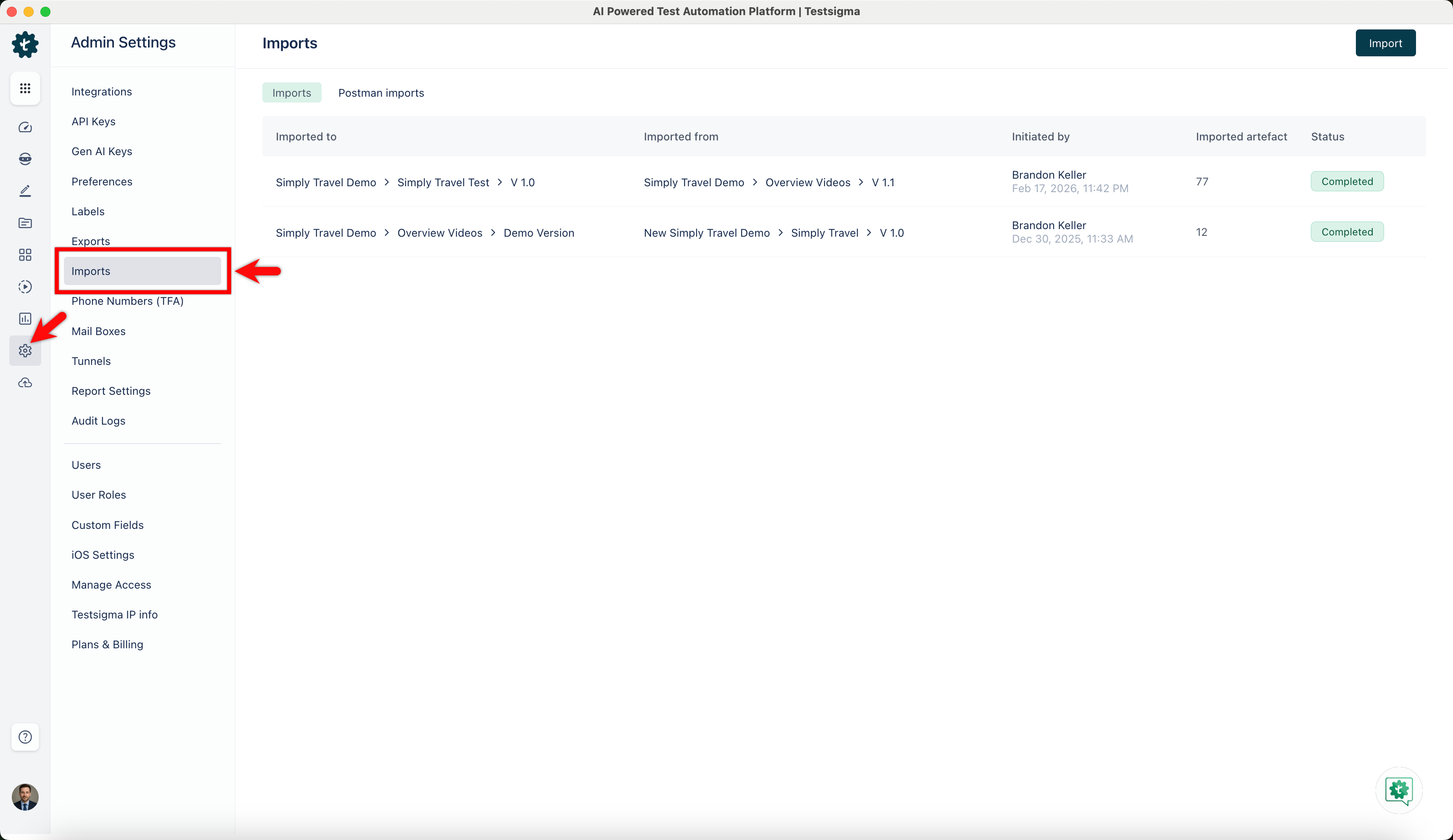
- From the left navigation bar, go to Settings > Imports.
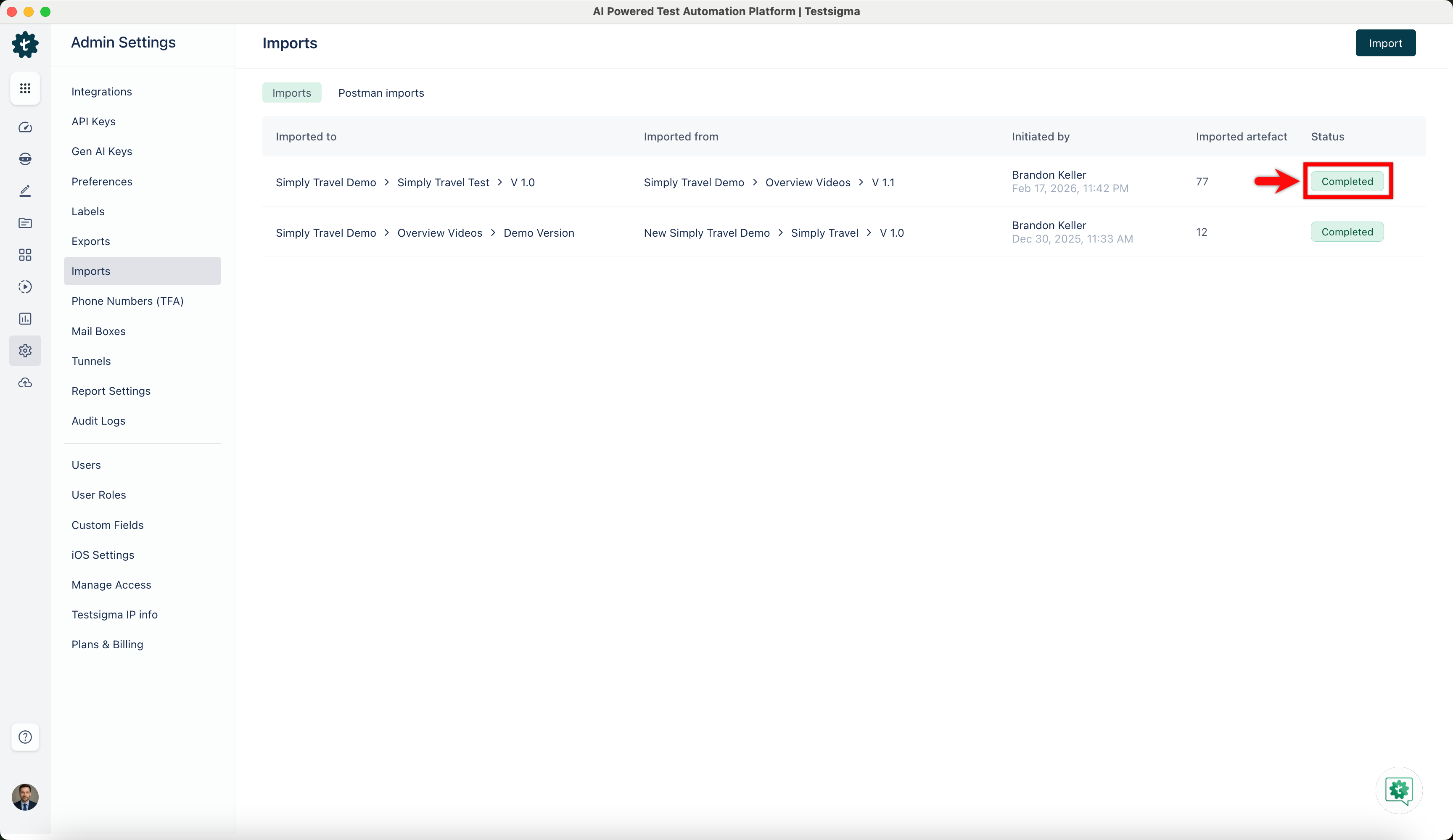
- In the Imports page, click the status of the import you want to view.
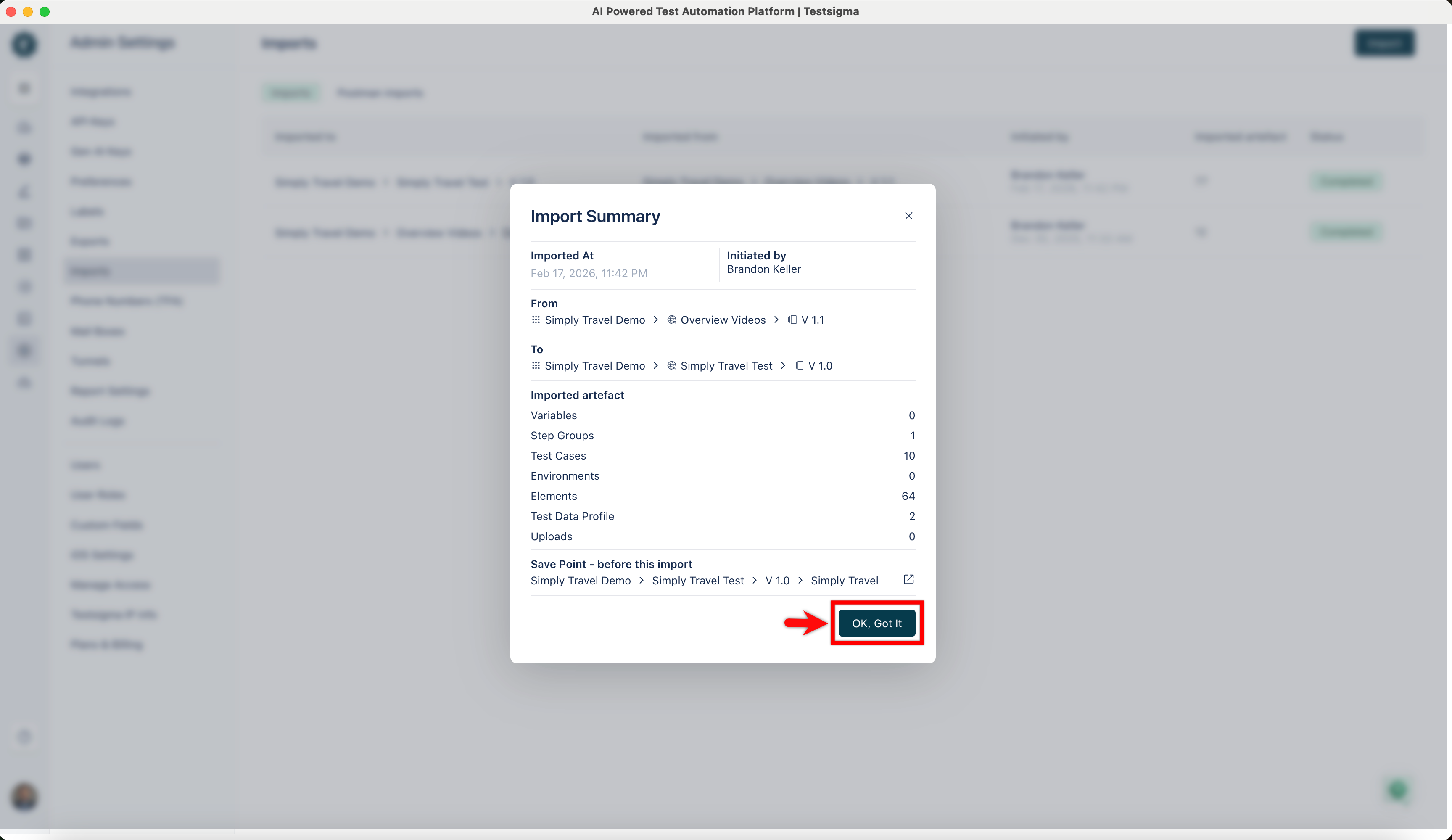
- In the Import Summary dialog, verify the details, and click OK, Got it.

Want to contribute or report missing content?