- test plans
 Add, Edit, Delete Test Machines
- Add, Edit, Delete Test Suites
- Schedule Test Plans
- Run Test Suites In Parallel
- Cross Browser Testing
- Distributed Testing
- End-to-End Testing
- Headless Testing
- Test Lab Types
- Disabling Test Cases in Test Plans
- AfterTest Case
- Post Plan Hook
- AfterTest Suite
- Email Configuration in Test Plan
- Execute Partial Test Plans via API
Post Plan Hook
Testsigma allows you to create custom actions with add-ons using its powerful Post Plan Hooks feature. These actions will run automatically after finishing a test plan, regardless of whether it passes or fails. You can personalise these actions to meet your requirements and quickly enable them within the test plan settings.
Prerequisites
Before you begin, ensure that you have referred to:
Enable Post Plan Hook in a test plan
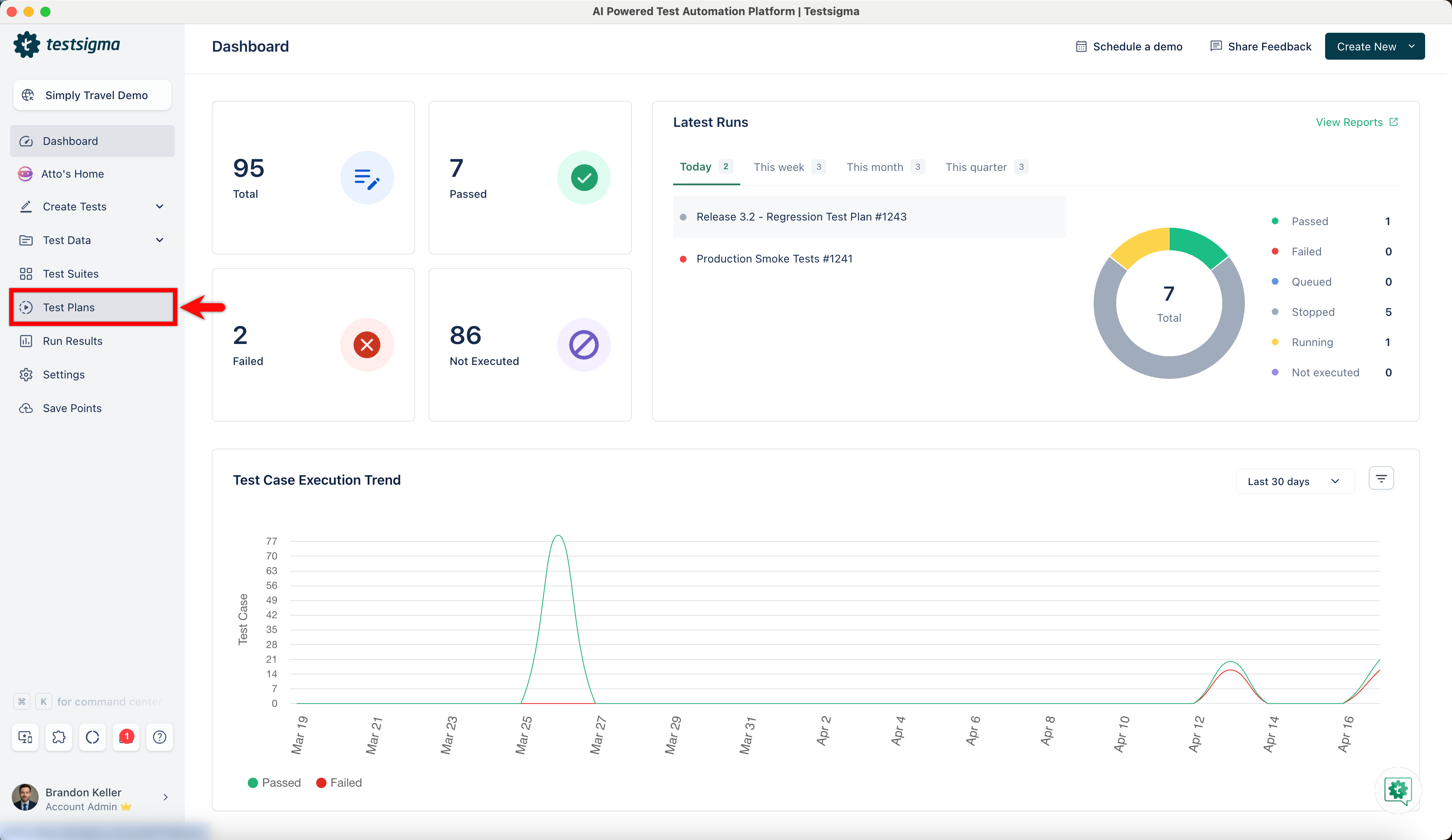
- From the left navigation bar, go to Test Plans and create a new test plan or open an existing test plan.
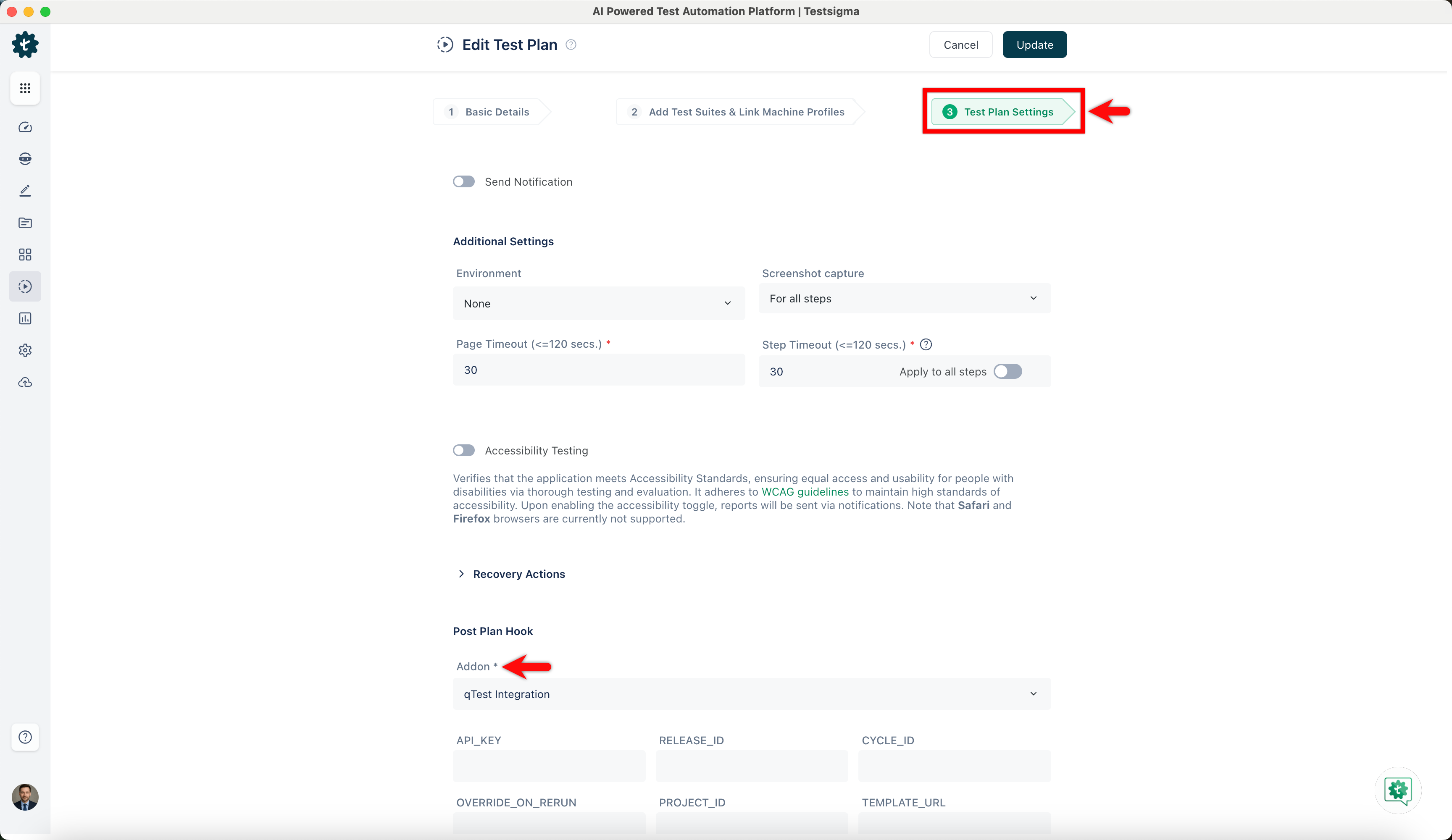
- Navigate to the Test Plan Settings tab on the Create or Edit Test Plan page.
- In the Post Plan Hook you can enable the Post Plan Hook by selecting supported add-ons from the dropdown list and entering the required details in the custom field based on your needs.
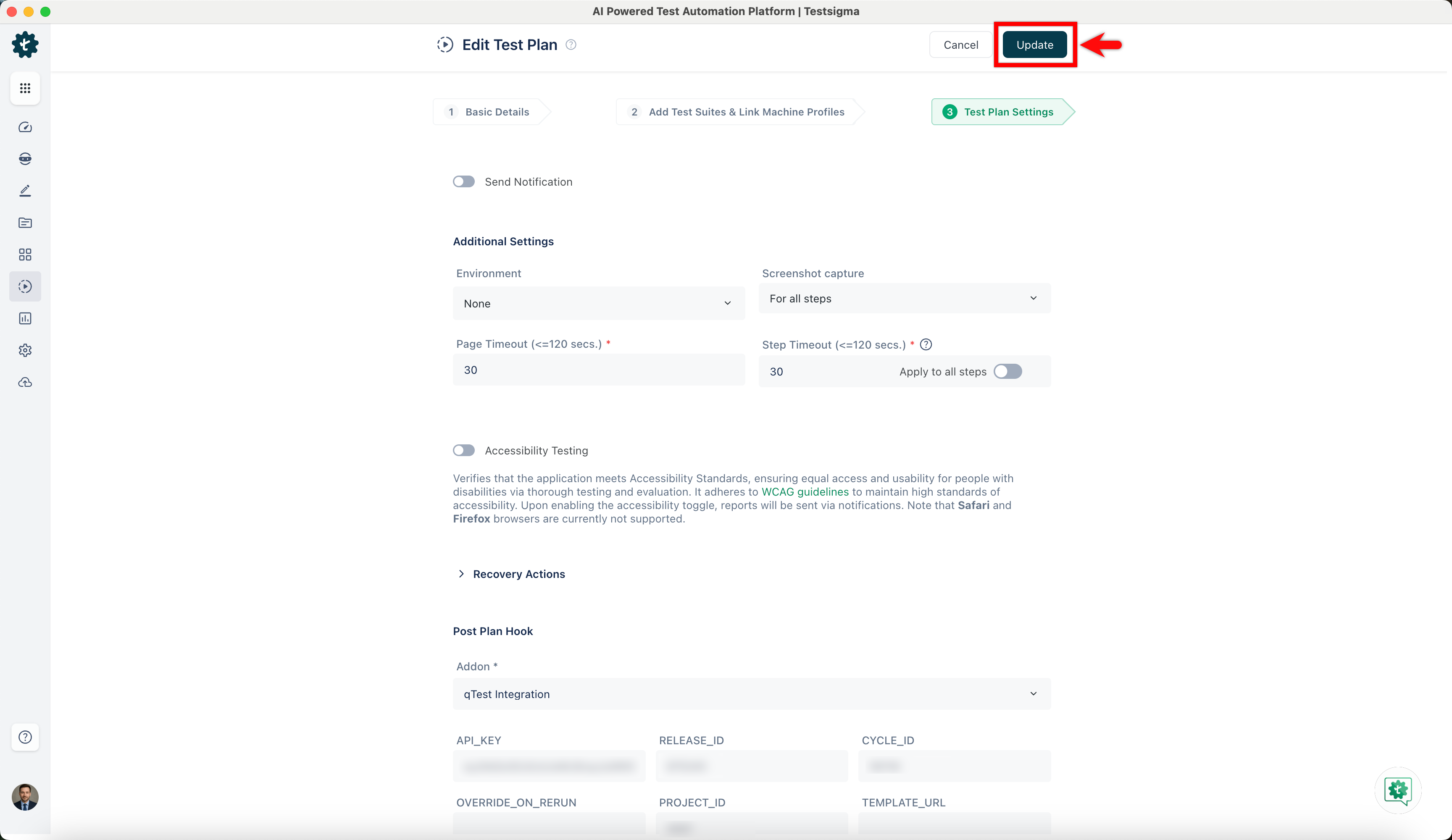
- Once you enable the Post Plan Hook in the test plan settings, save the changes to the test plan by clicking Create/Update, then Run the test plan.
NOTE:
Ensure that you publish add-ons before using them in a test plan. The test plan runs Post Plan Hooks automatically once execution is completed.
Viewing Post Plan Hook Status
- After completing the test plan execution, click the View Reports button at the top right of the Test Plans details page to view the test plan and post-plan hook results.
- View the Post Plan Hook status on the Run Result page under the Run Result Overview section.

Want to contribute or report missing content?