- salesforce testing
 Intro: Testsigma for Salesforce Testing
- Creating an External Client App
- Creating a Salesforce Project
- Test Salesforce Connection
- Creating Metadata Connections
- Adding User Connections
- Build Test Cases: Manual+Live
- Salesforce Element Repositories
- Intro: Testsigma Special NLPs
- SOQL as Test Step
- Query Builder for Salesforce Testing
- Automating Listview Table NLPs
- Error Handling On Metadata Refresh
SOQL as Test Step
The SOQL step type allows you to run SOQL queries to retrieve real-time Salesforce data. You can verify specific values within your Salesforce records and store outputs as variables for reuse in subsequent steps. This article discusses using the SOQL step type for Salesforce testing in Testsigma.
Prerequisites
Before you begin, ensure the Salesforce app is connected to Testsigma with a valid metadata connection.
Steps to Create SOQL as a Test Step
- From the left navigation bar, navigate to Create Tests > Test Cases.
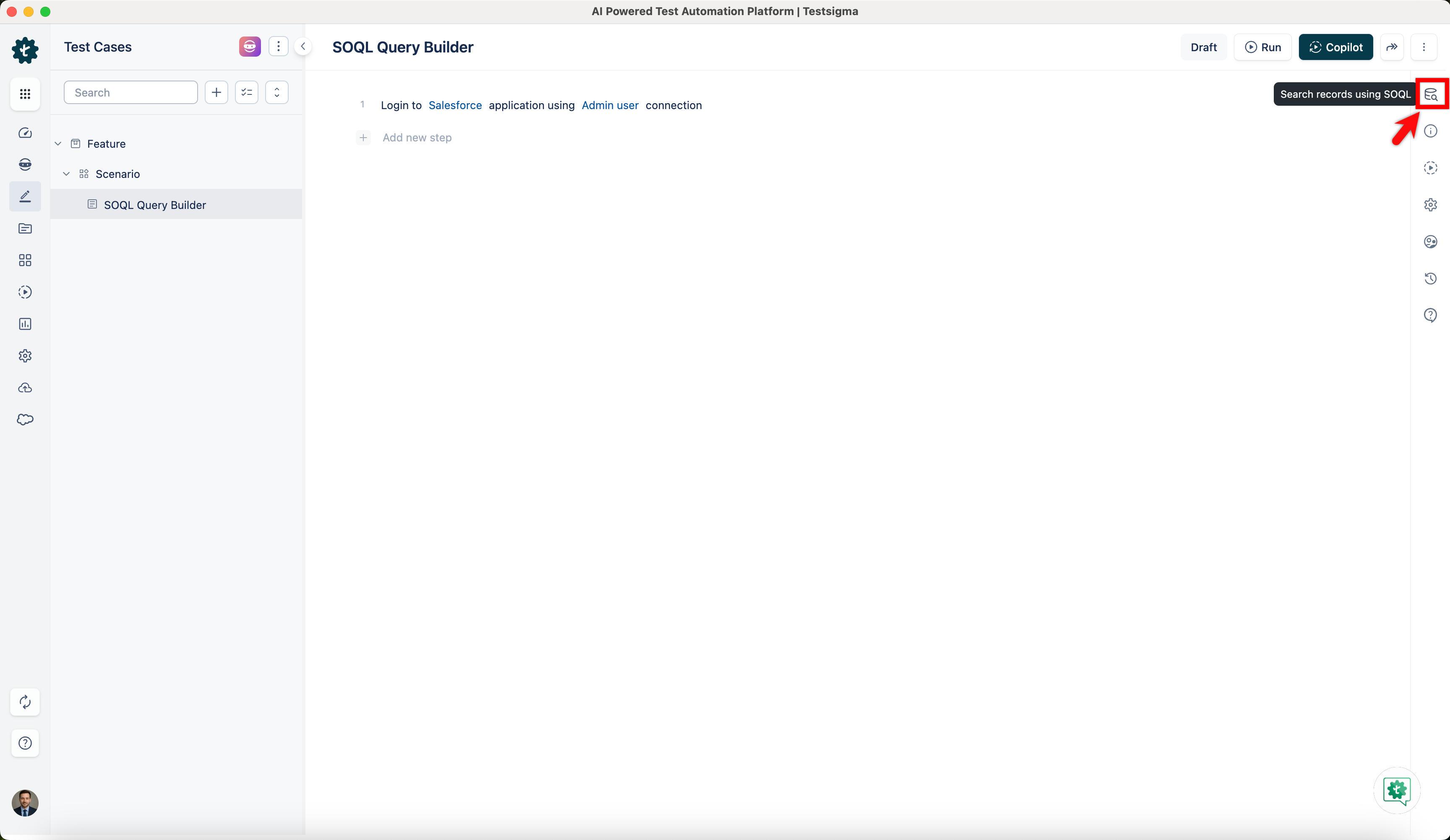
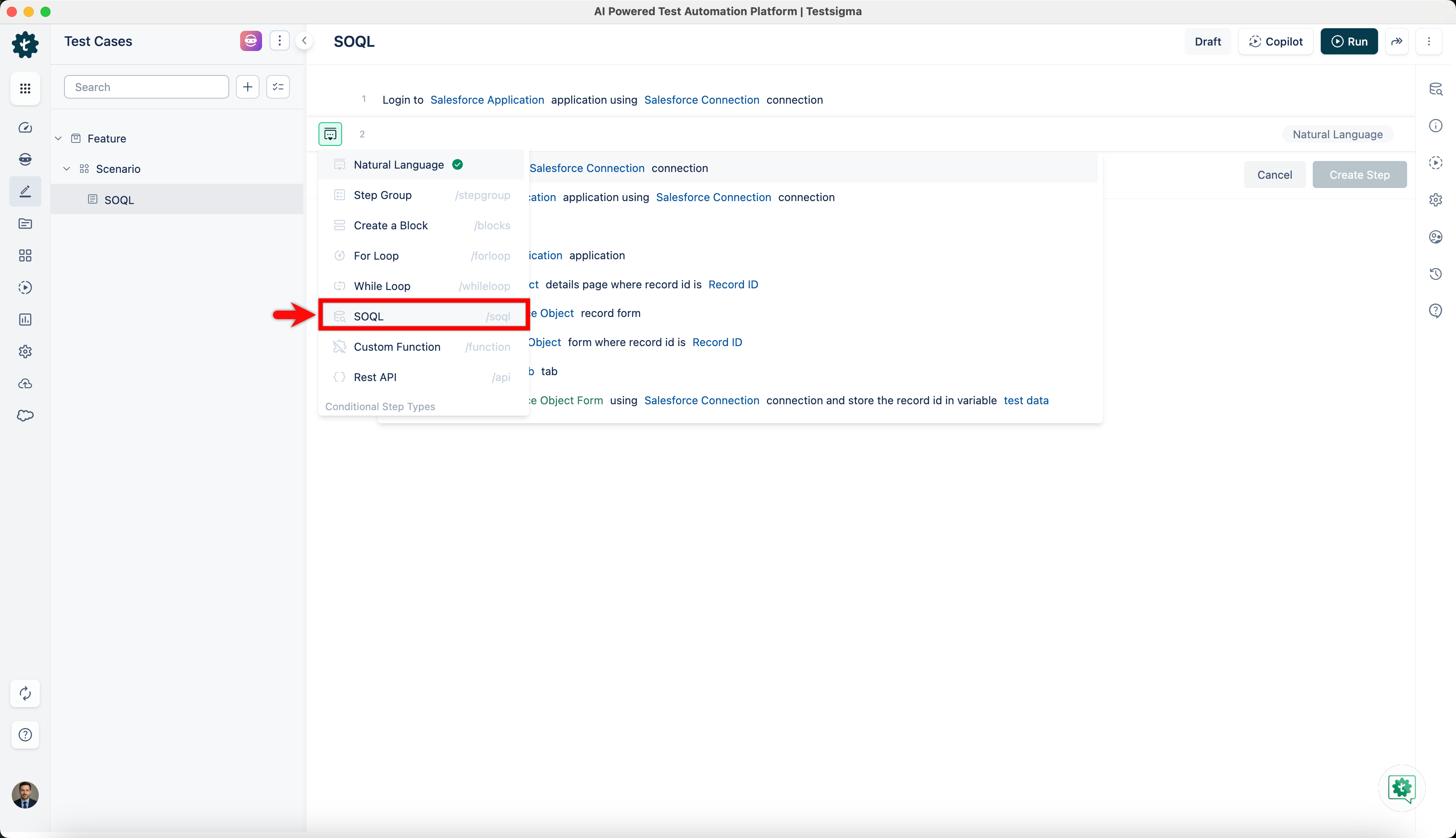
- In the Test Case Details page, click on the test step options list and select SOQL.
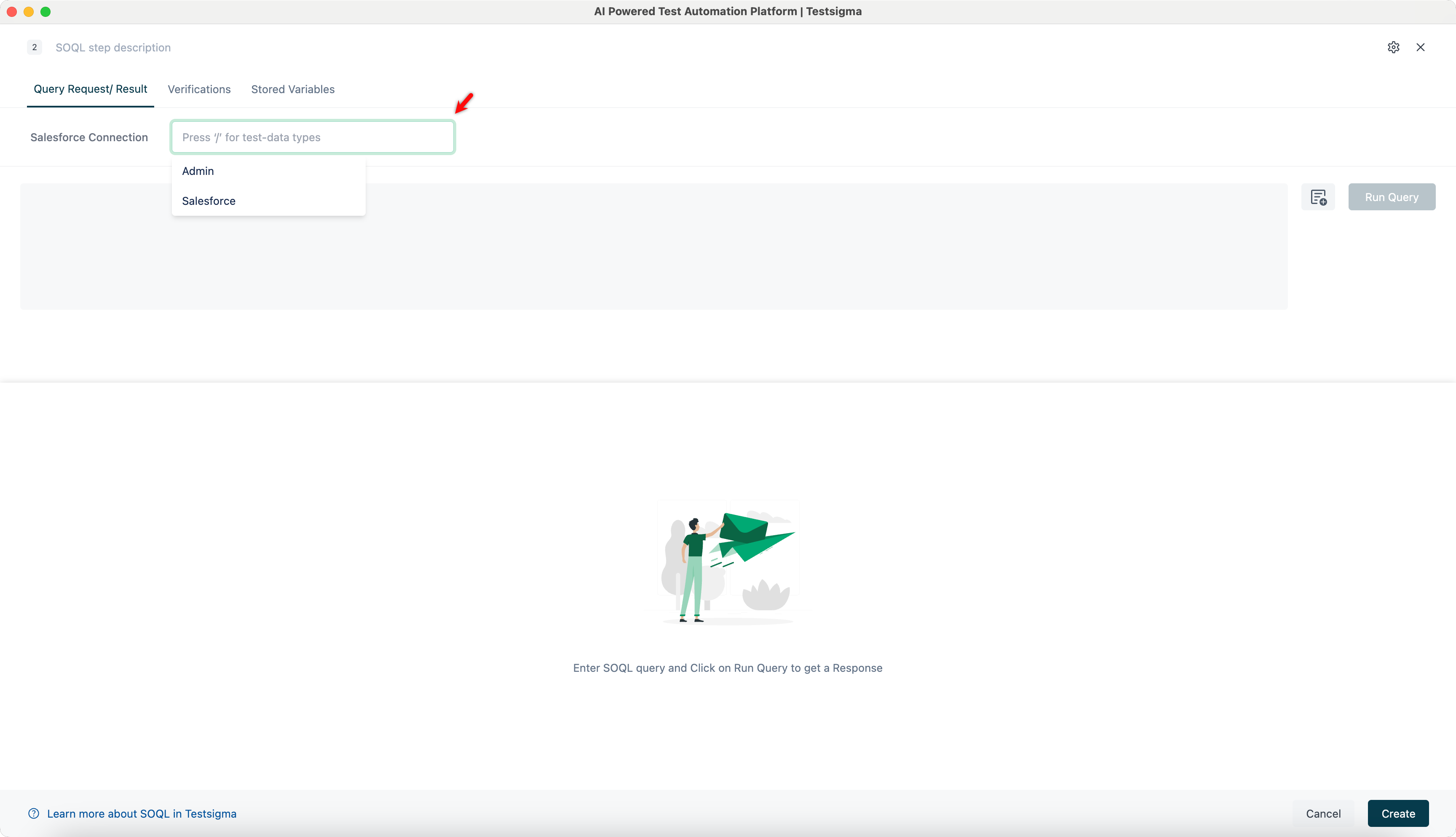
- Select a Salesforce connection from the Salesforce Connection dropdown or you can parameterize your connection.
-
Enter your SOQL query in the editor and click Run Query to fetch the results.
For example,
SELECT Id, Name, Phone, Industry, BillingCity, BillingState
FROM Account
WHERE Industry = 'Technology' AND BillingState = 'CA'
ORDER BY Name
LIMIT 50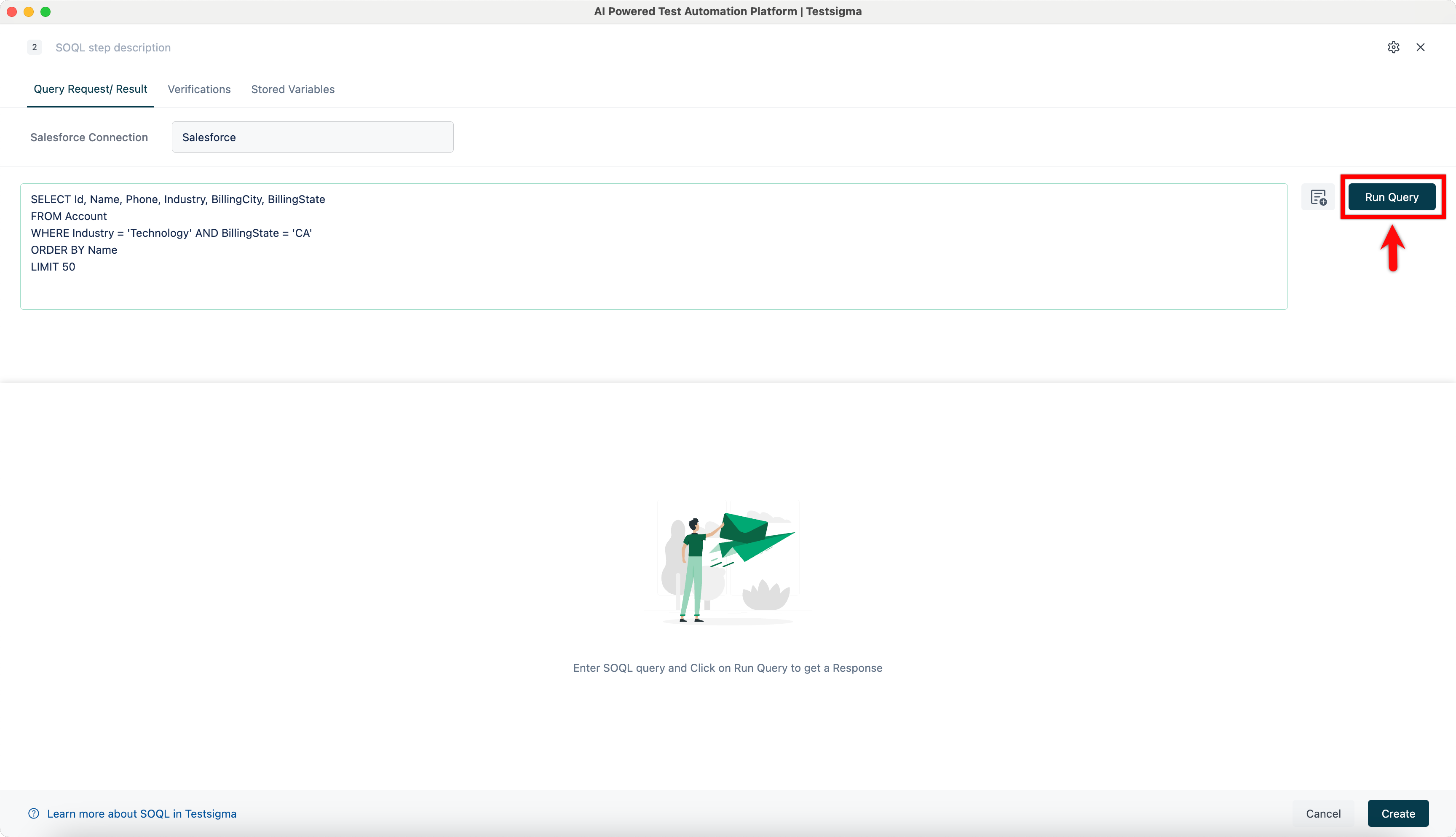
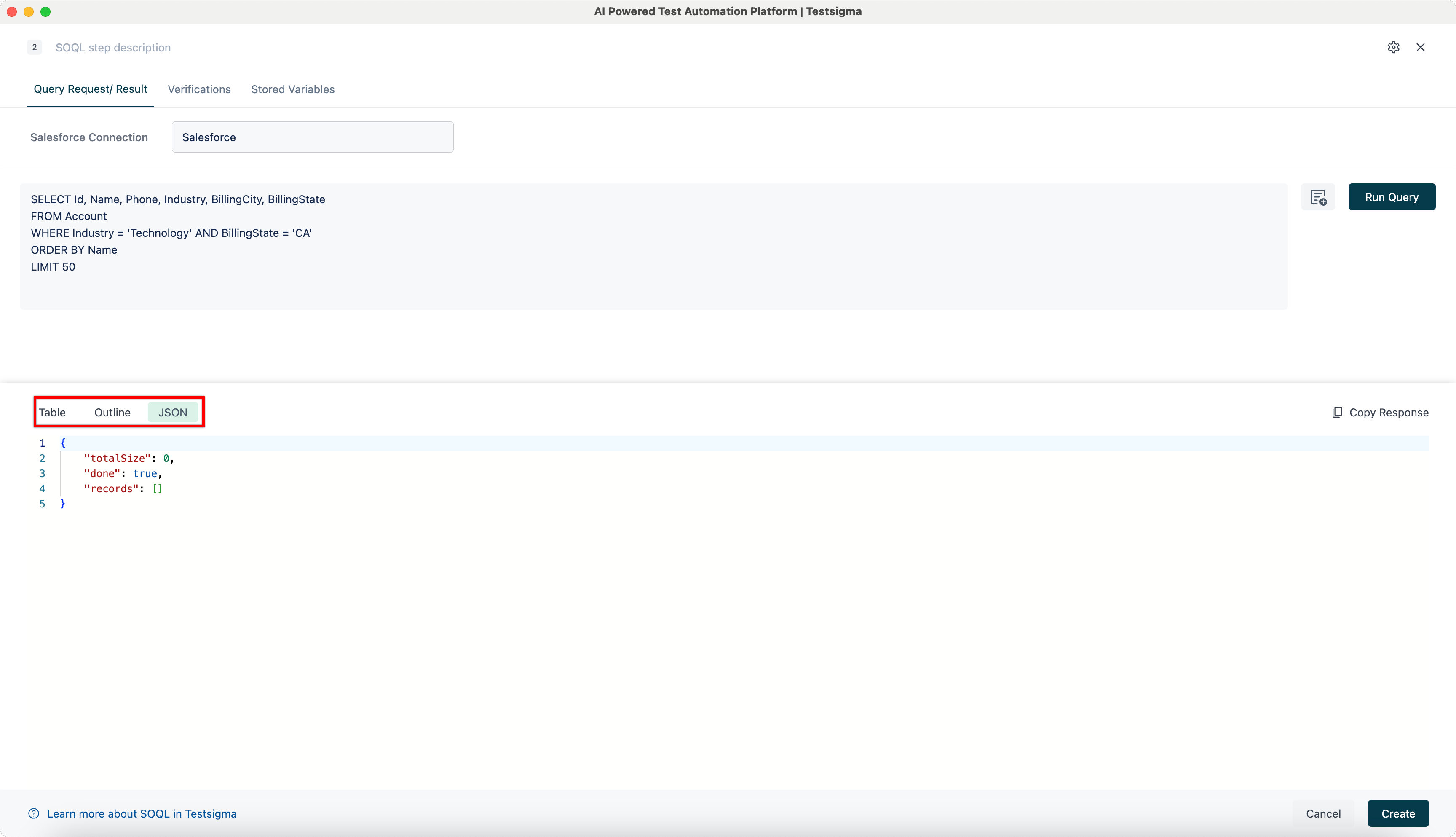
- View the response in Table, Outline, or JSON format by switching between the tabs.
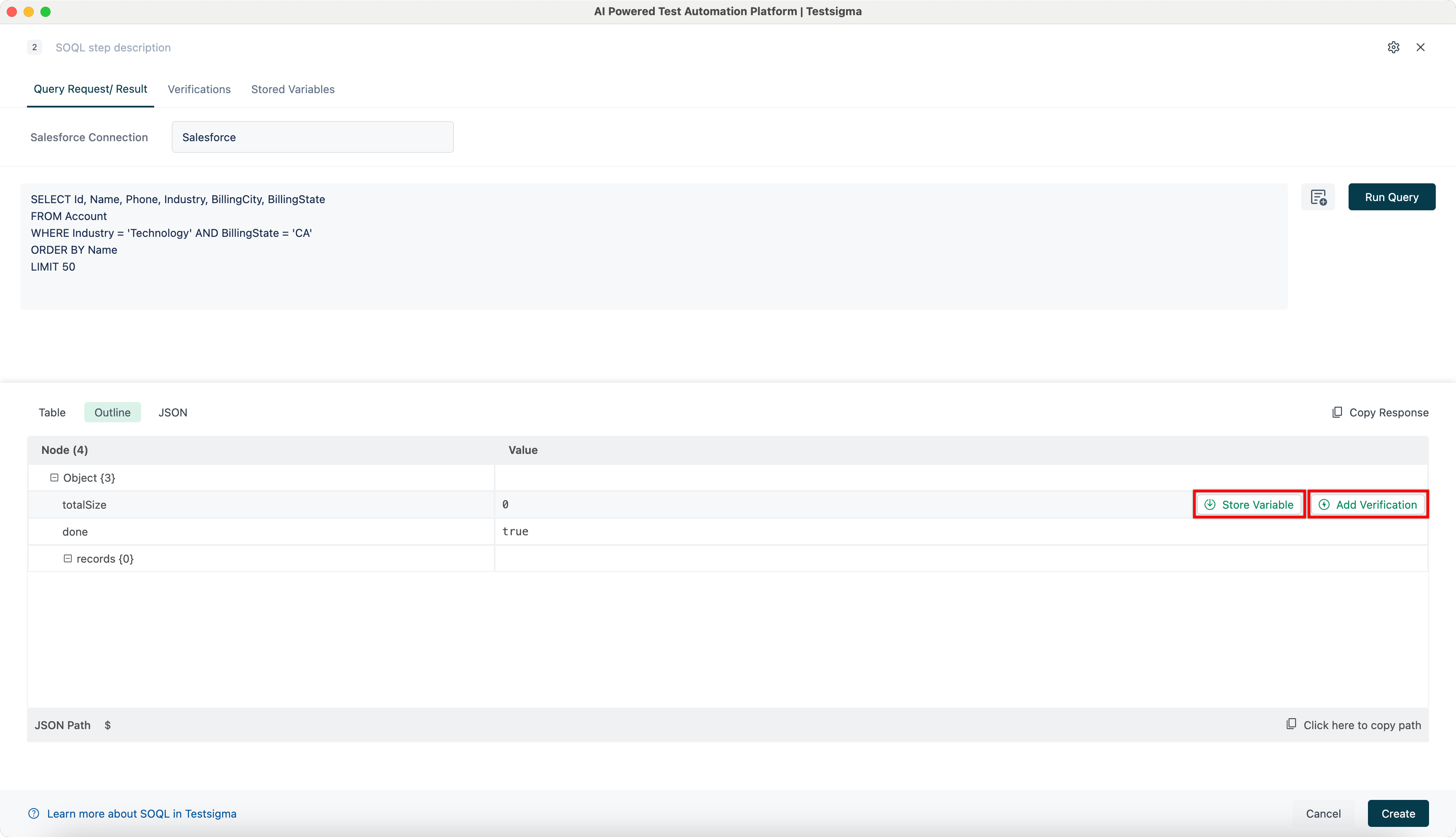
- In the Outline tab, store values as variables or add verifications directly from the response.
- Click Create to save and add the SOQL step to your test case.


Want to contribute or report missing content?