- test plans
 Add, Edit, Delete Test Machines
- Add, Edit, Delete Test Suites
- Schedule Test Plans
- Run Test Suites In Parallel
- Cross Browser Testing
- Distributed Testing
- End-to-End Testing
- Headless Testing
- Test Lab Types
- Disabling Test Cases in Test Plans
- AfterTest Case
- Post Plan Hook
- AfterTest Suite
- Email Configuration in Test Plan
- Execute Partial Test Plans via API
Headless Browser Testing
Headless browser testing simulates browser behaviour without a graphical interface to enable efficient automation and validation of different aspects of web applications.
This guide will explain how to do headless browser testing in Testsigma. It will cover what you need to know beforehand, how to enable headless testing in a test case and plan, verify the results of headless testing, and discuss the benefits.
Prerequisites
Before you begin, ensure that you have referred to:
Headless testing can test web applications
Enabling Headless Browser Testing in Test Case
Click the toggle button for Headless Test on the Ad-hoc Run page of the test case to enable headless testing for a specific test case. Then, start the test by clicking Run Now. 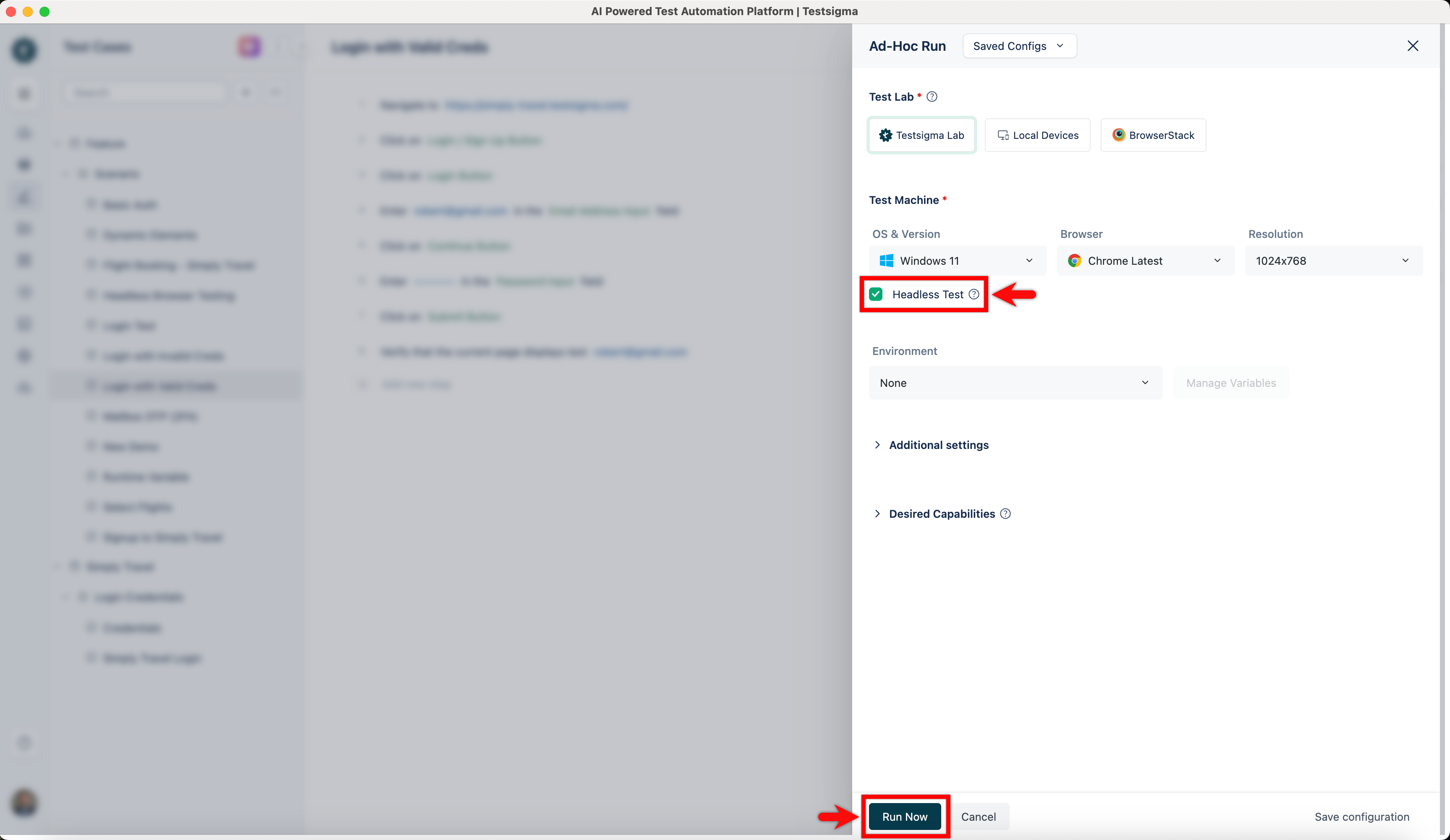
Enabling Headless Browser Testing in Test Plan
- Navigate to the Add Test Suites & Link Machine Profiles tab on the Create or Edit Test Plan page to enable headless testing.
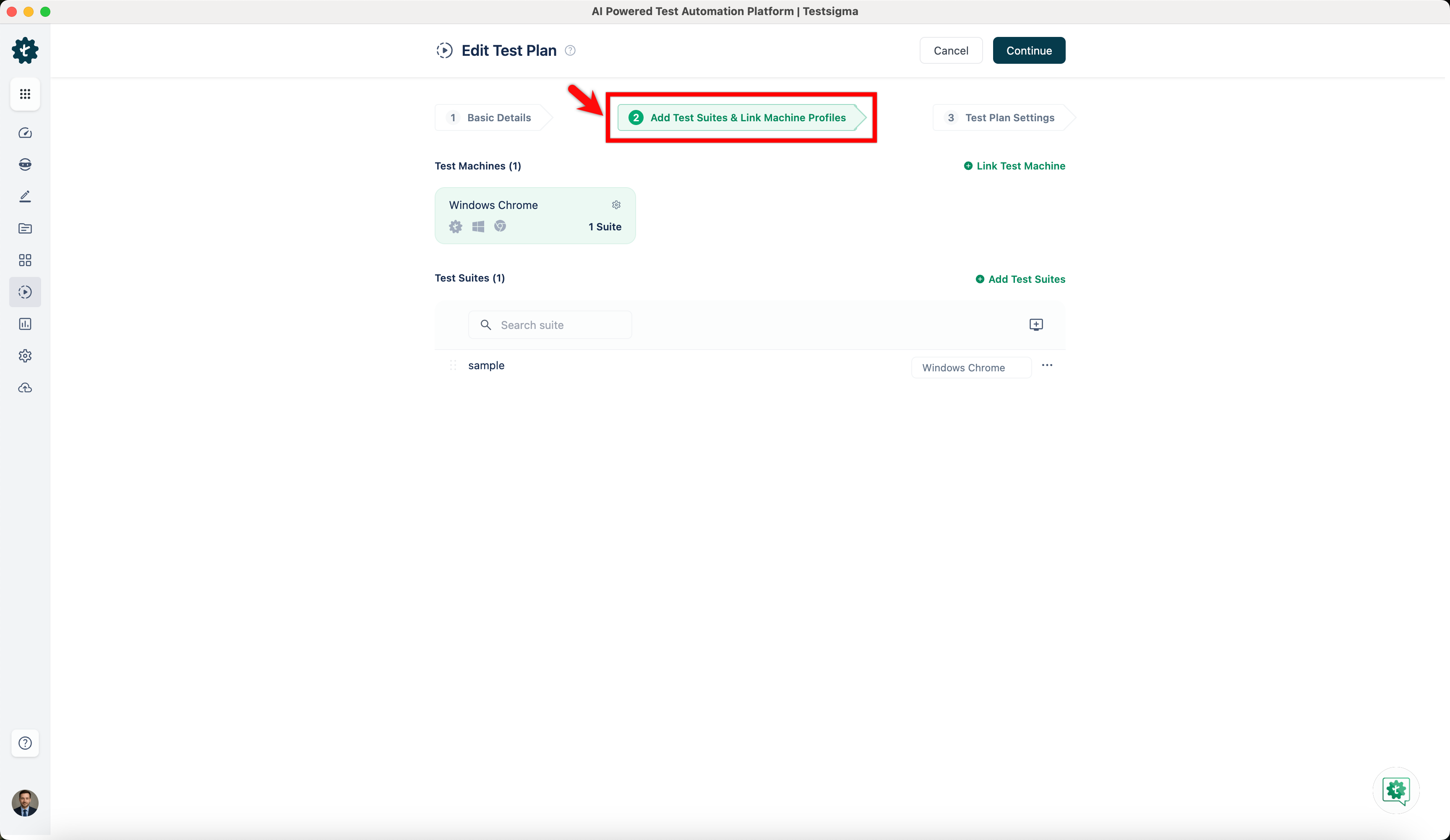
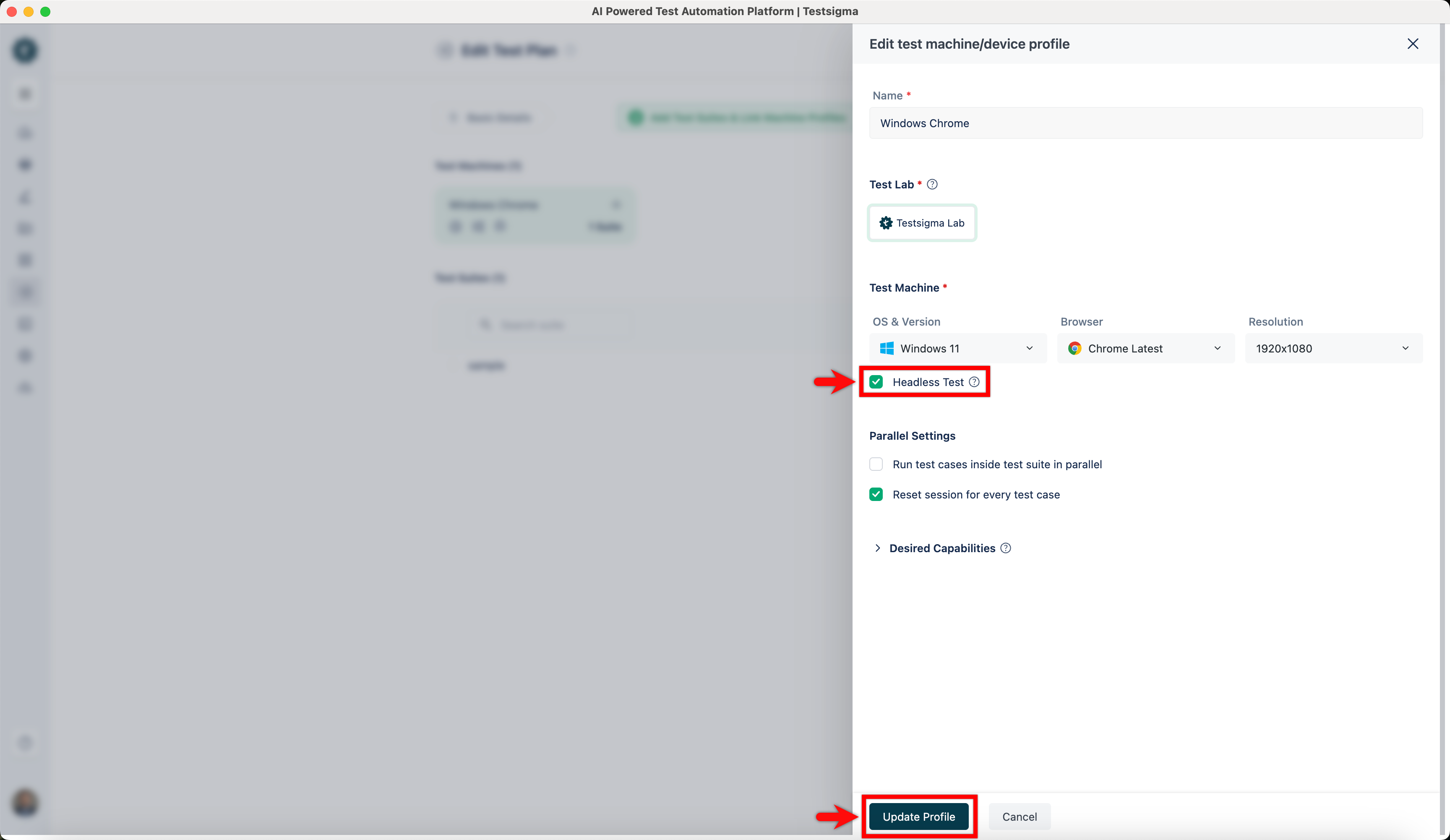
- Click on Test Machine Settings for the test machine to enable headless testing for the Test Plan. An overlay screen for Editing the test machine/device profile will appear. Then, enable the toggle for Headless Test and click Update Profile.
Results of Headless Browser Testing
After running the test case, click the Watch Video button on the test execution results page to check if the browser was running in headless mode. Please note that Testsigma does not record videos during headless testing. 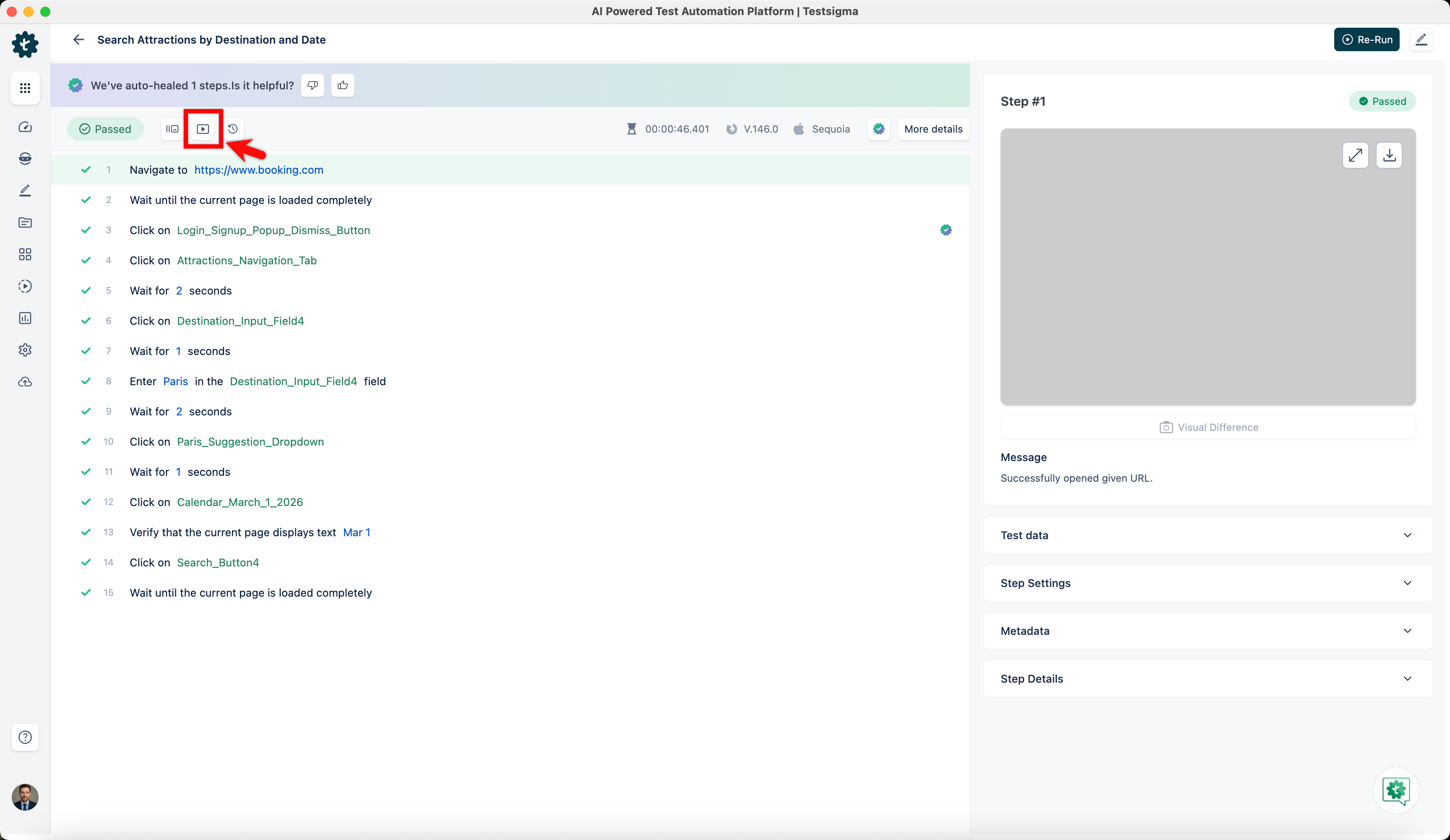
Benefits of Headless Browser Testing
| Benefits | Description |
|---|---|
| Faster Execution | Headless browsers can run tests faster than traditional GUI-based testing because they do not render graphical elements. |
| Improved Scalability | Headless browser testing enables faster test cycles and improved scalability by allowing parallel execution of tests on multiple virtual machines or containers. |
| Lower Resource Consumption | Headless testing allows you to maximise resource allocation for other critical tasks without needing a GUI by requiring fewer system resources. |
| Compatibility Testing | Headless browser testing allows you to test web applications on different browsers and versions without manual intervention. |

Want to contribute or report missing content?