- Testsigma REST APIs
 Manage Environments
- Elements
- Test Plans
- Upload Files
- Get Project Wide Information
- Upload & Update Test Data Profile
- Fetch Test Results (All Levels)
- Export Test Reports Using the API
- Trigger Multiple Test Plans
- Trigger Test Plans Remotely & Wait Until Completion
- Run the Same Test Plan Multiple Times in Parallel
- Schedule, Update & Delete a Test Plan Using API
- Update Test Case Results Using API
- Create and Update Values of Test Data Profile Using REST API
- Rerun Test Cases from Run Results using API
- Salesforce Metadata Refresh Using API
- Manage Test Steps Using API
Salesforce Metadata Refresh Using API
When there are changes in metadata, users must refresh it before executing the test plan to avoid failures. Users can now swiftly refresh metadata using API calls without logging into the Testsigma application or performing UI actions. This article discusses refreshing metadata using API calls.
Prerequisites
Before you begin, ensure that you have referred to:
Steps to Get Metadata Connection ID
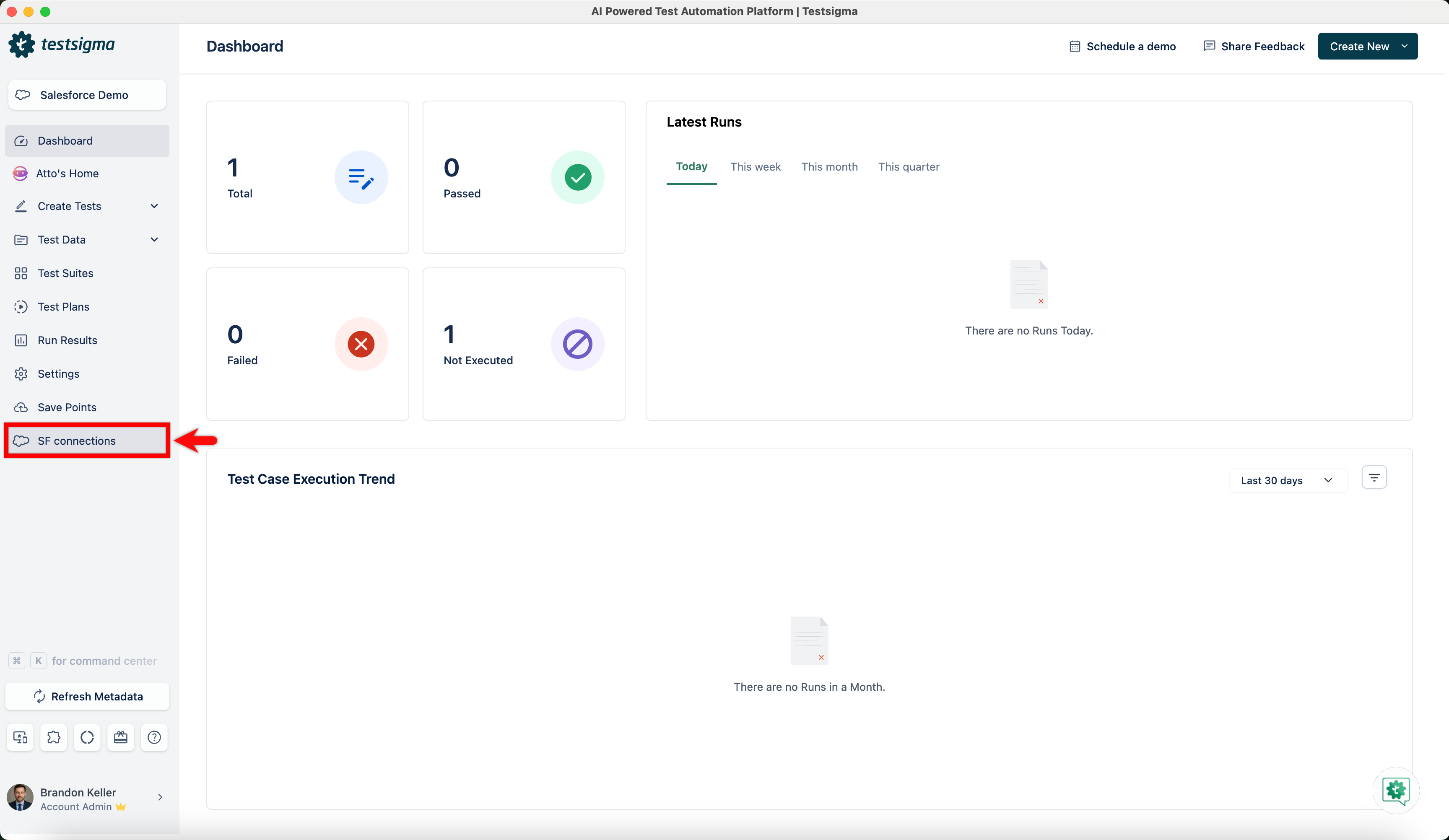
- From the Dashboard, click SF Connections.
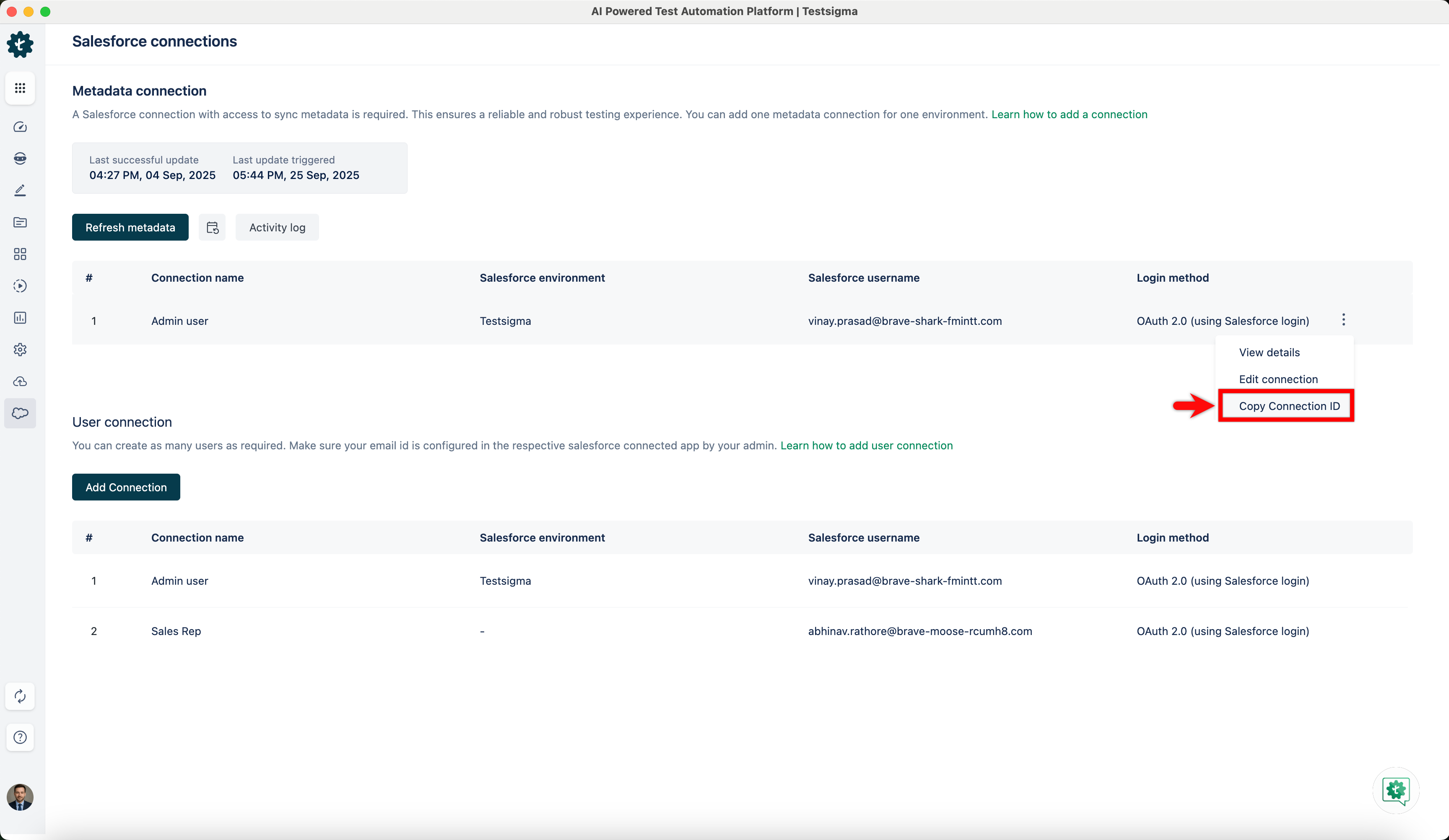
- In the Metadata Connection section, hover over the connection, click the kebab menu, and choose Copy Connection ID from the dropdown menu.
Trigger Refresh Metadata Using API
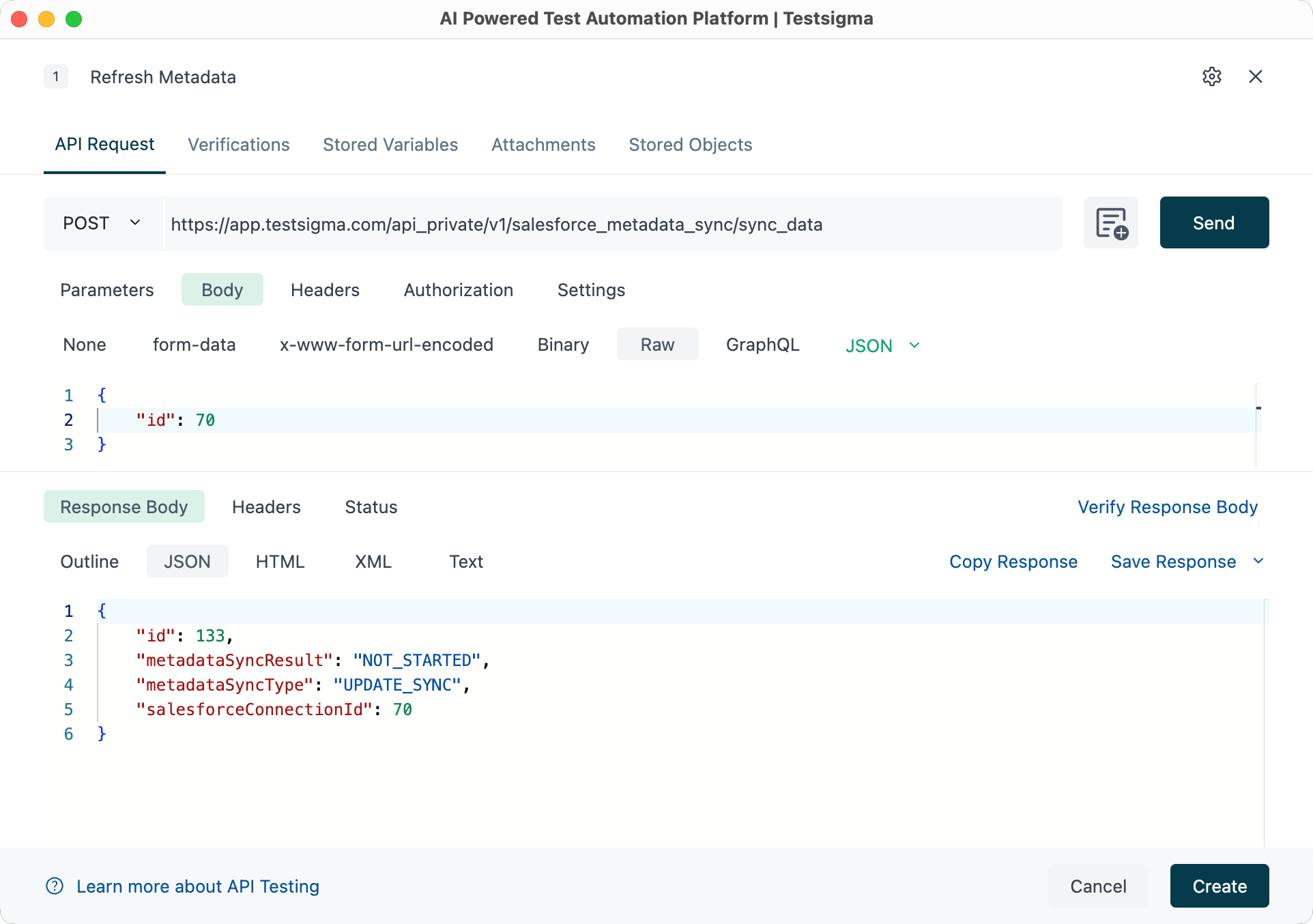
| Request Type | POST |
|---|---|
| Endpoint | https://app.testsigma.com/api_private/v1/salesforce_metadata_sync/sync_data |
| Authorization | Bearer <API_Token> (Same as the Testsigma API Key) |
| Request Body Type | JSON |
| Request Body (Sample) | { |
| Response Body (Sample) | { |
Request fields / Response fields
- id: Refresh Trigger ID.
- metadataSyncResult: Status of metadata sync process.
- metadataSyncType: Type of metadata sync.
- salesforceConnectionId: Salesforce Connection ID.
Get Metadata Refresh Status Using API
| Request Type | GET |
|---|---|
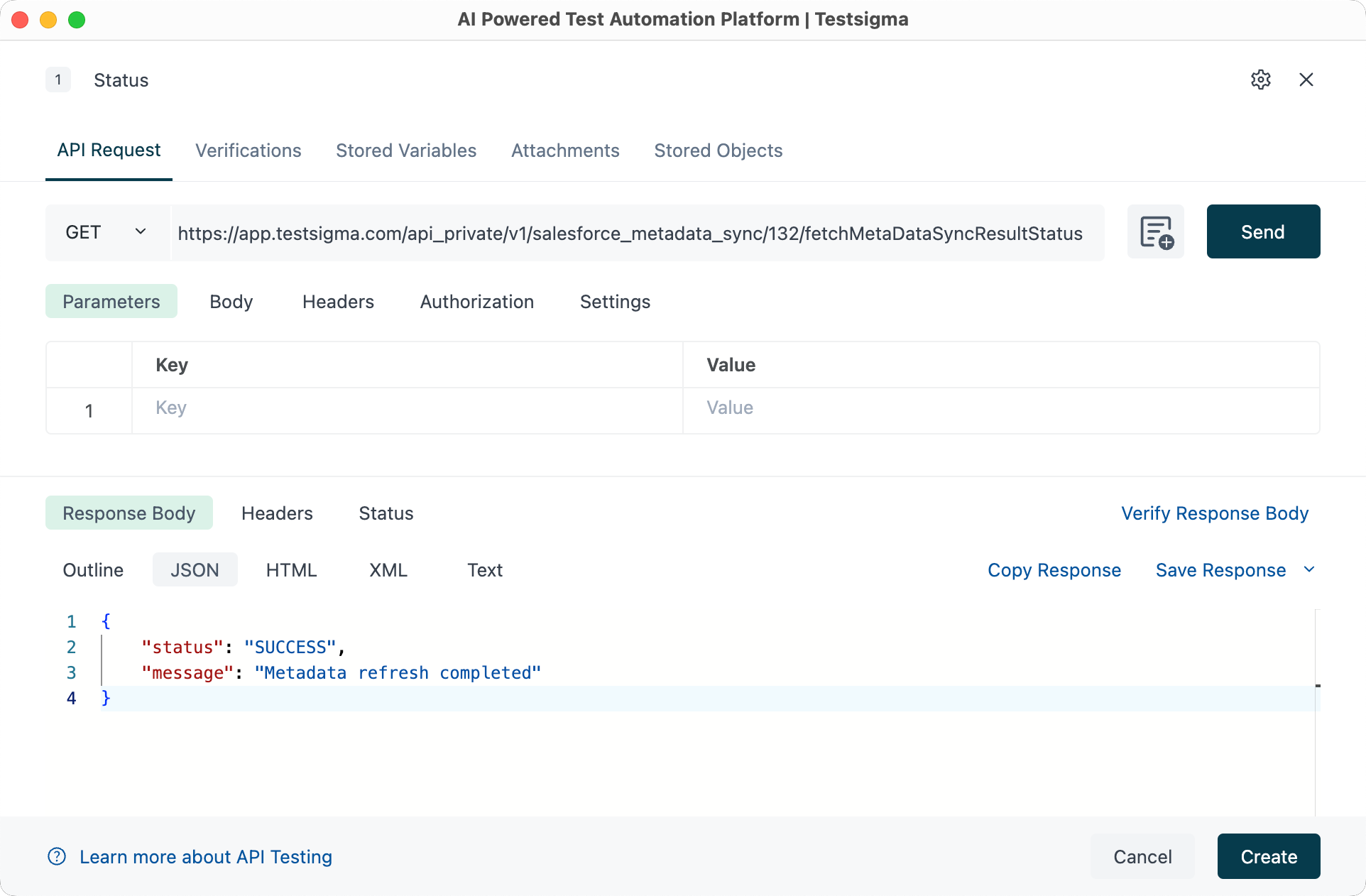
| Endpoint | https://app.testsigma.com/api_private/v1/salesforce_metadata_sync/<Trigger_ID>/fetchMetaDataSyncResultStatus |
| Authorization | Bearer <API_Token> (Same as the Testsigma API Key) |
| Response Body Type | JSON |
| Response Body (Sample) | { |
Request fields / Response fields
- status: Status of metadata sync process.
- message: Additional information of sync process.

Want to contribute or report missing content?