- desired capabilities
 Most Common Desired Capabilities
- Browser Console Debug Logs
- Geolocation Emulation
- Bypass Unsafe Download Prompt
- Geolocation for Chrome & Firefox
- Custom User Profile in Chrome
- Emulate Mobile Devices (Chrome)
- Add Chrome Extension
- Network Throttling
- Network Logs
- Biometric Authentication
- Enable App Resigning in iOS
- Enable Capturing Screenshots (Android & iOS)
- Configure Android WebViews
- Incognito/Private mode
- Set Google Play Store Credentials
- Basic Authentication [Safari]
Set Google Play Store Credentials
With Testsigma, you can test Google Playstore in-app purchase flows, verify payment acceptance using Google Pay, or test the production version of your app downloaded from the Google Play Store. This article discusses the desired capability you need to set to access Google Play Store services.
Prerequisites
Before you begin, ensure that you have referred to:
Desired Capability to Access Google Play Store
In order to access Google Play Store, you can use the following desired capability to pass your own credentials for Google Play Store login:
browserstack.appStoreConfiguration
| Name | Data Type | Value |
|---|---|---|
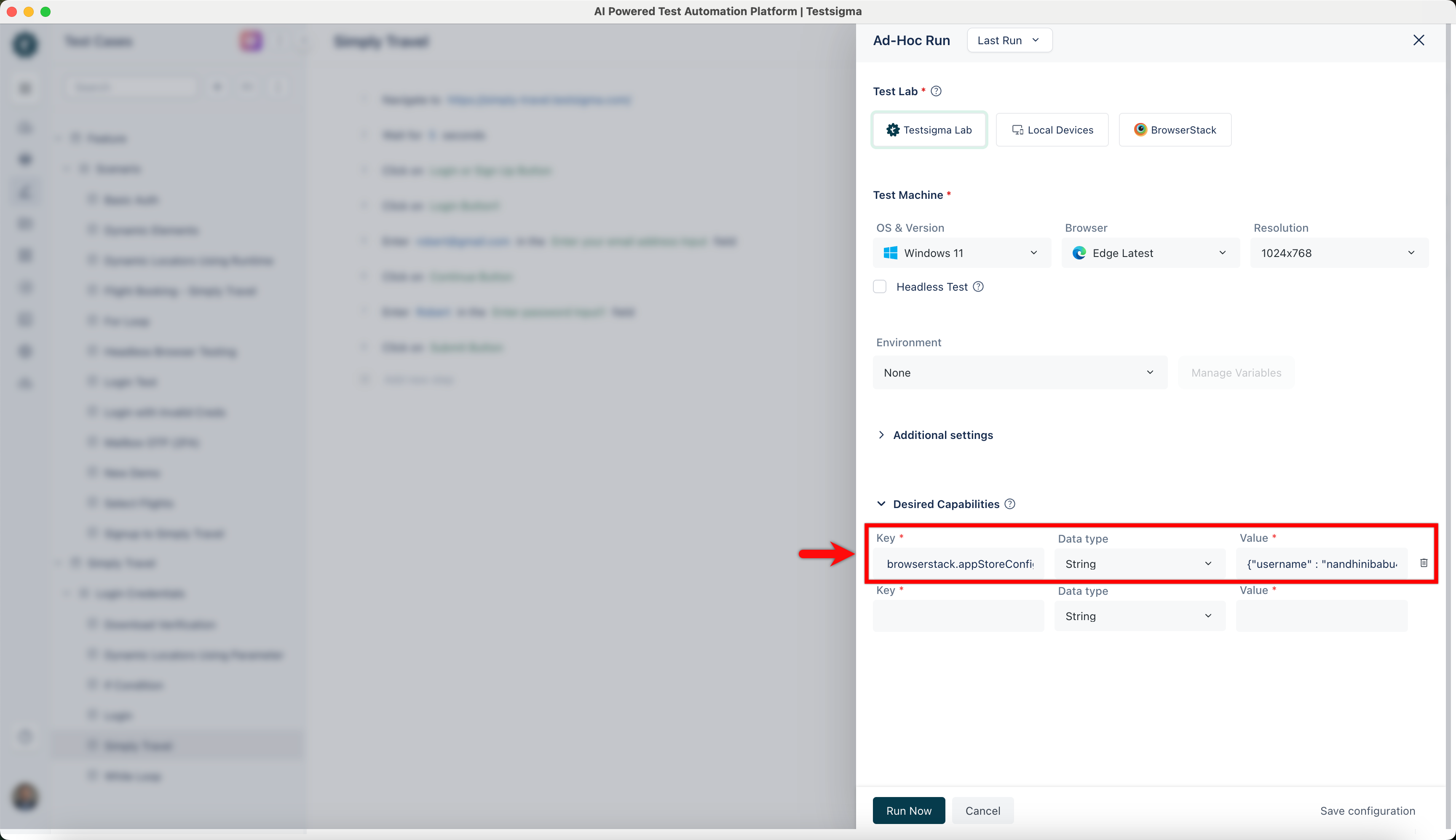
| browserstack.appStoreConfiguration | String | {“username” : “play-store-email”, “password” : “play-store-password”} |
Using Google Play Store Credentials Capability
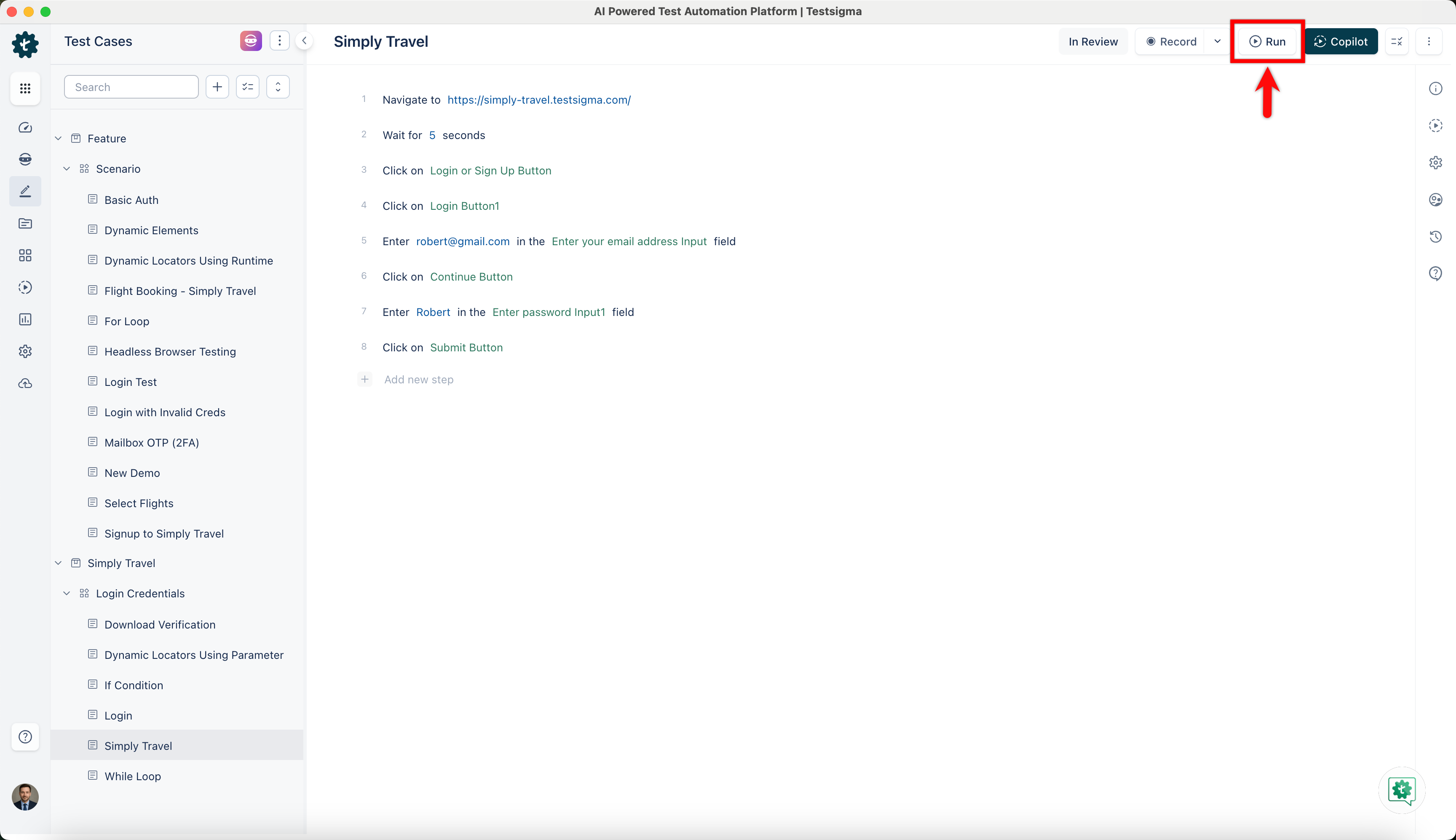
- Click on Run from the Test Case Details page.
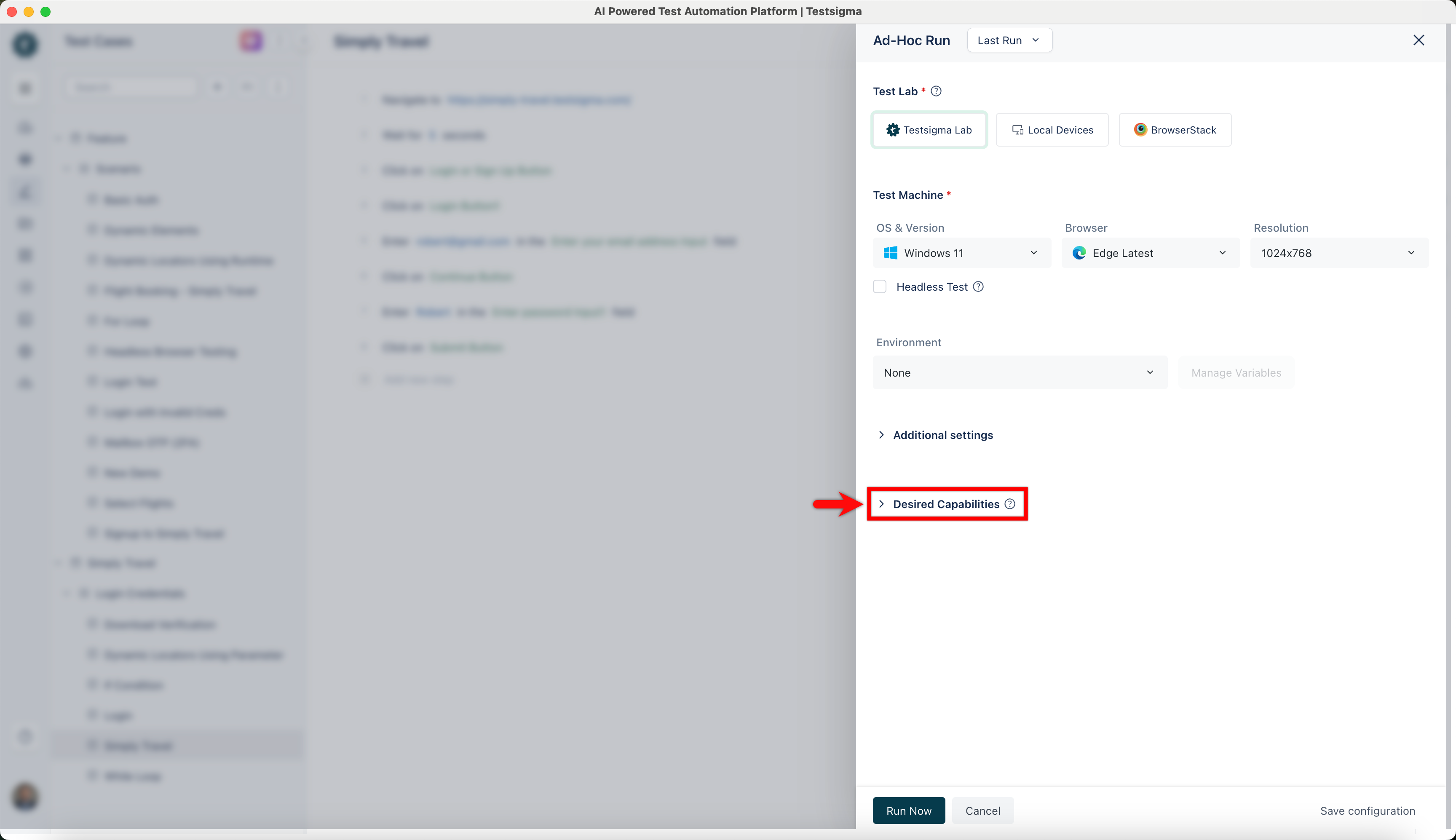
- On the Ad-Hoc Run overlay, click on Desired Capabilities.
- Enter browserstack.appStoreConfiguration in the Key field, select String as the Data type, and set the Value with Username & Password.
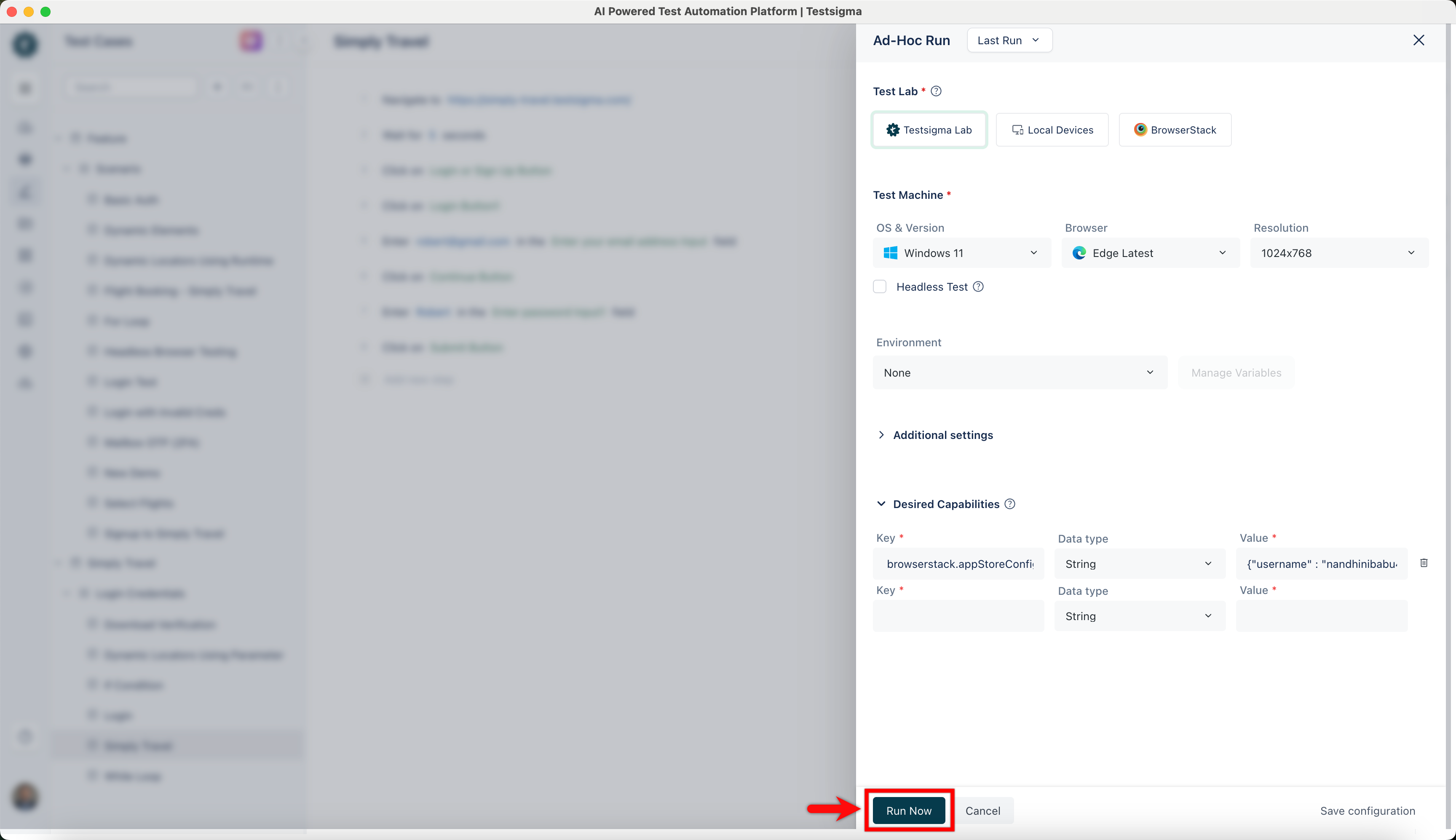
- Click on Run Now to execute the test case.

Want to contribute or report missing content?