- Test Data Types
 Raw
Raw- Parameter
- Runtime
- Random
- Data Generator
- Phone Number
- Mail Box
- Environment
- Concat Test Data
- Folder Structure for Test Data Profiles
- Create Test Data Profile
- Update Test Data Profile
- Update Value in Test Data Profile
- Import Test Data Profile
- Bulk Deletion of a Test Data Profile
- Create Test Data [Environment]
- data generators
- Default Test Data Generators
- Address Function Type
- ChangeDataType Function Type
- Company Function Type
- DateFunctions Function Type
- DomainFunctions Function Type
- EmailFunctions Function Type
- File Function Type
- Friends Function Type
- IdNumber Function Type
- Internet Function Type
- MailboxAliasFunctions Function Type
- MailboxFunctions Function Type
- Name Function Type
- NameFunctions Function Type
- Number Function Type
- NumberFunctions Function Type
- Phone Number Function Type
- PhoneNumberFunctions Function Type
- Random String Function Type
- RandomText Function Type
- StringFunctions Function Type
- TestDataFromProfile Function Type
Test Data - Parameter
Parameters in Testsigma are variables used to customize test cases for different scenarios. They enhance flexibility by applying the same test logic for varied inputs. For example, while testing a login page, you can use parameters to provide different usernames and passwords.
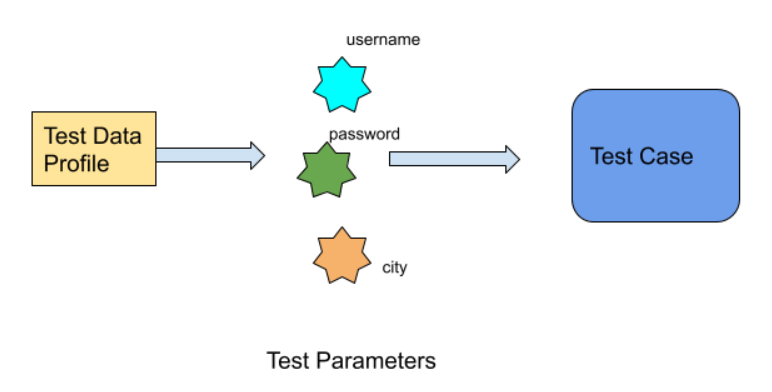
How to Use Parameters in a Test Case?
- Create a Test Data Profile. For more information on creating test data profiles, refer to the documentation on creating test data profiles. Alternatively, you can also import a Test Data Profile.
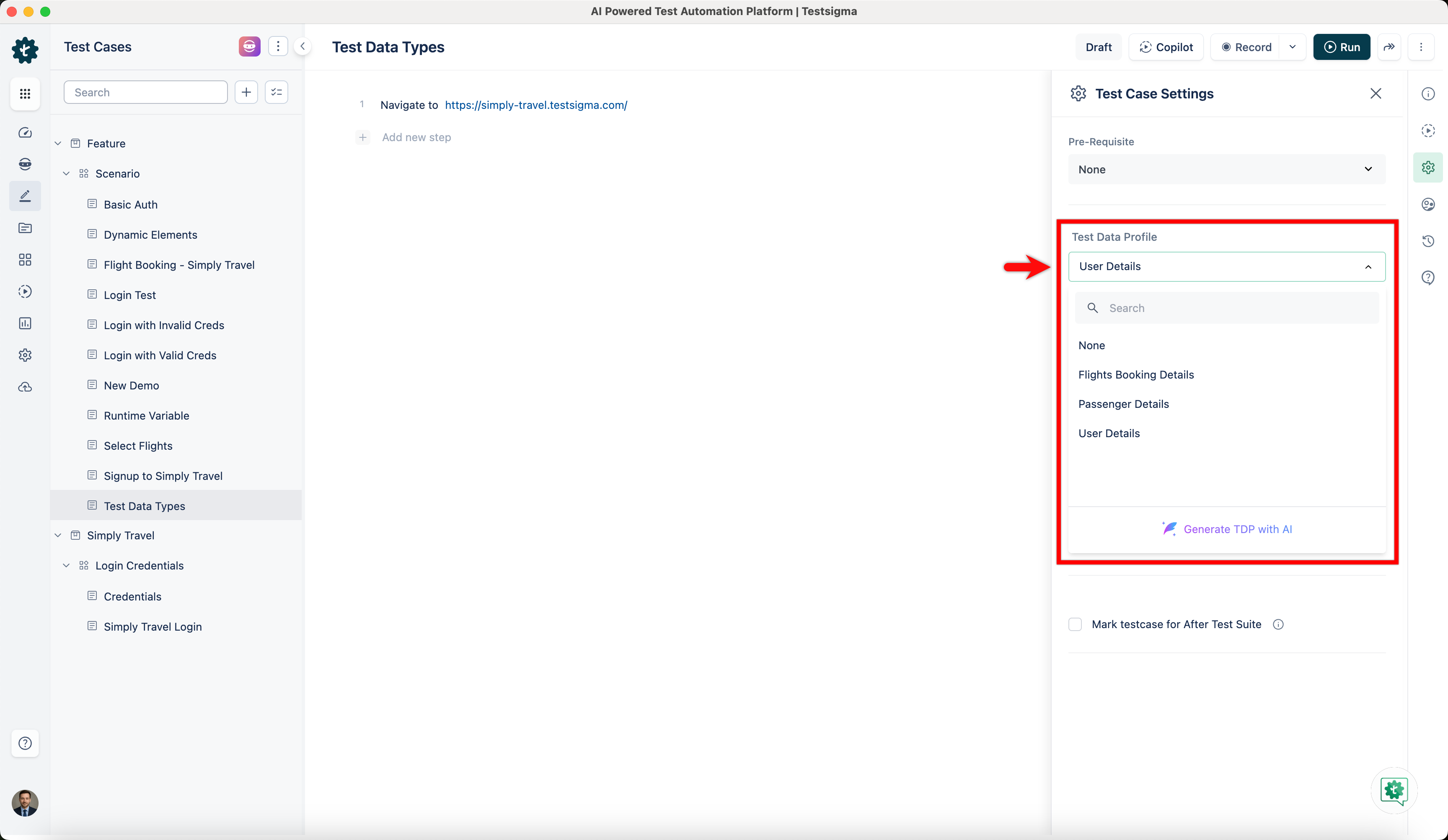
- Create a Test Case and associate Test Data Profile from Test Case Settings. For more information on creating test cases, refer to the documentation on creating test case.
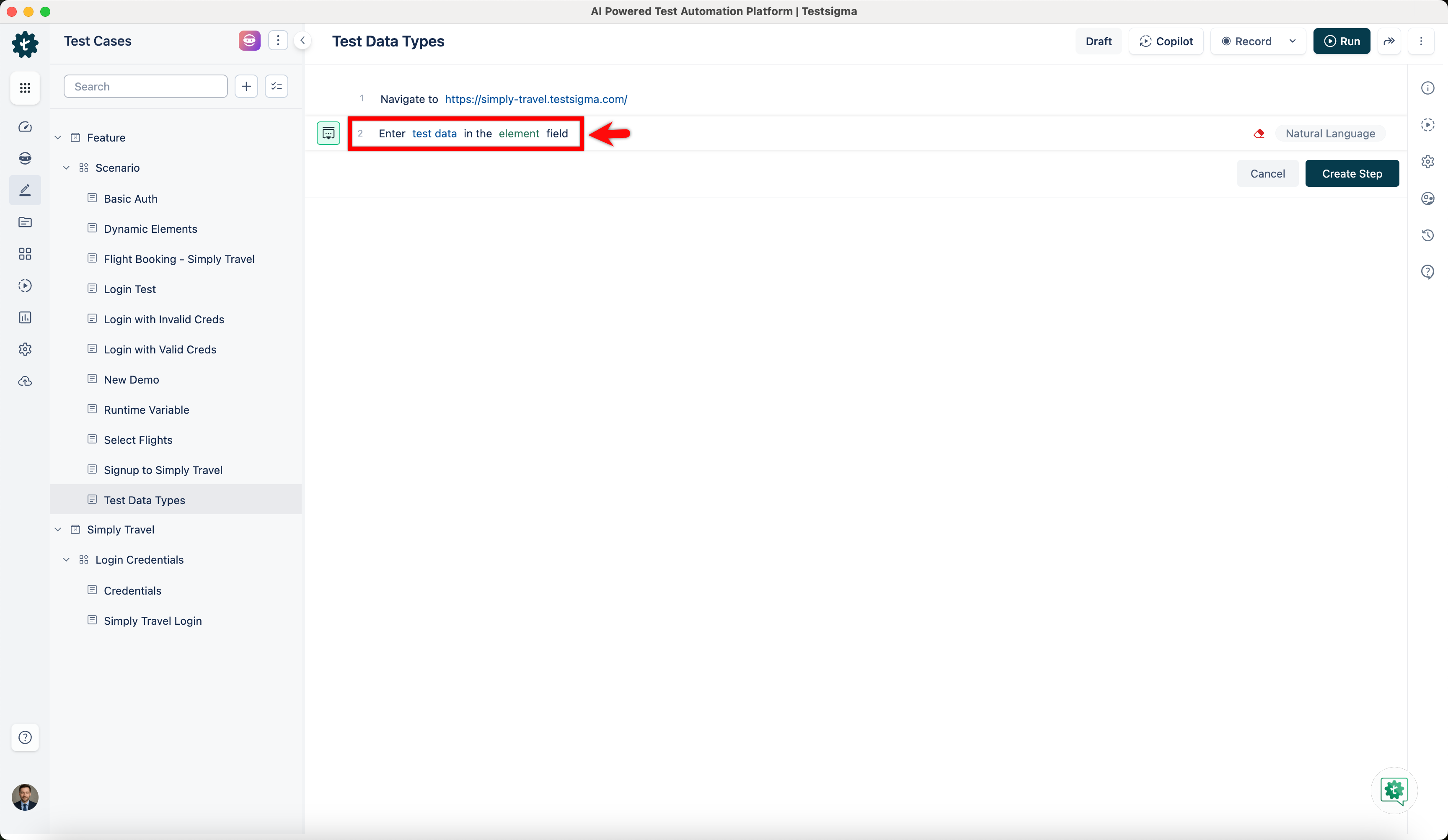
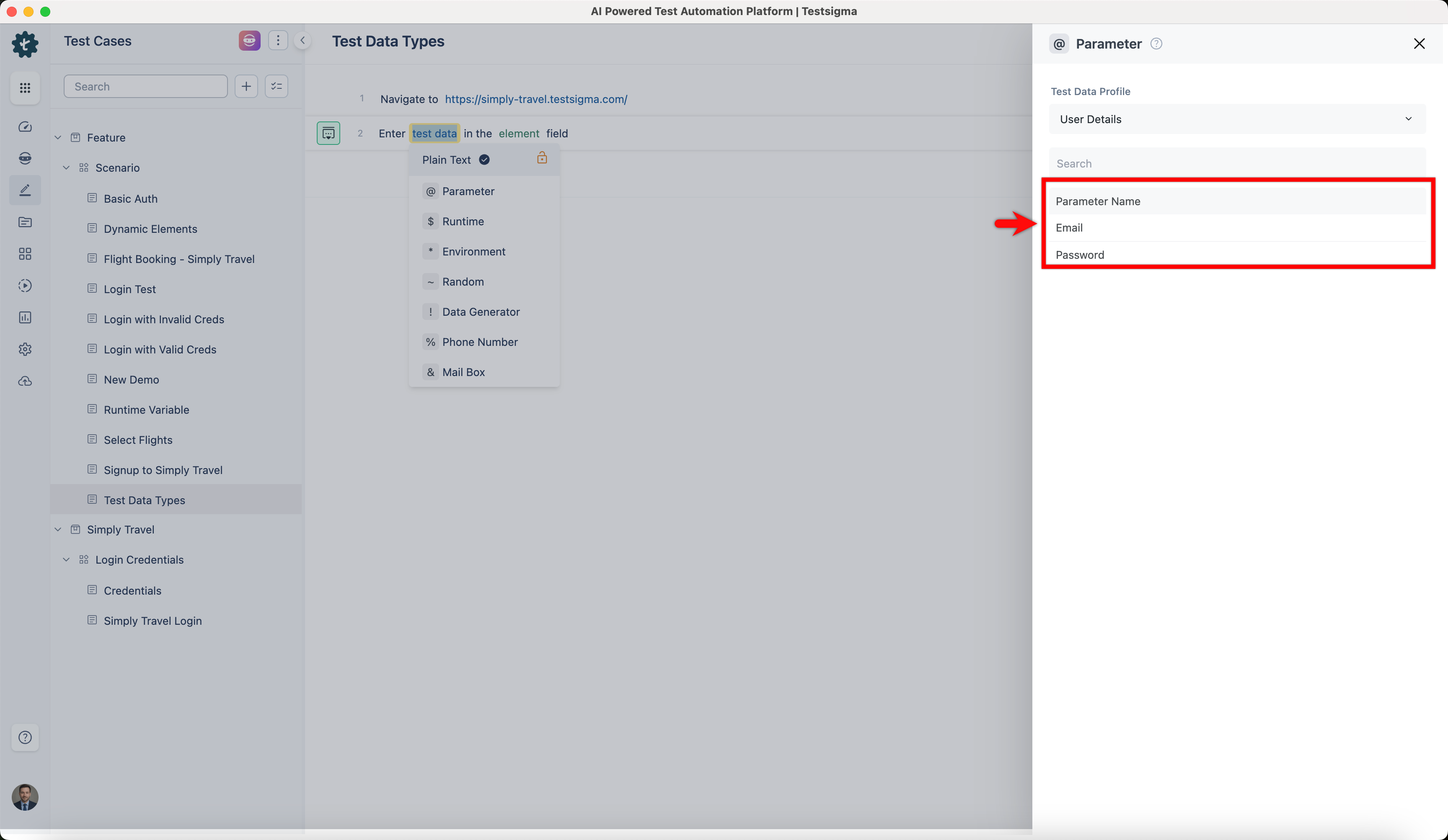
- In your test steps, use *‘Enter test data in the element field’* NLP.
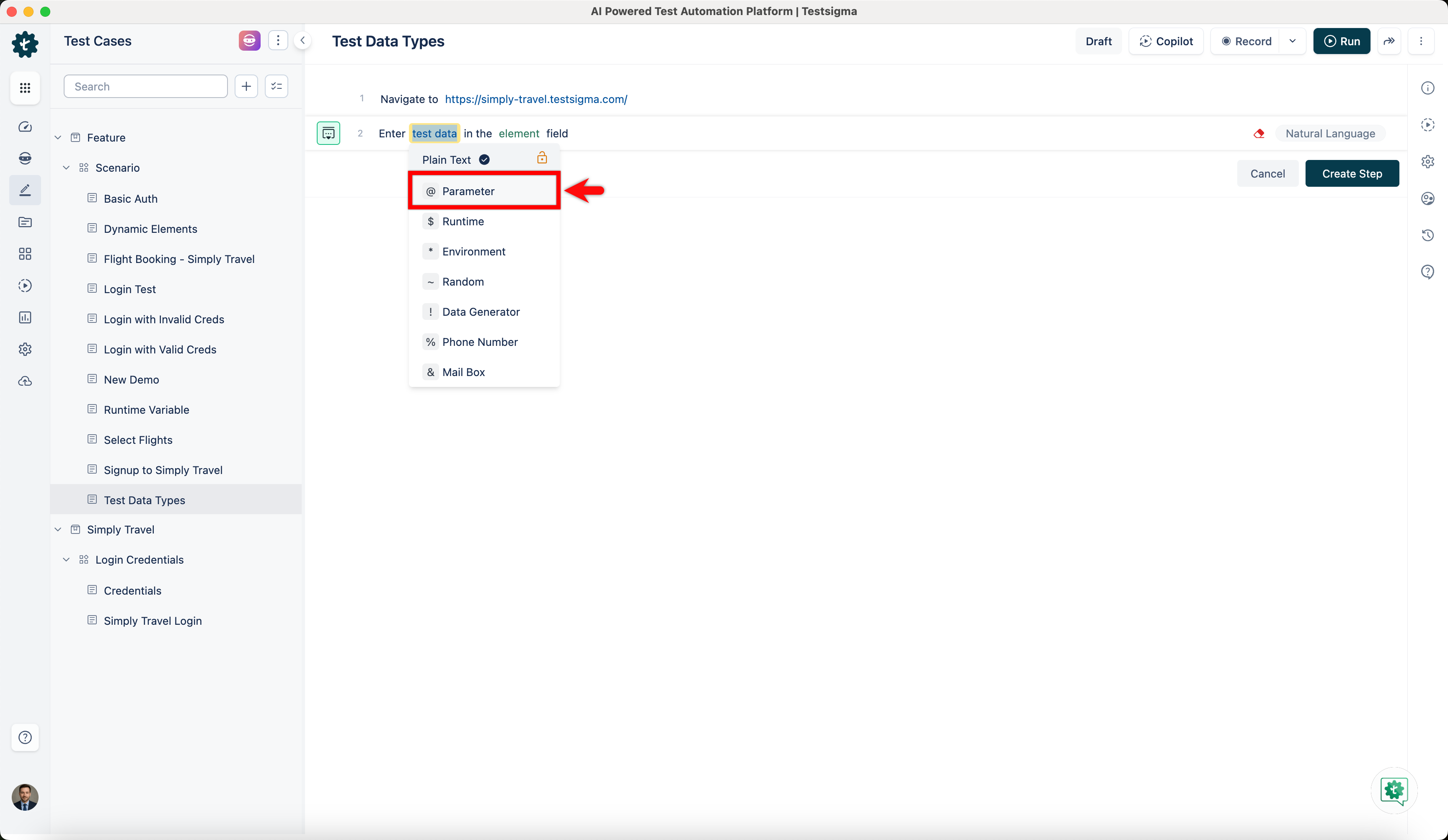
- Click on test data and select Parameter from the drop-down.
- On Parameter overlay, choose the parameter you want to use in your test case.
NOTE:
You can also associate test data profile with pre-existing test case from Test Case Settings.

Want to contribute or report missing content?