- Elements (Objects)
- Web Applications
 Record Single Element
- Record Multiple Elements
- Create Elements
- Supported Locator Types
- Formulating Elements
- Shadow DOM Elements
- Verifying elements in Chrome DevTools
- Handling iframe Elements?
- Create Image Based Elements
- Dynamic Locators using Parameter
- Dynamic Locators using Runtime
- Using Environment Test Data for Dynamic Locators
- Locating Dynamic Elements in Date Widget
- Freeze & Inspect Dynamic Elements (WebPage)
- Locating Dynamic Elements in Tables
- Import/Export Elements
- Locator Precedence (Web Apps)
- Verify Elements from Test Recorder
Elements for a Web Project (Overview)
Elements in web applications refer to components that make up the content and structure of a web page. They represent different types of content, such as text, images, links, forms, and more. In order to interact with any of these elements on the page, we have to create an element in Testsigma Elements Repository. This article discusses an overview of elements for a Web project.
Ways to Create Elements
There are 2 different ways to create elements in Testsigma:
- Manual Creation: Here, you manually give the details of the element to create them. For more information, refer to the documentation on creating elements manually.
- Using Test Recorder: Here, you access your application’s UI using test recorder and inspect the elements that you want to capture. For more information, refer to the documentation of capturing elements using test recorder.
Actions on Elements Page
- Affected List: The affected list button in the elements list shows the test cases that are affected by modification on the corresponding element. The test suites and the test plans containing these test cases can also be viewed from this page.
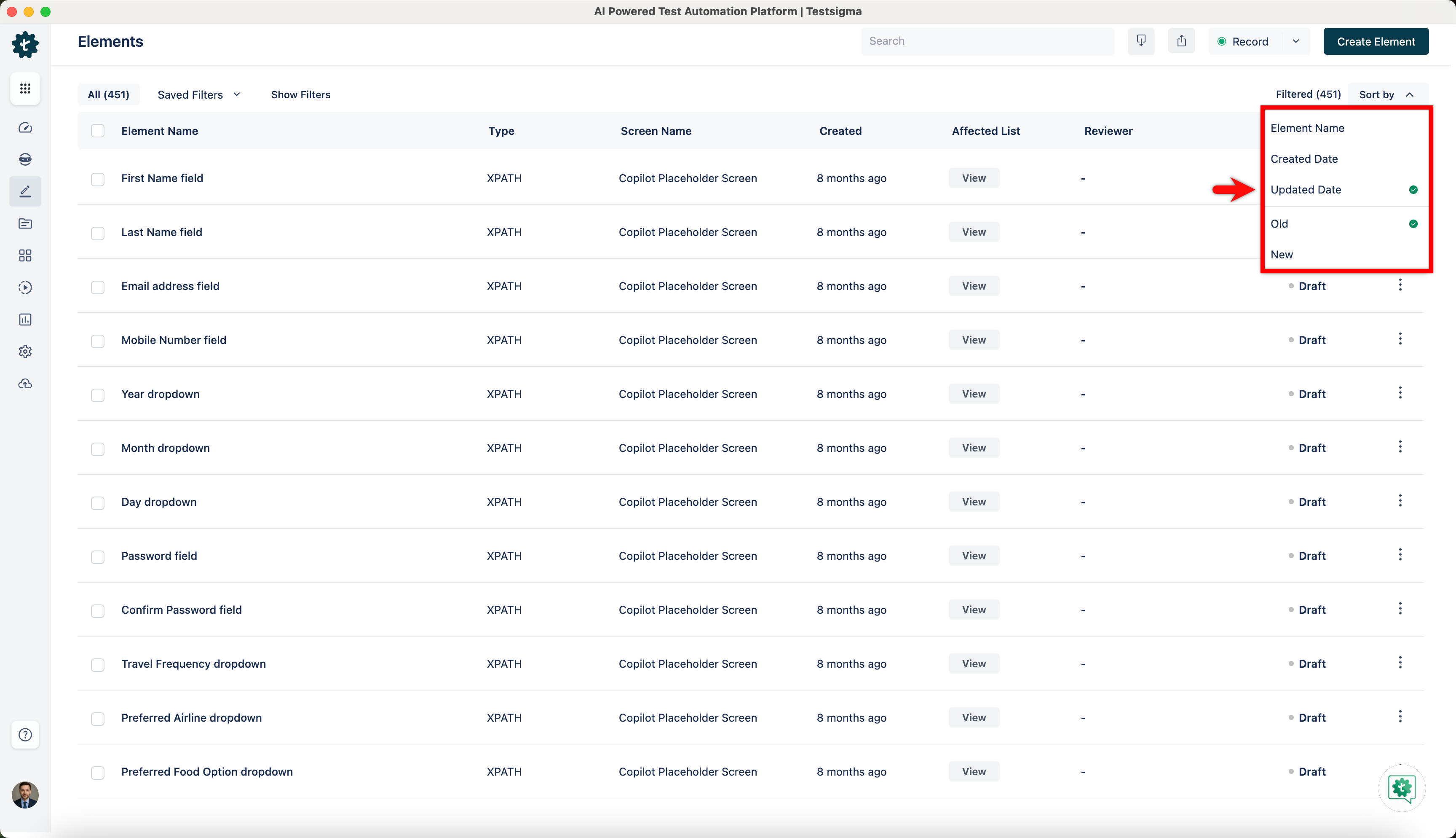
- Sort the Elements: The Elements list can be sorted on the basis of Element Name, Created Date, Update Date, Old or New.
-
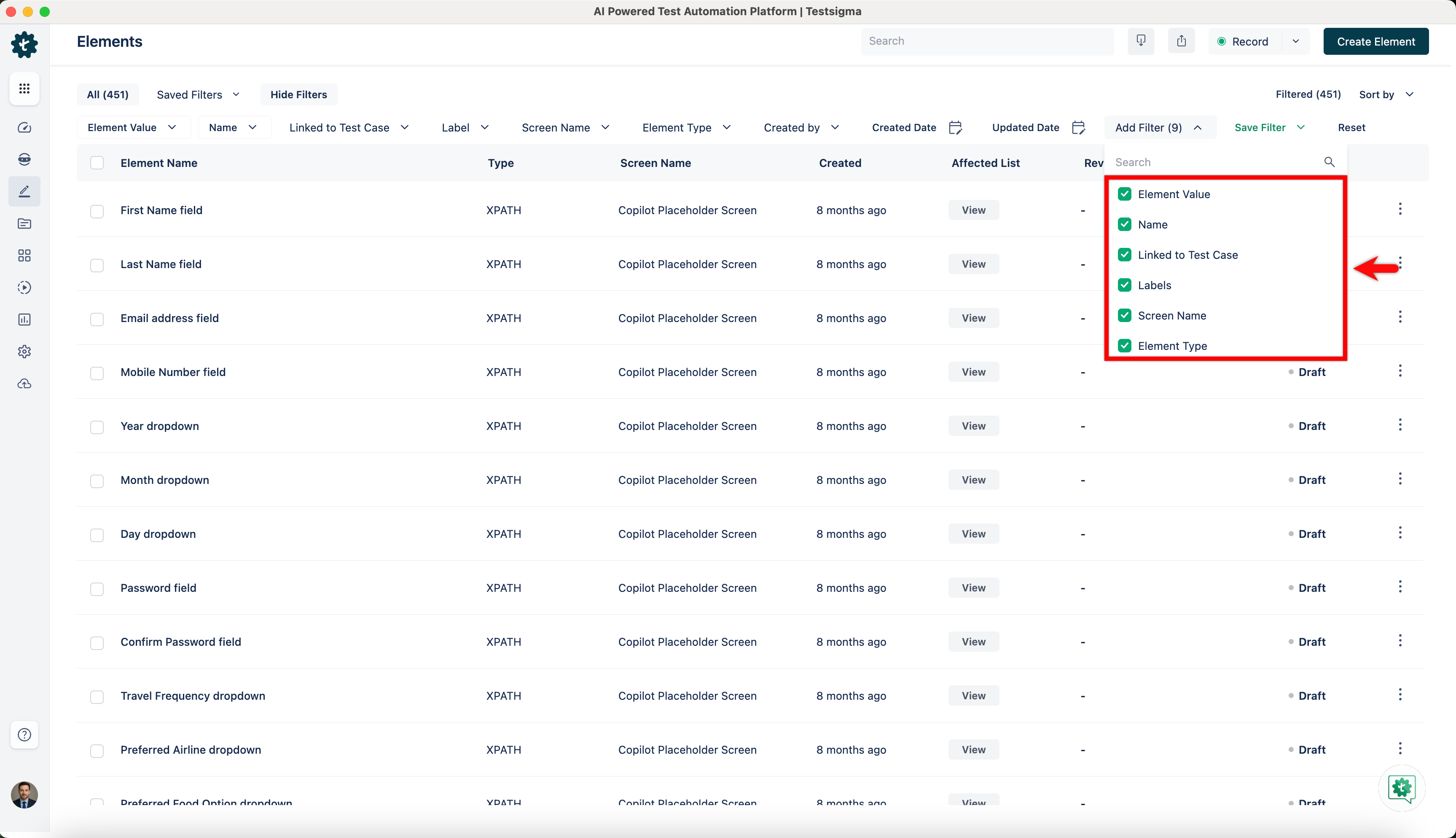
Filter Elements: Filter option lets you filter element list as per your selected options. You can filter list as per the following options:
- Name: Filter the elements by their Name. This can be used to search elements by name as well.
- Type: Filter the elements on the basis of locator type.
- Screen Name: Filter by screen name of the element.
- Created By: Filter by the creator of element.
- Created Date/Updated Date: Filter by created and updated dates.
- Element Value: Filter the elements by their locator value. This can be used to search elements by their locator value as well.
- Labels: Filter by the tag/label for an element.
- Usage in Test Cases: Filter on the basis of the element’s usage in test cases - Used, unused, or all.
Element Review Management
Larger teams can enable Review Management for the elements so that the elements used in the test cases are reviewed similar to a test case before finalizing and adding to the regression test suite. For more information about review management, refer to the documentation on elements review management.

Want to contribute or report missing content?