- integrations

Integrate Testsigma with Linear
You can integrate Testsigma with Linear to push bugs directly to Linear’s project. You can also capture screenshots, annotate bugs, and share them with your team. In this document, we will discuss how to integrate Linear with Testsigma and also how to create the first bug from Testsigma which can flow into Linear.
Prerequisites
Before you beign, ensure that:
To integrate Youtrack with Testsigma, you need the following:
- Linear API Key (For more information, refer to https://linear.app/docs/api-and-webhooks)
- You have referred to the documentation on executing test plan runs.
Steps to Integrate Testsigma with Linear
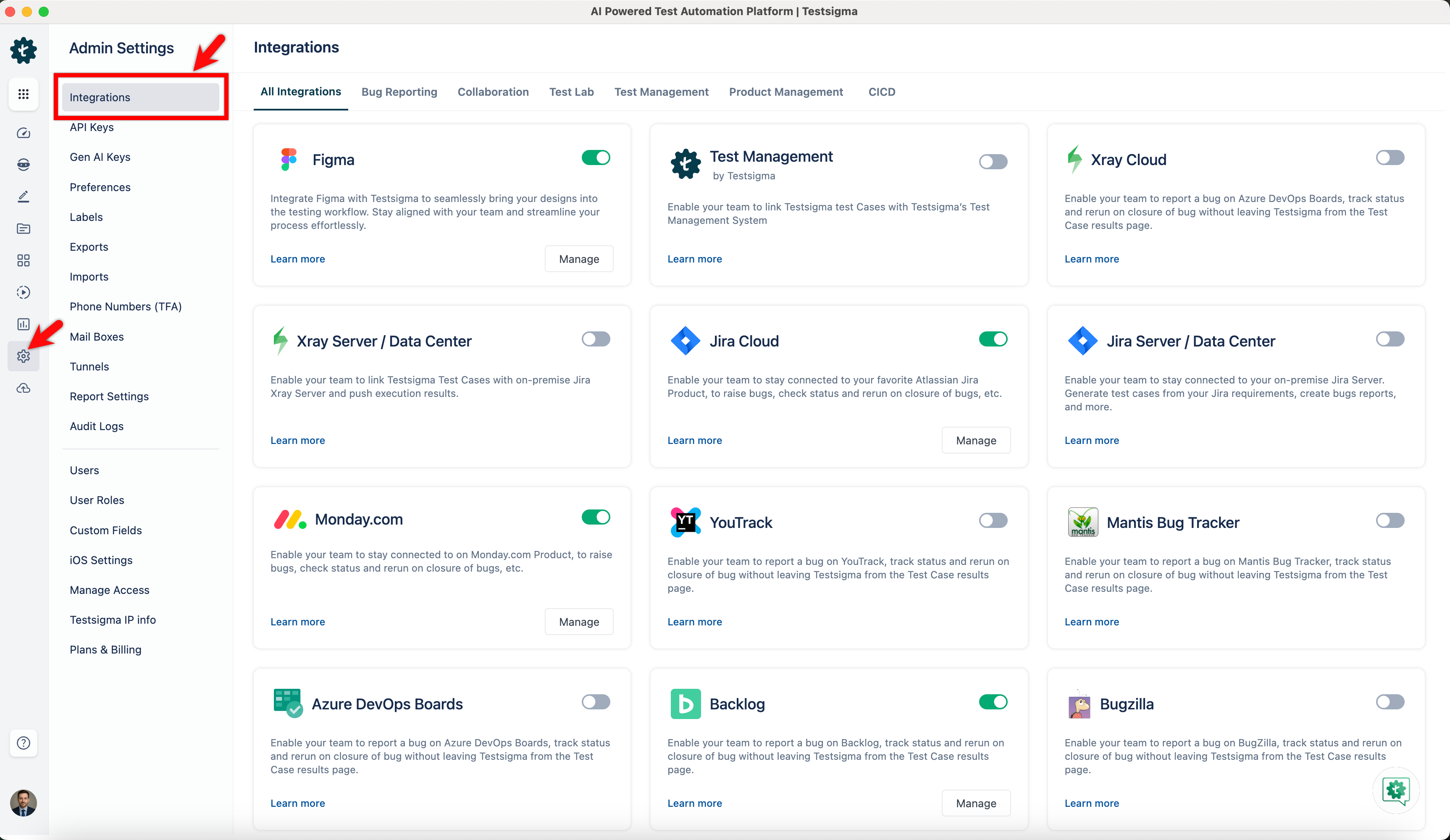
- Navigate to Settings > Integrations.
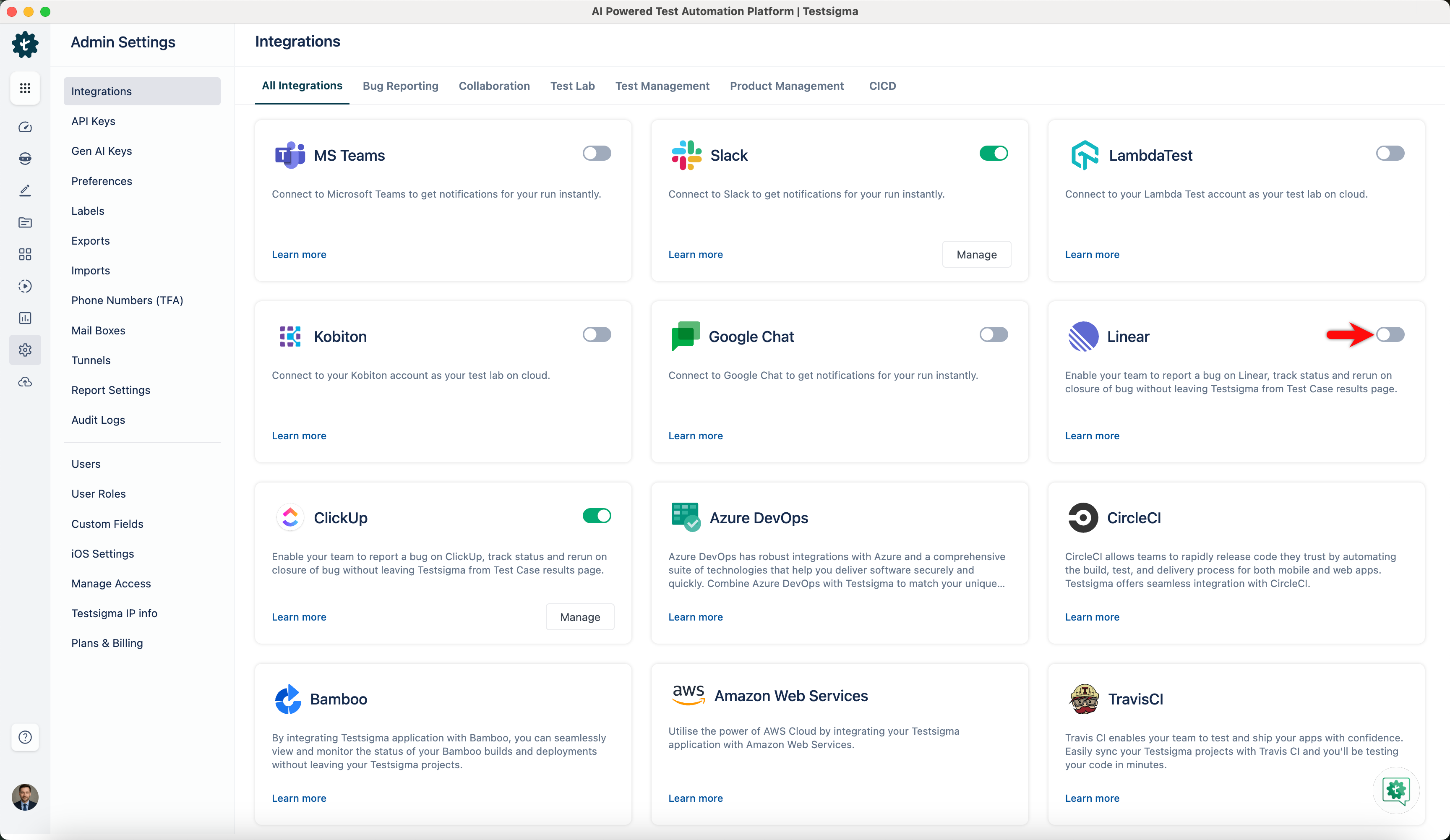
- Enable toggle on Linear widget.
-
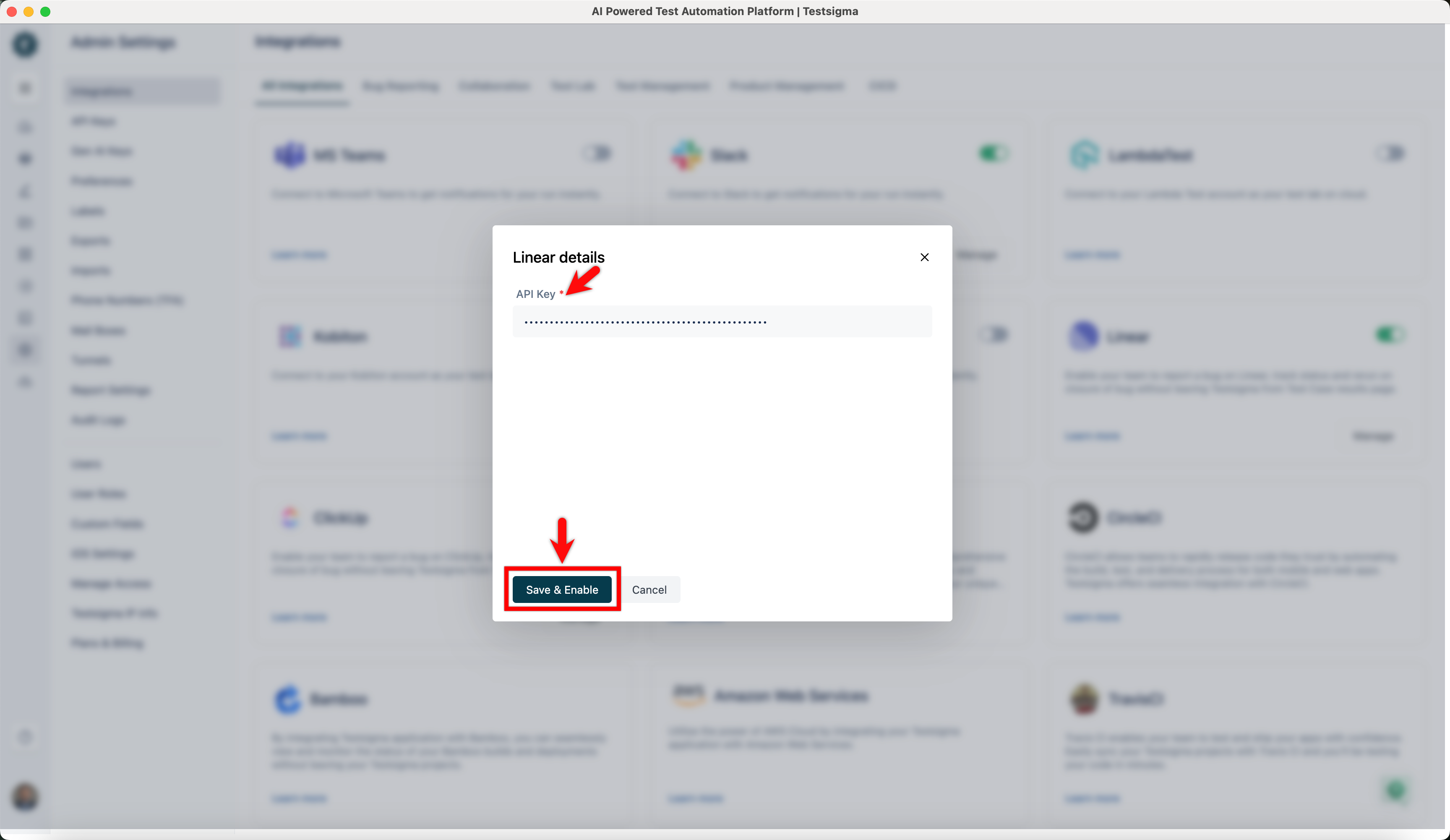
In the Linear Details overlay, enter API Key, and click Save & Enable.
Creating a Bug
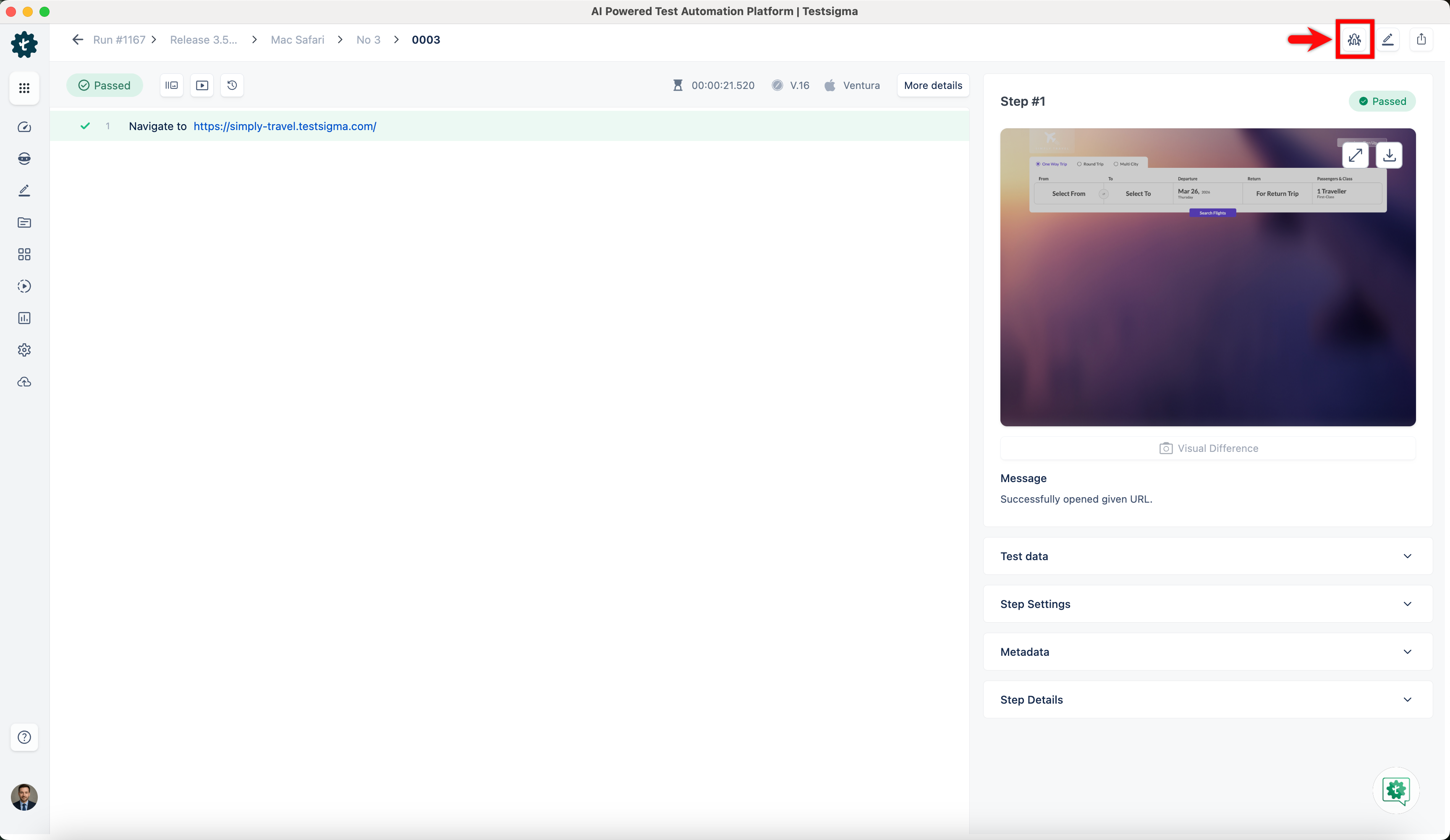
- Navigate to Run Results > Test Case Result, where you want to add a bug.
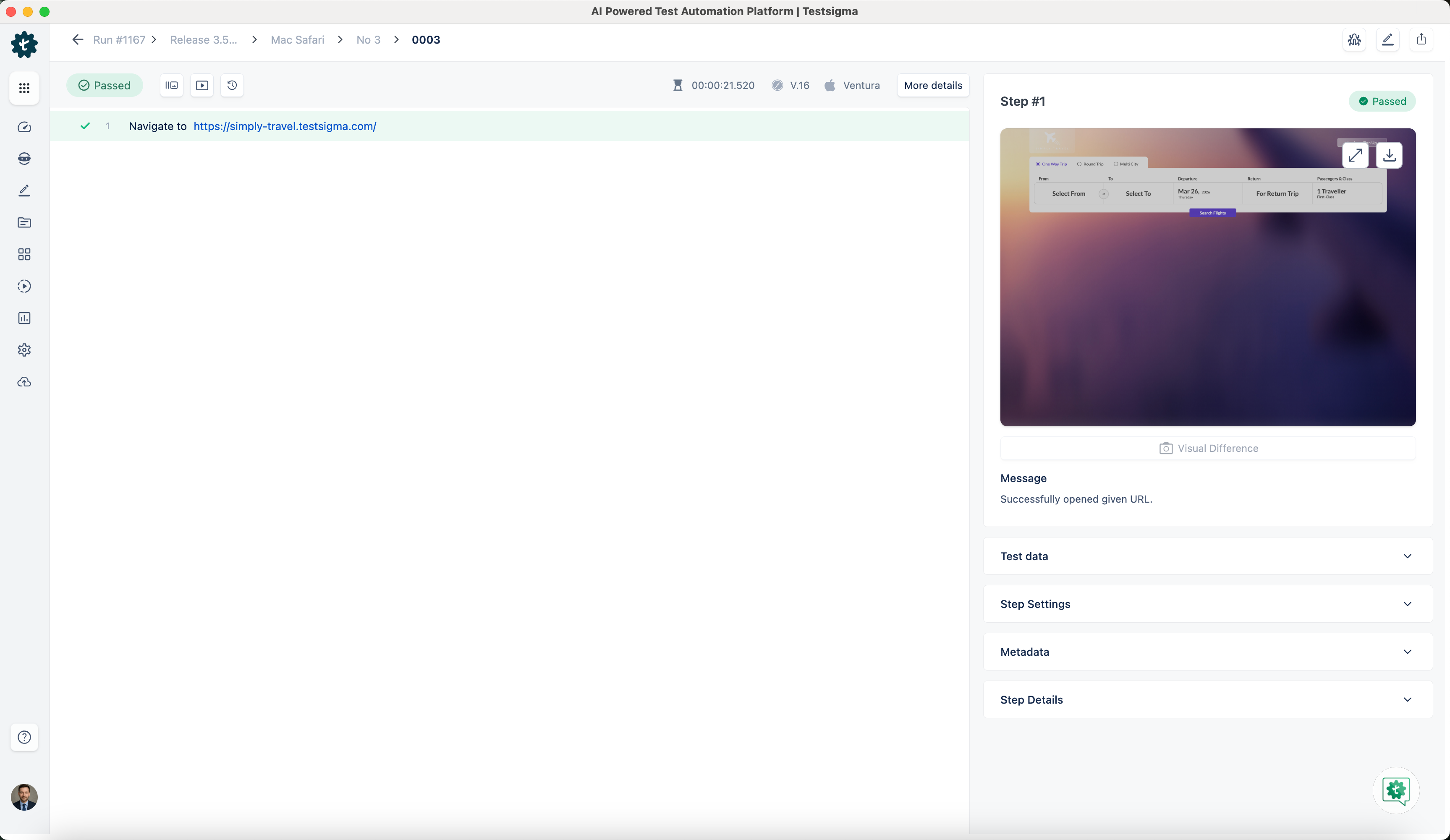
- Click on Report Bug.
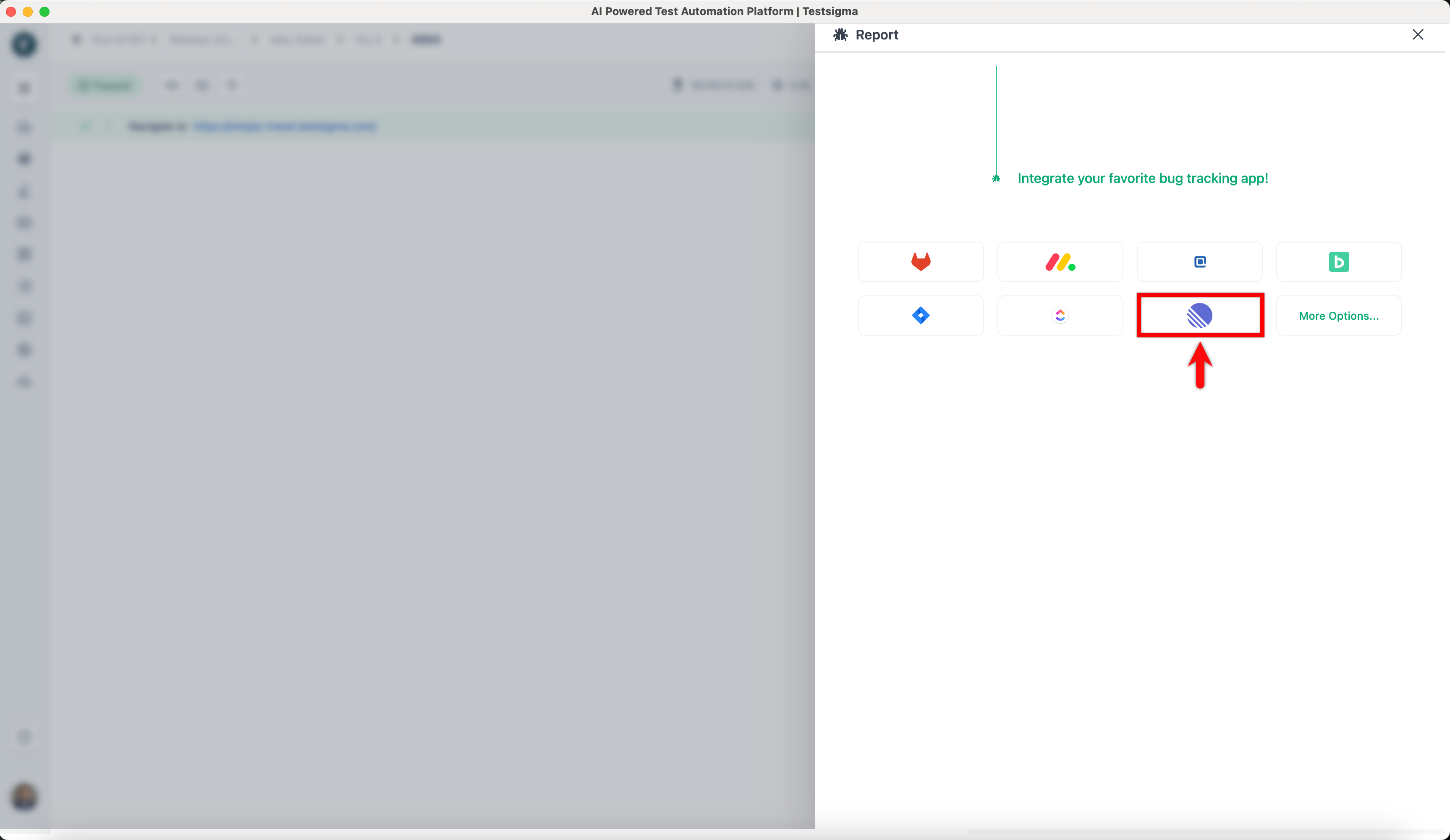
- In the Report overlay, click on Linear icon.
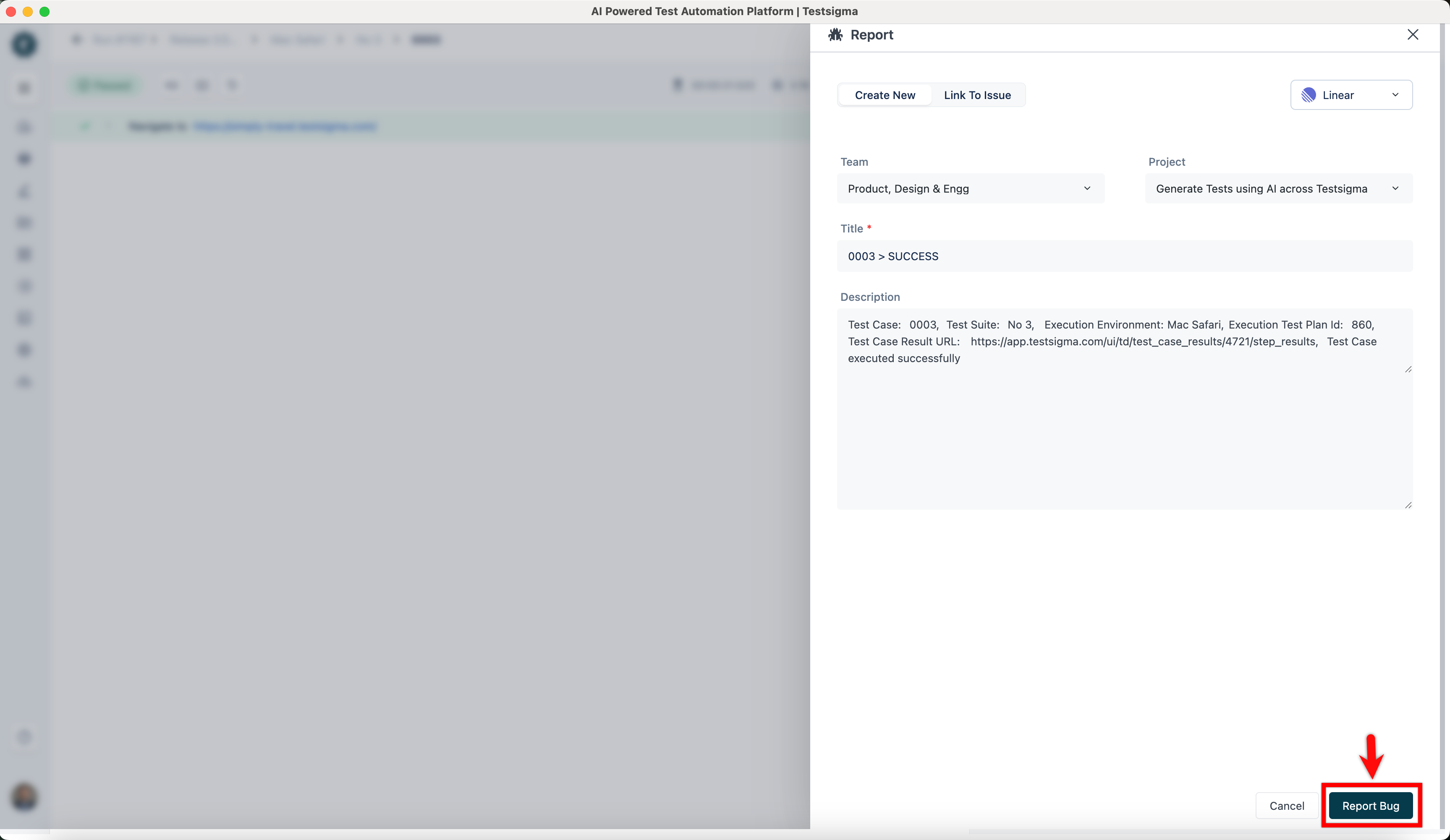
- In the Report prompt, review the details, and click Report Bug.
NOTE:
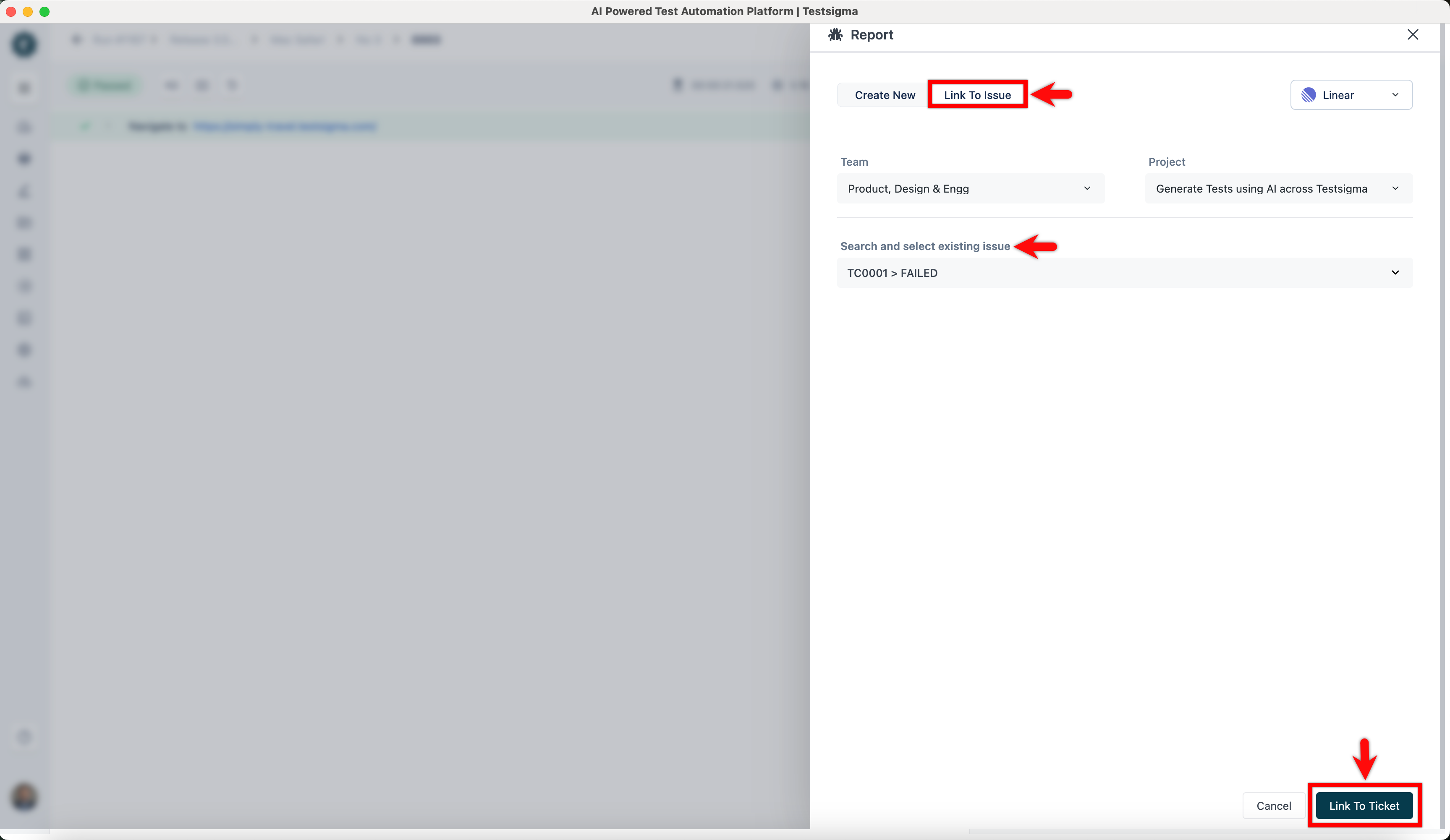
If you want to link to an existing issue on Linear, click the Link to Issue tab, search for an existing issue in the search field and click Link To Ticket to add a link to an existing Issue.

Want to contribute or report missing content?