- runs
 Ad-hoc Run
- Test Plan Executions
- Dry Runs on Local Devices
- Run Tests on Private Grid
- Run Tests on Vendor Platforms
- Run Test Plans on Local Devices
- Test Locally Hosted Applications
- Flutter Integration Driver Testing on Testsigma
- Debug Test Case Failures
- Parallel and Allowed queues
Run on cloud vendor platforms
Run on cloud vendor platforms
When executing your test cases on Testsigma you have the option to execute them on a cloud vendor platform that Testsigma currently supports:
- Browserstack
- Saucelabs
- Kobiton
- Lambdatest
Prerequisites
- Before you begin, ensure that you have referred to:
- Documentation on running your test cases on the integrated cloud vendor platforms.
How to run test cases and test plans on cloud vendor platforms with Testsigma
- Navigate to Settings → Integrations → Test Lab:
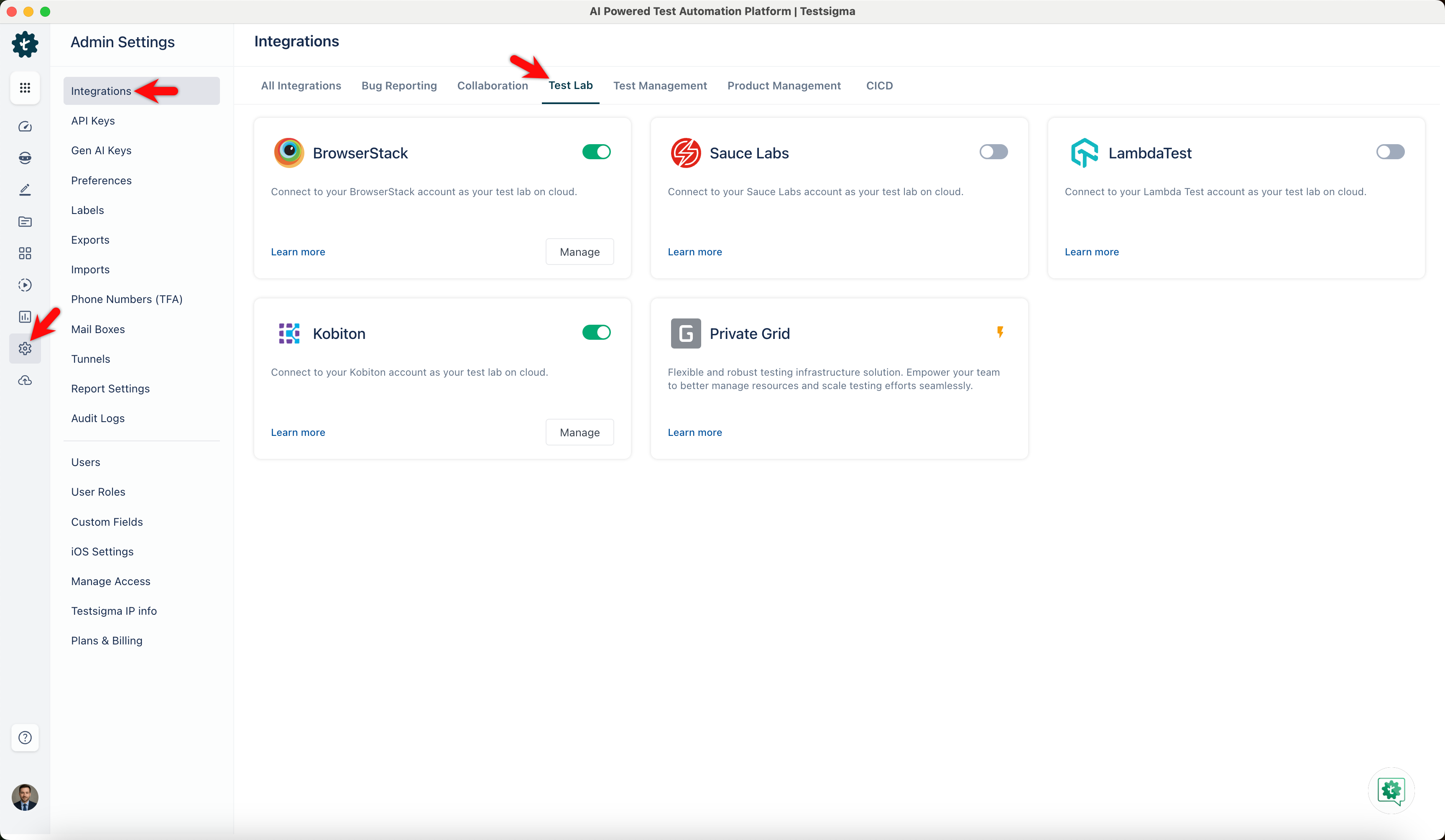
- Click on the toggle button to enable the cloud vendor you want to add.
- You will be prompted for the credentials for the cloud vendor. Here, enter the username and API Key that you obtain from your cloud account:
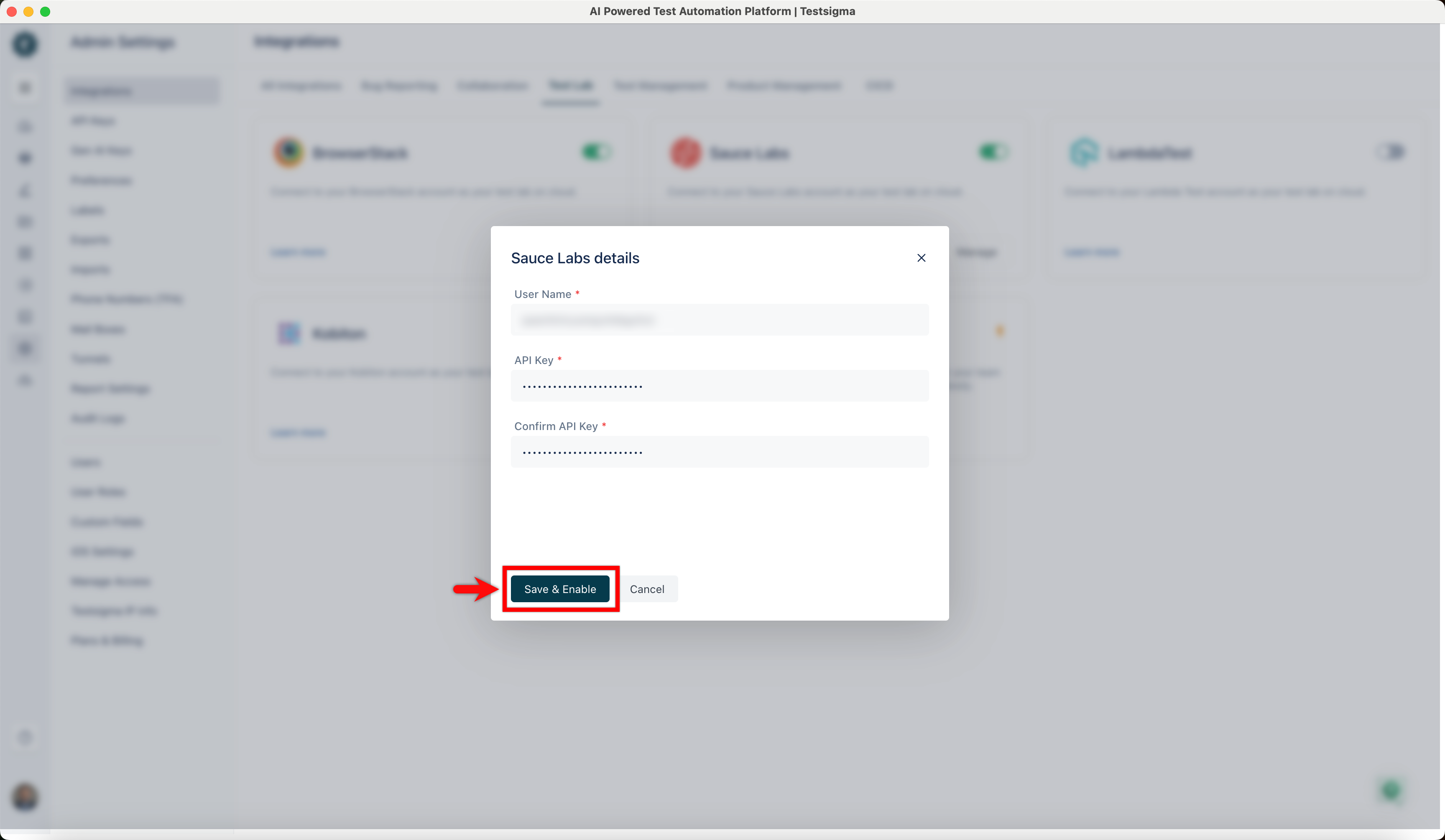
- Once the cloud vendor is enabled, you should be able to see it in the run menu.
Now, to run tests on these cloud vendors you have added.
- In the Dry Run menu, click on Run.
- Choose the cloud vendor from the number of options you have.
- Configure other options and run.
Test Plans - How to select your cloud vendor ?
While selecting test machines for a Test Plan, in the Test Lab section, you will get all the options for cloud vendors.

Want to contribute or report missing content?