
Overview: Generative AI Capabilities in Testsigma
Minimize the manual effort, Optimize the test coverage, and Accelerate the test development!
Testsigma's Generative AI capabilities streamline and accelerate test creation by transforming high-level inputs such as requirements, designs, and user behaviors into structured, executable test cases. Whether you're working on web, mobile, desktop, or API testing, GenAI helps you achieve broader test coverage with minimal manual effort.
With Testsigma Copilot, you can generate test cases in real-time using simple prompts. Copilot is embedded within Web, Mobile, and Live Editor, making it easy to quickly create, edit, and extend test cases.
Testsigma also integrates seamlessly with tools like Jira, Figma, Xray, and qTest, enabling test generation directly from user stories, design, and requirements.
Prerequisites
- From the Dashboard, go to Settings > Preferences.
- Turn on the Generative AI features toggle.
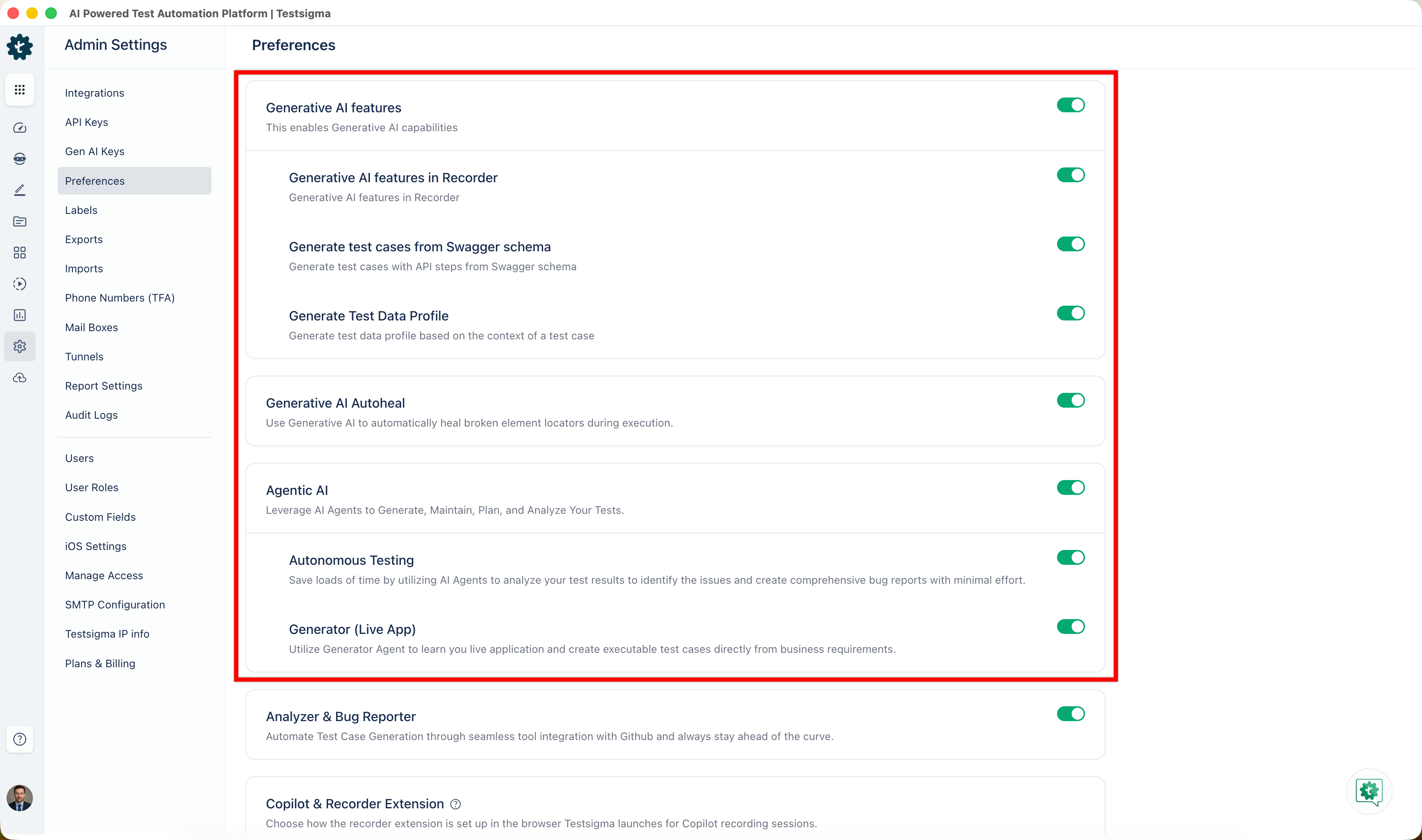
You can turn the toggle on or off for any feature under Generative AI features.
Testsigma Copilot Capabilities
Generate Tests from Generative AI
- Generate Test Cases from Requirements
- Generate Test Cases for Web
- Generate Test Cases for Mobile Web
- Generate Test Cases for Android & iOS
- Generate Test Cases for Salesforce
- Generate Test Cases for Desktop
- Generate Test Cases for APIs
- Generate Tests from Figma Designs
Integrations
Getting Help
- For inquiries or help, reach out to Testsigma support at support@testsigma.com.

Want to contribute or report missing content?