- create test cases
 Organizing Test Cases in Folders
- Test Cases for Web Applications
- Test Cases for Mobile Applications
- Test Cases for Mobile Web Applications
- Manage Test Cases for Web Applications
- Manage Test Cases for Android & iOS Apps
- Manage Test Cases for Mobile Web Applications
- Test Case List Actions
- Importing Postman Collections and Environments
- Custom Fields for Test Cases
- Label Management
- Update Test Case Result in a Test Plan
- Test Case: Advanced Options Guide
- Test Step Types
- Type: Natural Language
- Type: REST API
- Type: Step Group
- Type: For Loop
- Type: While Loop
- Type: Block
- Type: If Condition
- Nested Step Groups
- Image Injection
- Cross-application testing
Update Test Case Result in a Test Plan
This feature is currently flagged. Please get in touch with Testsigma support to enable this feature.
In Testsigma, you can change the status of test cases in test plan reports. This article discusses how to update the status of a test case in a test plan.
Steps to Update Test Case Results
-
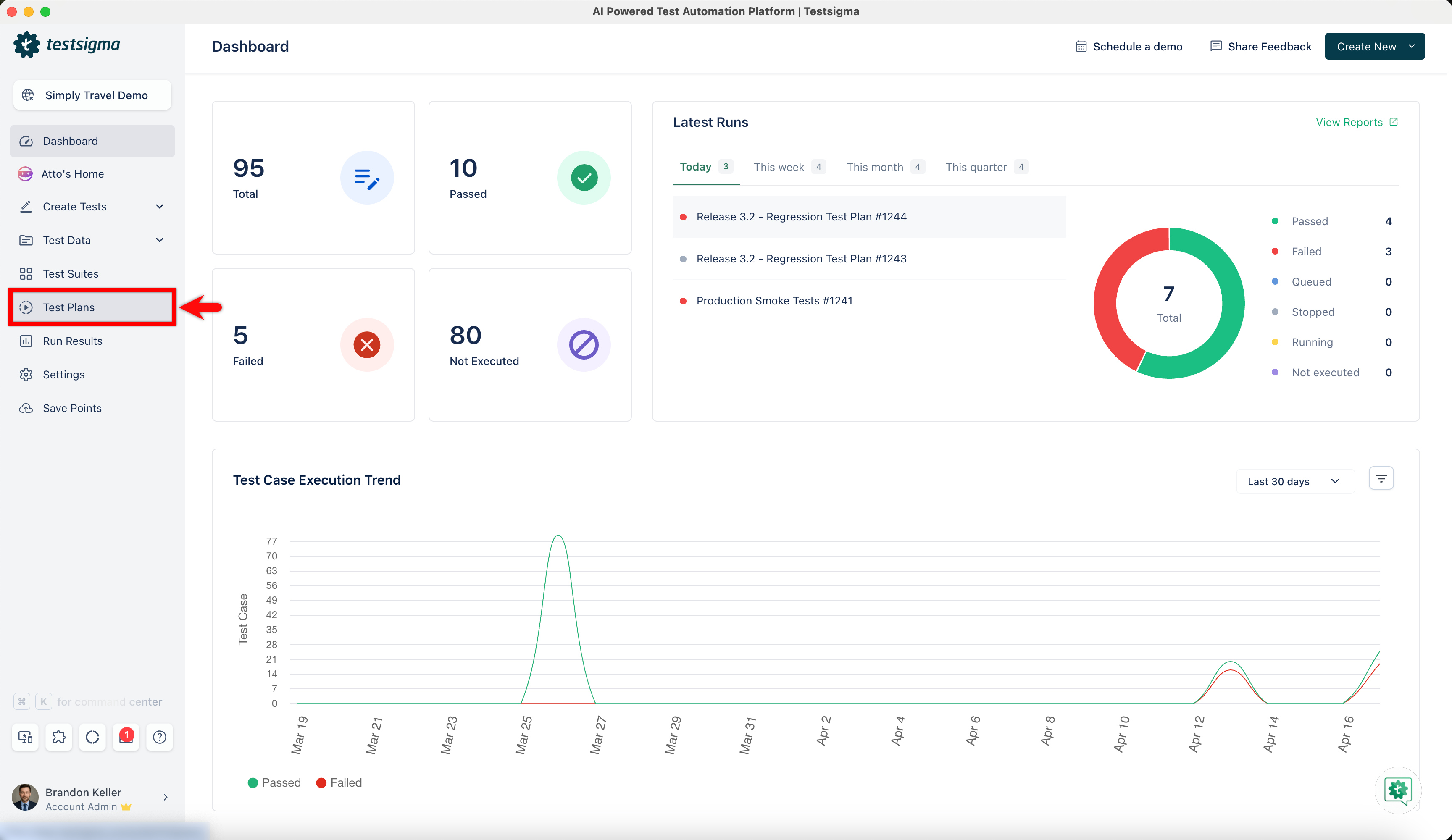
From the left-side navbar, go to Test Plans.
-
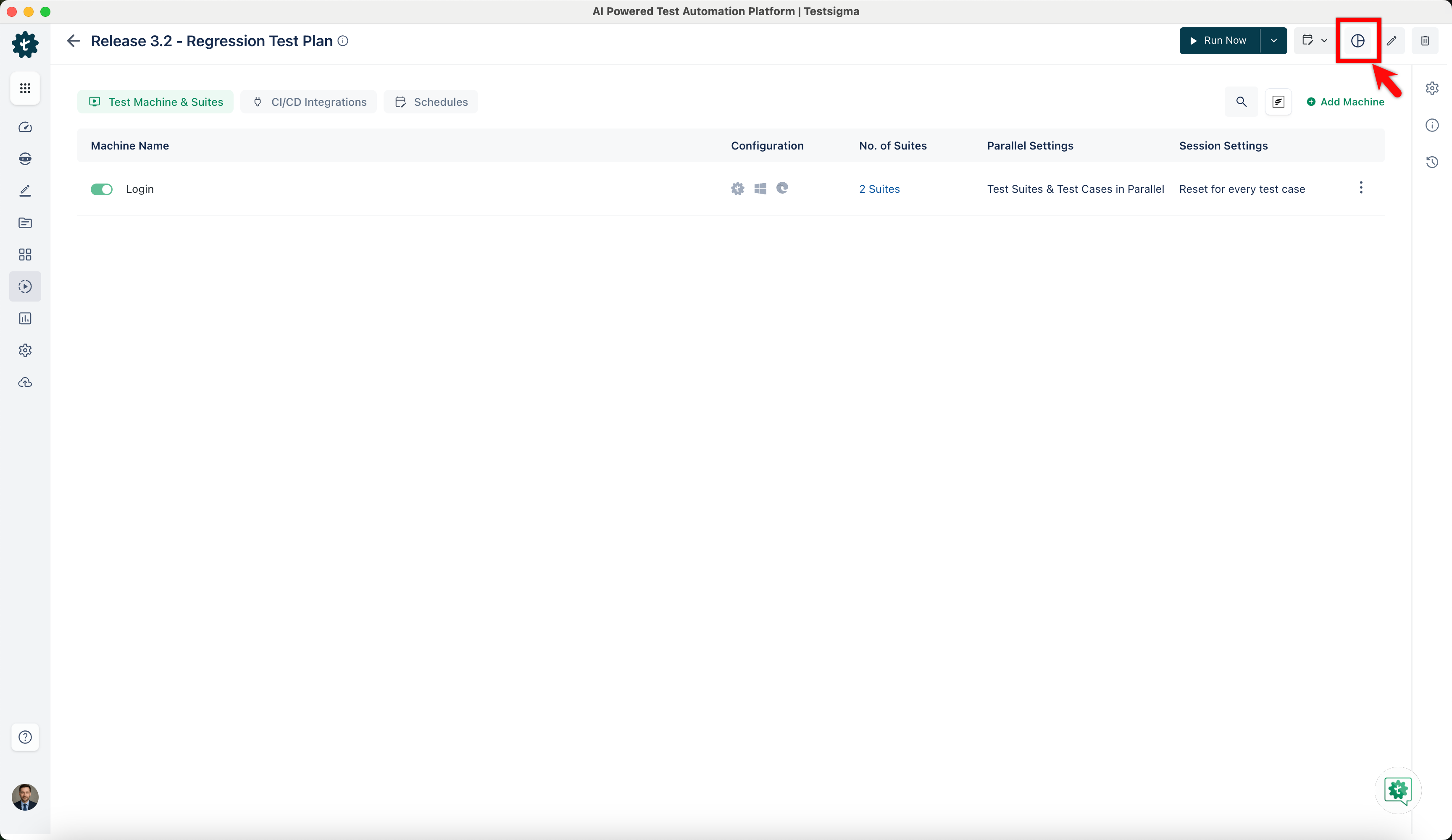
Select the test plan in which you want to update the test case result and click View Reports.
-
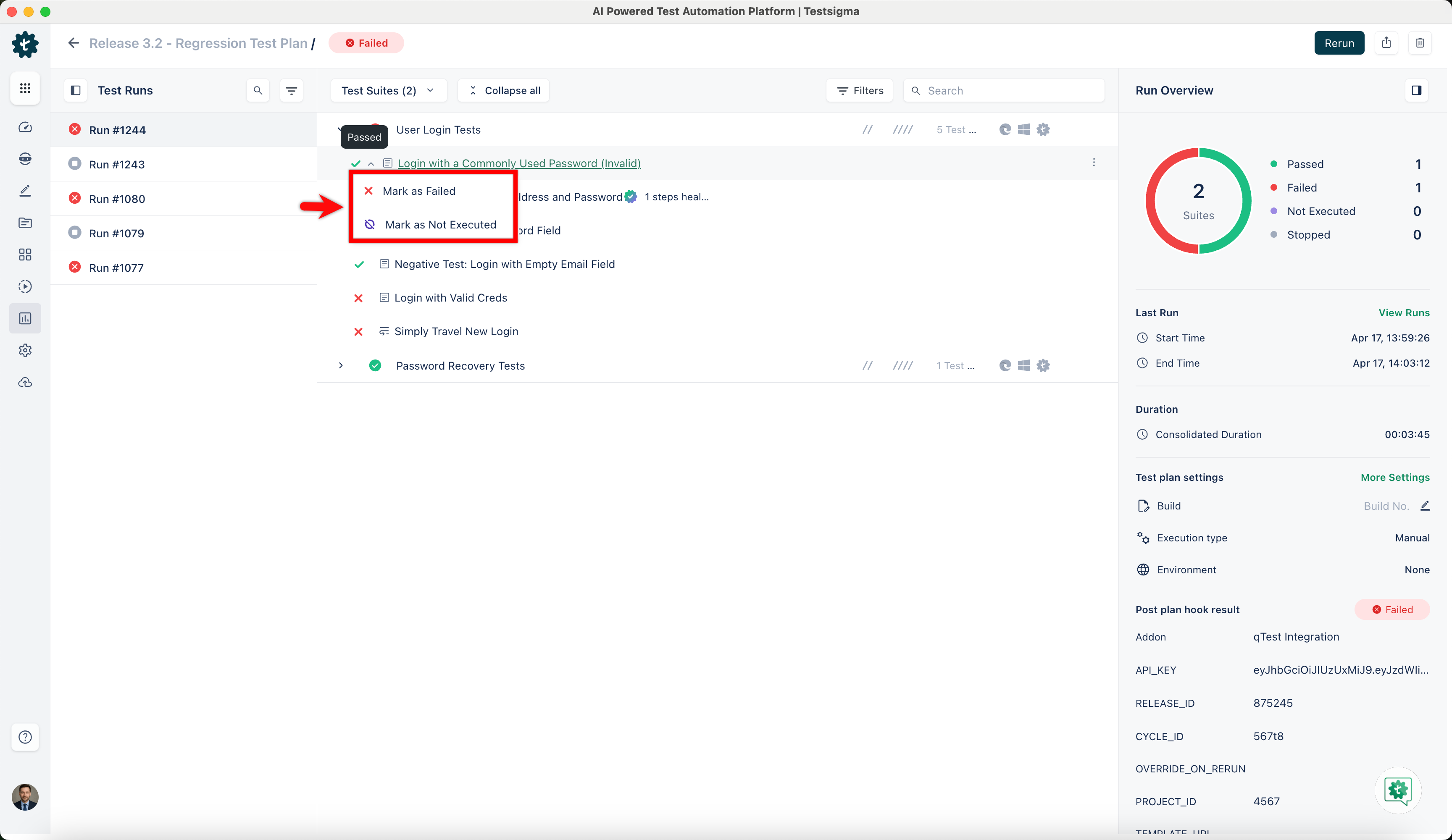
Hover over the test case result of which you want to change the status and click on the result you want to update from the dropdown menu.
-
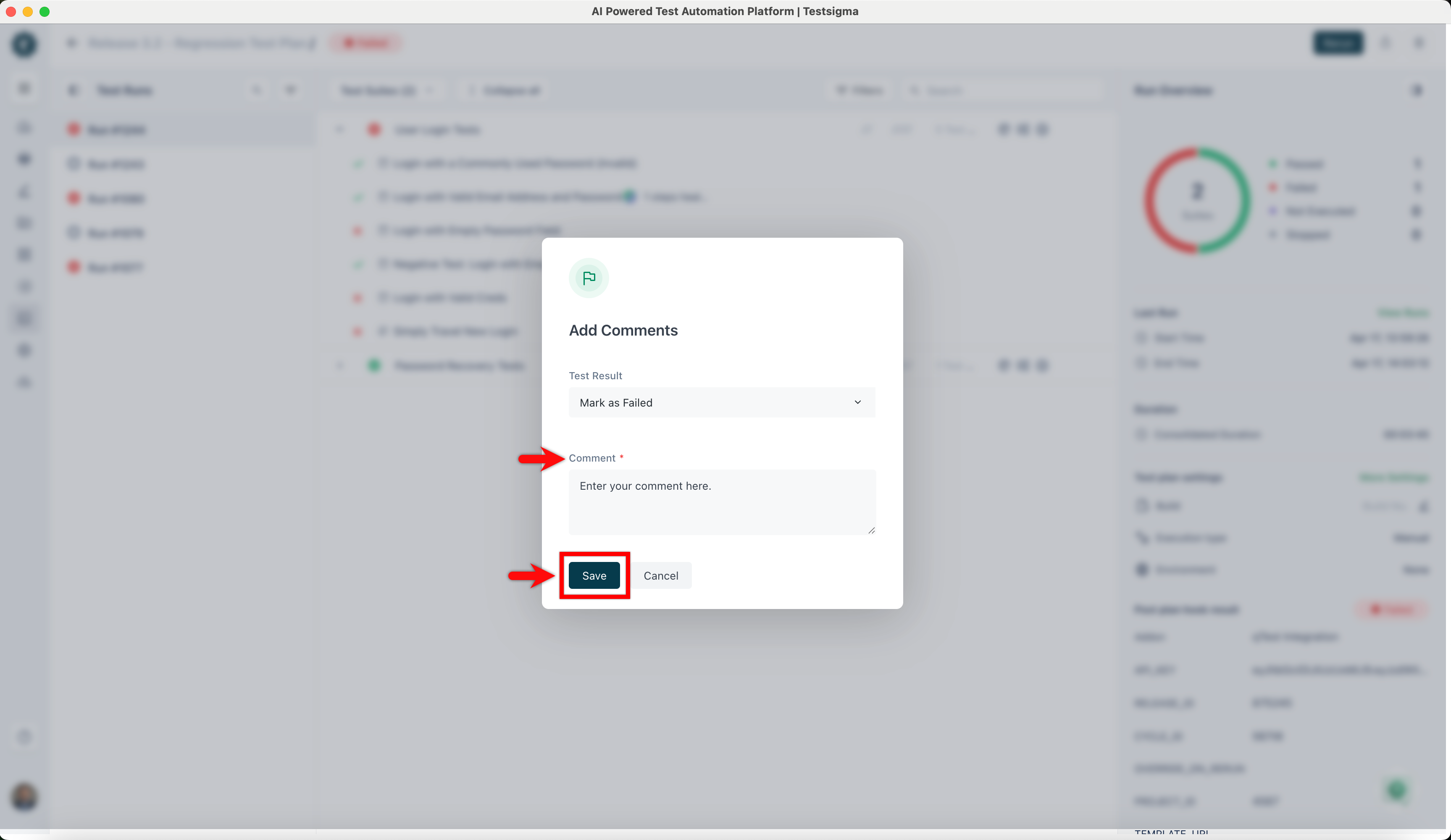
On the Add Comments dialog, add a comment and click on Save.
-
Hover over the same test case result to see the updated status and comment.
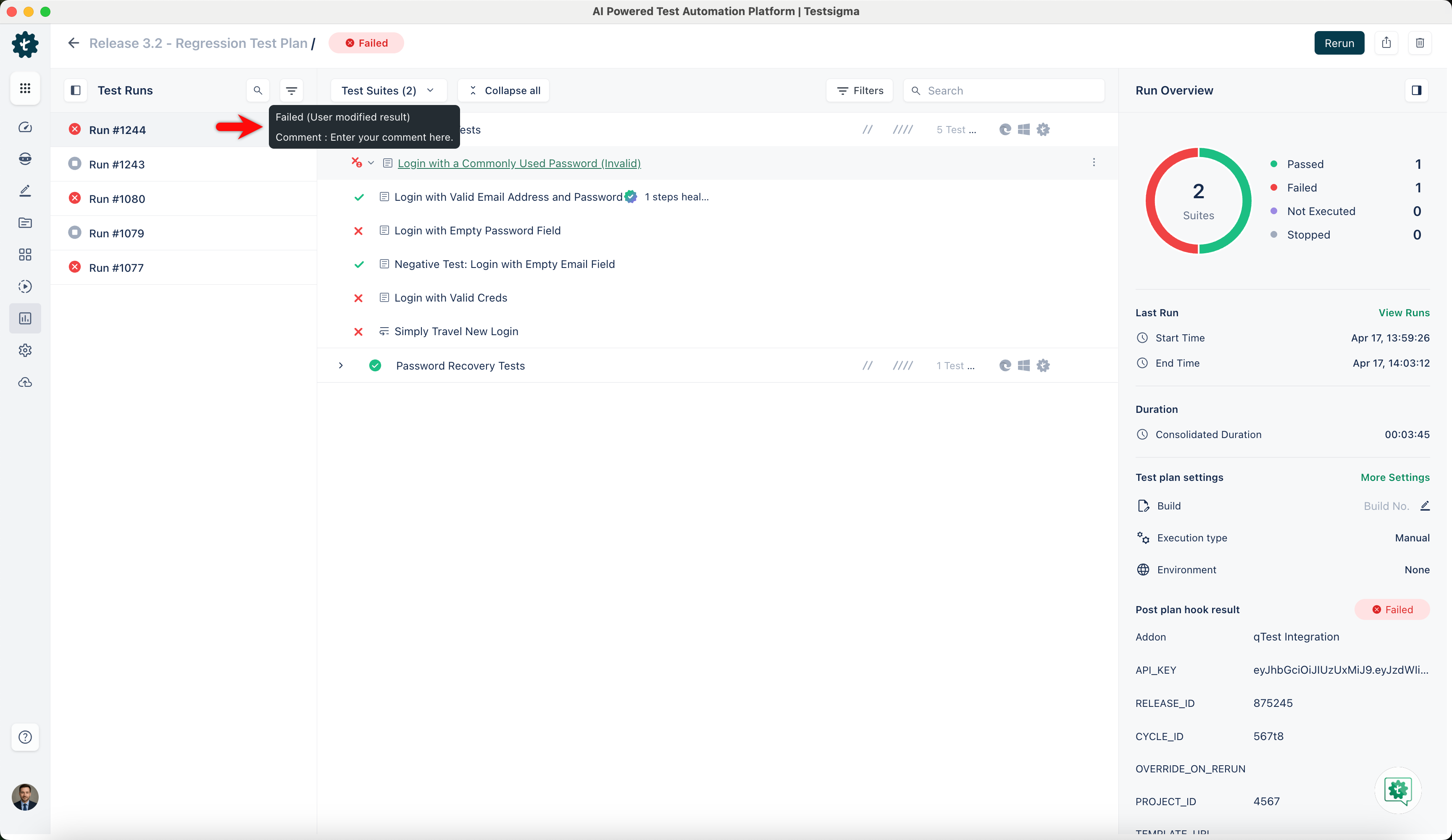
Test plan results will be automatically updated as per the changes in the test case results. For information on updating test case results using Rest API, refer to the documentation on updating test case run results using API.

Want to contribute or report missing content?