

Browser profiles for Copilot
Testsigma Copilot loads the Testsigma recorder extension into the browser it opens on Local Devices, and the profile mode controls how. A Testsigma Lab session does not load a profile. Set the mode once for the account, under Settings > Preferences.
Profile modes
Section titled “Profile modes”Go to Settings > Preferences, scroll to Copilot & Recorder Extension, and select one of 3 options.
| Mode | Who owns the profile | Where the extension comes from | Choose it when |
|---|---|---|---|
| Automatic | Testsigma, fresh each session | Testsigma’s bundled extension, loaded every session | You do not need a profile that lasts, or your own extensions. This is the default, and needs no setup |
| Managed profile | Testsigma, reused across sessions | The Chrome Web Store, installed once | You want the extension already there and your browser settings kept, without maintaining a profile |
| Your own browser profile | Your team | You install it in your own profile | Your security policies require you to control every profile |
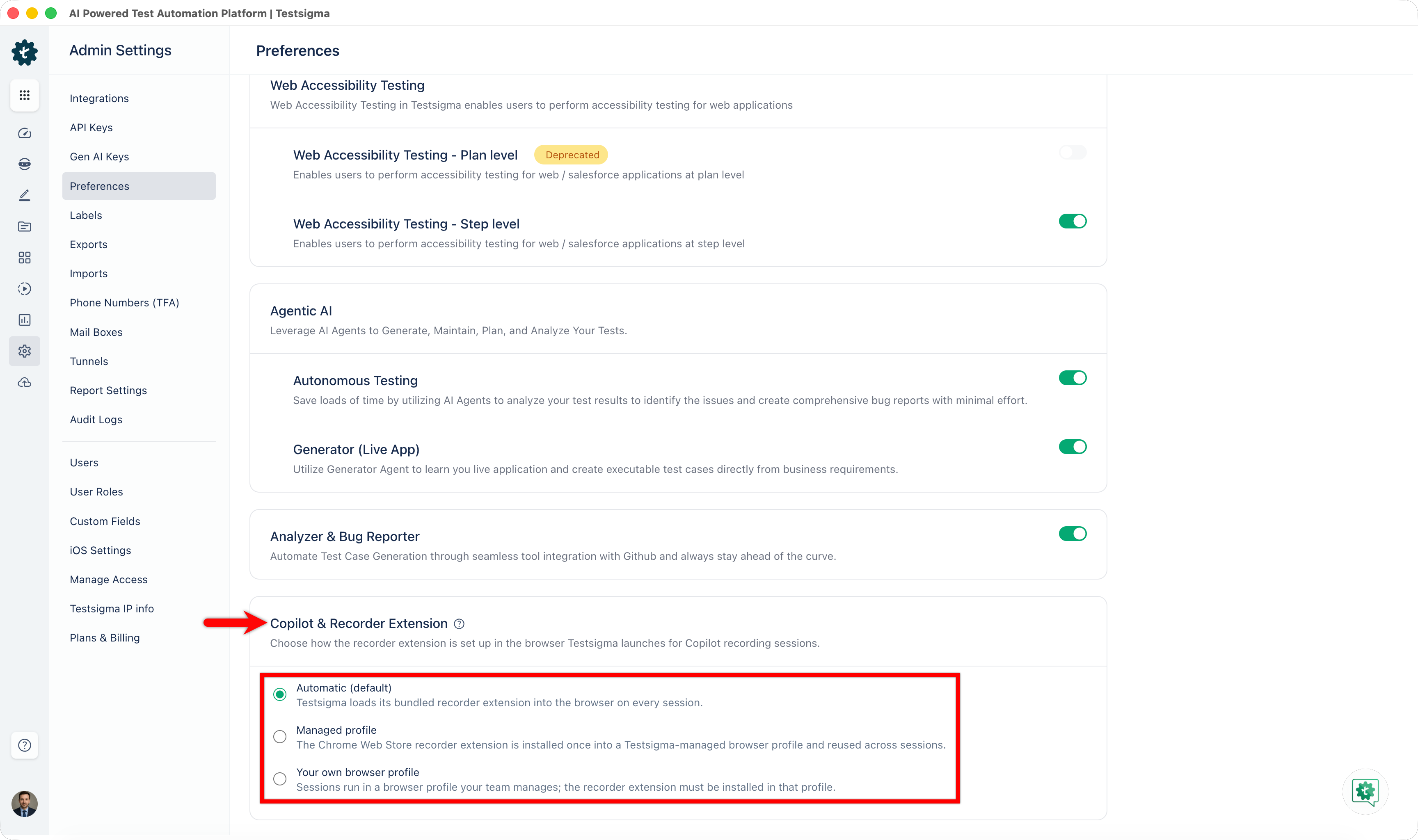
With Managed profile, Testsigma creates a user-data directory inside the Testsigma data directory on the first session and reuses it afterwards, along with any browser settings you apply. Install the recorder extension from the Chrome Web Store once.
Use your own browser profile
Section titled “Use your own browser profile”-
Create the profile folder outside the Testsigma data directory and outside the browser’s default user-data folders.
-
Grant Testsigma read and write access to that folder.
-
In the test configuration settings, add the Desired Capabilities for your browser, from the table below.
-
Install the recorder extension in that profile, from the Chrome Web Store or through your IT extension policy.
| Browser | Key | Data type | Value |
|---|---|---|---|
| Chrome | goog:chromeOptions | String | {"args":["--user-data-dir=<Profile Path>"]} |
| Microsoft Edge | MsOptions | String | {"args":["--user-data-dir=<Profile Path>"]} |
Replace <Profile Path> with the folder you created. To use a named profile inside that folder rather than the default one, pass --profile-directory=<folder name> alongside --user-data-dir, such as Profile 1. The default profile needs only --user-data-dir.
Default user-data folders
Section titled “Default user-data folders”An automation profile cannot live inside the browser’s default user-data folder. The restriction comes from Chrome and Edge, not from Testsigma: anything inside these directories is not accessible to automation, and Testsigma cannot launch it.
| Browser | Windows | macOS | Linux |
|---|---|---|---|
| Chrome | %LOCALAPPDATA%\Google\Chrome\User Data | ~/Library/Application Support/Google/Chrome | ~/.config/google-chrome |
| Microsoft Edge | %LOCALAPPDATA%\Microsoft\Edge\User Data | ~/Library/Application Support/Microsoft Edge | ~/.config/microsoft-edge |
Path tokens in desired capabilities
Section titled “Path tokens in desired capabilities”A literal path such as --user-data-dir=C:\Users\username\AppData\Roaming\... bakes in one machine’s username, so the capability works only on the agent it was written for. Path tokens let the agent fill in the machine-specific part, so one configuration works everywhere:
--user-data-dir=${TS_DATA_DIR}/browser-profiles/custom/testprofile| Token | Resolves to |
|---|---|
${TS_DATA_DIR} | The Testsigma agent’s data directory, honoring a custom ENV_TS_DATA_DIR if IT set one at install |
${TS_USER_HOME} | The home directory of the OS account running the agent |
These 2 tokens are portable and behave the same on Windows, macOS, and Linux. Native OS aliases such as %APPDATA%, $HOME, and ~/ also work, but only on their own platform.
Tokens resolve inside any string value, including args, prefs, extensions, and binary, for Chrome, Edge, and Firefox capabilities, but only when the browser runs locally on an agent host through Hybrid, a local machine, or Docker. They do not resolve on Testsigma Lab, TSLab, Apex, third-party cloud labs such as BrowserStack, Sauce Labs, LambdaTest, and Kobiton, a Private Grid, or a Hybrid agent pointed at an external Selenium grid. Use a literal path for those execution types.
An unresolvable token is left exactly as written and never blanked out, and Testsigma logs a warning. A visibly wrong path is safer than a silent fall back to the real desktop profile.
Was this page helpful?
Thanks for the feedback.