

Addons overview
An addon extends Testsigma’s built-in actions with your own. Testsigma covers most user actions in plain English, but an application often needs something the built-in set does not have.
Take an application that keeps loading entries as you scroll, such as a product listing. A test that has to reach the copyright notice at the bottom cannot get there with a fixed number of scroll steps, and an addon can scroll until the page stops growing.
What you can build
Section titled “What you can build”Both engines support the same 5 addon types.
| Type | What it gives a test author |
|---|---|
| Custom action | A step in the test step editor, with a grammar you define |
| Test data generator | A data generator in test data fields, alongside the built-in ones |
| Conditional If | A condition of your own logic, running its child steps when the condition matches |
| While loop | A condition of your own logic, repeating its child steps until the condition matches |
| Post-plan hook | A callback that runs after a test plan finishes, whatever the outcome |
On the Modern engine those 5 collapse into 4 SDK helpers, because a Conditional If and a While loop are the same helper with a different stepActionType:
| Capability | SDK helper |
|---|---|
| Action | defineAddonTemplate() |
| Condition | defineAddonTemplate() with stepActionType set to IF_CONDITION or WHILE_LOOP |
| Test data function | defineTestDataFunction() |
| Hook | defineHook() |
A condition is hidden from the ordinary action list, so it appears only where a condition is expected.
How an addon reaches a test author
Section titled “How an addon reaches a test author”An action appears in the step editor for the platforms declared in its applicationType. The test author fills its placeholders with test data and elements, then names a runtime variable for each output.
A test data function appears wherever generated data is accepted: step test data, for-loop bounds, and step group parameter overrides. A hook is configured on a test plan and runs automatically.
A test data function has no access to the page under test and cannot write runtime variables. That restriction is what lets the platform call it anywhere a value is needed.
The Community Marketplace
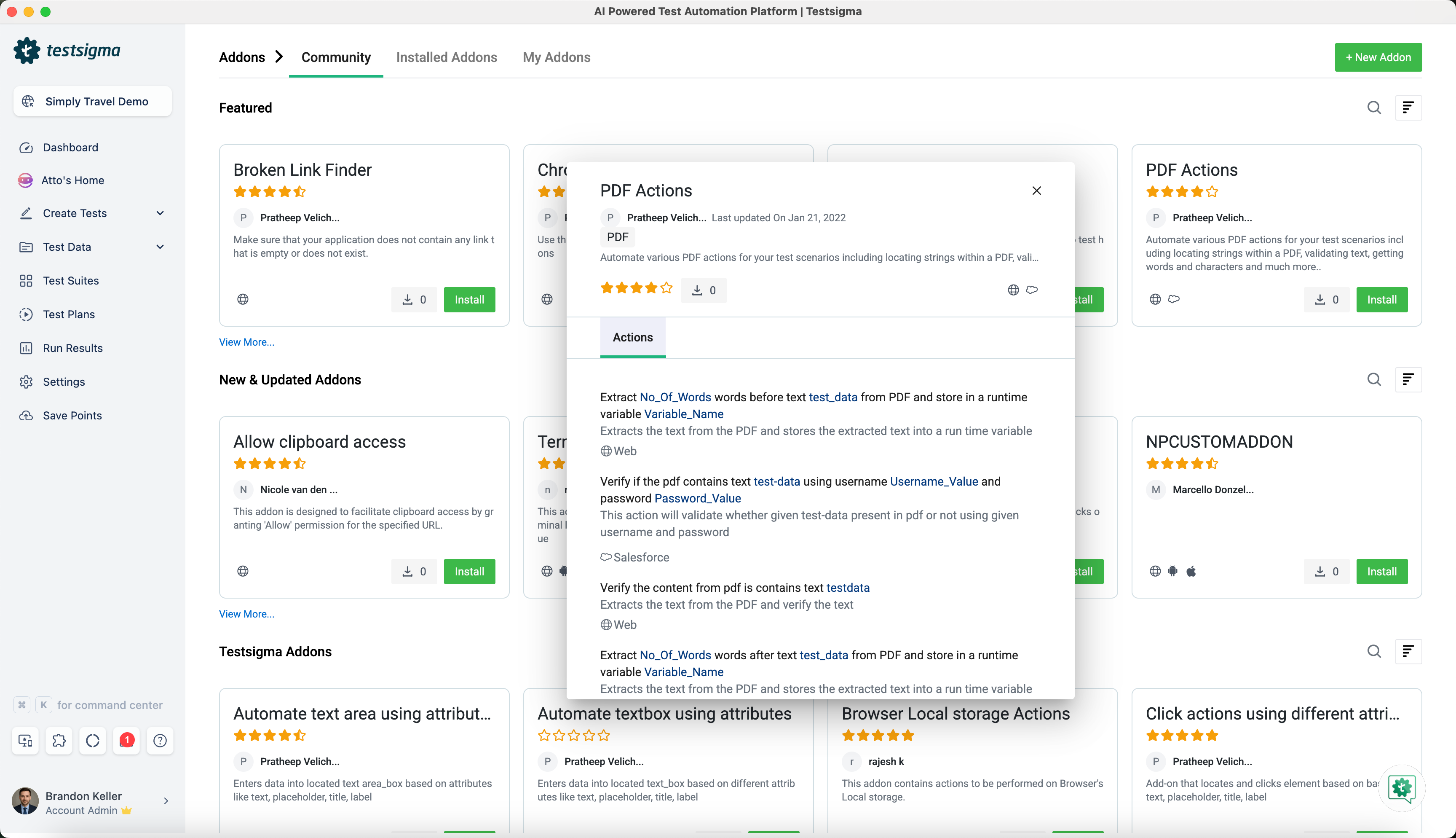
Section titled “The Community Marketplace”The marketplace is where addons are discovered and published. Click the addons icon in the navigation bar to open it.
- Community: addons published by the community and available to everyone, sorted into Featured for the top-rated, New and Updated Addons, and Testsigma Addons for the official ones
- Installed Addons: what is installed and active in your account
- My Addons: what you have created, public and private
A private repository is available too, for an addon holding proprietary code you do not want to share. Where nothing in the marketplace suits, build your own and publish it there.
Find an addon
Section titled “Find an addon”Search from the bar below the New Addon button. The list sorts by Package Name, Creation Date, or Last Updated Date, and filters by Tag, Application Type, Ratings, Creation Date, and Last Updated Date.
An addon’s details page carries its name, creator, creation date, description, rating, install count, supported application types, supported actions, the data generators it provides, and a Download Source Code button.
Install and use an addon
Section titled “Install and use an addon”- Click the Addons icon in the left navigation bar.
- Find the addon in the Community tab, by browsing or searching.
- Click Install.
- Refresh the page.
To use it, start typing the action name in a test step and select it from the suggestions. The Installed Addon tab shows each installed addon’s available actions.
Before you build your own
Section titled “Before you build your own”| Classic (Java) | Modern (TypeScript) |
|---|---|
| Core Java, OpenJDK 11 | Node.js 22 or later |
| An IDE such as IntelliJ or Eclipse | pnpm or npm |
| Maven or Gradle | An IDE |
| Selenium basics | Basic TypeScript |
| Lombok annotations | Modern addon features enabled for your account |
See Build your own addon for the workflow on both engines, and Addon SDK reference for what a Modern addon’s execution context exposes.
Was this page helpful?
Thanks for the feedback.