

Developers
The developer settings hold what an external system needs to drive Testsigma: an API key to authenticate with, the REST API to call, and the CI/CD integrations that call it for you.
API keys
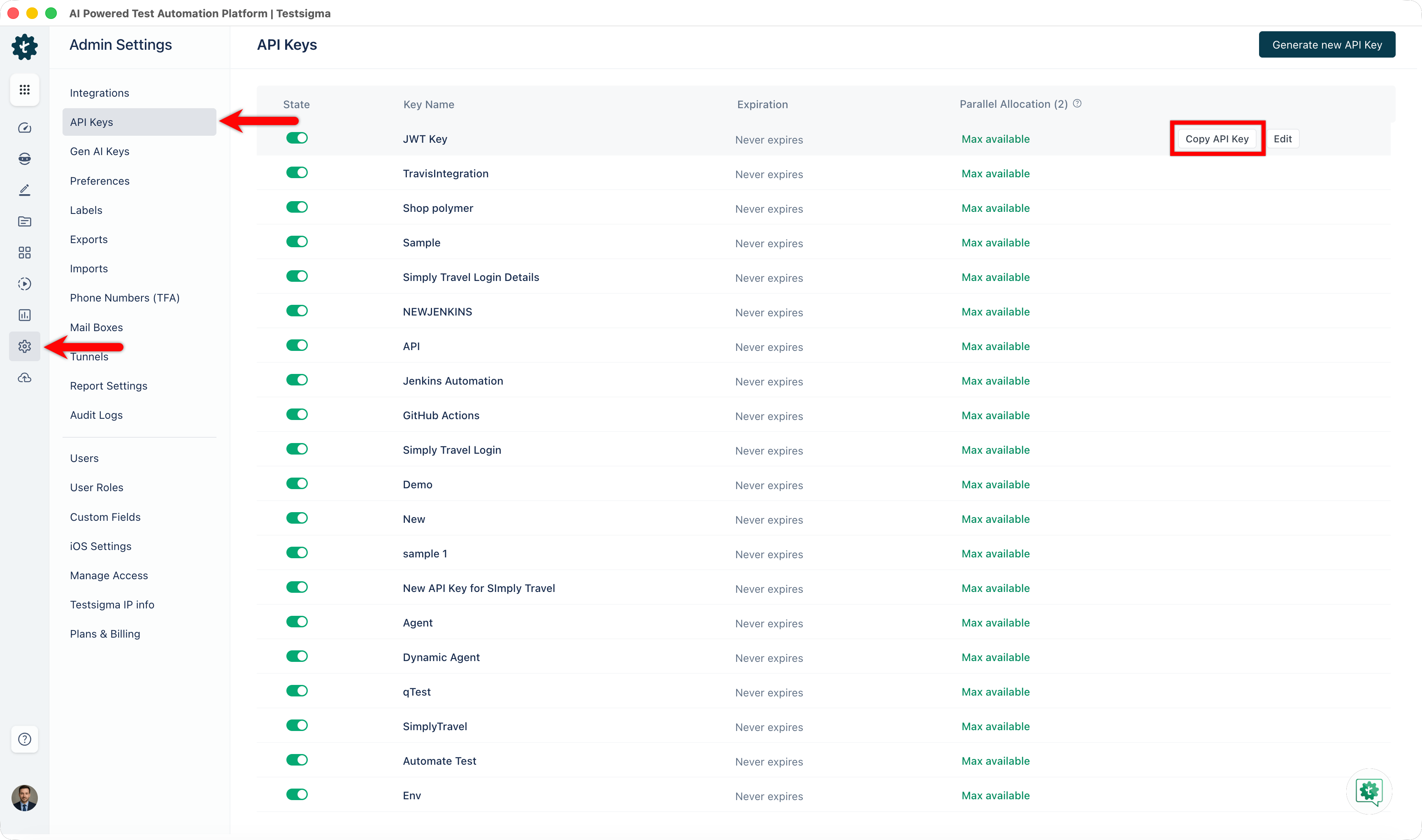
Section titled “API keys”An API key authenticates a call to Testsigma from anywhere outside the application: a CI pipeline, a bug tracker, a script, or the report generator.
-
Go to Settings > API Keys.
-
Click Generate new API Key.
-
Enter a Name, and set the number of parallel test executions the key is allowed.
-
Click Generate Key.
-
Click Copy API Key.
The parallel execution limit is per key, so a nightly pipeline and a developer’s script can hold different caps and neither can consume every parallel slot the account has.
REST API
Section titled “REST API”The REST API drives Testsigma programmatically. What it covers:
| Area | What you can do |
|---|---|
| Test plans | Trigger a run, and trigger a partial run through a saved favorite |
| Test results | Read results at test plan, suite, case, and machine level |
| Reports | Export a run report |
| Test data | Upload and update a test data profile |
| Files | Upload a file for a test to use |
| Elements | Read and manage elements |
| Environments | Read and manage environments |
| Projects | Read project-wide information |
Authenticate with the API key as a Bearer token, sent as Authorization: Bearer <key>. A run is triggered with POST https://app.testsigma.com/api/v1/execution_results.
Most calls need an entity ID, and 3 endpoints supply them:
GET https://app.testsigma.com/api/v1/projectsGET https://app.testsigma.com/api/v1/applicationsGET https://app.testsigma.com/api/v1/uploadsCall them from any HTTP client, or from a REST API test step inside Testsigma itself. The IDs come back in the response body.
CI/CD integrations
Section titled “CI/CD integrations”A CI/CD integration triggers a test plan from your build pipeline, so tests run on every commit, merge, or deploy rather than when someone remembers.
Testsigma ships integrations for Jenkins, GitHub, GitLab, Azure DevOps, AWS DevOps, AWS Lambda, Bitbucket, CircleCI, Travis CI, Bamboo, Bitrise, Codeship, Codemagic, Google Cloud Build, Copado, and Gearset.
Two routes cover anything not on that list. A shell script calls the API from any pipeline that can run a command. The REST API covers the rest.
Each integration needs an API key, the test plan’s ID, and whatever the pipeline tool requires to store a secret.
Add-ons and the SDK
Section titled “Add-ons and the SDK”Two more developer-facing surfaces sit outside these settings.
Addons extend Testsigma’s built-in actions with your own, in Java for Classic applications or TypeScript for Modern ones. See Addons overview.
The SDK manages runtime test data and metadata from inside an addon. See Addon SDK reference.
Was this page helpful?
Thanks for the feedback.