

AI in Arcus
AI in Arcus is a set of agents, each owning one part of the testing cycle. Together they plan what to test, write test cases, automate and heal them, and report what fails. Copilot, which automates test cases, isn’t GitHub Copilot. GitHub Copilot connects to Arcus as a coding agent plugin.
The agents work inside your projects, and what they generate lands in the same library as the test cases you write yourself.
The agents and where you see them
Section titled “The agents and where you see them”Most agents don’t have a screen of their own.
| Agent | What it does | Where you see it |
|---|---|---|
| Sprint Planner Agent | Plans which test cases to write for a sprint, from its stories and their linked context | The Generation Plan in a QI Home session |
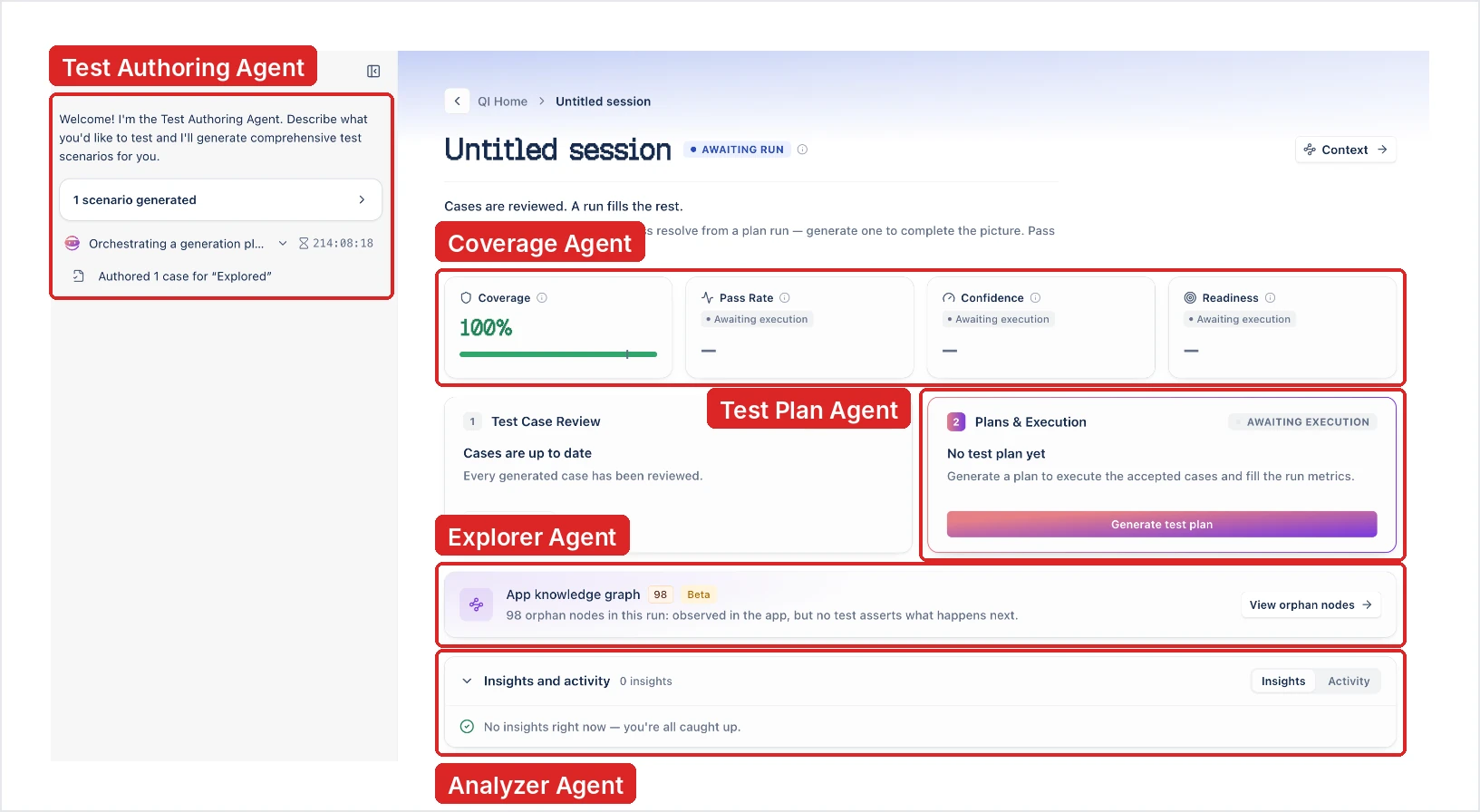
| Test Authoring Agent | Writes scenarios, then detailed test cases, from your prompt and the context you attach | A QI Home session: “I’m the Test Authoring Agent” |
| Explorer Agent | Crawls your app in a browser and maps its screens, so test cases follow paths that exist | Explore the app, then write test cases in QI Home, when your prompt includes a URL; the App knowledge graph |
| Coverage Agent | Tracks coverage as test cases are reviewed and run, and scores release readiness | “Sprint Coverage Agent connected” in a sprint session; the Coverage, Pass Rate, Confidence, and Readiness cards; Release readiness |
| Test Plan Agent | Composes a test plan from a session’s test cases | The Plans & Execution card in a QI Home session |
| Copilot | Drives the app through a test case’s manual steps and writes the automated steps, records steps you perform, and runs them | Learn with Copilot on a test case; Copilot |
| Healer Agent | Finds an element another way when its locator stops matching, and saves the healed locator for review | The Healer card in a Copilot session, and the heal cards on a run result. See Healer |
| Analyzer Agent | Explains why a step failed (verdict, root cause, and fix), and reads run results for recurring failures and risk signals | The Analyzer card in a Copilot session, ANALYZER VERDICT on a failed step in a run result, and the Insights and activity panel in a QI Home session. See Analyzer |
| Bug Reporter Agent | Raises a failed run as a defect in your issue tracker | Raise it as a defect in a run result’s more options menu. Coming soon. See Bug Reporter |
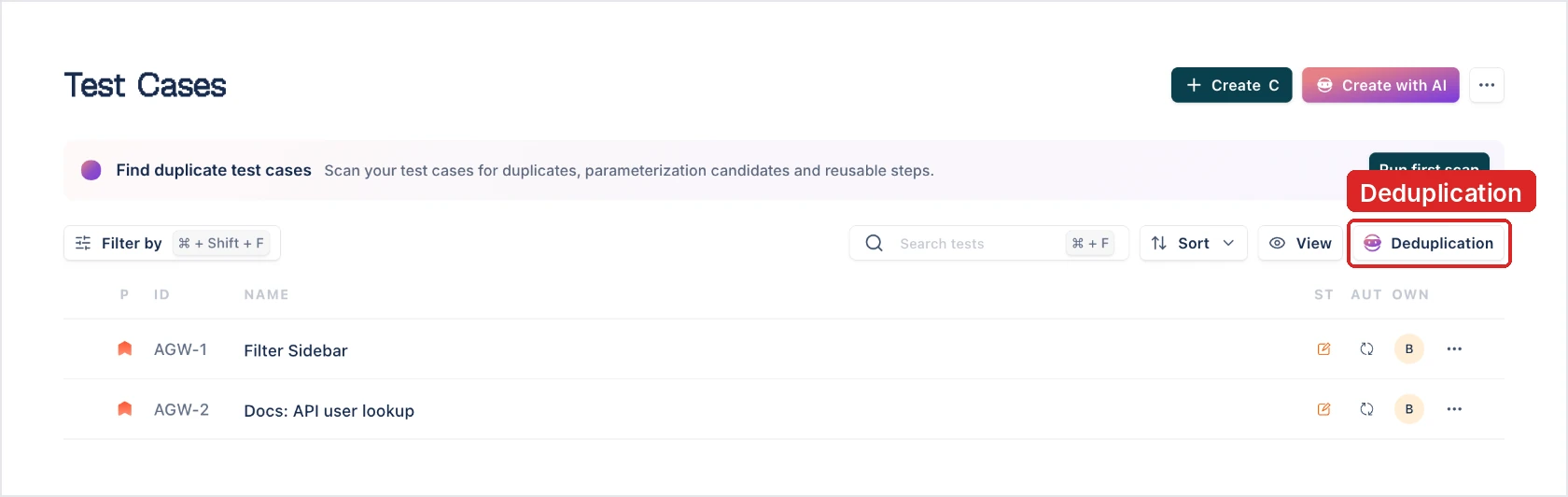
Arcus also uses AI to scan your library for duplicates. Deduplication flags exact and semantic duplicates, parameterization candidates, and shared step sequences, and recommends a fix for each.
What the agents read
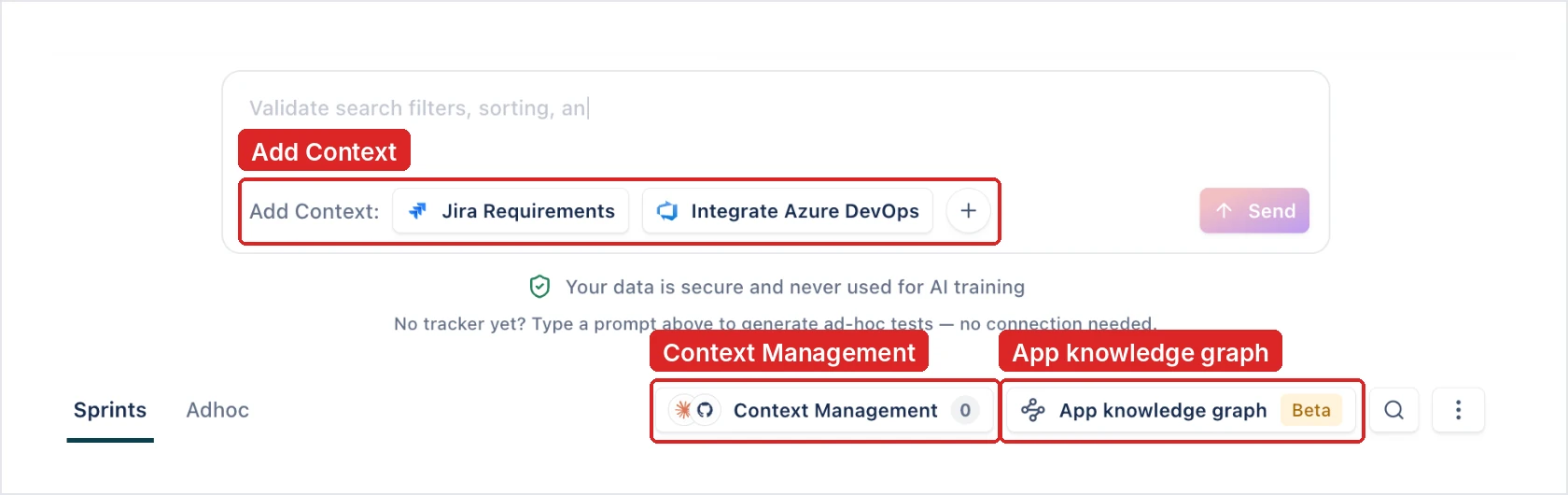
Section titled “What the agents read”Generation reads the context you give it. That can be stories from Jira, Azure DevOps, Linear, ClickUp, or OpenProject, Confluence pages, and Figma designs. It can also be pull requests from GitHub, GitLab, or Bitbucket, files such as PDFs and Word documents, and video recordings. Trackers, design tools, and repositories need their integration connected. You upload files and videos directly. See Add context.
Two other inputs shape what the agents write:
- The App knowledge graph: the screens the Explorer Agent has visited.
- Your existing library: the Test Authoring Agent searches your existing test cases and looks for what isn’t covered yet.
Developers can send more context without leaving their tools. Coding agent plugins send each session, and Git plugins send each pull request. See Developers.
How you stay in control
Section titled “How you stay in control”- Plans before cases: the Generation Plan comes first. Approve it, Modify it, or Cancel.
- Review before the library: generated test cases arrive as Pending. Accept them, or use Save to Library to choose the folder. Rejected cases stay listed in the review but don’t count toward coverage. To add your team’s approval on top, turn on Review Management in Project Settings > Overview.
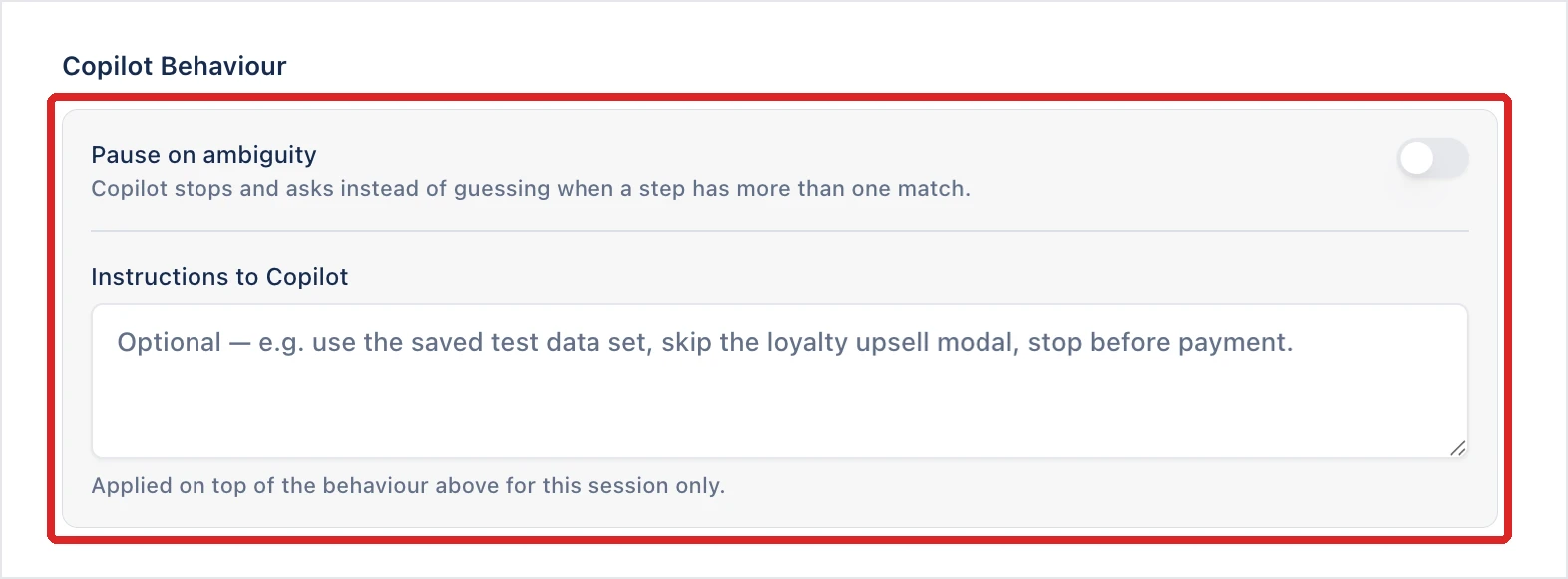
- Steer Copilot: in the Copilot configuration, Pause on ambiguity makes Copilot stop and ask when a step matches more than one element. Instructions to Copilot tells it what to do or avoid, such as stopping before payment.
- Review self-healing: every locator the Healer Agent repairs is recorded for review.
- Choose the fixes: Deduplication recommends a merge or a step group for each finding, and you choose which to apply.
Use Arcus from your own AI tools
Section titled “Use Arcus from your own AI tools”The MCP server lets an AI client such as Claude Code read your projects and test cases, and draft new ones into Arcus. The CLI lets a coding agent validate and run test cases on your machine.
Was this page helpful?
Thanks for the feedback.