

API call reference
This page lists the fields and options in the API call editor for REST API calls. To build and run a call, see API tests. For GraphQL calls, see GraphQL calls.
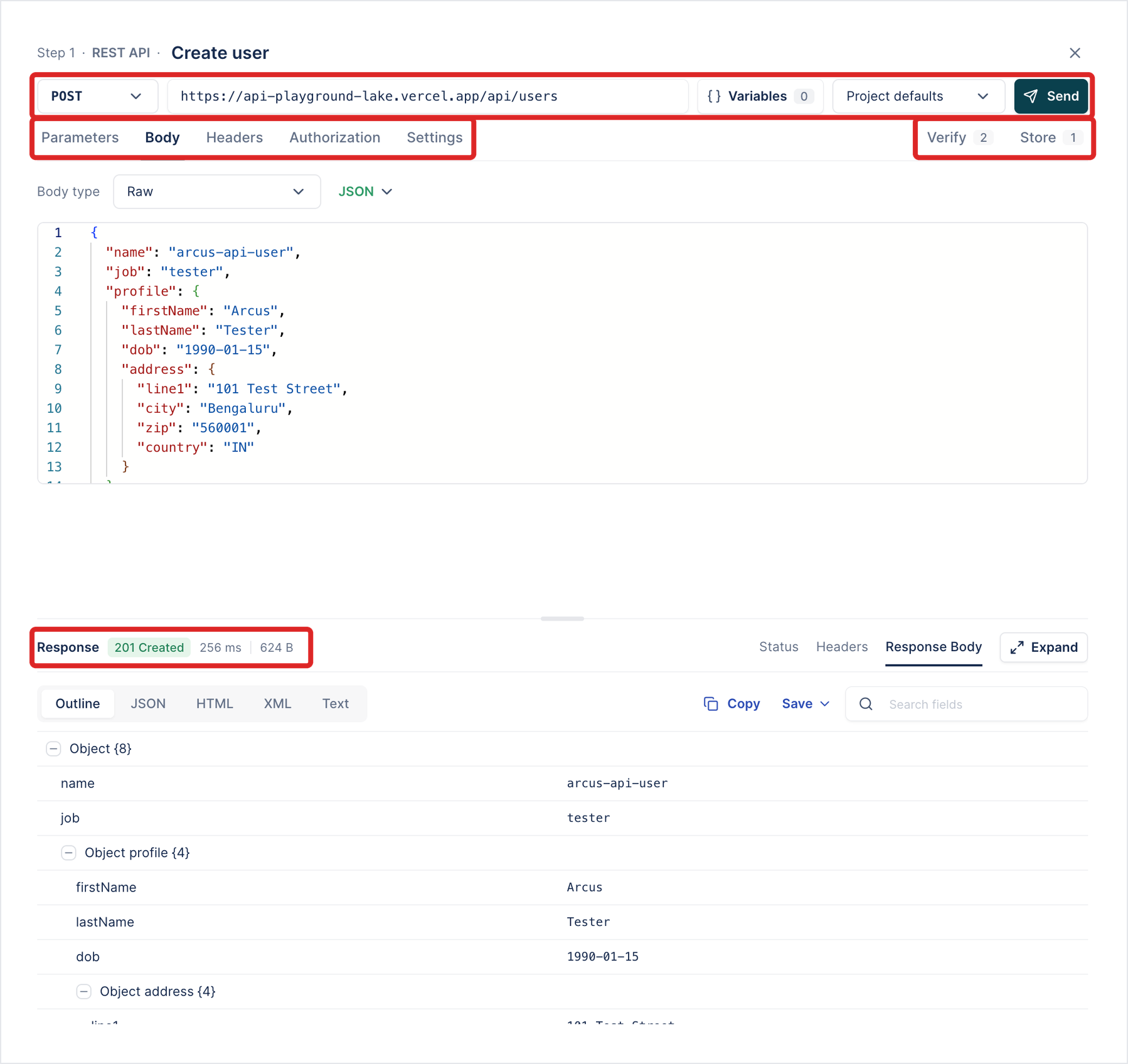
Request line
Section titled “Request line”| Field | What it does |
|---|---|
| Method | GET, POST, PUT, PATCH, DELETE, HEAD, or OPTIONS. |
| URL | The request URL. Can include variables, such as {env.base_url} or {user_id}. |
| Variables | Lists every variable the request uses, where it’s used, and what it will be sent as. Give a value here to try the request with Send. |
| Environment | The environment Send reads variables from: Project defaults (the project’s default variables) or one of the project’s environments. |
| Send | Sends the request from the editor without saving it. |
| Tab | What it holds |
|---|---|
| Parameters | Query parameters, written into the URL after ?. Click + Param to add one. |
| Body | The request body. See Body types. |
| Headers | Request headers. Turn on Show auto headers to see the headers Arcus adds. |
| Authorization | How the request authenticates. See Authorization types. |
| Settings | Request options. See Settings. |
| Verify | Checks on the response. See Verification types. |
| Store | Values to keep from the response. See Store sources. |
Body types
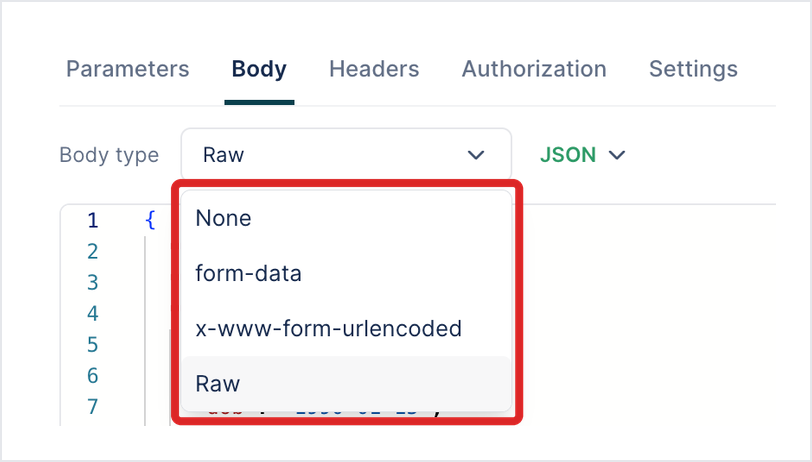
Section titled “Body types”| Body type | Use it for |
|---|---|
| None | Requests with no body. |
| form-data | Multipart form fields. A part can be a file from Uploads, sent as application/octet-stream. |
| x-www-form-urlencoded | URL-encoded form fields. |
| Raw | A body you write in an editor, as JSON, XML, or Text. |
| Binary | One file from Uploads, sent as the whole body. |
Authorization types
Section titled “Authorization types”Secret fields are masked. To keep secrets out of the test, enter an environment reference, such as {env.api_token}.
| Type | Fields |
|---|---|
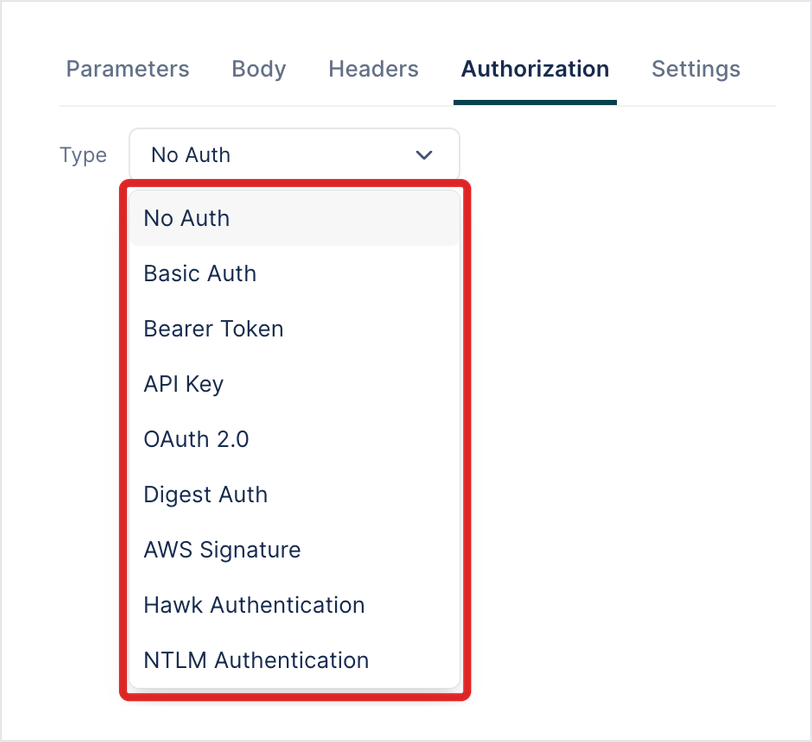
| No Auth | None. |
| Basic Auth | Username, Password. |
| Bearer Token | Token. |
| API Key | Key (the header or parameter name), Value, and Add Authorization data to: Request Headers or Query Parameters. |
| OAuth 2.0 | Grant Type, then the fields for it. See OAuth 2.0 grant types. |
| Digest Auth | Username, Password. Under Advanced: Algorithm (default MD5) and Quality of protection (default: as the server asks). |
| AWS Signature | Access Key, Secret Key, AWS Region, Service Name, Session Token (optional), and Add signature to: Request Headers or Query Parameters. |
| Hawk Authentication | Hawk Auth ID, Hawk Auth Key, and Advanced options. |
| NTLM Authentication | Username, Password. Under Advanced: Domain and Workstation. |
OAuth 2.0 grant types
Section titled “OAuth 2.0 grant types”| Grant type | Fields |
|---|---|
| Client Credentials | Access Token URL, Client ID, Client Secret, Scope, Client Authentication. |
| Password Credentials | Access Token URL, Client ID, Client Secret, Username, Password, Scope. |
| Authorization Code | The fields for the authorization code grant. |
| Authorization Code (PKCE) | Auth URL, Access Token URL, Client ID, Client Secret (optional), Scope, Client Authentication, and Get New Token, available after you create the call. |
| Token | Access Token, Refresh Token URL, Refresh Token. |
Client Authentication sends the client credentials either as a Basic Auth header (the default) or in the body.
Settings
Section titled “Settings”| Setting | Default |
|---|---|
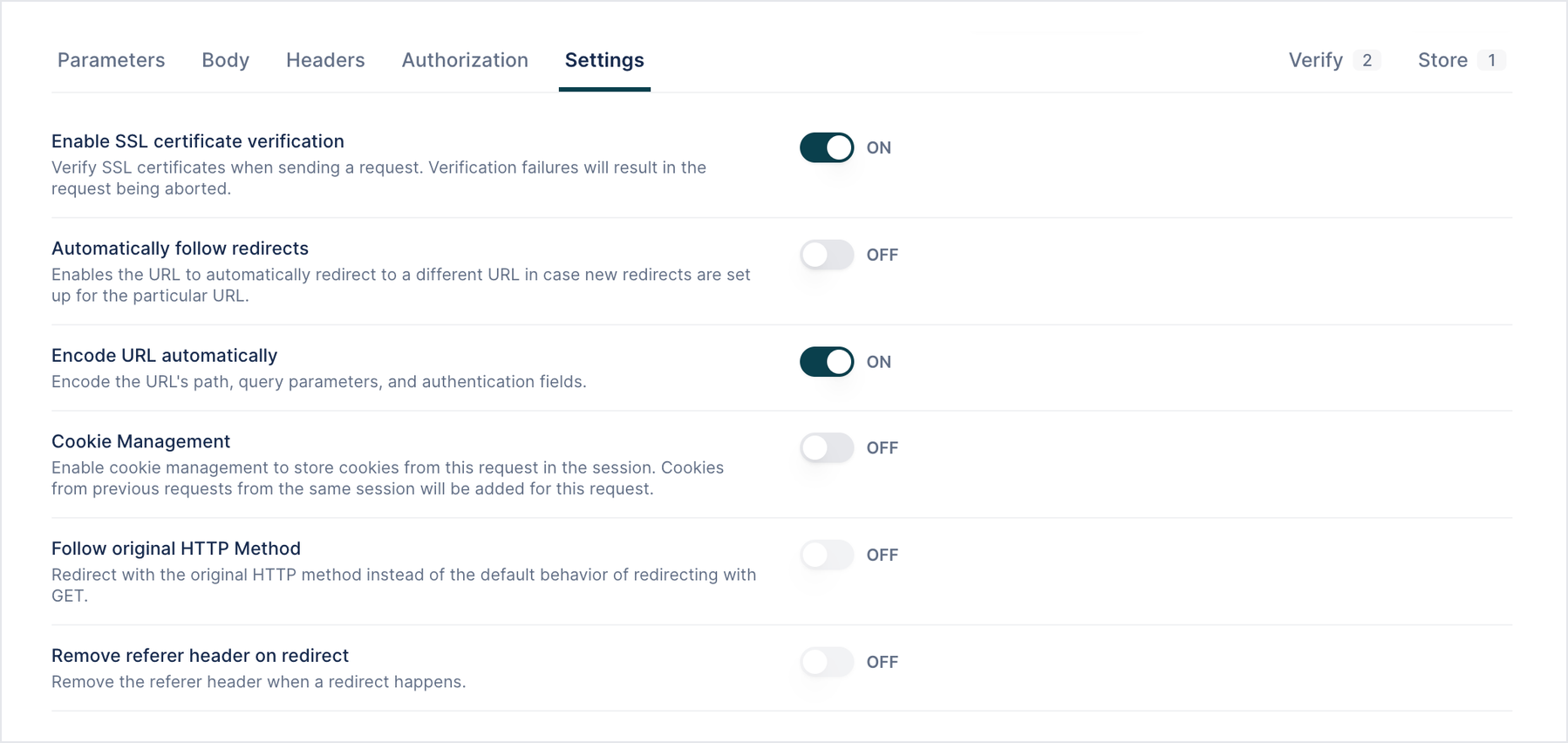
| Enable SSL certificate verification | On |
| Automatically follow redirects | Off |
| Encode URL automatically: encodes the URL’s path, query parameters, and authentication fields | On |
| Cookie Management: keeps cookies from this request for later requests in the session | Off |
| Follow original HTTP Method: keeps the method on a redirect instead of switching to GET | Off |
| Remove referer header on redirect | Off |
| Follow Authorization header: keeps the Authorization header on a redirect | Off |
| Enable Advanced JSON Path Evaluation: runs currently ignore this setting | Off |
| Request timeout, from 1 to 120 seconds | 30 seconds |
| Protocols disabled during handshake | None |
| Cipher suite selection | Default |
Maximum number of redirects sets how many redirects a call follows when Automatically follow redirects is on.
Verification types
Section titled “Verification types”| Source | Comparisons |
|---|---|
| Status | Equals, Not equals. |
| Response (JSON Path) | Equals, Not equals, Contains, Does not contain, Starts with, Ends with, Matches regex, Is present, Is absent, Less than, Less than or equal, Greater than, Greater than or equal, Count equals, Count not equals, Count less than, Count less than or equal, Count greater than, Count greater than or equal, Is of type. |
| Headers, Cookies | Checks on a response header or a cookie. |
| Response (Object) | Compares the whole body with a value you write (Comparison Type: Raw) or with a JSON or XML file from Uploads (Comparison Type: Upload File). Verification Type: Strict, Strict Order, Lenient, Non Extensible, or Schema. See Compare the response with a file. |
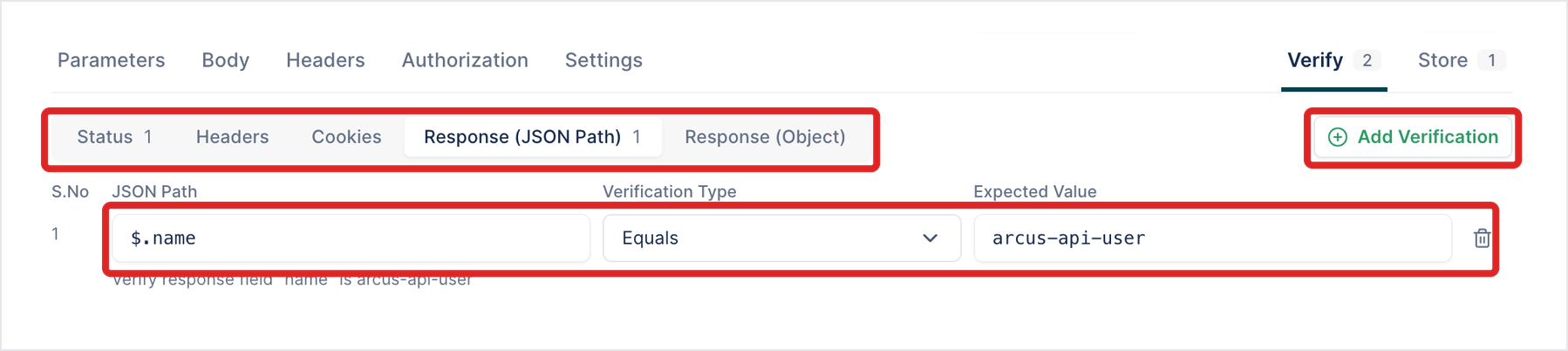
JSON paths start at $, the root of the body, for example $.name, $.data[0].id, or $.data with Count equals.
Store sources
Section titled “Store sources”| Source | Stores |
|---|---|
| Status | The status code. |
| Headers | A response header. |
| Cookies | A response cookie. |
| Response (JSON Path) | A body field, by JSON path. |
| Objects | Shown, but unavailable in this build. |
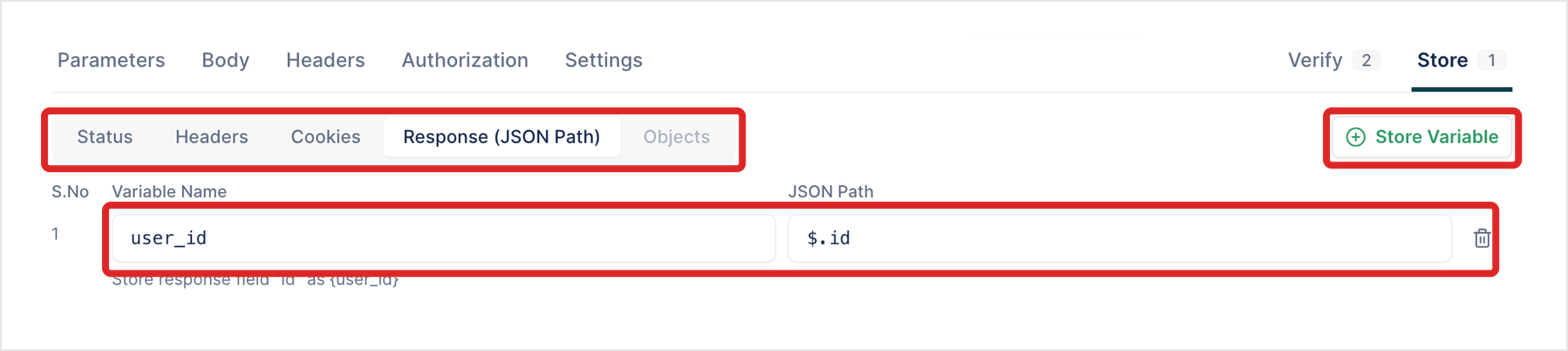
Each stored value has a Variable Name, used in later calls as {variable_name}.
Response pane
Section titled “Response pane”| Part | What it shows |
|---|---|
| Status line | The status, such as 201 Created, the time, and the size. |
| Status, Headers, Response Body | The status details, the response headers, and the body. |
| Body views | Outline (a tree), JSON, HTML, XML, and Text. |
| Copy, Save, search | Copy the body, save it, or search its fields. |
| Expand | Opens the response in a larger view. |
Was this page helpful?
Thanks for the feedback.