

Copilot
Copilot is the Arcus agent that works on a test case in a live browser. It turns manual steps into automated steps, records the steps you take yourself, and runs, debugs, and edits automated steps. It isn’t GitHub Copilot, which connects to Arcus as a coding agent plugin.
When you start a session, you choose what you’re authoring: Web, Mobile, or Windows. A session opens over the test case or in a new tab, with the test case’s steps on one side and the live app on the other.
Copilot pages
Section titled “Copilot pages”- Learn with Copilot: Turn a test case’s manual steps into automated steps by letting Copilot drive the app through them.
- Record and author: Record what you do in the app as automated steps. Record is also available in every session.
- Debug and run with Copilot: Run a test case’s automated steps live, pause on a step, fix it, and run it again.
- Copilot configuration: Choose where a session runs and how Copilot behaves, before the session starts.
Where a Copilot session runs
Section titled “Where a Copilot session runs”Before a session starts, choose where it runs:
- Cloud: a browser or real device on Testsigma Lab. There’s nothing to install, but your app must be reachable from the internet.
- My local machine: a browser or device attached to the Arcus Agent on your computer. Use it for an app on your network, a local build, or a physical device. Windows desktop apps run only here.
For every setting in the panel, see Copilot configuration.
Where you start Copilot
Section titled “Where you start Copilot”| Where | Button | What it opens |
|---|---|---|
| A test case’s Automated steps tab, when the test case has manual steps | Learn with Copilot | A session where Copilot learns the automated steps from the manual steps |
| A test case’s Automated steps tab, when the test case has no manual steps | Author with Copilot | A session where Copilot records you walking through the test case |
| A test case that has automated steps | Debug with Copilot | A session to edit and re-run its steps |
| A generated test case in QI Home that isn’t in your library yet | Learn with Copilot | A learning session. Save and Run also saves the test case to your library. |
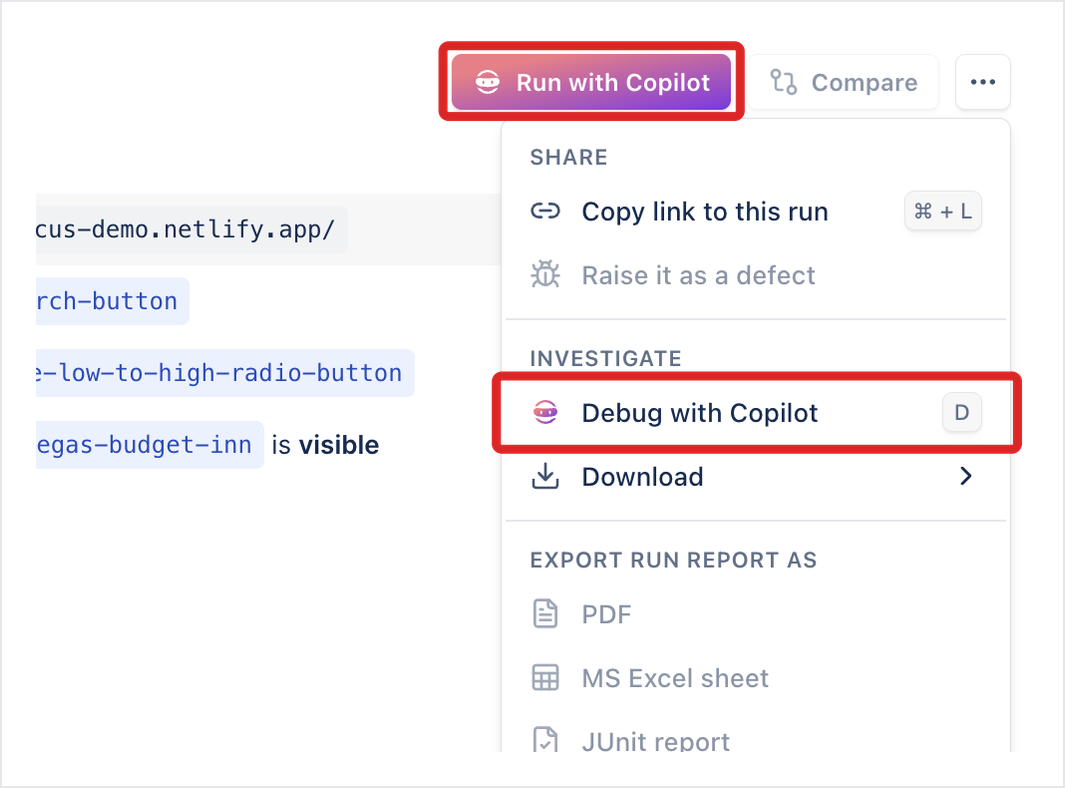
| A run result for a test case | Run with Copilot | A session that replays every step live, without learning |
| A run result’s more options icon (⋯) | Debug with Copilot | A session on that run. Set Pause at to stop on the failing step. |
On a test case with no automated steps, the Automated steps tab reads “This case is not automated yet” and offers Learn with Copilot, or Author with Copilot when there are no manual steps either.
Once a test case has automated steps, Debug with Copilot appears at the top of the test case.
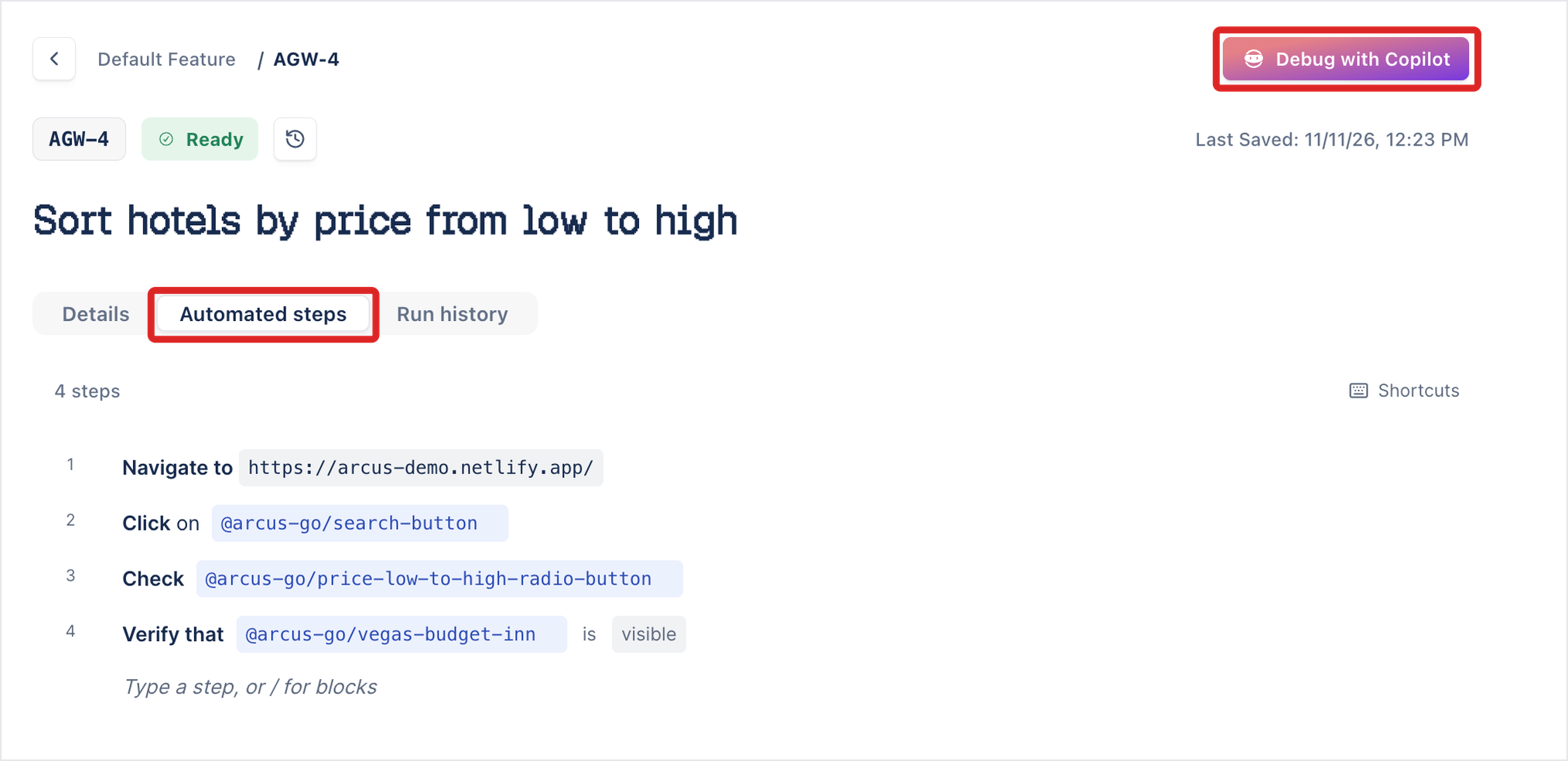
On a run result, Run with Copilot sits next to Compare, and Debug with Copilot is under INVESTIGATE in the more options icon (⋯).
To write the steps yourself instead, click Write the script manually on the Automated steps tab. See Write automated steps.
Test plans, manual test runs, and run templates don’t start Copilot. To automate a test case from one of them, open the test case itself.
To find a session’s result afterwards, open the test case’s Run history. See Run results.
Was this page helpful?
Thanks for the feedback.