- create test cases
 Organizing Test Cases in Folders
- Test Cases for Web Applications
- Test Cases for Mobile Applications
- Test Cases for Mobile Web Applications
- Manage Test Cases for Web Applications
- Manage Test Cases for Android & iOS Apps
- Manage Test Cases for Mobile Web Applications
- Test Case List Actions
- Importing Postman Collections and Environments
- Custom Fields for Test Cases
- Label Management
- Update Test Case Result in a Test Plan
- Test Case: Advanced Options Guide
- Test Step Types
- Type: Natural Language
- Type: REST API
- Type: Step Group
- Type: For Loop
- Type: While Loop
- Type: Block
- Type: If Condition
- Nested Step Groups
- Image Injection
- Cross-application testing
API Request
If you have a request you want to run, you will need to know the URL, method, and other optional values such as parameters, body, headers, and authorization.
Setting URLs Request
Using request URLs in a Restful API allows you to control which URLs are sent to the server when your request is a resource. Testsigma requires an API endpoint URL for each request. Each operation you can perform using an API is typically associated with an endpoint.
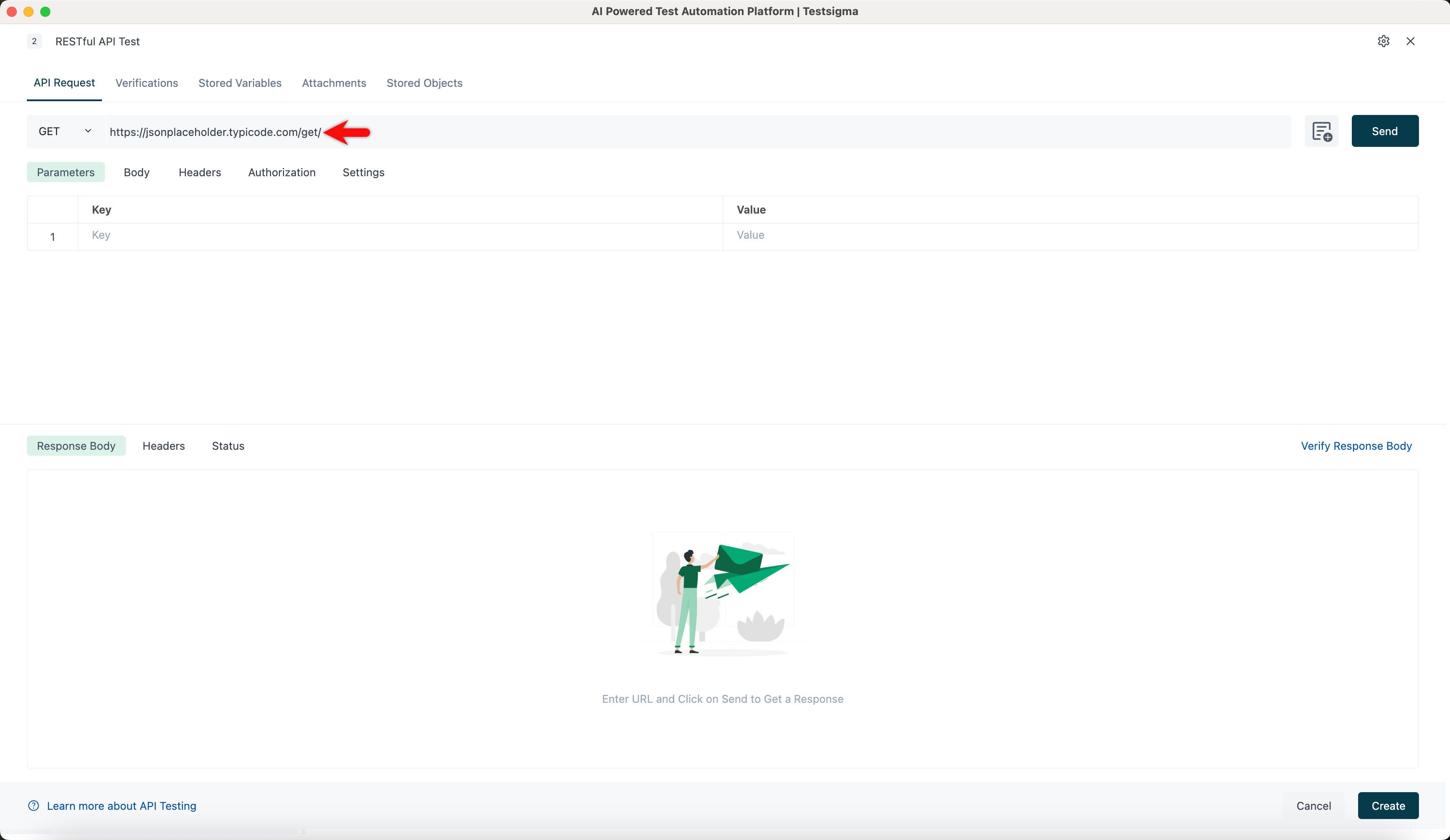
- The URL will typically be the base location plus the path. For example, if you take the base URL https://jsonplaceholder.typicode.com/, if you add /get to it, it will be the endpoint path.
- In a parameterized URL, you can insert test data by double-clicking on the URL and selecting the test data type. For example, https://@reqes.in/api/users?page=@page is the base URL,?page=page is a parameter, and @reqes and @page are test data types inserted in the URL. Select the method; by default, it will be GET. Click Send.
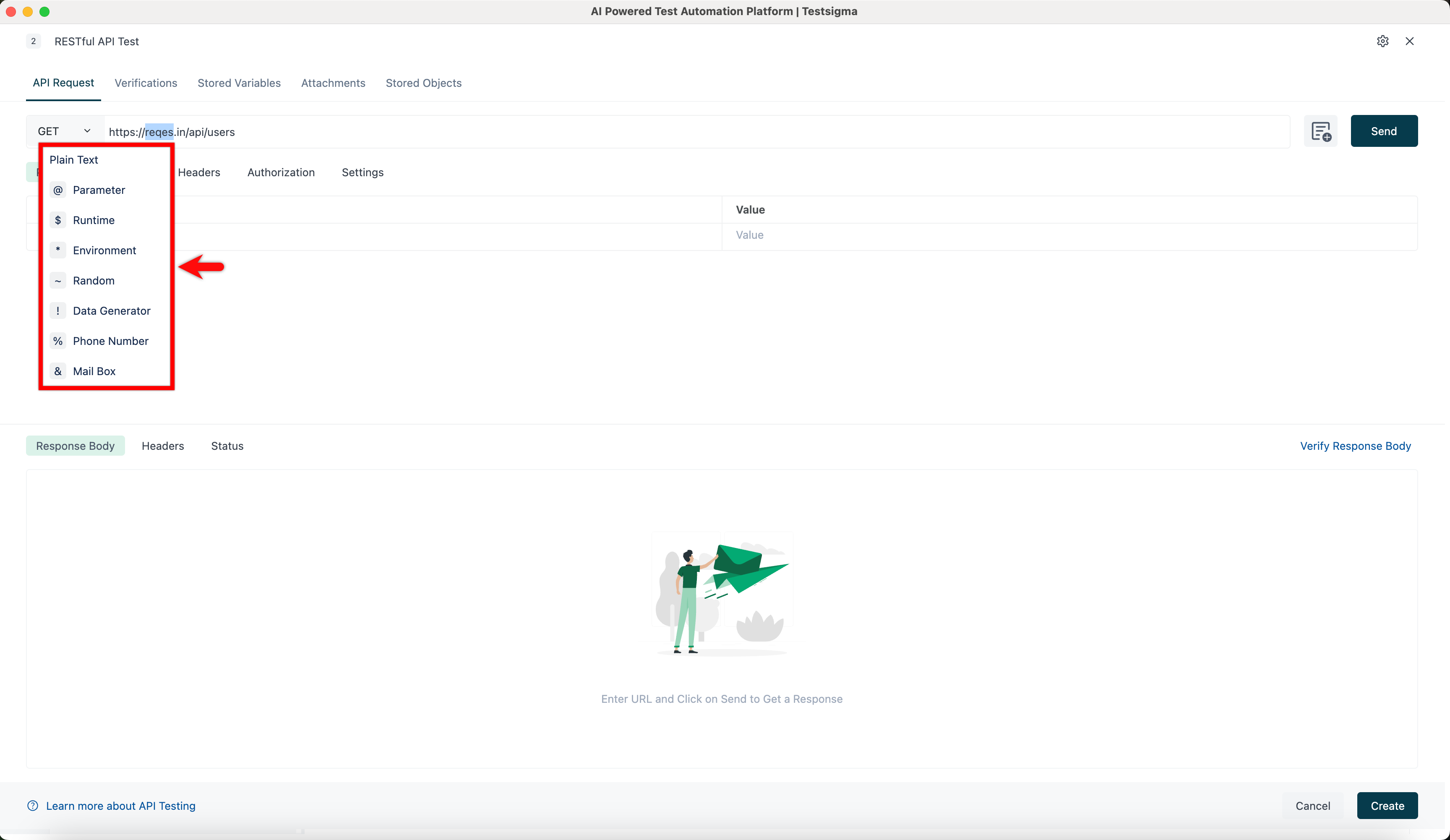
For more information on creating test data types, refer to the documentation on creating test data types for more information.
Selecting Method Request
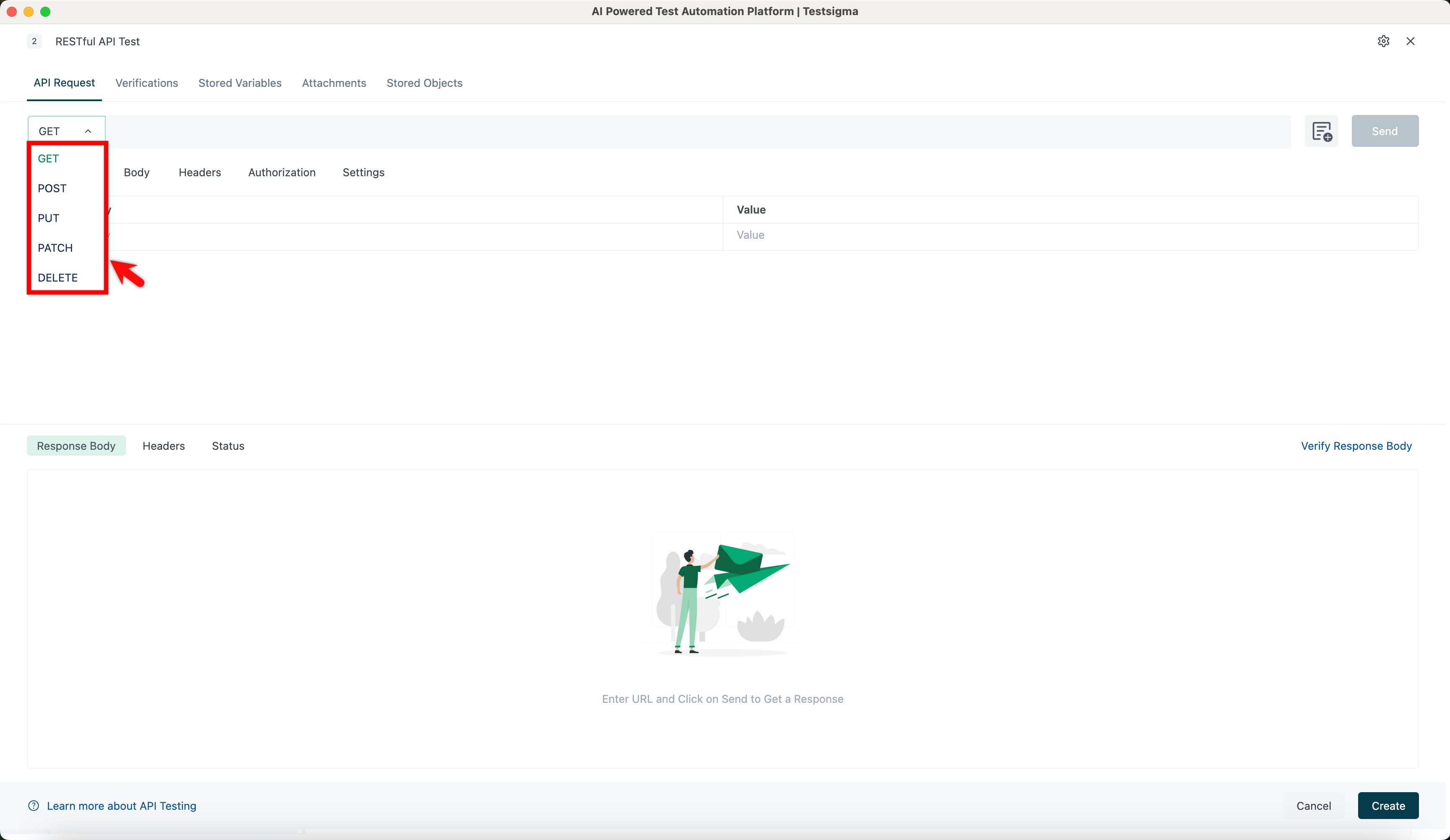
By Default, Testsigma will select the GET method for new requests. GET methods are typically used for retrieving data from an API. You can use a variety of other methods to send data to your APIs by clicking the drop-down menu, including the following options:
- POST - Add new data.
- PUT - Replace existing data.
- PATCH - Update some existing data fields.
- DELETE - Delete existing data.
Supporting Other Unicode Characters
In Testsigma, we support Unicode characters in various aspects of testing, such as documentation on creating parameters, documentation on creating request body data, documentation on adding verifications, documentation on storing variables, and documentation on storing objects. This enables you to enter and retrieve data in your native language and script, making the testing process more user-friendly and accessible. Moreover, adding Unicode characters to verifications ensures the verification process accurately represents the tested data.
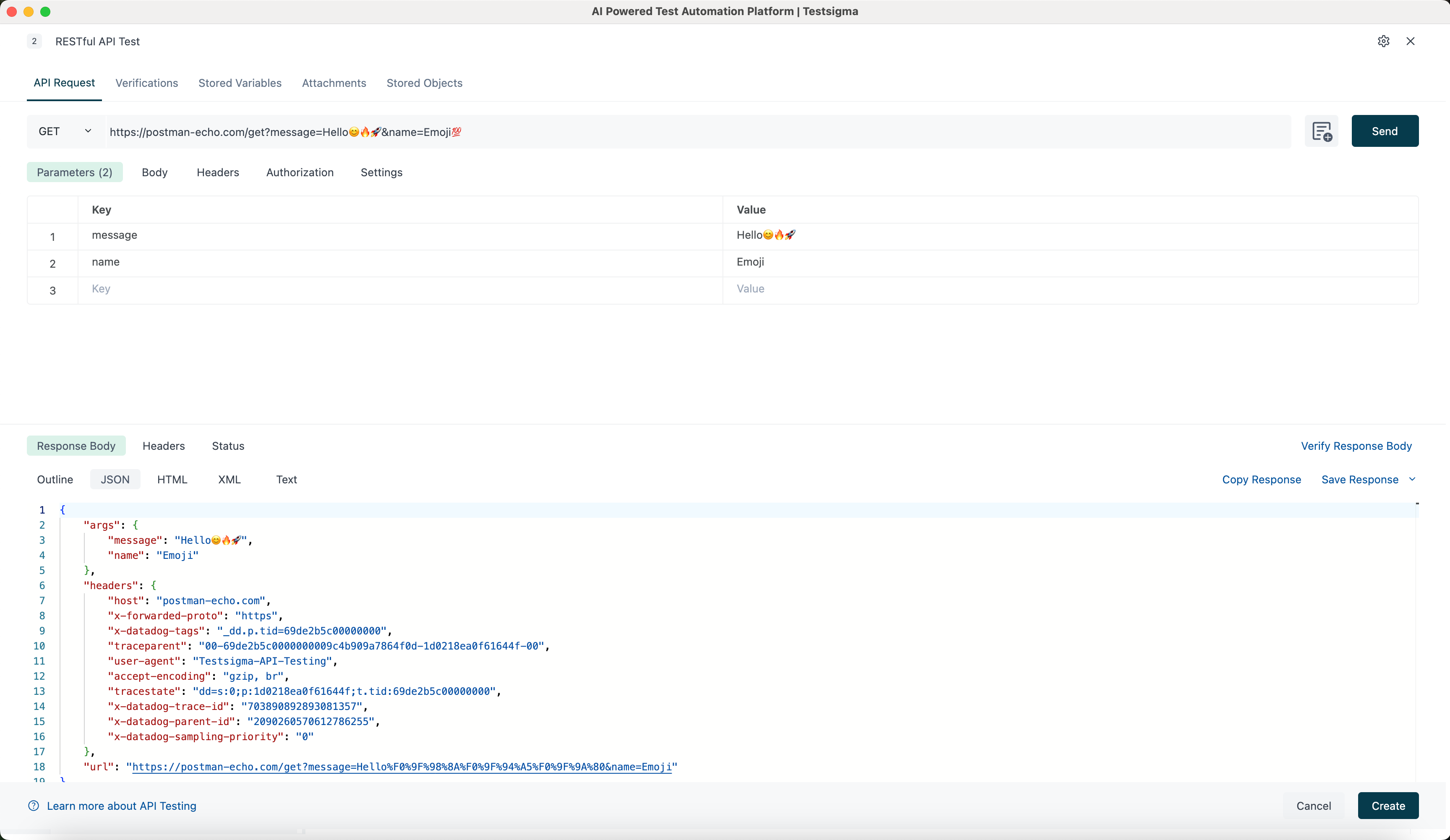
To enter Unicode characters, copy & paste the characters into the required field.
Invoke SOAP APIs
In Testsigma, users can invoke SOAP APIs by adding an API test step in the test case. Follow the steps below to create SOAP APIs in test steps.
Steps to Invoke SOAP APIs
📘Click here to read an example SOAP API:
Let's retrieve a list of countries using SOAP API.
🔍 Request Configuration:
- Type: POST
- Endpoint: http://webservices.oorsprong.org/websamples.countryinfo/CountryInfoService.wso
📝 Request Body (XML):
<?xml version="1.0" encoding="utf-8"?>
<soap12:Envelope xmlns:soap12="http://www.w3.org/2003/05/soap-envelope">
  <soap12:Body>
    <ListOfCountryNamesByName xmlns="http://www.oorsprong.org/websamples.countryinfo">
    </ListOfCountryNamesByName>
  </soap12:Body>
</soap12:Envelope>
🔑 Headers:
- Key: content-type
- Value: text/xml; charset=utf-8
-
Enter the above example details in the API test step.
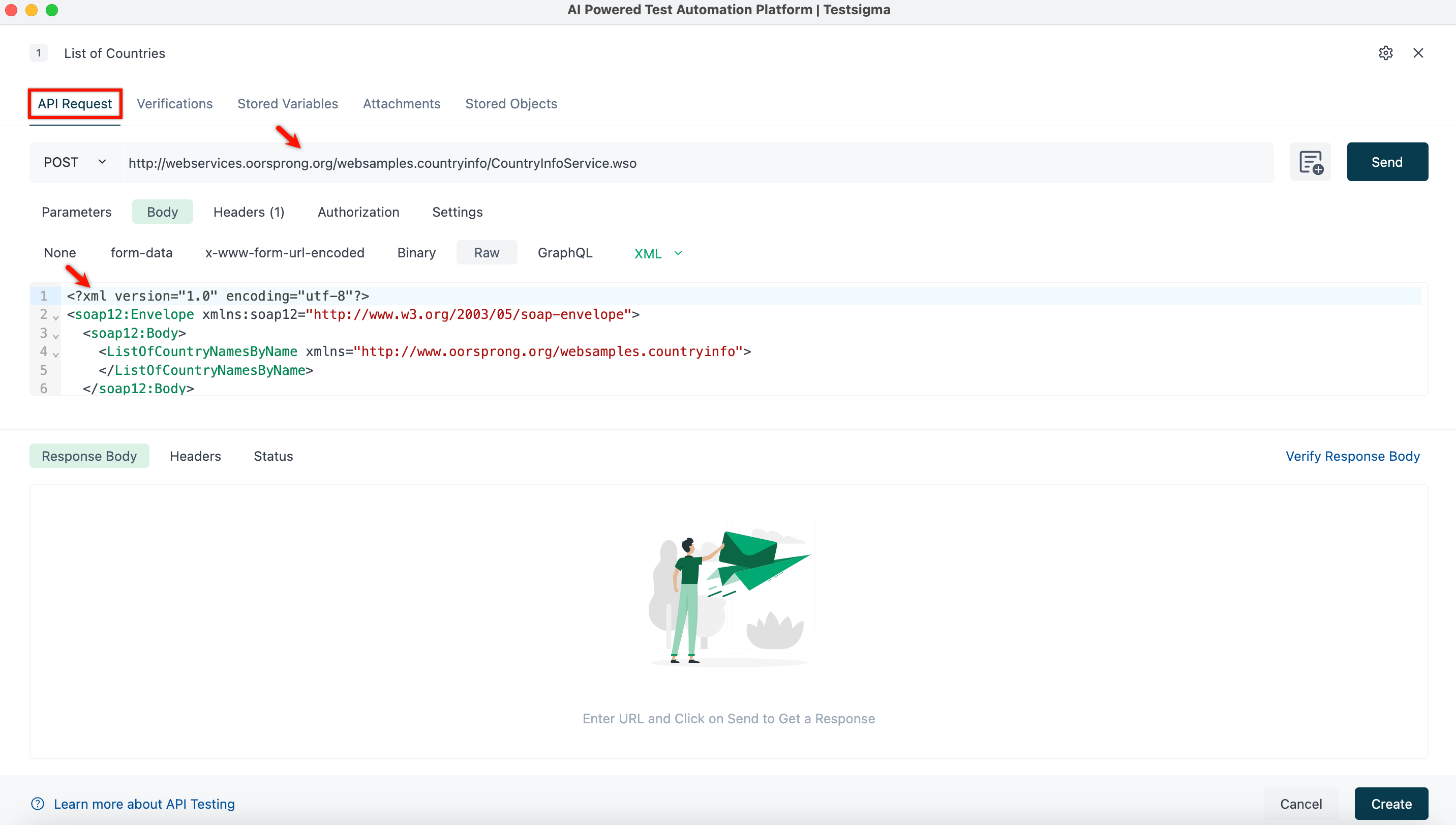
For more information on creating REST API test steps, refer to the documentation on creating REST API test steps.
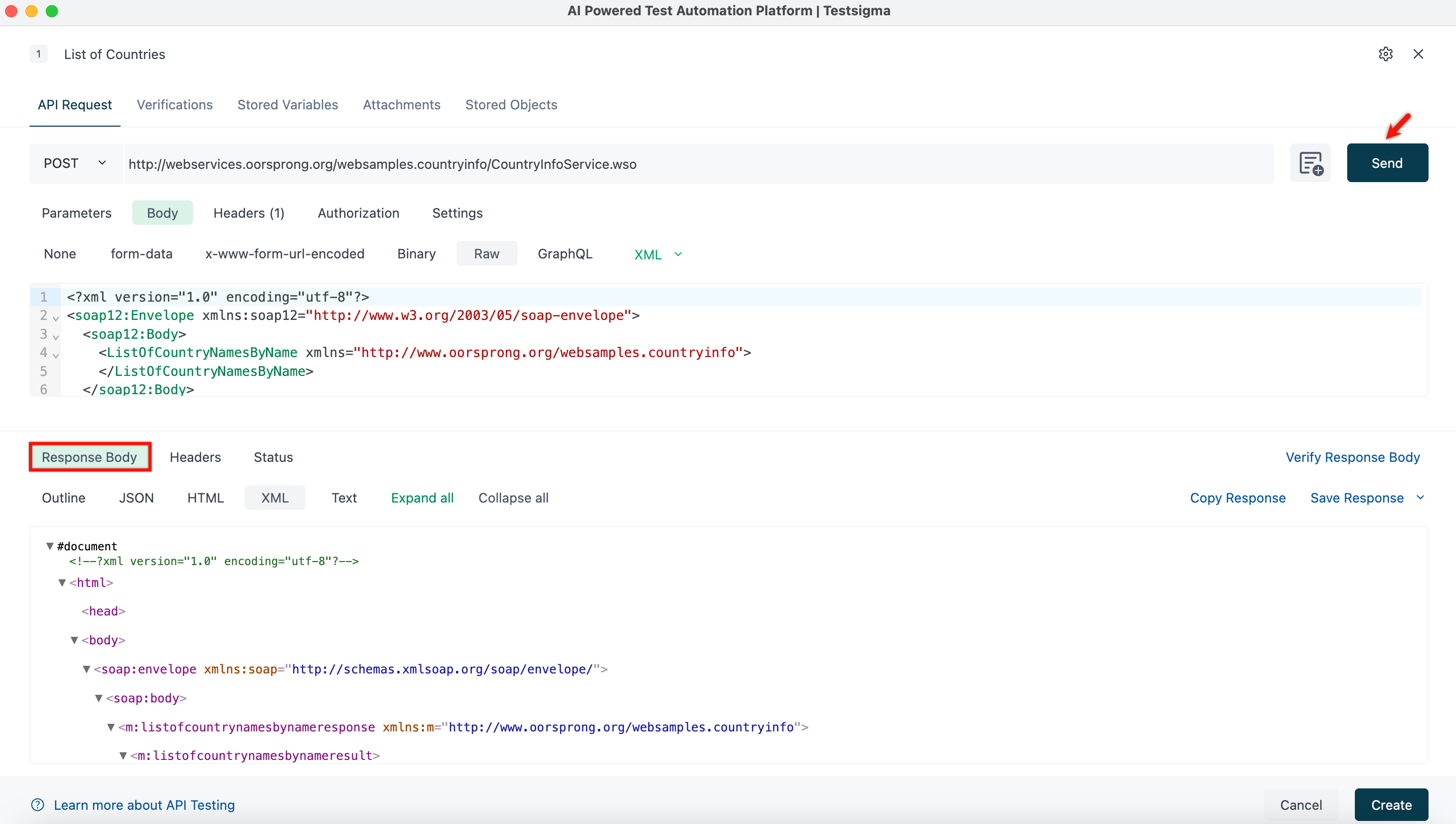
- Click on Send and verify the Response.
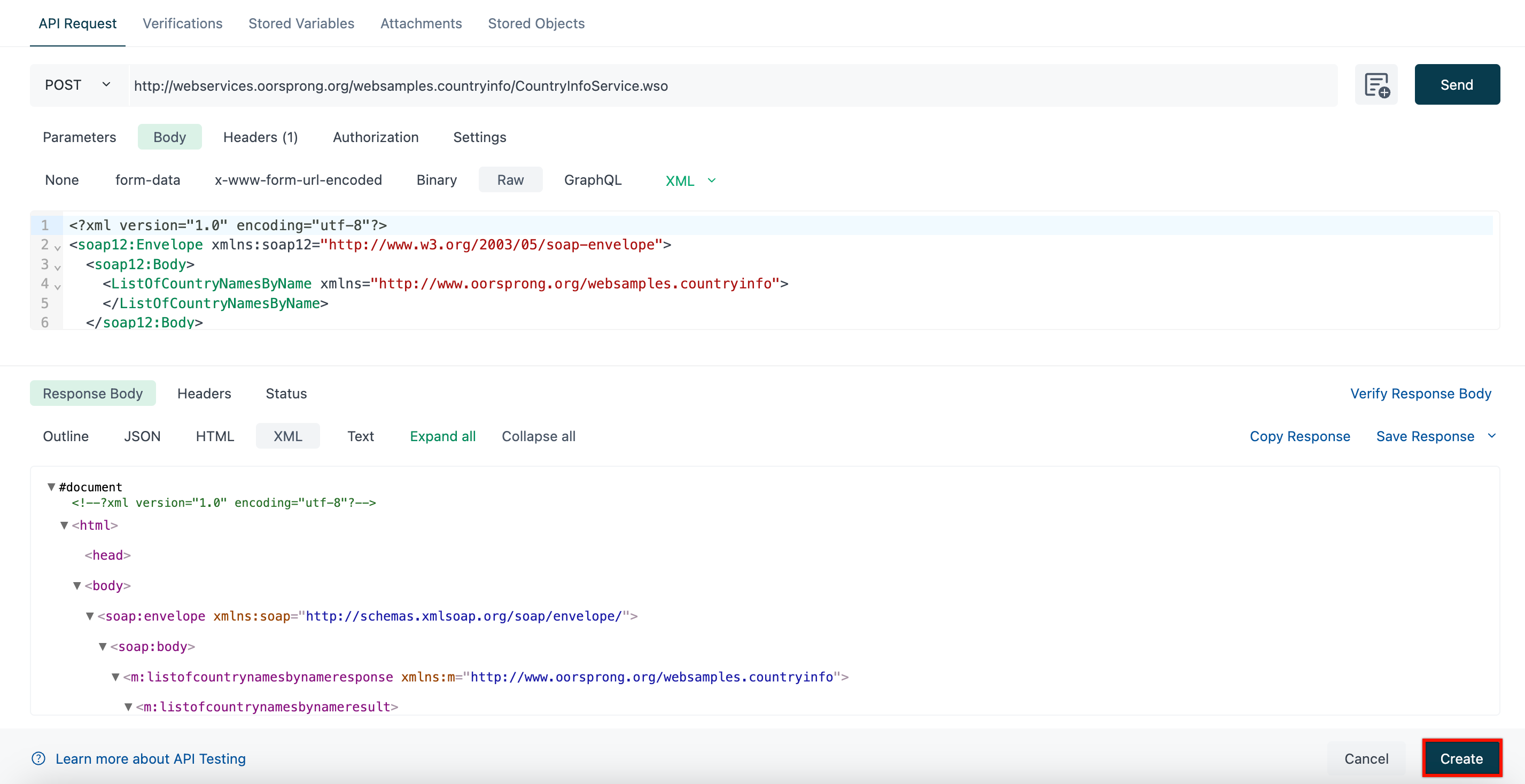
- Click on Create to save the test step.

Want to contribute or report missing content?