



A test harness simulates missing components so testers can run reliable workflows even when APIs or services aren’t ready.
Its key parts include:
- stubs and drivers
- test data
- execution engine
- validation and reporting
Integration flow: load scripts → invoke AUT → simulate components → capture outputs → compare results → generate reports.
Use it in automation testing for stable repeatable tests and in integration testing when modules are incomplete or unstable.
A test harness in software testing is an underrated pillar of modern QA, especially as teams adopt microservices and API-first systems. It provides stubs, drivers, mock data, and automation support so testing never stops.
Tools like Testsigma make this even simpler as teams can run complete workflows without complex setup.
Table Of Contents
- 1 What is a test harness in software testing?
- 2 Purpose and Importance of a Test Harness
- 3 Key Components of a Test Harness
- 4 How Does a Test Harness Work?
- 5 Benefits of a Test Harness in Software Testing
- 6 When and Where to Use Test Harness
- 7 Integration Testing
- 8 Test Harness Examples for Better Understanding
- 9 Test Harness vs. Test Framework
- 10 Harness Testing Tools You Should Know
- 11 Best Practices for Building a Reliable Test Harness
- 12 How Testsigma Simplifies Harness Testing
- 13 Where Harness Testing Elevates QA
- 14 FAQs on Test Harness and Harness Testing
What is a Test Harness in Software Testing?
A test harness in software testing is a structured collection of tools, test data, stubs, drivers, and automation scripts used to execute tests when key modules are incomplete, unavailable, or still under development. It creates a controlled test environment that mimics real system behavior without depending on external systems.
It is also commonly referred to as an automated test framework or a harness testing system.
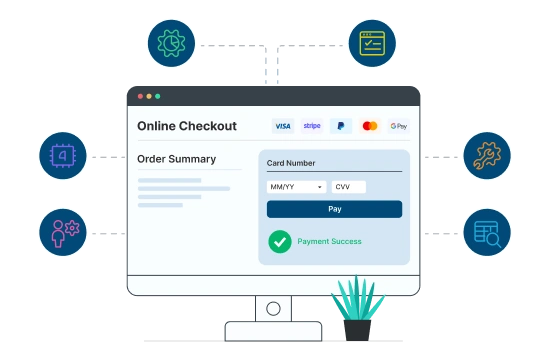
Take for an example: Let’s say the payment API isn’t built yet. A stub pretends to process the payment, and a driver simulates user checkout actions. The test harness ensures the entire flow behaves correctly, even though the real payment system is missing.
Purpose and Importance of a Test Harness
A test harness exists to keep testing unblocked when key components (such as external APIs, third-party gateways, databases, microservices, or backend modules) are unavailable or unstable. It fills these gaps with controlled simulations so testers can run meaningful, reliable test cycles from the earliest stages of development.
Its importance lies in how it supports modern testing needs by enabling:
- early defect detection even before all modules exist
- parallel development and testing without waiting for integrations
- faster release cycles through continuous validation
- reduced dependency bottlenecks across teams
- stable, repeatable environments for automation and integration testing
By isolating tests from missing or inconsistent systems, a harness allows teams to ship features faster while maintaining quality and confidence.
Key Components of a Test Harness
Every test harness relies on a set of core elements that replace unavailable modules and standardize test execution. Together, they ensure testing continues smoothly at any stage of development.
Test Execution Engine
The heart of the harness, the execution engine runs test cases based on predefined scripts. It triggers workflows, passes test data to modules, and captures application responses.
Modern engines support cross-platform execution, scheduling, debugging, and parallelization.
Test Script Repository
A centralized location containing:
- Automated test scripts
- Expected outputs
- Configuration files
- Reusable test functions
- Environment settings
This repository ensures consistent execution and enables teams to reuse test logic across modules.
Stubs and Drivers in Software Testing
They mimic upstream and downstream functions, ensuring workflows remain testable even when real components aren’t ready.
Stubs
Stubs mimic lower-level modules in top-down integration testing. They accept inputs from the upper modules and return predetermined outputs.
Example: A stub simulating a payment API returning “Payment Successful” for testing checkout flows.
Drivers
Drivers replicate higher-level modules in bottom-up integration testing. They call lower-level modules and help stimulate deeper components of the system.
Example: A driver simulating the login module to trigger profile updates.
These components communicate with the application under test (AUT) even when parts of the system are missing.
Stubs and drivers become essential when explaining the difference between top down and bottom up integration testing, since each approach relies on these components differently to connect missing modules during testing.
How Does a Test Harness Work?
A test harness executes tests in a controlled sequence, simulating missing components and validating outcomes automatically. Here’s how the workflow typically unfolds in automation:
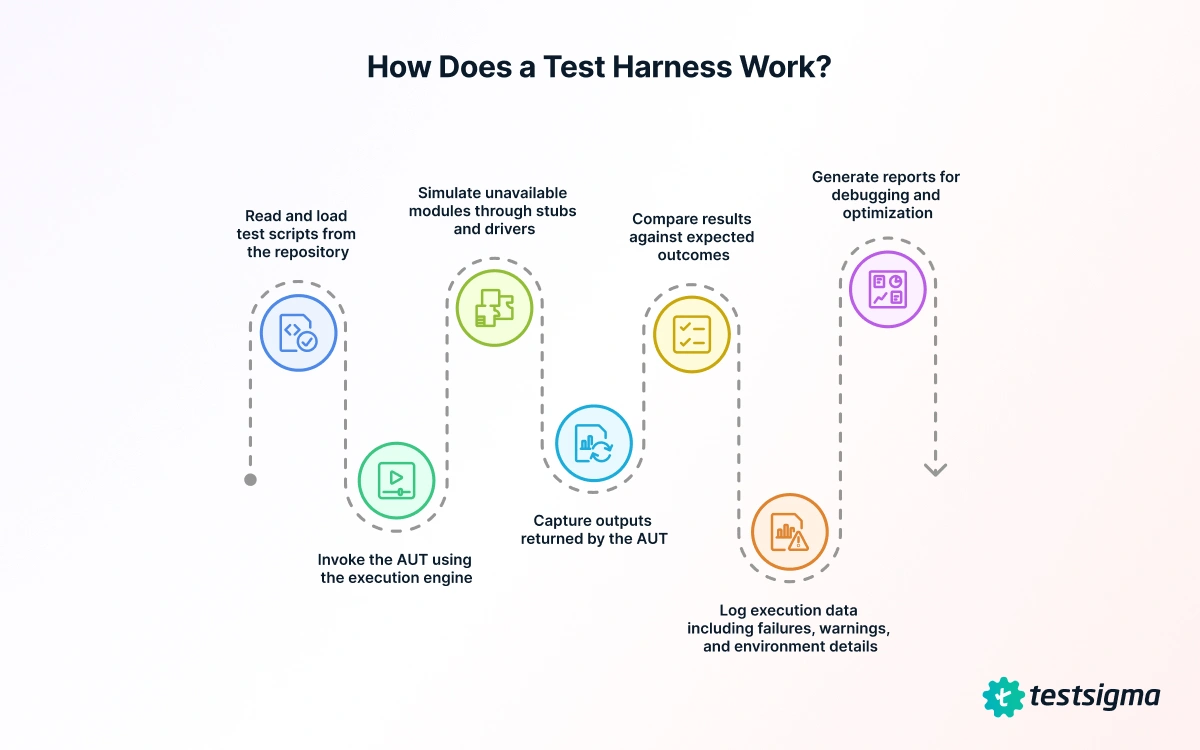
Step 1: Read and load test scripts from the repository
The harness fetches predefined scripts, configurations, and test data to prepare a consistent execution environment.
Step 2: Invoke the AUT using the execution engine
It launches the application under test (web, mobile, or API) triggering the exact workflow defined in the script.
Step 3: Simulate unavailable modules through stubs and drivers
Missing APIs, services, or backend modules are replaced with controlled responses so tests can run even if the real components aren’t built yet.
Step 4: Capture outputs returned by the AUT
The harness records actual responses, UI states, logs, and data generated during execution.
Step 5: Compare results against expected outcomes
Assertions verify whether each step behaves correctly, immediately highlighting mismatches or failures.
Step 6: Log execution data including failures, warnings, and environment details
Every run produces traceable logs that pinpoint failures, unstable areas, or dependency issues.
Step 7: Generate reports for debugging and optimization
Final reports summarize pass/fail status, screenshots, logs, and insights to help teams fix defects quickly.
This structured flow allows testers to run complete automated cycles long before the full application or its dependencies are ready.
Benefits of a Test Harness in Software Testing
Modern QA requires consistency, speed, and repeatability: qualities that a test harness naturally provides.
Key advantages:
- Continuous automation and rapid feedback: Perfect for CI/CD pipelines and agile teams.
- Simulation of complex conditions: Including network delays, API timeouts, server throttling, and invalid responses.
- High test coverage: Since tests are no longer blocked by missing modules.
- Reduced dependency delays: Parallel development becomes easier as testers don’t wait for backend or API readiness.
- Reproducible results: Consistent test data and structured environment remove flaky behavior.
Teams can run 10x faster automated iterations across browsers, devices, and OS combinations using Testsigma’s integrated harness features. Stubs/drivers are simulated within no-code scripts, drastically cutting setup time.
When and Where to Use Test Harness
Automation and integration testing rely heavily on consistent environments, and a test harness supplies exactly that. It simulates unavailable modules so complex workflows can be validated early.
Automation Testing
Role: In automation testing, a test harness provides a controlled, repeatable environment that stabilizes dependencies so repetitive or data-driven tests run reliably across builds and environments.
Usefulness:
- Ideal for smoke test execution
- Supports large regression cycles
- Enables consistent performance validations
- Handles end-to-end UI + API flows without dependency failures
Since the harness stabilizes all components, tests run consistently across environments.
Integration Testing
Role: In integration testing, a harness removes dependency blocks by simulating unavailable modules, allowing teams to validate interactions between components early in the development cycle.
Usefulness:
- Fills integration gaps with stubs and drivers
- Enables parallel development and testing
- Allows early module-level verification
- Reduces integration issues in distributed, microservice-heavy systems
Test Harness Examples for Better Understanding
To see how a harness works in everyday testing, real use cases offer the best clarity. These examples show how teams continue automation without waiting for full integrations.
E-Commerce Checkout Using Testsigma
A retail application needs to test checkout flow before the payment gateway is live.
Harness setup:
- Stub simulates “Success” and “Failure” responses
- Driver triggers checkout actions
- Testsigma executes tests across device combinations
- Reports highlight UI/API mismatches
Login → Profile Module Integration
If the login module isn’t functional, a driver simulates successful login and passes user details to profile logic. The harness tests:
- Data flow
- Permission handling
- API mapping
- UI rendering
Unit Test Harness for Backend Validation
For code-level unit testing, developers integrate test harnesses like JUnit or NUnit. Drivers call individual functions, and stubs simulate database responses: for example, returning dummy product records.
Test Harness Vs. Test Framework
Test harnesses and test frameworks work together but solve different problems. A quick side-by-side view helps clarify how each contributes to the automation process.
| Parameter | Test Harness | Test Framework |
| Definition | Collection of stubs, drivers, and tools automating test execution | Structured environment to design and execute automated tests |
| Purpose | Simulate unavailable modules and automate validation | Provide reusability, design standards, and coding structure |
| Record and Playback | Not available | Often available |
| Testing Focus | Integration and automation testing | Unit, regression, behavioral testing |
| Example Tools | JUnit, NUnit, Testsigma | Cucumber, Robot Framework, Selenium |
Harness Testing Tools You Should Know
Harness testing is a high-intent search category; these tools are central to it:
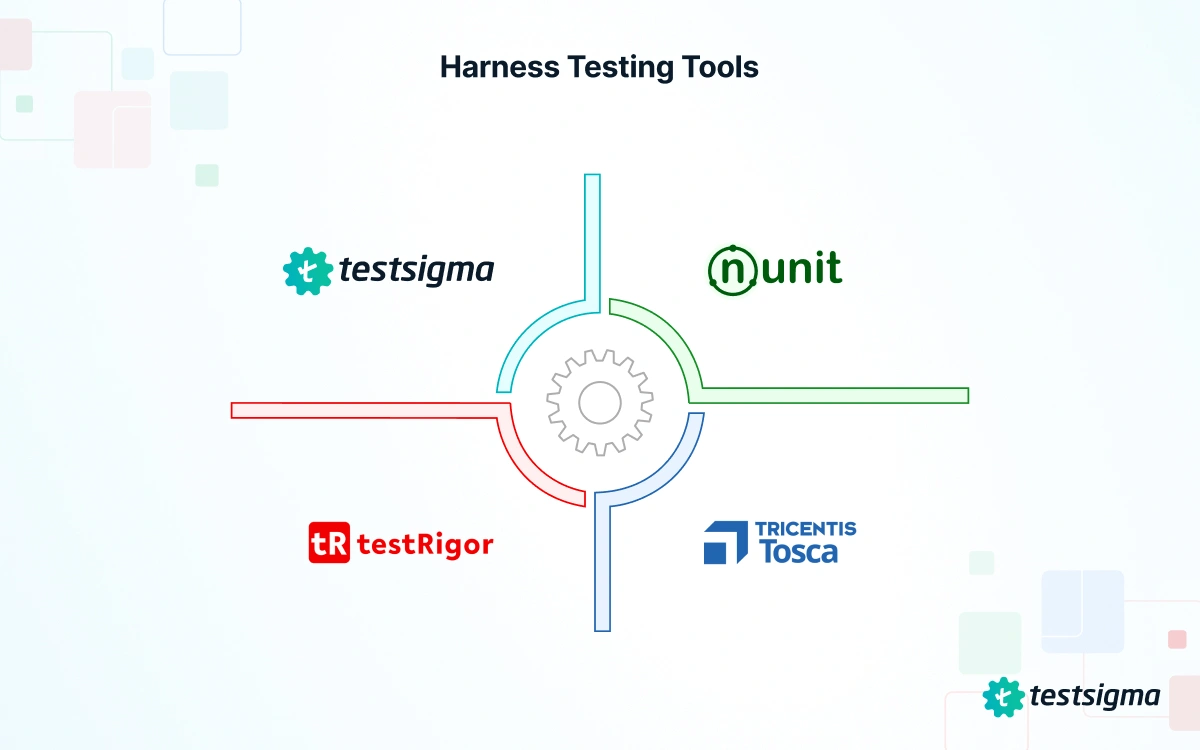
Testsigma
A unified no-code platform that brings stubs, drivers, test data, and automation under one roof. Its ability to run UI, API, and mobile tests across devices without scripting makes harness setups faster and more consistent, especially when teams need early end-to-end coverage.
Junit / Nunit
Widely used for unit-level harness setups in Java and .NET, these frameworks let developers trigger individual functions and simulate dependencies. They’re reliable for code-level validation but require manual configuration for broader integration or cross-platform workflows.
Tricentis TOSCA
An enterprise automation suite suited for large, integration-heavy systems. It supports model-based testing and complex harness scenarios, though its setup and maintenance often require more specialized expertise.
TestRigor
An AI-driven tool that focuses on UI and API automation with natural language commands. It works well for cross-environment harness testing, though it may not offer the same depth of stub/driver control as more unified platforms.
Best Practices for Building a Reliable Test Harness
To ensure a harness stays reliable over time, teams follow key practices that strengthen consistency and reduce dependency issues.
- Use modular, reusable scripts: Avoid monolithic test flows; keep the harness flexible.
- Decouple test data: Store test data separately for reproducibility and maintenance simplicity.
- Integrate with CI/CD pipelines: Automate scheduling, execution, and reporting using Jenkins, GitHub Actions, or GitLab CI.
- Monitor logs and dashboards: Harness stability improves when test health metrics are continuously tracked.
- Refactor stubs/drivers regularly: Outdated stubs can cause false positives; keep them aligned with actual module behavior.
How Testsigma Simplifies Harness Testing
Testsigma brings the core elements of a test harness into one place – simulation, execution, validation, and reporting – helping teams test reliably even when real modules aren’t ready.
Unified Test Management
All test scripts, execution results, stubs, drivers, and test data live in one unified workspace. This makes it easier to track changes, reuse assets, and maintain consistent harness setups across teams.
Auto-Healing & Reusable Tests
Testsigma’s AI engine automatically adapts tests to UI or structural changes, reducing flaky failures and ongoing maintenance. Reusable components help teams scale automation quickly without rewriting scripts.
Parallel Execution on Real Devices
Tests can run simultaneously across multiple browsers, OS versions, and real mobile devices. This allows teams to simulate real-world network conditions and validate workflows reliably under diverse environments.
Integration Support
Seamless connections with Jira, Jenkins, GitLab CI, Slack, and other DevOps tools ensure harness testing fits naturally into existing pipelines. This keeps execution continuous, traceable, and fully aligned with development workflows.
If your pipeline likes things simple, Testsigma will feel like a good match.
Where Harness Testing Elevates QA
A test harness in software testing removes dependency bottlenecks, accelerates delivery, and ensures reliable release cycles: especially in distributed or API-heavy applications.
With tools like Testsigma powering no-code automation and integrated harness setups, teams gain a stable environment to test early, test often, and ship confidently.
FAQs on Test Harness and Harness Testing
A test harness in software testing is a collection of scripts, tools, stubs, drivers, and test data that automate and manage test execution under controlled conditions.
They simulate incomplete or unavailable components, enabling testing even when parts of the application aren’t ready.
A harness handles automation and execution, while a framework defines testing structure, design rules, and reusability patterns.
Testsigma delivers an end-to-end automation ecosystem for creating, executing, and scaling harness-based testing: without complex code.