




Table Of Contents
- 1 Overview
- 2 How Does Intelligent Test Automation Work?
- 3 What Are the Types of Intelligent Test Automation?
- 4 Why Do Teams Adopt Intelligent Test Automation?
- 5 What Are the Common Challenges of Intelligent Test Automation?
- 6 What Are Real-World Examples of Intelligent Test Automation?
- 7 How to Implement Intelligent Test Automation with Testsigma
- 8 What Is the Scope of Intelligent Test Automation?
- 9 Conclusion
Overview
- Intelligent test automation uses AI and machine learning to generate, execute, and maintain tests without manual scripting.
- Traditional automation does what you tell it and breaks when something changes. ITA adapts, self-heals, and flags risks on its own.
- There are three main types: scriptless/no-code automation, self-healing tests, and voice-assisted testing.
- Teams adopt ITA to eliminate flaky tests, shrink release cycles, and shift from reacting to bugs to preventing them.
- Testsigma delivers ITA out of the box with AI agents, NLP authoring, auto-healing, and built-in analytics in one codeless platform.
What Is Intelligent Test Automation (ITA)?
Intelligent test automation is what happens when you add AI and machine learning to your testing process. Instead of your team writing every test script, maintaining every broken locator, and manually triaging every failure, AI handles it.
The difference from traditional automation is simple. Traditional automation does exactly what you tell it to do and breaks the moment something changes. Intelligent test automation adapts. It writes tests from plain English requirements, fixes scripts when your UI changes, and flags risky areas before they become production bugs.
If your QA team is still spending more time maintaining tests than writing new ones, that’s the gap ITA is built to close.
How Does Intelligent Test Automation Work?
ITA isn’t one thing. It’s three capabilities working together:
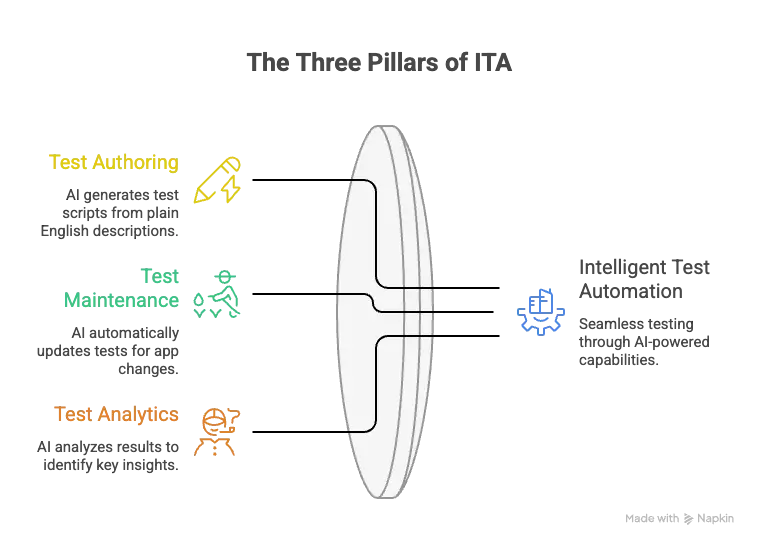
Test Authoring
You describe what you want to test in plain English. The AI reads it and creates the test script for you. No coding, no scripting languages, no back-and-forth with developers.
Test Maintenance
When your app changes, buttons move, selectors break, or fields get renamed, the AI detects it and updates the affected tests on its own. Tests stop failing for the wrong reasons.
Test Analytics
After every run, the AI looks at the results and tells you what actually matters. It spots defect patterns, flags risky areas, and filters out false positives so your team isn’t chasing ghosts.
What Are the Types of Intelligent Test Automation?
Not every team needs the same kind of intelligent automation. Here are the three main types and what they actually look like in practice.
1. Scriptless / No-Code Automation
Instead of writing code, testers describe what they want to test in plain English. The AI reads those instructions and runs them directly against the app. No scripting languages, no IDE, no developer dependency.
This is the type that opens up automation to manual testers, business analysts, and anyone who understands the product but doesn’t write code.
2. Self-Healing Tests
Your app changes all the time. Buttons move, IDs get renamed, layouts shift. Self-healing tests handle this automatically. The AI compares what the test expects against what’s actually on the page, spots the mismatch, and fixes it in real time.
One important distinction: self-healing is a platform capability, not something baked into individual test cases. Your testing tool either has it or it doesn’t.
3. Voice-Assisted Testing
This one converts spoken instructions into test steps using NLP. It sounds futuristic, but it comes with real limitations:
- Complex scenarios need too many individual voice commands
- Mispronunciations or vague instructions can break test logic
- Multi-input tests are hard to dictate accurately
Voice-assisted testing works for simple flows, but it’s not ready to replace hands-on authoring for anything complex.
Why Do Teams Adopt Intelligent Test Automation?
The short answer: teams adopt ITA because they’re tired of slow releases, flaky tests, and firefighting bugs that should have been caught earlier. Here’s what changes when AI takes over the heavy lifting.
| Benefit | What Changes |
| Speed and Efficiency | AI handles test creation, execution, and analysis in a fraction of the time. Release cycles shrink, feedback loops tighten. |
| Smarter Decision-Making | AI surfaces patterns, bottlenecks, and recurring failures from test results before they become production bugs. |
| Competitive Advantage | Teams running continuous testing across CI/CD pipelines ship quality features faster. Manual regression teams are always a step behind. |
| Predictive Testing | ML analyzes historical data and flags defect-prone areas before testing even starts. You prevent bugs instead of reacting to them. |
| Reduced Complexity | NLP and ML handle test logic automatically. No scripting syntax or locator strategies needed. |
What Are the Common Challenges of Intelligent Test Automation?
ITA isn’t plug-and-play. Before you adopt it, plan for these real challenges:
Setup Takes Effort.
Connecting AI testing tools to your existing CI/CD pipelines, test frameworks, and third-party tools is not a one-click process. Expect upfront integration work, especially in enterprise environments.
Your Team Needs New Skills.
Traditional QA skills alone won’t cut it. Teams need to understand how AI-driven testing works, even if they’re not writing code, so they can manage and trust the output.
AI Needs Good DATA to Learn From.
Some ML models won’t perform well until they’ve been trained on enough clean, diverse test data. If your historical test data is messy or sparse, the AI will reflect that.
False Positives and Negatives Happen.
AI systems can flag things that aren’t real bugs or miss things that are. This gets better over time, but early on, your team will need to validate what the AI catches.
Most Teams Are Still Figuring This Out.
A lot of organizations are experimenting with AI in testing, but very few have scaled it across their entire QA process. The technology works. The execution maturity is what most teams are still building.
What Are Real-World Examples of Intelligent Test Automation?
Theory is one thing. Here’s what intelligent test automation looks like when real teams actually use it.
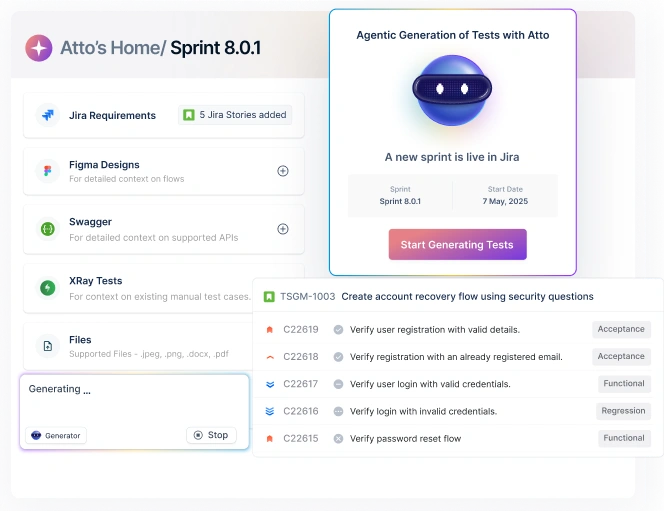
Example 1: Test Authoring with Testsigma’s Atto AI
Instead of writing test scripts manually, testers describe what they want to test in plain English. Atto reads the input and generates structured test cases automatically.
| Team | Atto Sessions | Test Cases Generated |
| Financial Services Company | 86 | 1,741 |
| Global Logistics Provider | 66 | 476 |
| Telecom Enterprise | 24 | 327 |
This matters most for resource-constrained QA teams. One healthcare prospect specifically asked for an NLP-based approach because they wanted to skip the “click, inspect, type” workflow entirely. Atto is built for exactly that.
Example 2: Test Maintenance with Self-Healing
When your app changes and locators break, Testsigma’s auto-healing agent detects the mismatch and updates the test automatically. In live demos, this has resolved locator failures 92 to 95% of the time.
One e-commerce company needed exactly this. Their developers push code changes frequently, and they needed tests to heal on their own without manual rework. Another customer saw the agent live-update element references during a demo right after a UI change was made.
Example 3: Test Analytics with the AI Analyzer
After every test run, Testsigma’s AI Analyzer performs root cause analysis on failures, suggests fixes, and pushes bug reports with evidence directly to Jira. No manual triage needed.
| Team | Test Runs | Pass Rate |
| Enterprise SaaS Company | 47,225 | 100% |
| Global Standards Organization | 18,649 | 81% |
| Identity Verification Startup | 6,961 | 94% |
One e-commerce team defined their reporting need as tracking how many test cases ran, passed, failed, and were not executed, broken down by day, week, month, and quarter. That’s exactly what the analytics dashboard delivers.
How to Implement Intelligent Test Automation with Testsigma
Getting started with Testsigma doesn’t require weeks of setup. Here’s a step-by-step path from sign-up to running your first AI-powered test cycle.
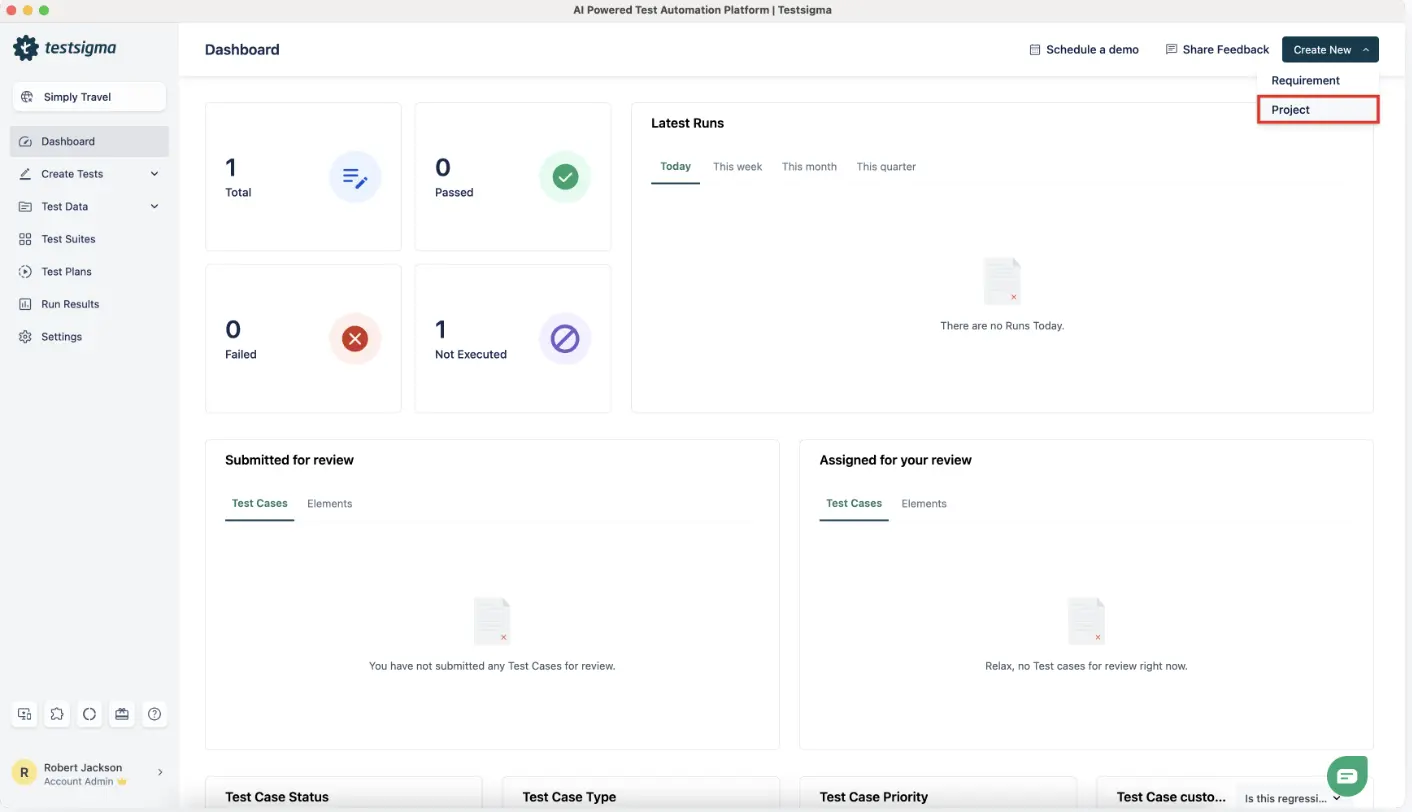
Step 1: Create Your Project
Sign up at testsigma.com and set up your first project. You can test across Web, Mobile, API, or Desktop from a single platform.
Step 2: Record Tests with the AI Copilot
Use the AI Copilot in the Web or Mobile Recorder to auto-generate test steps as you interact with your app. Instead of writing scripts, you click through your app and the Copilot builds the test for you.
Step 3: Enable Auto-Healing
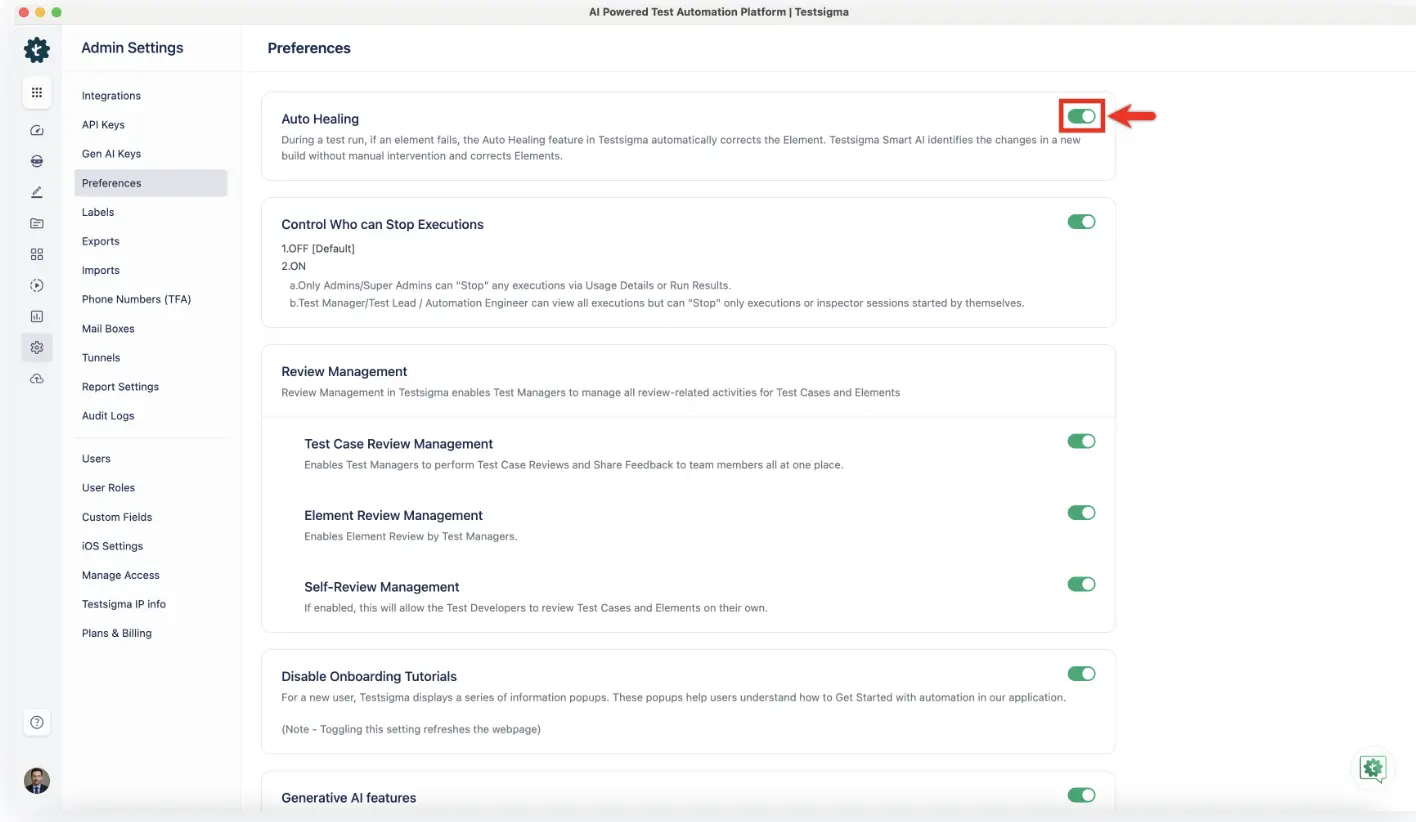
Go to Settings > Preferences and turn on the Auto Healing toggle. Once enabled, Testsigma automatically detects broken or outdated element locators during execution and updates them in real time. This works across web, mobile, and AI-generated test cases.
Step 4: Configure AI Agents
Set up the confirmed AI agents based on your workflow needs:
| Agent | What It Does |
| Generator | Creates test cases from natural language input |
| Optimizer | Improves and refines existing tests |
| Analyzer | Performs root cause analysis on failures and handles bug reporting |
| Healer | Auto-heals broken locators during test execution |
One thing to know upfront: AI-generated output is around 70 to 80% accurate out of the box. It gets better over time, but plan for human review in the early stages. Setting the right expectation here saves your team frustration later.
Step 5: Connect to Your CI/CD Pipeline
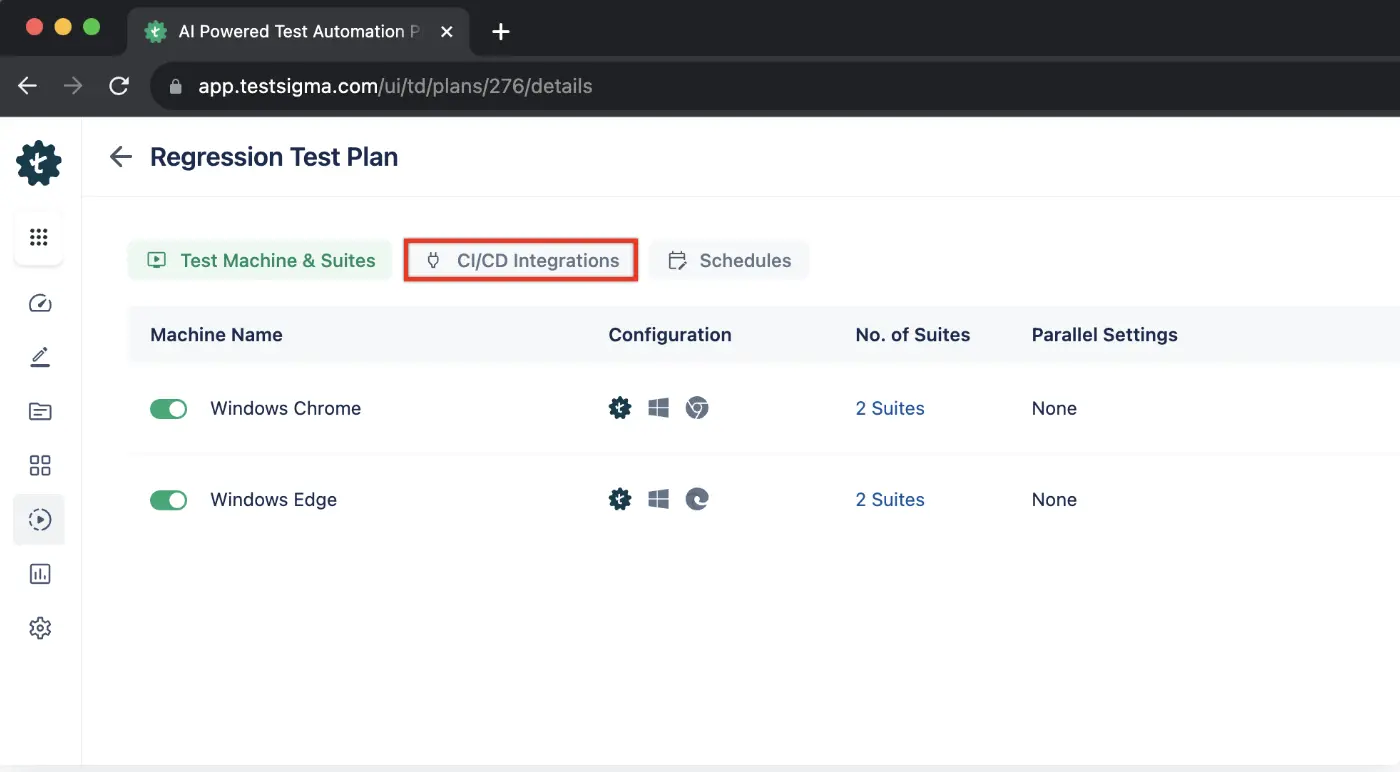
Integrate with Jenkins, GitHub Actions, or your preferred CI/CD tool for continuous execution across browsers and devices.
Step 6: Review the Analytics Dashboard
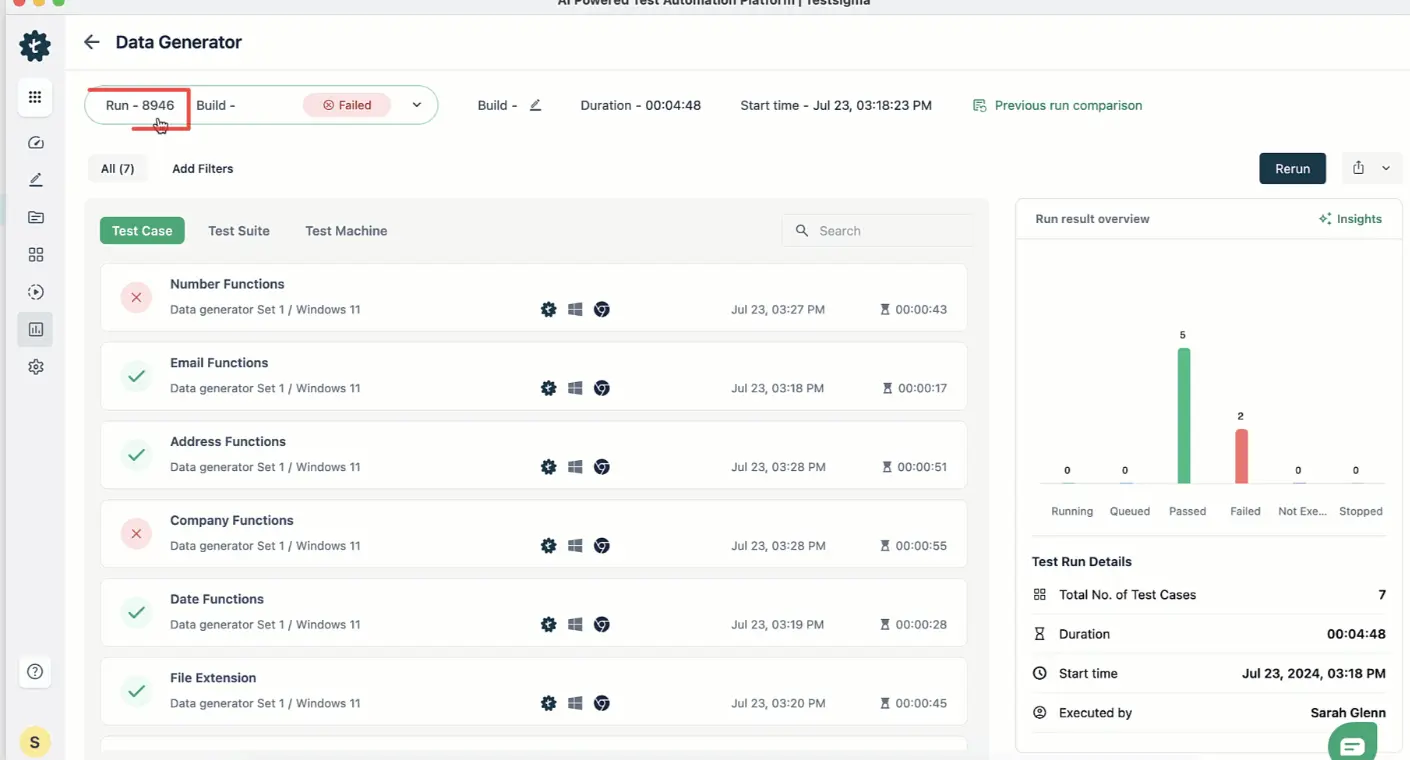
After every run, check pass/fail results, screenshot evidence, and root cause analysis. You can also connect third-party reporting tools for deeper visibility.
What is the Scope of Intelligent Test Automation?
Intelligent test automation covers the full testing lifecycle. It starts with AI generating test cases from plain English, so no manual coding is needed. Those tests run across web, mobile, desktop, API, and cloud environments automatically. When your app changes, self-healing keeps tests working without manual fixes. ML models predict which areas are most likely to break before failures happen. After every run, AI-powered analytics surface results with screenshots, video evidence, and root cause analysis. Some platforms also support model-based testing, where AI understands your app’s functionality and builds tests around it.
Conclusion
Intelligent test automation isn’t a nice-to-have anymore. Teams that are still writing, fixing, and triaging tests manually are spending engineering hours on work that AI can handle in seconds. The technology is here. The tools are production-ready. The only question is how long you wait before your competitors figure that out first.
Testsigma gives you the full ITA stack in one platform: AI-powered test authoring, self-healing scripts, predictive analytics, and real-time reporting, all without writing a single line of code.