


Prompt Templates for Pro-level test cases
Steal prompts that turn every change into release-ready test cases - clear steps, expected results, and edge coverage for feedback.
Table Of Contents
- 1 Key Takeaways
- 2 What Is AI in DevOps?
- 3 How Is AI Transforming DevOps in 2025?
- 4 What Are the Two Core Areas Where AI Applies in DevOps?
- 5 What Types of AI Are Used in DevOps?
- 6 What Are the Real-World Use Cases of AI in DevOps?
- 7 How Do You Implement AI in Your DevOps Pipeline?
- 8 How Does Testsigma Integrate AI into Your DevOps Pipeline?
- 9 What Are the Benefits of Using AI in DevOps?
- 10 What Are the Limitations and Risks of AI in DevOps?
- 11 What Are the Best Practices for Implementing AI in DevOps?
- 12 What Is the Future of AI in DevOps? (2025–2030 Trends)
- 13 Conclusion
- 14 Frequently Asked Question
Key Takeaways
- AI in DevOps automates the software delivery lifecycle, from writing and testing code to monitoring production and responding to incidents.
- Over 90% of developers now use AI tools daily. Teams with mature AI adoption ship significantly faster.
- The biggest areas of impact: automated testing, CI/CD optimization, predictive incident management, and self-healing infrastructure.
- AIOps (AI for IT operations) is a fast-growing category, projected to more than double in market size by 2030.
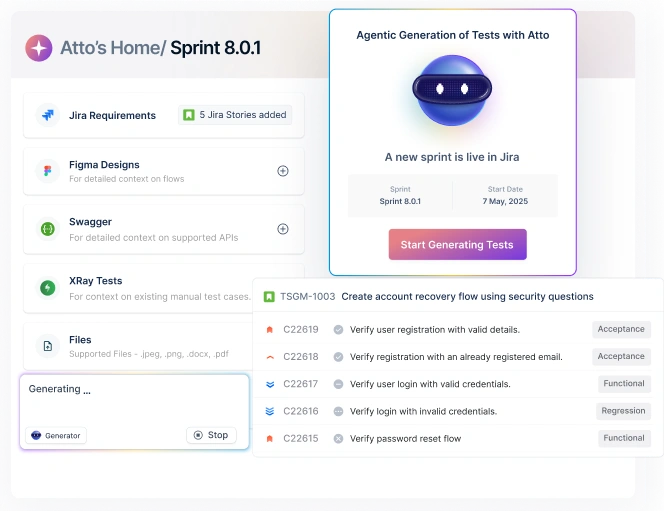
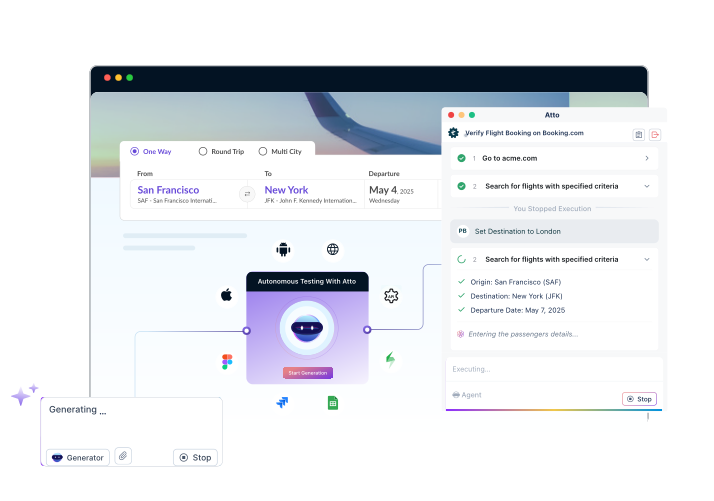
- Testsigma’s ATTO agents plug directly into your DevOps pipeline to autonomously plan, generate, execute, heal, and report on tests.
What is AI in Devops?
AI in DevOps means using artificial intelligence to automate and improve how software is built, tested, and released. Rather than relying on engineers to manually write tests, monitor systems, or troubleshoot failures, AI takes over the repetitive, time-intensive work like generating tests from requirements, predicting build failures, detecting production issues early, and repairing broken tests without human intervention. It doesn’t replace DevOps teams. It handles the routine so they can focus on the work that matters.
How Did Devops Evolve to Require AI?
DevOps didn’t always need AI. Here’s how the practice evolved and why automation alone stopped being enough.
| Phase | Era | Key Characteristic | AI Role |
|---|---|---|---|
| Manual DevOps | Pre-2015 | Hand-crafted scripts, long release cycles, siloed teams | None |
| Automated DevOps | 2015–2019 | CI/CD pipelines, infrastructure-as-code, containerization | Rule-based automation |
| Intelligent DevOps | 2019–2022 | ML-driven monitoring, anomaly detection, AIOps emergence | Predictive analytics |
| AI-Native DevOps | 2023–2025 | Generative AI in pipelines, self-healing systems, AI agents for testing | Generative + agentic AI |
| Autonomous DevOps | 2025+ | AI orchestrates full SDLC; humans set intent, AI executes | End-to-end orchestration |
What is Aiops and How Does it Relate to Devops?
AIOps (Artificial Intelligence for IT Operations) is the application of big data analytics, machine learning, and automation to streamline IT operations management. It is the operational layer that powers AI-driven DevOps. The global AIOps market was valued at $14.6 billion in 2024 and is projected to reach $36 billion by 2030 at a 15.2% CAGR (Grand View Research, 2025).
How is AI Transforming Devops in 2025?
The 2025 DORA State of AI-Assisted Software Development report, drawing on data from nearly 5,000 developers worldwide, marks a turning point. Over 90% of tech professionals now use AI tools in daily work. Here is how AI is reshaping each dimension of DevOps:
| DevOps Dimension | AI Capability | Measurable Impact |
|---|---|---|
| Code generation & review | AI assistants auto-generate code, flag security vulnerabilities | 21% more tasks completed; 98% more PRs merged (Faros AI, 2025) |
| CI/CD pipelines | AI predicts build failures, optimizes resource allocation | 40% higher release throughput; 25% lower error incidence (Mordor Intelligence) |
| Automated testing | ML generates test cases from requirements; self-healing scripts | 90% reduction in test maintenance; 10x faster test development (Testsigma) |
| Incident management | Predictive analytics detects anomalies before failures occur | Up to 60% reduction in MTTR; change failure rate below 5% for elite teams (DORA 2025) |
| Infrastructure management | AI allocates cloud resources dynamically based on workload patterns | 66% of large enterprises use AI observability to reduce downtime 35%+ (GlobalGrowthInsights) |
| Security (DevSecOps) | AI scans for vulnerabilities in real time; automates compliance checks | DevSecOps spending projected to reach $41.66B by 2030 (Mordor Intelligence) |
| Documentation | 64% of task performers use AI to write documentation (DORA 2025) | 7.5% increase in doc quality per 25% increase in AI adoption (DORA 2024) |
What Are the Two Core Areas Where AI Applies in Devops?
AI in DevOps typically falls into two broad categories: making developer pipelines smarter and making monitoring and security more proactive.
1. Refining Developer Pipelines: How Does AI Optimize CI/CD?
AI-powered pipeline optimization works by analyzing historical build logs, test results, and deployment data to predict failures before they happen. Key capabilities include:
Automated code review that flags security issues and style violations without human reviewers
Predictive test selection that runs only the tests most likely to catch a given code change, cutting CI time significantly
- AI-generated release notes and documentation from commit history
- Dynamic resource provisioning that scales cloud infrastructure based on predicted workload
2. Streamlining Monitoring and Security: What Can AI Do That Humans Cannot?
AI monitoring ingests signals from thousands of data sources at the same time, something no human ops team can match. Specific advantages include:
- Pattern recognition across millions of log lines to identify root causes in minutes instead of hours
- Anomaly detection that triggers alerts before an issue reaches end users
- Self-healing protocols that automatically restart services, roll back deployments, or re-route traffic
- Continuous learning, where the system improves its detection accuracy with every incident cycle
How Do AI and DevOps Work Together?
Here are five areas where AI plugs directly into DevOps workflows and changes how teams operate day to day.
| Integration Point | What AI Does | Before AI | With AI |
|---|---|---|---|
| 1. Software Testing | Generates, executes, and self-heals test cases | Manual scripting; 20–40% of sprint time | Automated generation; 90% maintenance reduction |
| 2. Data Access & Insights | Integrates data from version control, trackers, servers; surfaces patterns | Siloed logs, manual queries | Unified real-time dashboards; NLP queries |
| 3. Timely Alerts | Analyzes build/deploy/performance history to predict imminent failures | Reactive alerting after failure | Proactive alerting 15–60 min before impact |
| 4. Execution Efficiency | Automates code reviews, documentation, deployment verification | Hours of manual review per release | Minutes; consistent quality |
| 5. Resource Management | Allocates CPU/memory/storage based on workload + seasonality patterns | Over-provisioned cloud; wasteful spend | Right-sized provisioning; cost savings |
What Types of AI Are Used in Devops?
Not every AI technique serves the same purpose in DevOps. Here’s a breakdown of the main types and where they apply.
| AI Type | Definition | Primary DevOps Use Cases |
|---|---|---|
| Machine Learning (ML) | Algorithms that learn patterns from data without explicit programming | Anomaly detection, test prioritization, build failure prediction |
| Natural Language Processing (NLP) | AI that understands and generates human language | Requirement analysis, test case generation from user stories, ChatOps bots |
| Computer Vision | AI that interprets visual data from images/video | Visual regression testing, UI validation, screenshot comparison in pipelines |
| Generative AI (GenAI) | Models that create new content, be it code, tests, docs, from prompts | Code generation, automated test script creation, documentation generation |
| Chatbots & Virtual Assistants | Conversational AI for queries and task automation | ChatOps collaboration, on-call routing, incident command automation |
What Are the Real-World Use Cases of AI in Devops?
AI is being applied across the DevOps lifecycle. Here are the most common use cases and the outcomes teams are seeing.
| Use Case | How AI Helps | Key Metric |
|---|---|---|
| Automated Testing & QA | Generates test cases, executes them, self-heals broken scripts | 90% test maintenance reduction (Testsigma) |
| CI/CD Pipeline Optimization | Predicts build outcomes; schedules tasks; optimizes resource use | 40% higher release throughput (Mordor Intelligence, 2026) |
| Predictive Incident Management | Draws from historical data to predict failures before they occur | MTTR reduced up to 60%; change failure rate <5% for elite teams (DORA) |
| Infrastructure Automation | Provisions, scales, and manages cloud resources dynamically | 59% of large enterprises report 40%+ improvement in incident resolution (GGI) |
| Troubleshooting & Root Cause Analysis | Sifts logs, metrics, user actions to pinpoint root causes rapidly | Hours → minutes for root cause identification |
| ChatOps & Collaboration | Chatbots surface updates, automate routine tasks, route alerts | Reduces context-switching overhead across dev and ops teams |
| Performance Monitoring | Dissects metrics and logs to find anomalies and optimization gaps | Proactive resolution before end-user impact |
How Do You Implement AI in Your Devops Pipeline?
Here’s a practical, step-by-step approach to getting AI into your DevOps workflow without overcomplicating things.
Step 1: Pick Your Biggest Pain Point.
Don’t try to add AI everywhere at once. Start with the one area causing the most friction, whether that’s flaky tests, slow CI pipelines, or reactive incident response.
Step 2: Make Sure Your DATA is Ready.
AI tools need clean, accessible data to work well. Check that your version control, CI/CD logs, monitoring tools, and incident records are connected and easy to query.
Step 3: Choose a Pilot Tool.
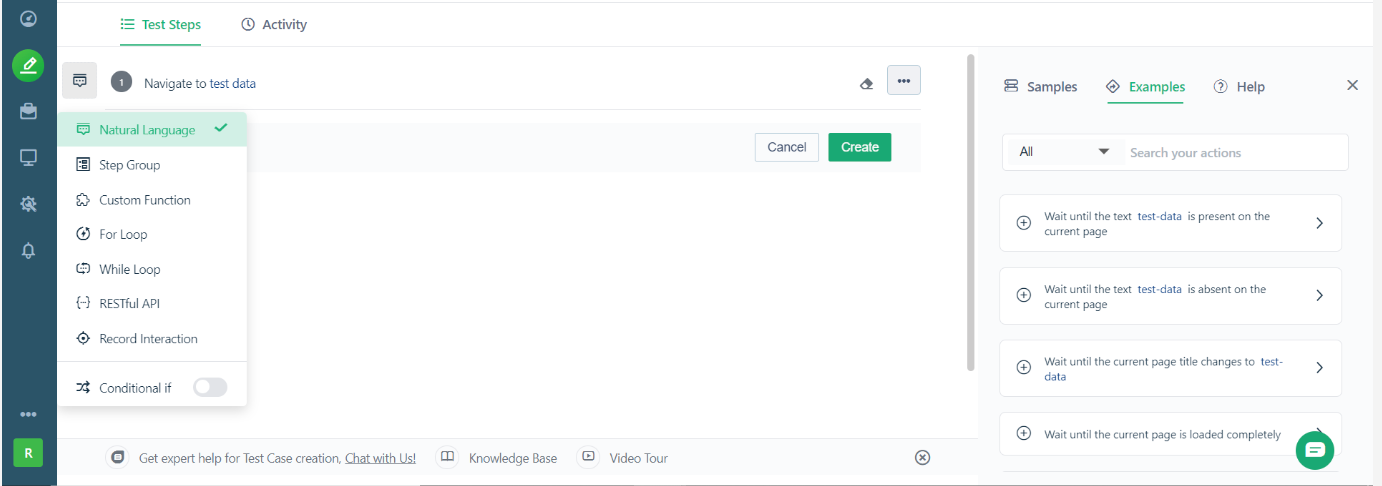
For testing automation, a platform like Testsigma can plug into your existing pipeline. For monitoring, look at AIOps tools like Dynatrace, Datadog, or Splunk. Pick one tool for one use case.
Step 4: Run a Small Proof of Concept.
Measure one metric (test maintenance time, pipeline duration, or bug escape rate) before and after. This gives you a clear baseline and builds the case for expanding later.
Step 5: Set up Feedback Loops.
AI gets better with data. Make sure your systems are collecting post-deployment performance data, incident outcomes, and test results so the tools can improve over time.
Step 6: Expand Gradually.
Once the pilot shows clear results, move AI into adjacent stages. For example, start with testing, then extend to CI/CD optimization, then monitoring.
Step 7: Train Your Team.
Tools only work if people know how to use them. Invest time in helping your team adapt to AI-augmented workflows. Research consistently shows that team friction and burnout matter just as much as technical metrics for long-term success.
How Does Testsigma Integrate AI into Your Devops Pipeline?
Testsigma’s ATTO agents plug into each stage of your pipeline. Here’s what that looks like in practice.
- Requirements: AI reads user stories and auto-generates test cases, so test creation starts immediately without manual scripting.
- Development (Shift-Left): Tests are generated alongside code changes and triggered in CI, catching bugs during development rather than after release.
- CI/CD Integration: Connects with Jenkins, GitHub Actions, GitLab CI, and Azure DevOps. Tests run automatically on every commit without manual triggering.
- Test Execution: Runs tests in parallel across 3,000+ browsers, operating systems, and devices in the cloud, significantly faster than sequential local runs.
- Self-Healing: AI detects UI changes and auto-repairs broken locators using intent-based understanding, so test maintenance drops dramatically even with frequent UI changes.
- Reporting & Insights: AI-generated failure analysis with root cause suggestions. Faster triage without manually digging through logs.
- Release Gate: Pass/fail thresholds block deployments when quality drops, so low-quality code doesn’t reach production.
What Are the Benefits of Using AI in Devops?
AI doesn’t just speed things up. Here’s how it improves DevOps outcomes across the board.
| Benefit | What It Means in Practice | Benchmark |
|---|---|---|
| Faster deployments | Automated testing and CI/CD optimization compress release cycles | 200% increase in deployment frequency for mature DevOps orgs (Mordor Intelligence) |
| Fewer failures | Predictive analytics catches issues before they reach production | Change failure rate below 5% for elite teams (DORA 2025) |
| Reduced MTTR | AI diagnoses and routes incidents faster than human triage | Up to 60% MTTR reduction |
| Better documentation | AI generates docs from code and commit history automatically | 7.5% quality increase per 25% AI adoption (DORA 2024) |
| Lower testing costs | Self-healing tests reduce manual maintenance overhead | 90% maintenance reduction (Testsigma) |
| Improved developer experience | AI handles repetitive tasks, freeing engineers for high-value work | 64% of developers use AI for documentation; 21% more tasks completed |
| Enhanced security | Real-time vulnerability scanning integrated into every pipeline stage | DevSecOps market growing to $41.66B by 2030 |
| Cost optimisation | Dynamic resource provisioning eliminates cloud over-provisioning | 66% of large enterprises reduce downtime 35%+ via AI observability |
What Are the Limitations and Risks of AI in Devops?
AI in DevOps isn’t without trade-offs. Here are the most common risks teams run into and how to manage them.
| Limitation | Root Cause | Mitigation Strategy |
|---|---|---|
| AI Productivity Paradox | Individual gains (21% more tasks) don’t translate to org-level throughput gains (DORA/Faros 2025) | Use value stream management to connect local speed gains to end-to-end delivery flow |
| High rework rate | 70%+ of respondents have rework rates of 8–16%+ due to AI generating ‘plausible but suboptimal’ code (DORA 2025) | Enforce code review gates; measure rework rate alongside deployment frequency |
| Data quality dependency | AI models are only as good as the data they are trained on; siloed or poor-quality data yields poor predictions | Invest in data pipeline hygiene before deploying AI tools |
| Model opacity | Deep learning models are difficult to interpret for root cause analysis | Use explainable AI tools; complement with human review for critical decisions |
| Security and compliance risk | AI-generated code may contain unlicensed content or introduce vulnerabilities; regulations are still immature | Add AI code scanning tools to pipeline; consult legal on IP implications |
| Energy consumption | DORA 2024 warns AI could drive 160% increase in data center power demand by 2030 | Track AI infrastructure carbon footprint as part of ESG reporting |
| Upfront investment | New tools, training, and integration work require significant budget | Start with a single high-ROI pilot; build business case before scaling |
What Are the Best Practices for Implementing AI in Devops?
Getting value from AI in DevOps comes down to how you roll it out. These practices help teams avoid the most common mistakes.
| Best Practice | Why It Matters | Action |
|---|---|---|
| Start with one high-value use case | Avoids spreading budget and focus thin before ROI is proven | Choose flaky tests, slow CI, or reactive incidents as first target |
| Clean your data before AI deployment | AI accuracy is directly proportional to data quality | Connect and normalize logs from version control, CI/CD, monitoring |
| Measure DORA metrics before and after | Without baselines, you cannot prove AI ROI | Track deployment frequency, lead time, CFR, and MTTR from day one |
| Build feedback loops | AI improves only with continuous data inputs | Configure post-deployment performance collection and model retraining cycles |
| Address team friction and burnout | DORA 2025 shows friction metrics are as important as throughput metrics | Track workflow stability and satisfaction alongside delivery speed |
| Plan for regulatory compliance early | AI tooling may be subject to data privacy laws (GDPR, HIPAA, SOC 2) | Consult vendor and third-party compliance experts before production rollout |
| Invest in upskilling | Teams not trained in AI-augmented workflows fail to extract value | Create structured learning paths for AI tools alongside deployment |
What is the Future of AI in Devops? (2025–2030 Trends)
AI in DevOps is moving fast. Here’s where the industry is headed over the next five years.
| Trend | What to Expect | Timeline |
|---|---|---|
| Autonomous DevOps | AI orchestrates the full SDLC; humans set goals, AI executes and optimizes | 2025–2027 |
| Self-healing infrastructure | Systems that detect, diagnose, and repair themselves without human intervention | 2025–2026 (emerging now) |
| AI-native security (DevSecOps) | Security AI embedded in every pipeline stage; zero-trust automation | 2025–2028; $41.66B market by 2030 |
| Value Stream AI | AI connects throughput metrics to business outcomes, not just local task completion | 2025–2027 per DORA 2025 |
| Multi-cloud AI management | AI allocates workloads, manages costs, and ensures resilience across hybrid clouds | 2026–2030 |
| Generative AI in DevOps platforms | Native GenAI in tools like GitHub, GitLab, Jira, and Jenkins for end-to-end automation | Already in early access; mainstream 2025–2026 |
Conclusion
AI in DevOps is no longer experimental. But the research is detailed: faster code generation means nothing if testing, reviews, and releases can’t keep up. The teams seeing real results are fixing the system around AI, not just adding tools to a broken workflow.
Testing is where most pipelines break first, and where AI delivers the fastest payback. That’s what Testsigma’s ATTO was built for: seven agents that handle your entire testing lifecycle, autonomously.
Frequently Asked Question
No. AI can supplement DevOps by refining, streamlining and optimizing all processes involved in the SDLC. AI won’t replace DevOps; it will make it better.
A common example of AI in DevOps is to use AI tools to predict the kind of errors and bugs that may show up in a development project. They do this by combing through data recordings of other similar projects executed before.