- copilot
 Introduction: Copilot
- Key Capabilities
- Launch Copilot
- Record Test Steps
- Copilot Debug Toolbar
- Browser Profile for Copilot
- manage test steps
- Add Test Steps
- Edit and Update Steps
- Delete Test Steps
- Reorder Test Steps
- Bulk Actions
- FAQs on Testsigma Copilot
- troubleshooting for copilot
- Unable to Login to Testsigma Terminal?
- Unable to Download the Terminal Files?
- Unable to Extract the Terminal Files?
- Unable to Start the Terminal Due to Port Unavailability?
- Unable to Start the Agent?
- Unable to Auto-Register Your Device Using Testsigma Terminal?
- Unable to Download the Packages Required to Start the Agent?
- Unable to Update the Packages Required to Start the Agent?
- Unable to Reestablish Connection to Agent?
Reorder Test Steps
Use Copilot to reorder test steps by dragging and dropping them into the desired sequence. Copilot provides a drag-and-drop interface that lets you rearrange steps directly in the steps panel without leaving the session. This article discusses reordering test steps using Copilot.
Prerequisites
Before you begin, ensure that:
- You have created a test case.
- You have installed and configured the Testsigma Terminal.
- You have referred to the documentation on Launch Copilot.
Steps to Reorder Test Steps
- In the Copilot dialog, click on the step you want to move. The cursor changes to a grab icon indicating the step is draggable.
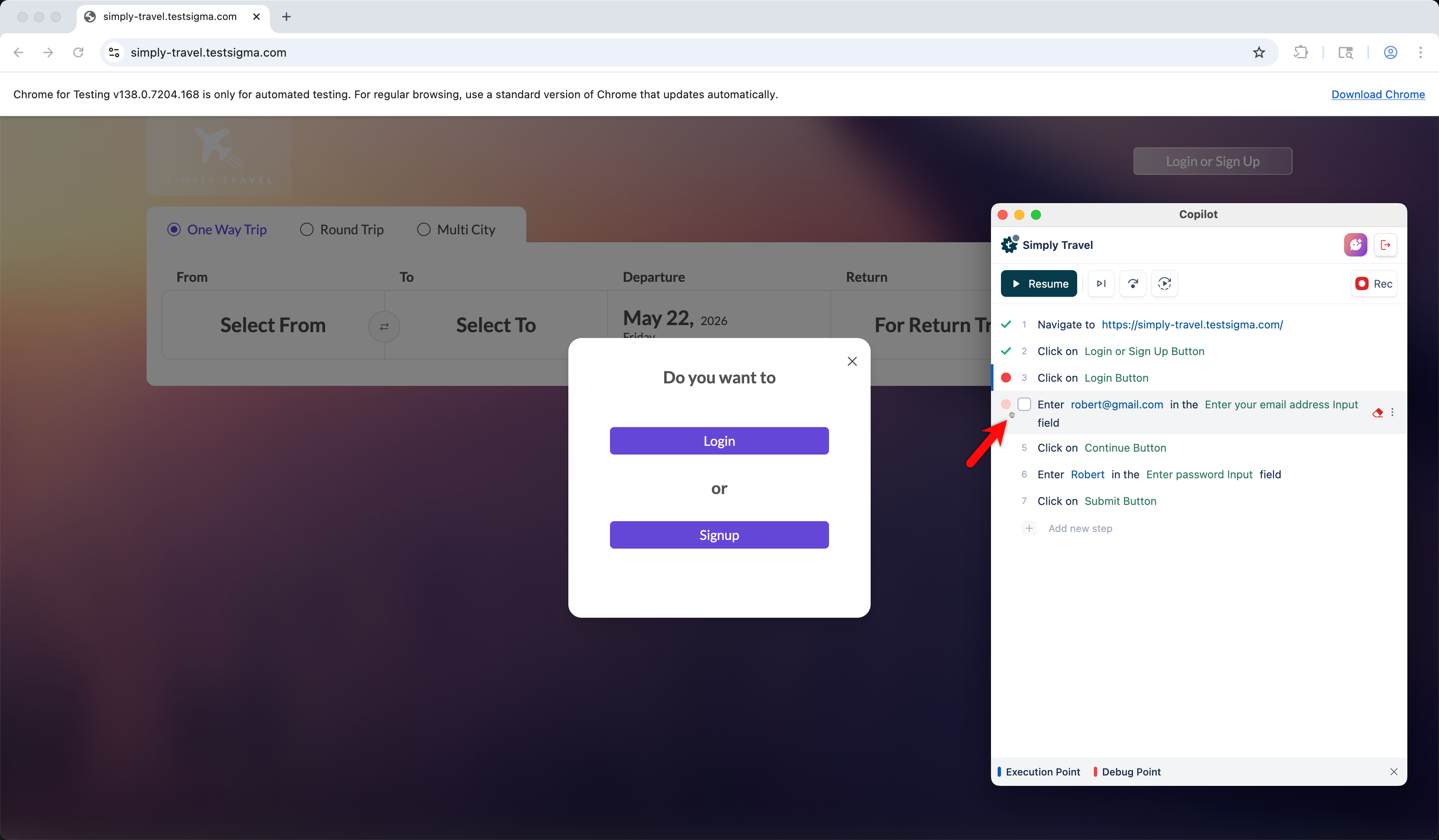
- Click and drag the step to the desired position in the list. The target position is highlighted as you drag.
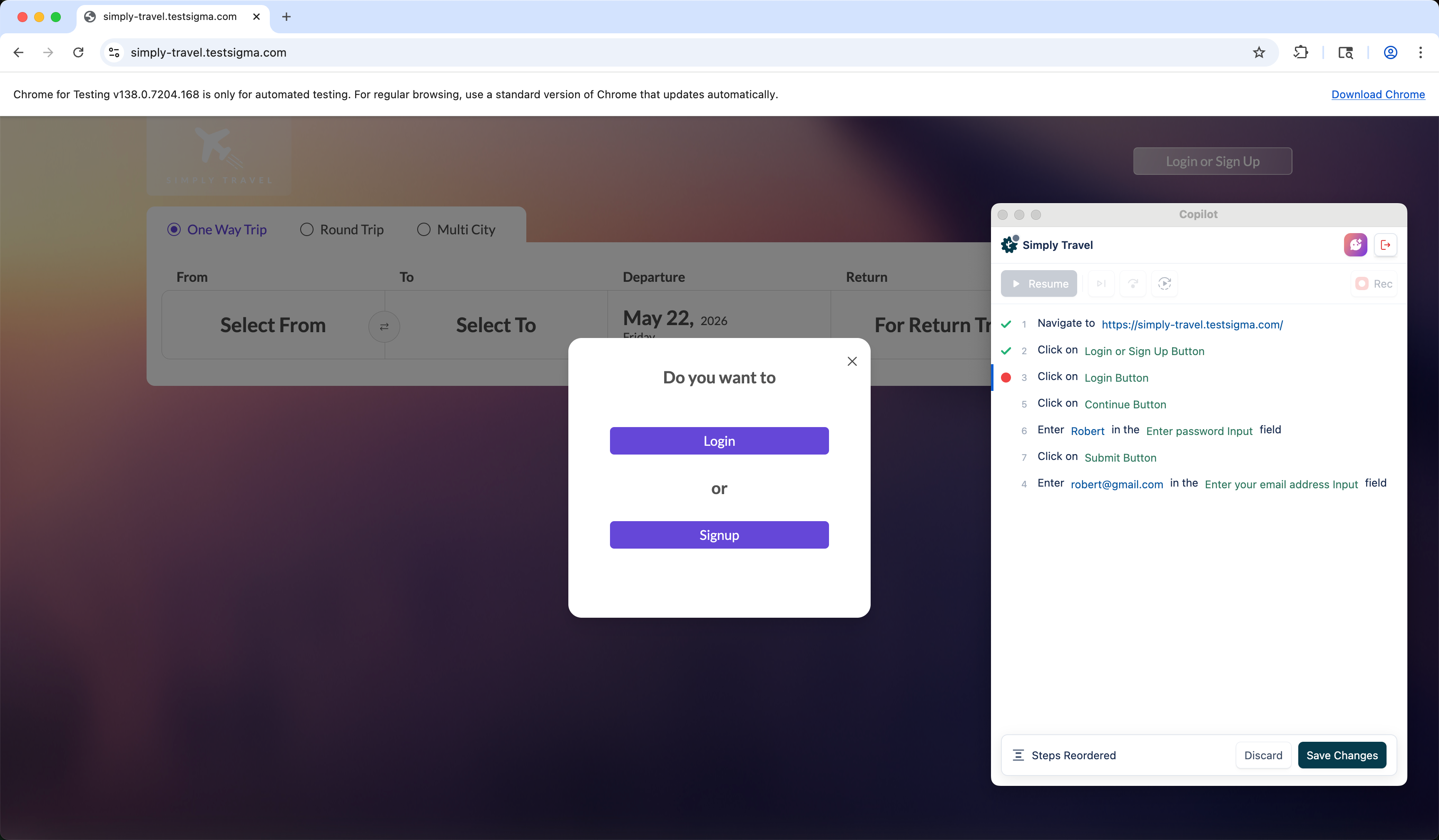
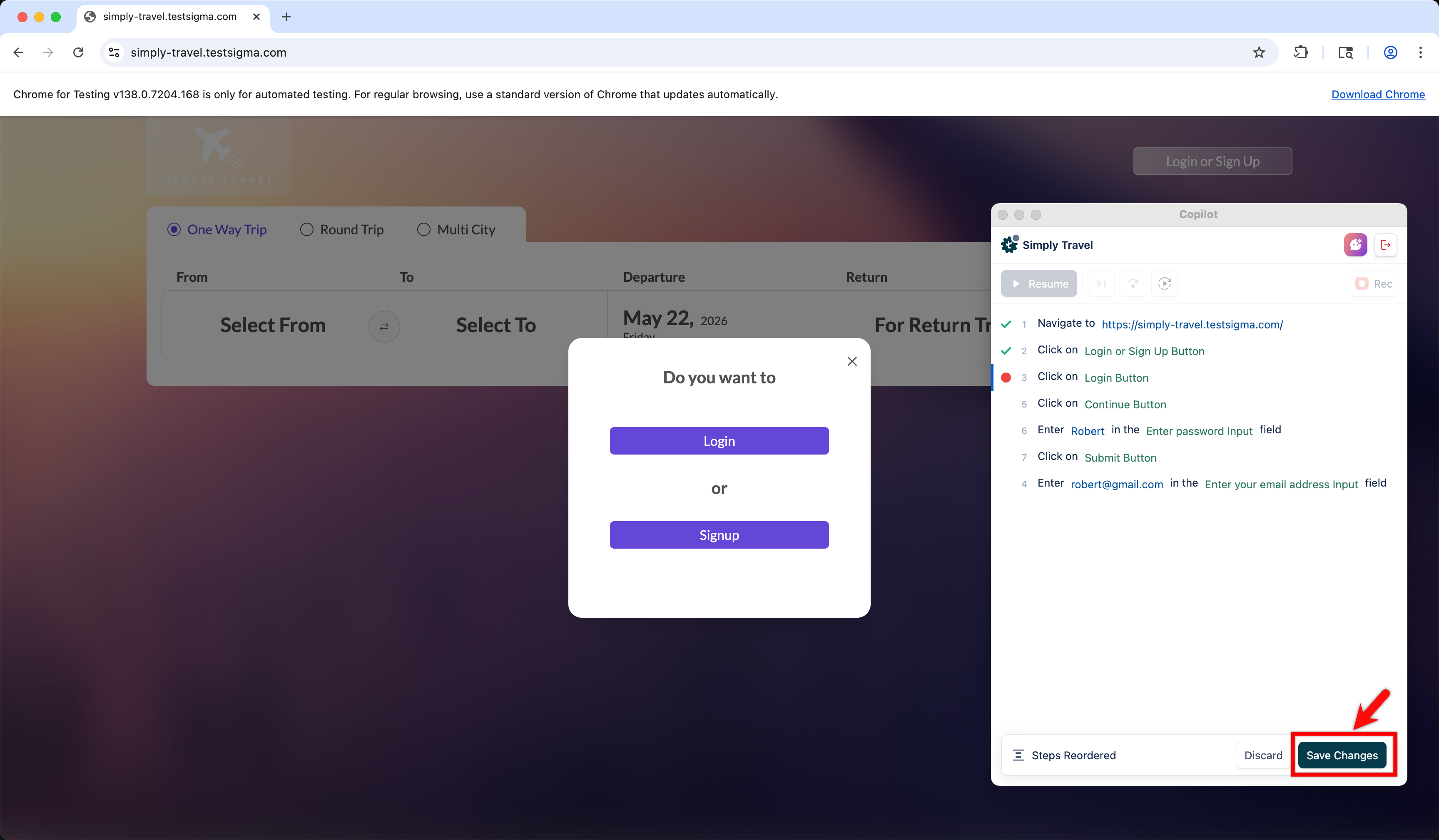
- Click Save Changes to confirm the new order, or click Discard to revert to the original order.
NOTE:
- Drag-and-drop reordering is disabled during recording, execution, or when a step is being edited.

Want to contribute or report missing content?