- copilot
 Introduction: Copilot
- Key Capabilities
- Launch Copilot
- Record Test Steps
- Copilot Debug Toolbar
- Browser Profile for Copilot
- manage test steps
- Add Test Steps
- Edit and Update Steps
- Delete Test Steps
- Reorder Test Steps
- Bulk Actions
- FAQs on Testsigma Copilot
- troubleshooting for copilot
- Unable to Login to Testsigma Terminal?
- Unable to Download the Terminal Files?
- Unable to Extract the Terminal Files?
- Unable to Start the Terminal Due to Port Unavailability?
- Unable to Start the Agent?
- Unable to Auto-Register Your Device Using Testsigma Terminal?
- Unable to Download the Packages Required to Start the Agent?
- Unable to Update the Packages Required to Start the Agent?
- Unable to Reestablish Connection to Agent?
Add Test Steps
Copilot lets you add test steps to the current Copilot session by describing what you want in plain English. Copilot suggests relevant NLP actions that you can select and configure. This article discusses how to add test steps to the current Copilot session.
Prerequisites
Before you begin, ensure that:
- You have created a test case.
- You have installed and configured the Testsigma Terminal.
- You have referred to the documentation on Launch Copilot.
Steps to Add Test Steps at the End
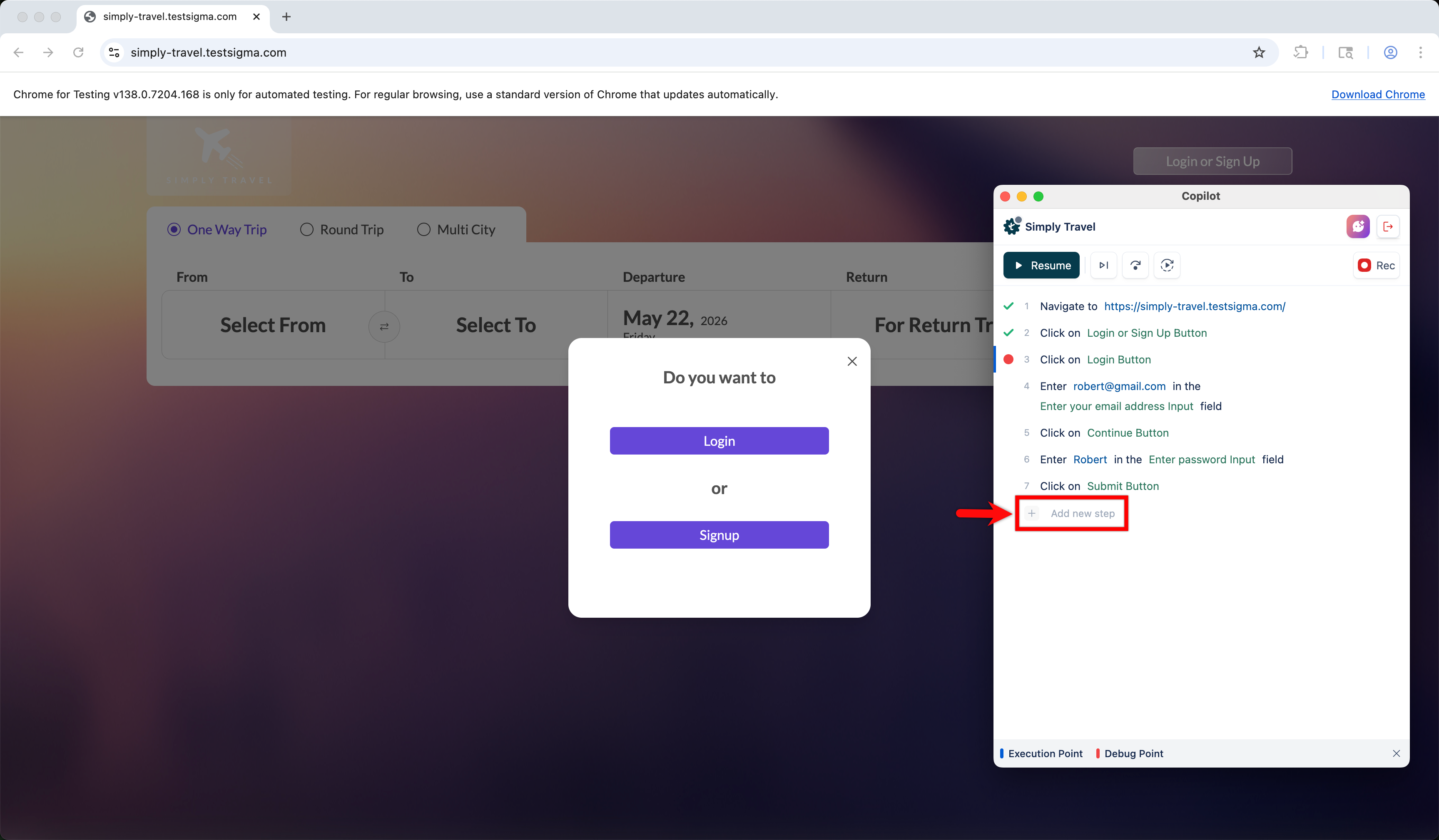
- Once the Copilot is launched, click +Add new step in the Copilot dialog.
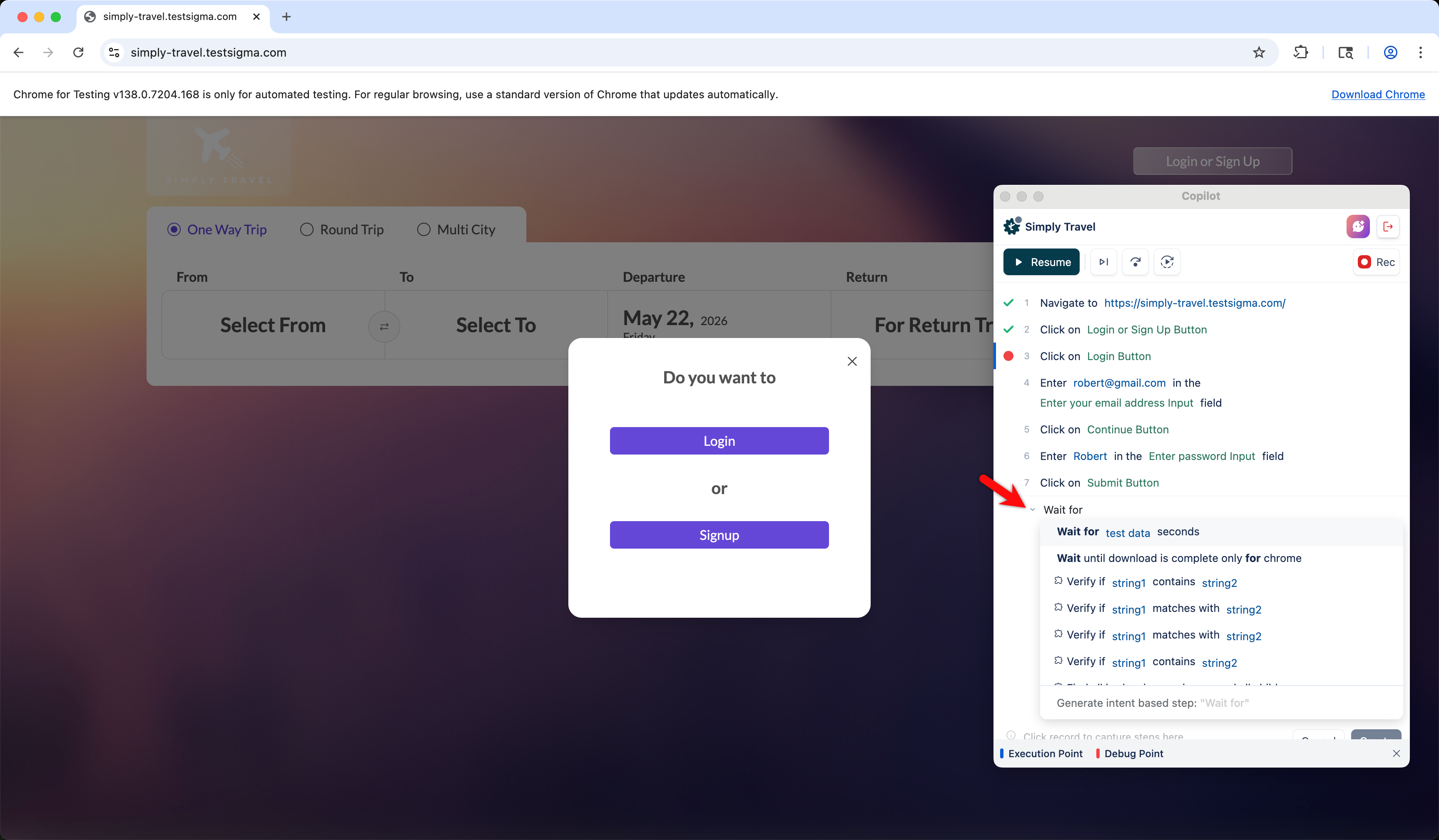
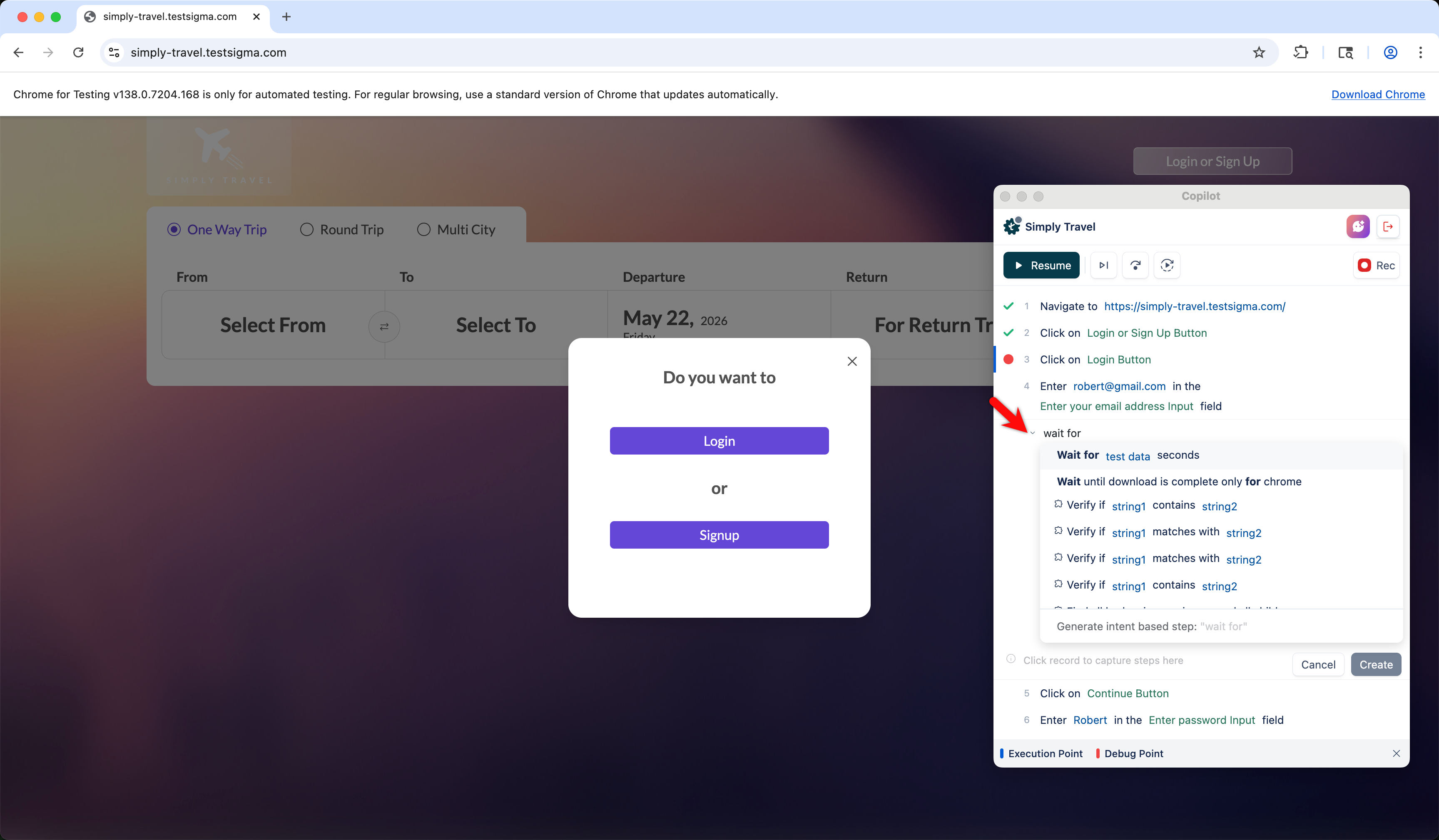
- Start typing the step to view the list of matching NLPs. Select the required NLP and configure it as needed.
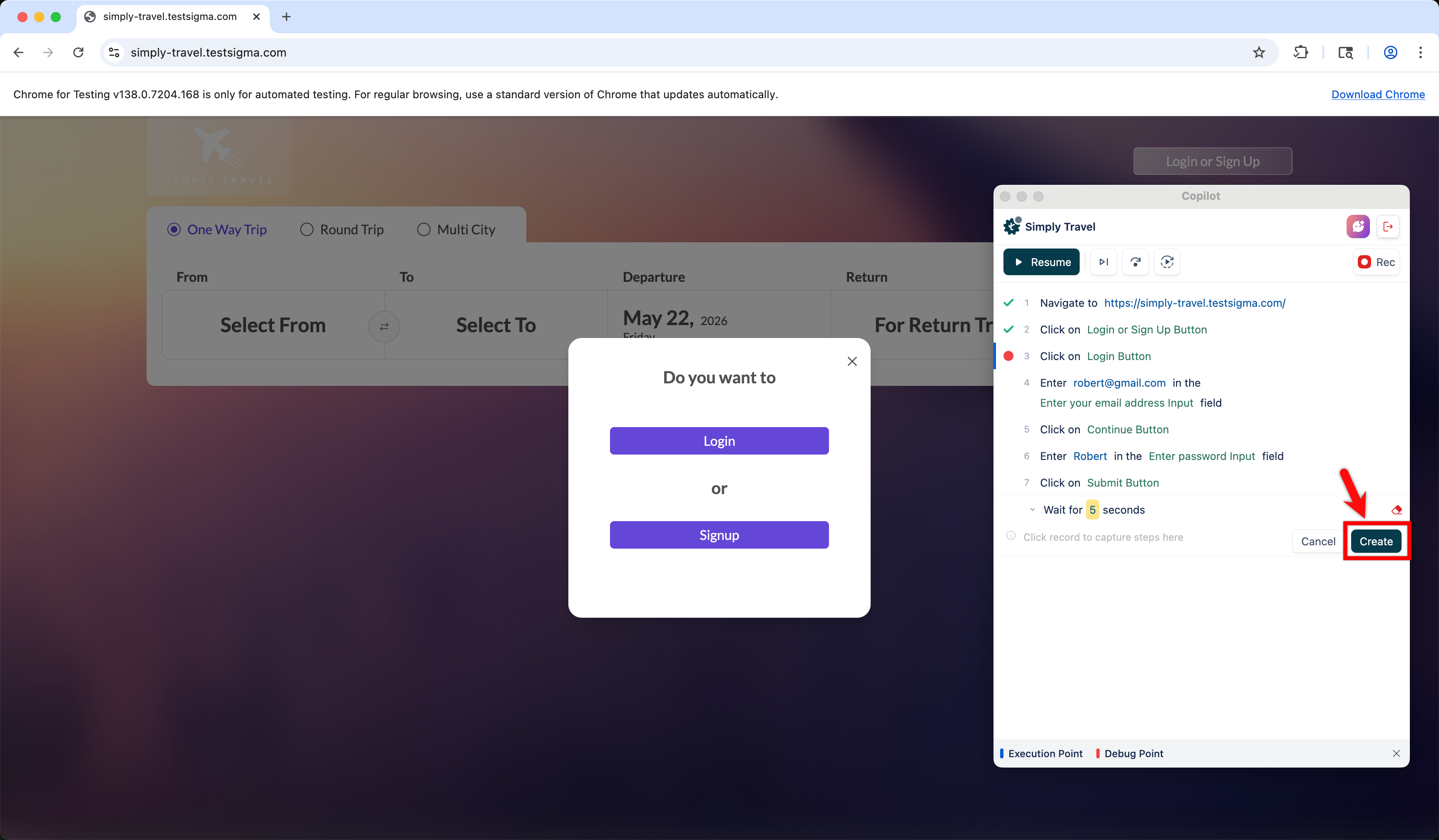
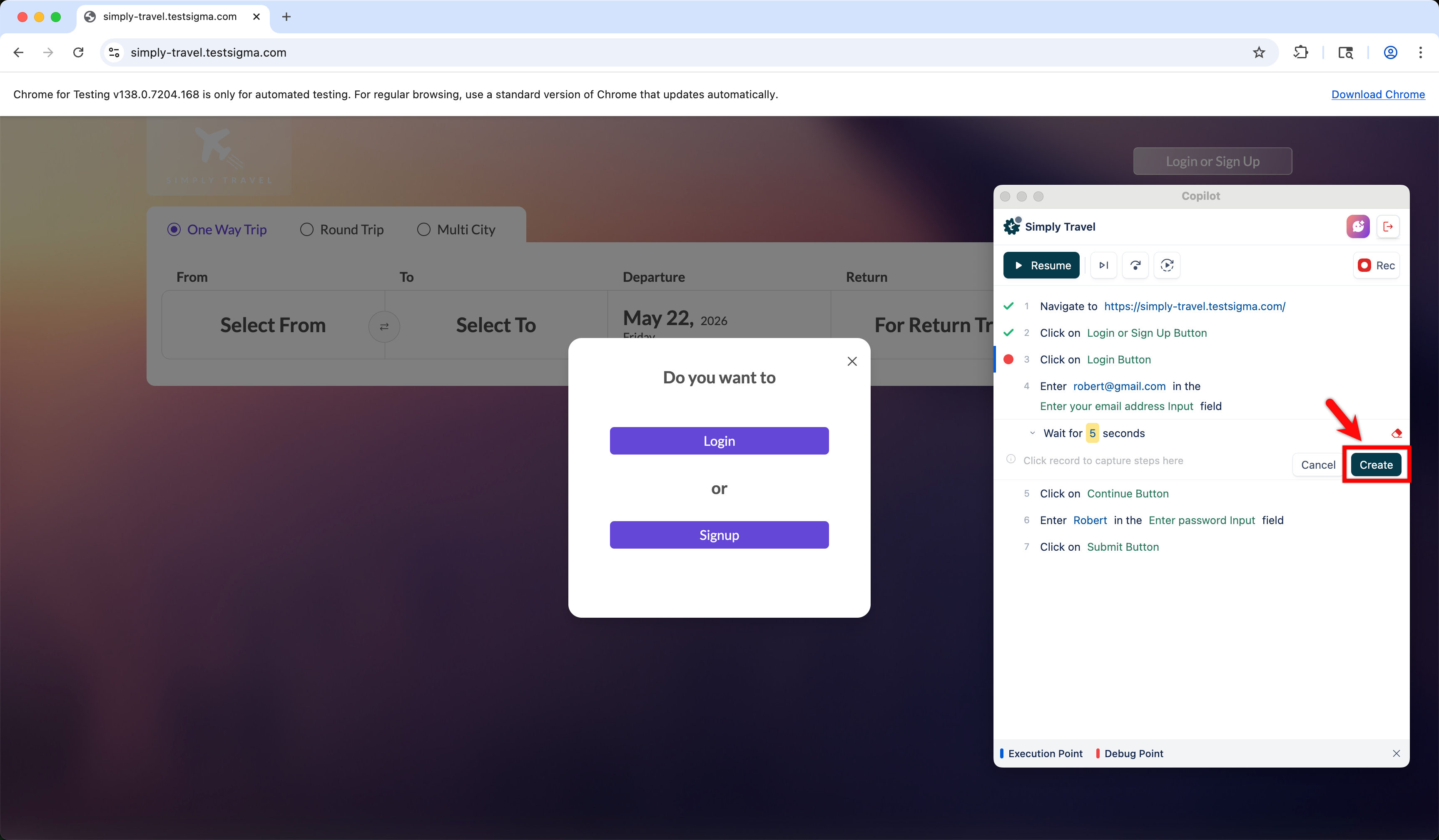
- Update the step with required elements and test data, and click Create Step.
Steps to Add Test Steps at a Specific Position
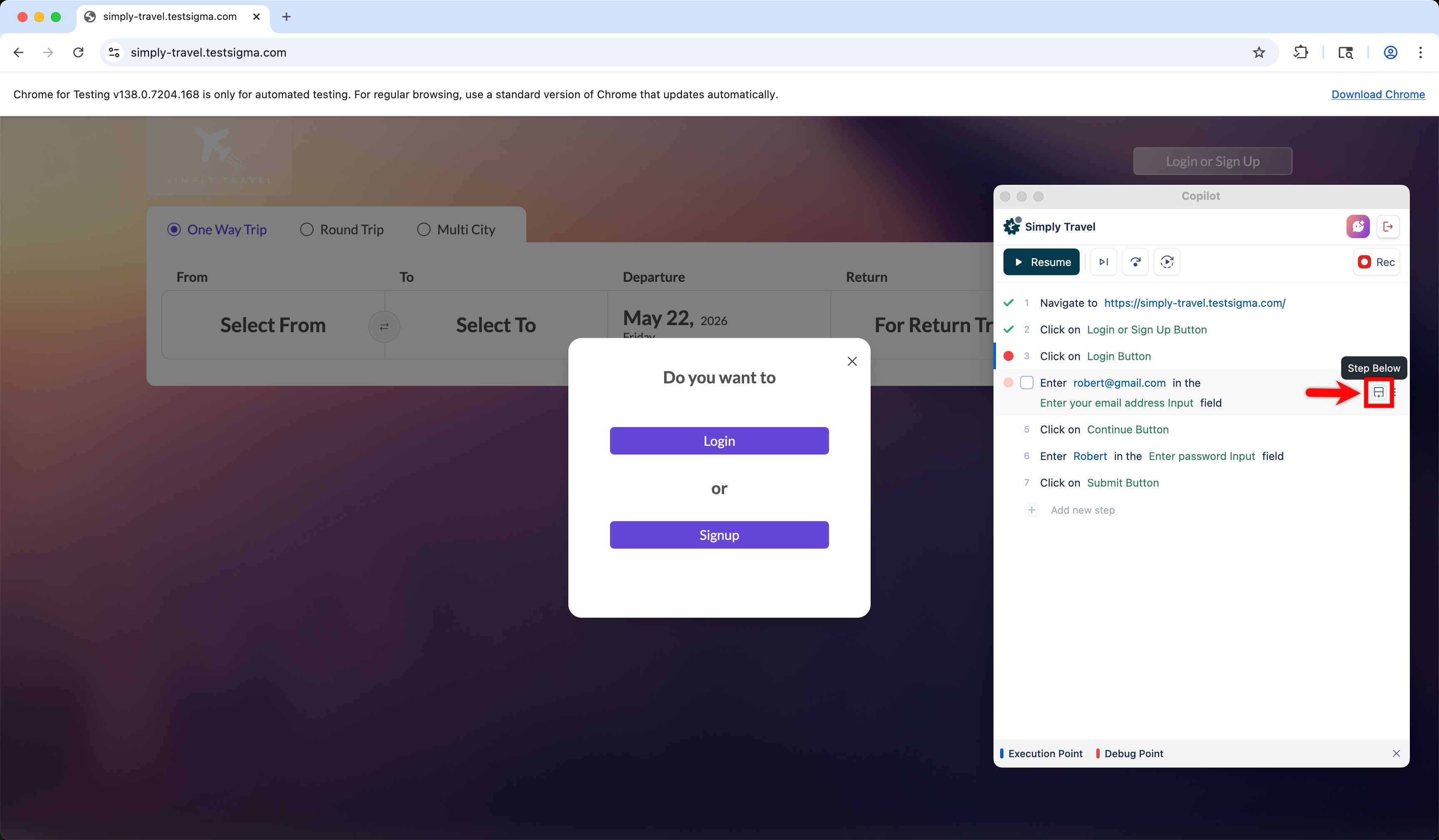
- In the Copilot dialog, hover over the step where you want to insert a new step and click Step Below.
- Start typing the step to view the list of matching NLPs. Select the required NLP and configure it as needed.
- Update the step with required elements and test data, and click Create Step.

Want to contribute or report missing content?