- Testsigma Agent
 Pre-requisites
- Setup: Windows, Mac, Linux
- Setup: Kubernetes (Helm)
- Setup: Android Local Devices
- Setting Up iOS Local Devices
- Arguments Usage Details
- Agent Upgrade Guide
- Update Agent Manually
- Update Drivers Manually
- Delete Corrupted Agent
- Delete Agents: Soft & Permanent
- Triggering Tests on Local Devices
- FAQs
- troubleshooting
- How to Fix Agent Startup & Registration Errors?
- How to Configure Agent Logs?
- How to Upgrade Testsigma Agent Automatically?
- How to Add Max Sessions for Agents?
- How to Resolve Access Blocked Errors When Downloading the Agent?
- Why is Testsigma Agent Not Detecting My Installed Browser?
- How do I Configure Proxy Settings for the Testsigma Agent?
Testsigma Agent Upgrade Guide
You can upgrade Testsigma Agent automatically or manually when a new version is available. Automatic upgrades are enabled by default to ensure the agent always runs the latest version. If you prefer more control, you can switch to manual upgrades and choose when to install updates. This article discusses how to upgrade Testsigma Agent both automatically or manually.
Prerequisites
Before you begin, ensure that you have referred to the documentation on setting up the Testsigma Agent on your local machine.
Upgrade Agent Automatically
- Navigate to Agents > Agent > Settings > Agent upgrade settings to access upgrade settings.
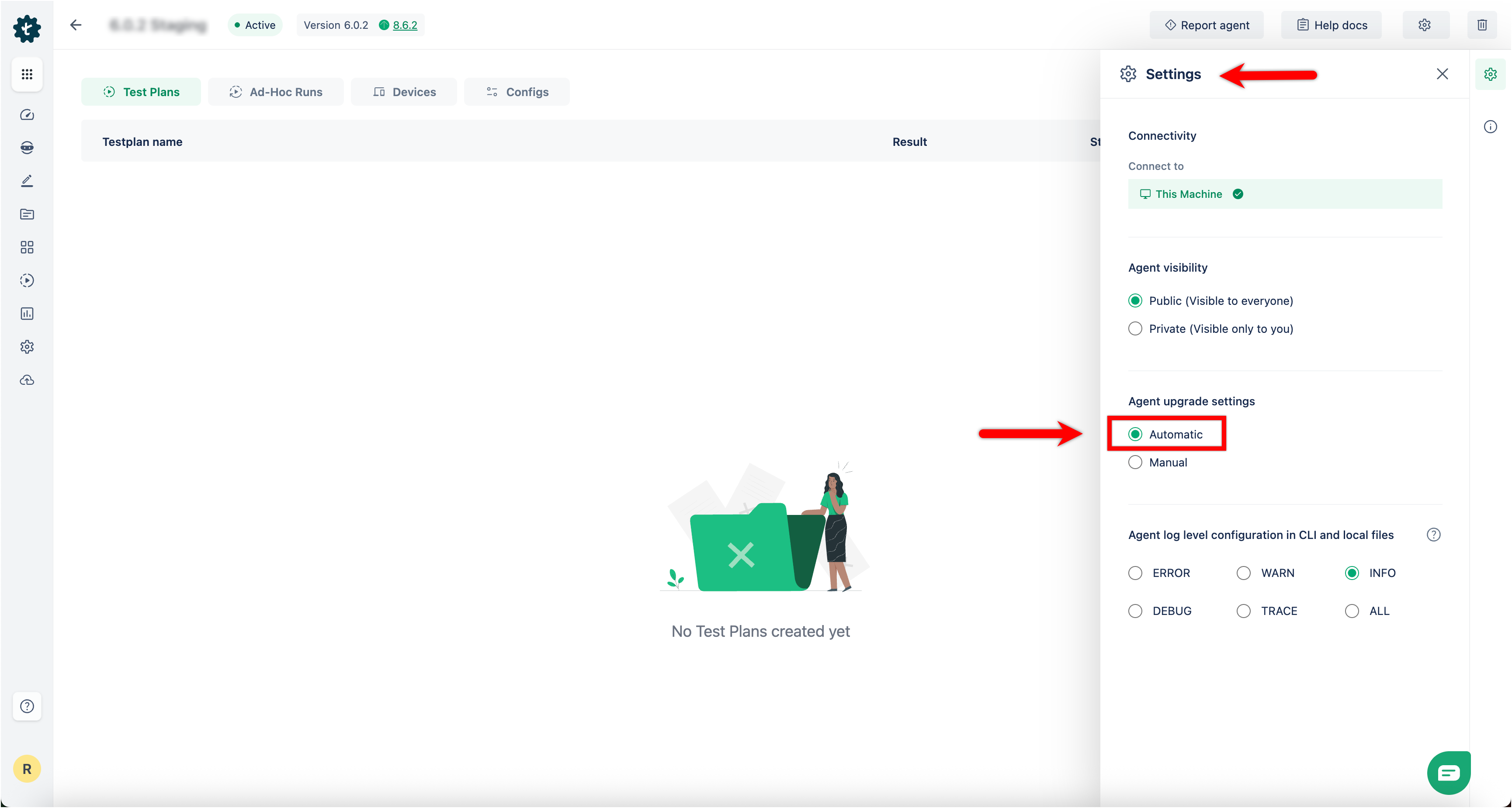
- Automatic upgrade is enabled by default and the agent upgrades itself when a new version is released.
- Automatic upgrades ensure that the agent always runs with the latest features, improvements, and security patches.
- No manual action is required.
Upgrade Agent Manually
You can switch to manual upgrades if you want to control when the agent updates.
- Navigate to Agents > Agent > Settings > Agent upgrade settings to access upgrade settings.
- Select Manual under Agent upgrade settings.
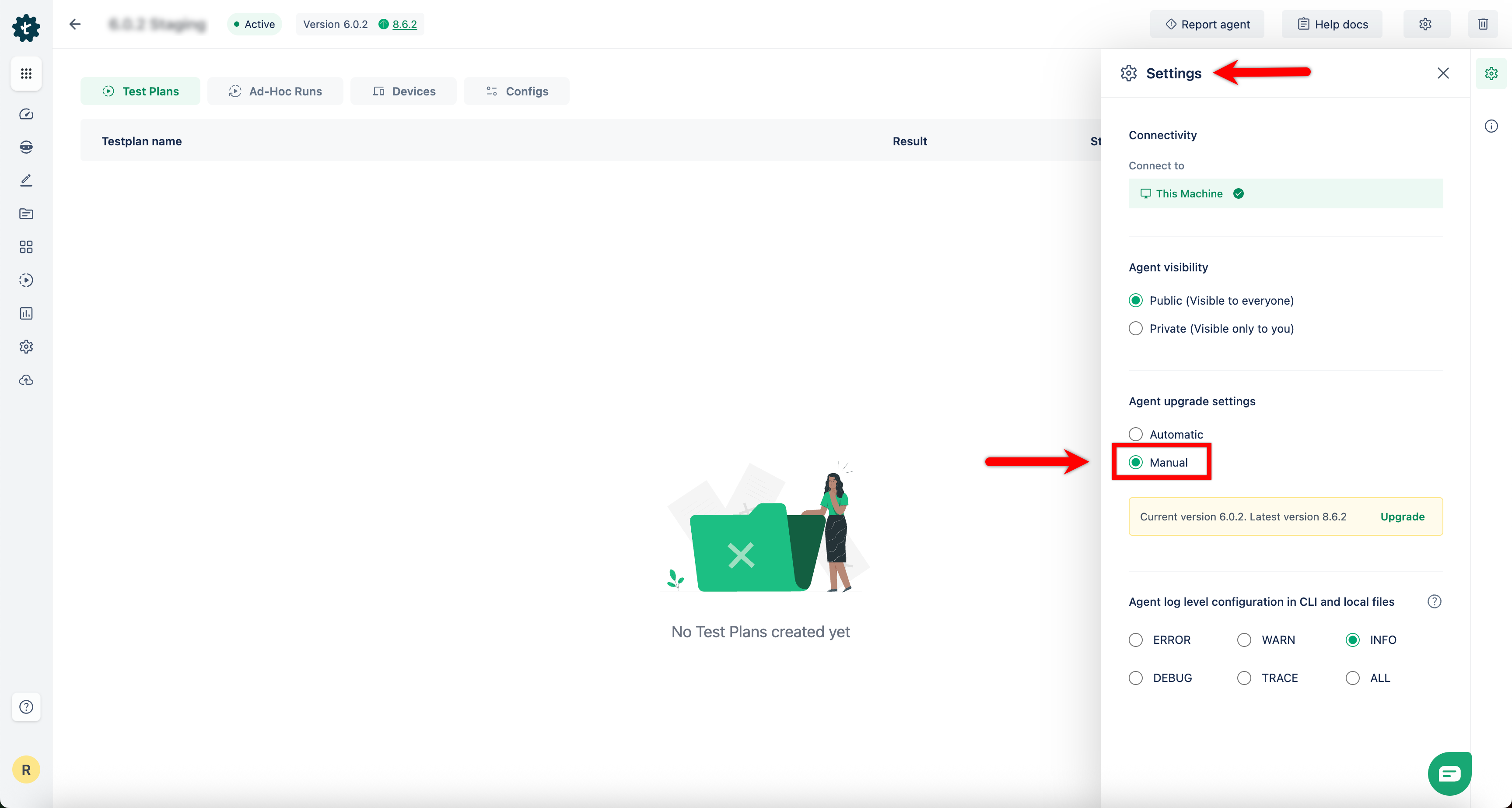
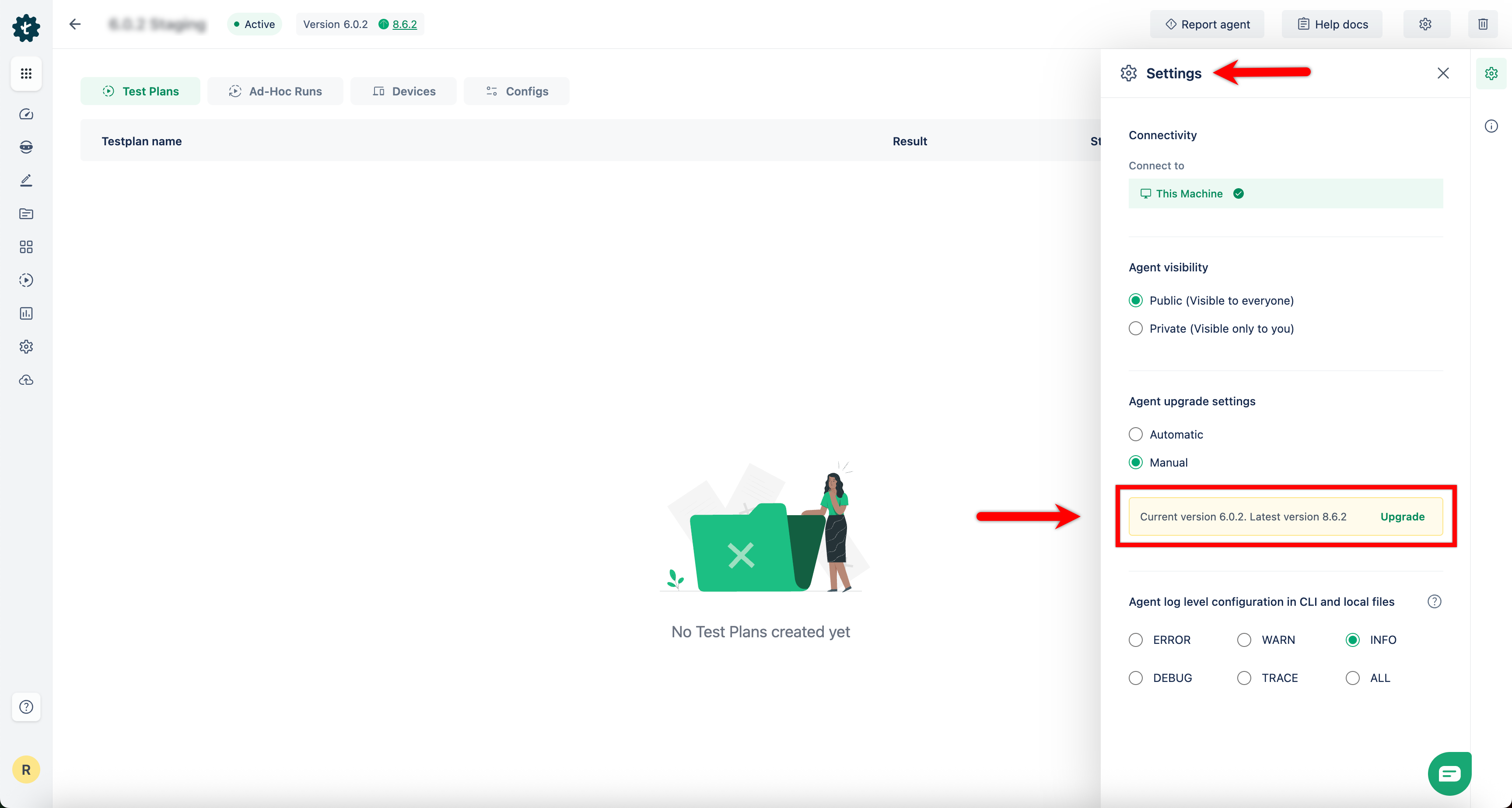
- When a new version is available, the UI shows a notification such as: Current version: X.Y.Z. Latest version: A.B.C
- Click Upgrade to install the latest version.
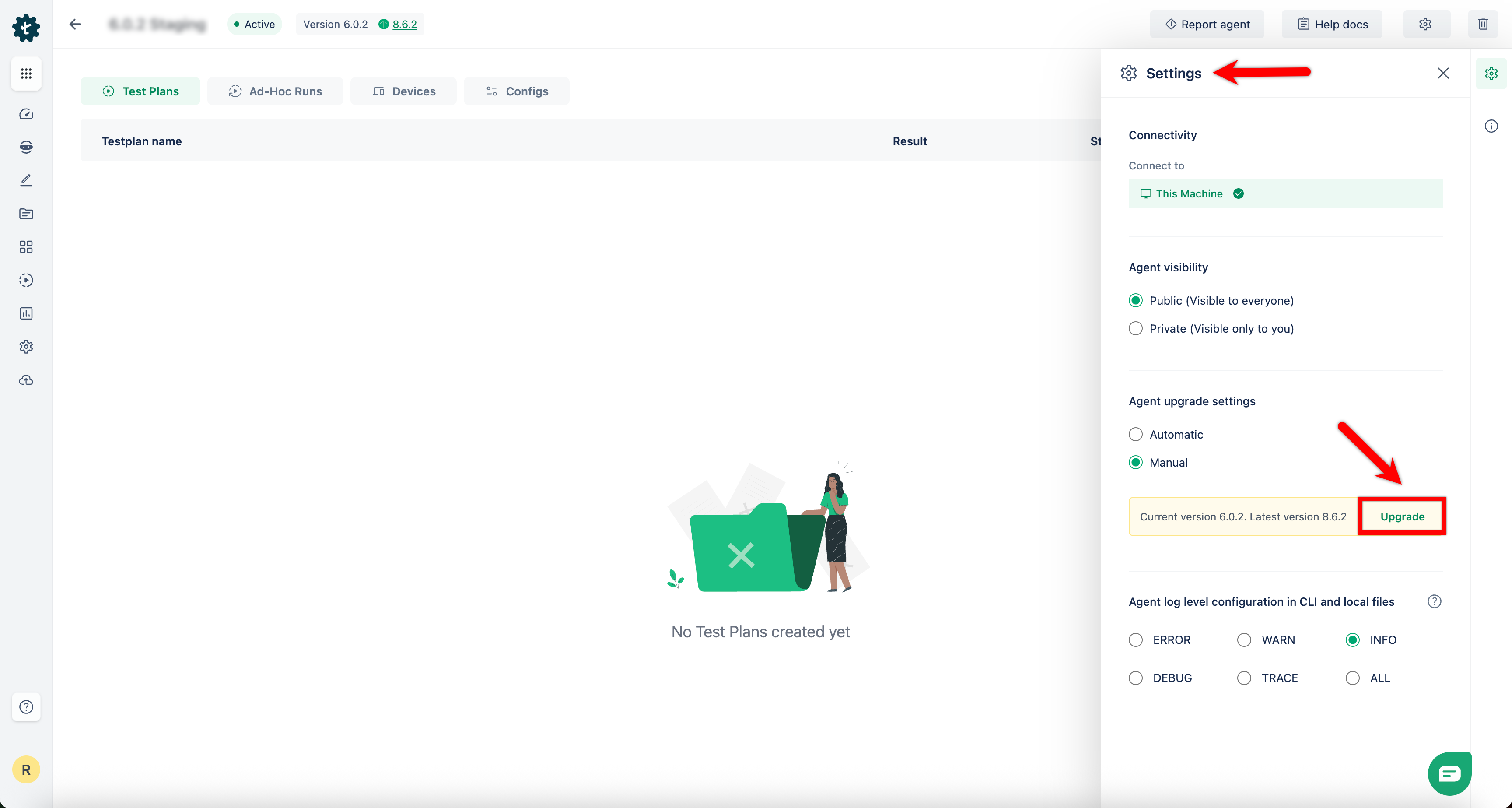
If a new upgrade becomes available during an execution, the upgrade does not start until the execution finishes. The agent upgrades automatically after the execution completes.

Want to contribute or report missing content?