- Testsigma Agent
 Pre-requisites
- Setup: Windows, Mac, Linux
- Setup: Kubernetes (Helm)
- Setup: Android Local Devices
- Setting Up iOS Local Devices
- Arguments Usage Details
- Agent Upgrade Guide
- Update Agent Manually
- Update Drivers Manually
- Delete Corrupted Agent
- Delete Agents: Soft & Permanent
- Triggering Tests on Local Devices
- FAQs
- troubleshooting
- How to Fix Agent Startup & Registration Errors?
- How to Configure Agent Logs?
- How to Upgrade Testsigma Agent Automatically?
- How to Add Max Sessions for Agents?
- How to Resolve Access Blocked Errors When Downloading the Agent?
- Why is Testsigma Agent Not Detecting My Installed Browser?
- How do I Configure Proxy Settings for the Testsigma Agent?
How to Upgrade Testsigma Agent Automatically?
Testsigma can download and install the agent automatically if there's a higher version available for installation. This article discusses how the agent is upgraded automatically in Testsigma.
Prerequisites
Before you begin, ensure that you have referred to:
Steps to Upgrade Testsigma Agent Automatically
- Start Testsigma agent. For more information, refer to the documentation on starting agent as a process.
-
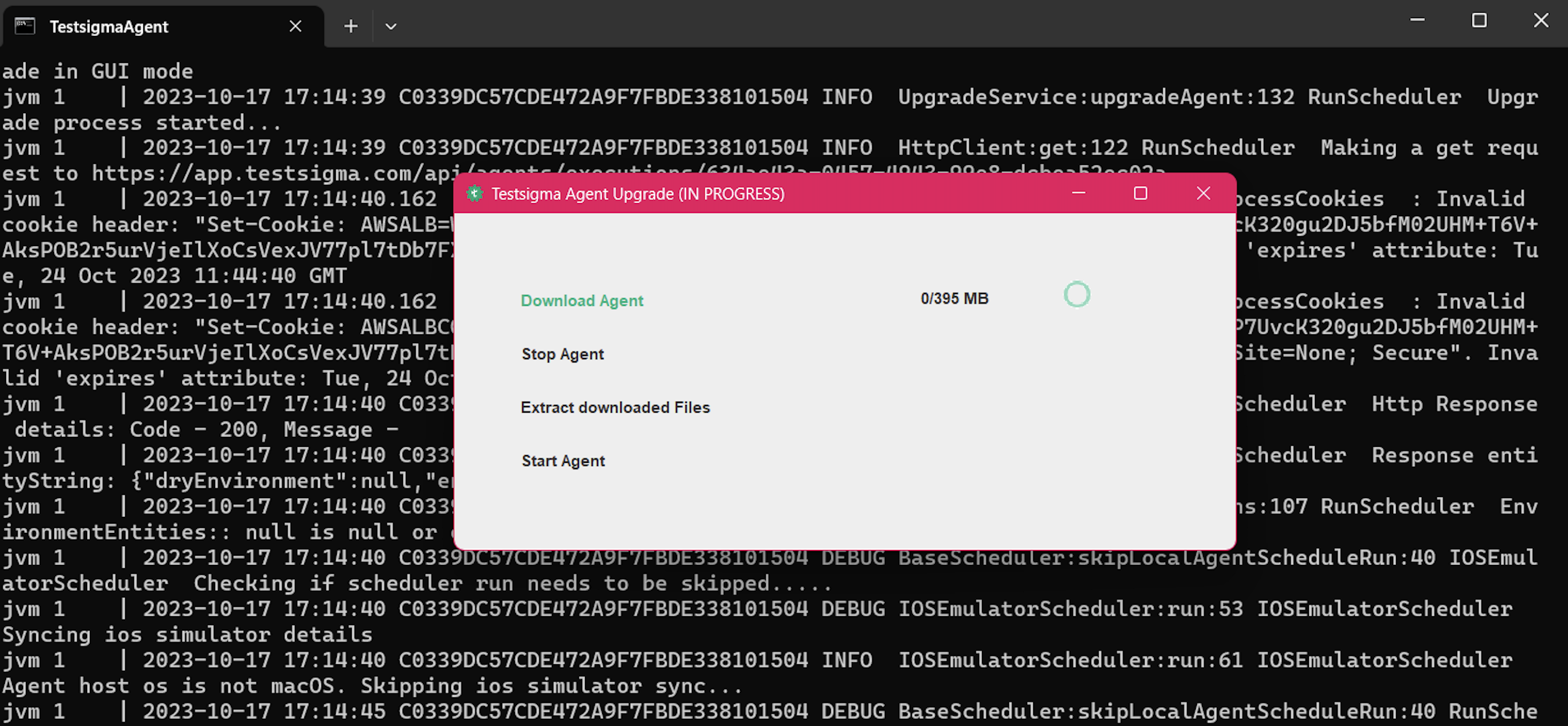
Once you start the agent, if a higher version is available, it'll automatically download the agent.
NOTE:
-
You'll get the following message if there's an interruption in the network.
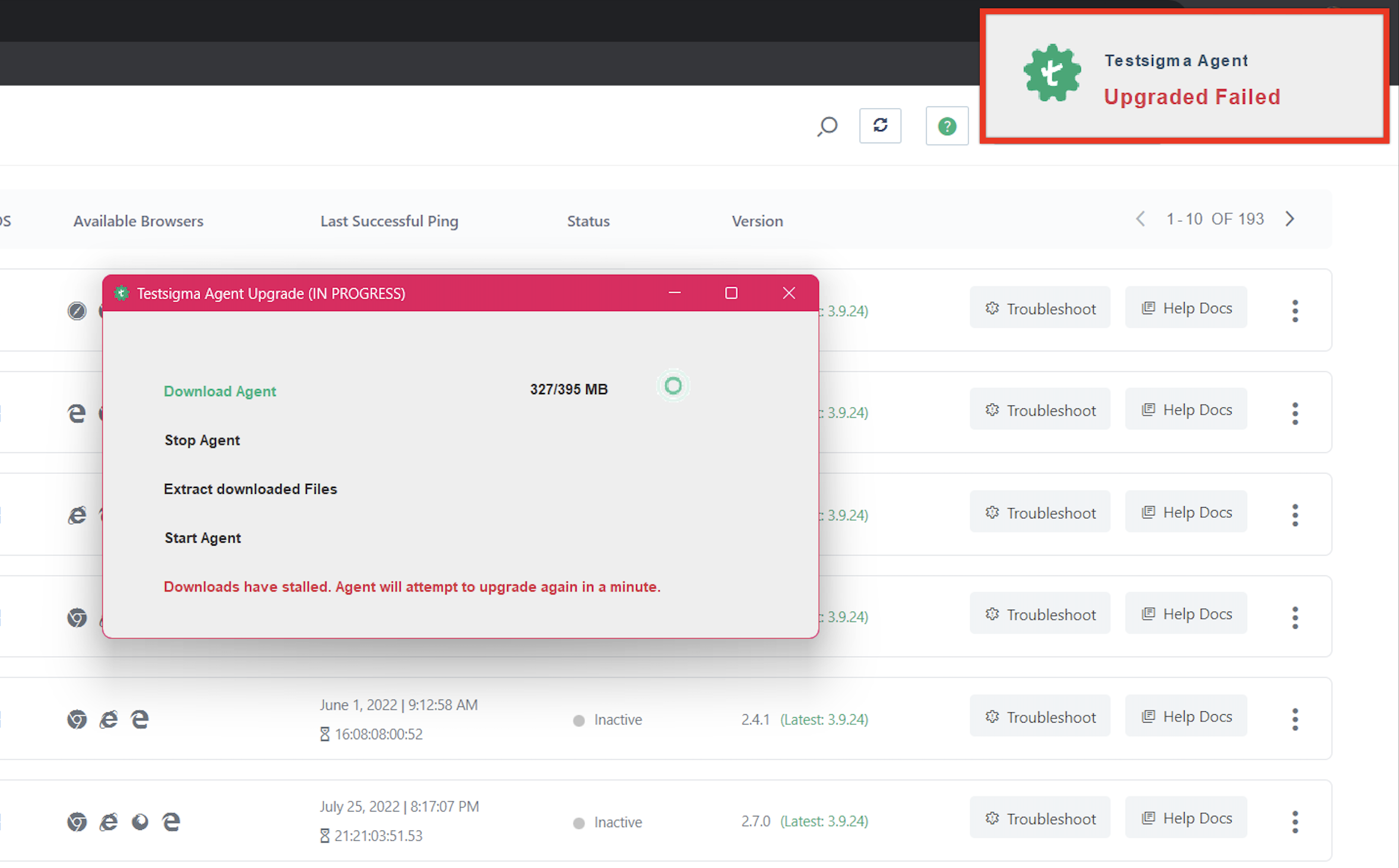
- Once the network is stable, the download will start from the beginning once again.
-
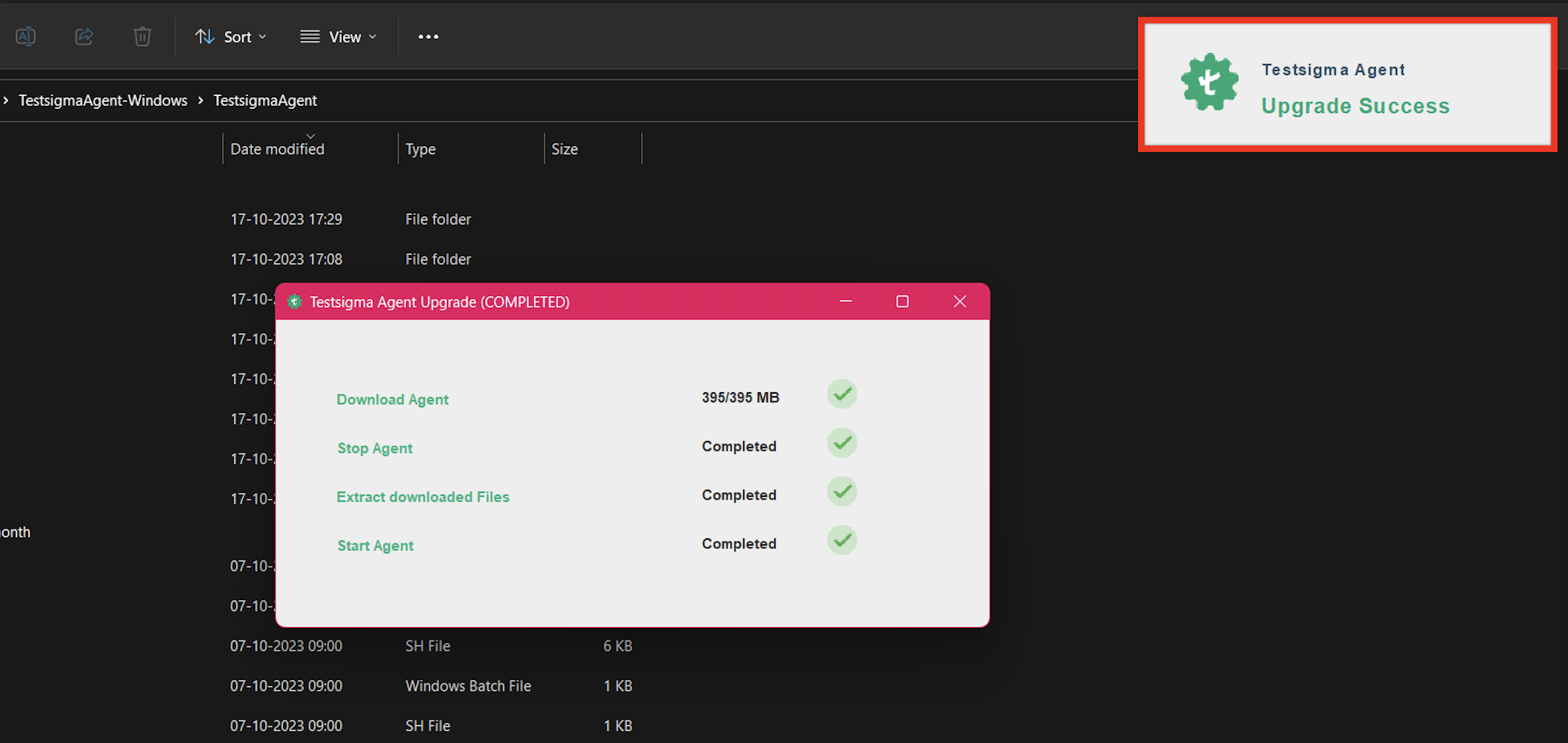
Post download, the agent will start automatically, and you'll get the Upgrade Success message.

Want to contribute or report missing content?