- web apps
 Why Install Chrome Extension?
- Steps to Test Locally Hosted Apps
- How to Turnoff Onboading Tutorial?
- Non-Text Keys in Test Cases
- Basic Authentication for Web
- Why Bypass CAPTCHA?
- Test Case Failures Due to Link Text Capture Issues
- Why Is a Single Video for All Test Cases in a Test Plan Unavailable in Some Cases?
- How to Handle Browser-Related Permission Issues?
- Why Can’t Selenium ChromeDriver Interact With 3DS Authentication Pages?
- What Should I Do If My Browser Blocks Local Network Access?
- Why Am I Getting an Error While Registering the Agent?
- Why Does the Try Again Error Appear While Installing the Testsigma Agent in a Proxy Environment?
- How to Enable IE Mode in Microsoft Edge?
- mobile apps
- Apple Pay Automation with Testsigma
- How do I Enhance the Execution Speed for Mobile Native Apps?
- Why am I Facing Permission Error During Local Test Execution?
- How to Resolve App Launch Issues?
- Why does the iOS App Close Right After Opening in Testsigma?
- How to Execute Android/iOS Tests in Emulators/Simulators?
- Why Does Scroll to Element Fail in Mobile Native Apps and How Do I Fix It??
- FAQs on Unified Mobile
- general
- Why am I Unable to Download the XLS File from the Edge Browser?
- How to Handle Browser-Related Pop-Up Issues?
- How to Handle Text-Based CAPTCHA in Testsigma?
- Why does Test Execution Fail with the Error No Route to Host?
- Why do Errors Occur When I Try to Download Files from The Exports Page?
- How to Test Flutter Apps Using Accessibility Mode?
- How to Add Multiple Runtime Variables in Data Generator Functions?
- How to Insert Test Data in RAW Body for POST API?
- What is Chrome for Testing and How Does it Work?
- How Can I Set Up Authenticator-Based Authentication in Testsigma?
- How to Update an Excel File in Testsigma Uploads?
- What Causes Longer Automation Test Execution Times in a Test Plan?
- How Do I Retrieve the OTP When it’s Embedded within HTML Tags?
- How to Configure the OracleDB Add-on in Testsigma?
- FAQs on Classic & Modern Engines
Why Can’t Selenium ChromeDriver Interact With 3DS Authentication Pages?
When you navigate to 3D Secure (3DS) authentication pages such as Visa or Mastercard, Selenium on Chrome or Edge may freeze or time out during execution.
Why This Happens
3DS authentication screens load a third-party iframe that runs continuous background scripts from the payment gateway.
Inside these iframes:
- Long-running JavaScript and postMessage listeners are always active.
- Messages are continuously exchanged with the payment provider.
- The browser keeps processing events and never reaches a fully loaded state.
As a result:
- ChromeDriver waits indefinitely for the page to finish loading
- The pageLoad event never completes
- Selenium becomes unresponsive after navigation
To prevent Selenium from waiting indefinitely, you need to add a desired capability to your test case that stops ChromeDriver from waiting for the full page load.
This article discusses how to add the desired capability to the test case.
Steps to Add the Desired Capability to the Test Case
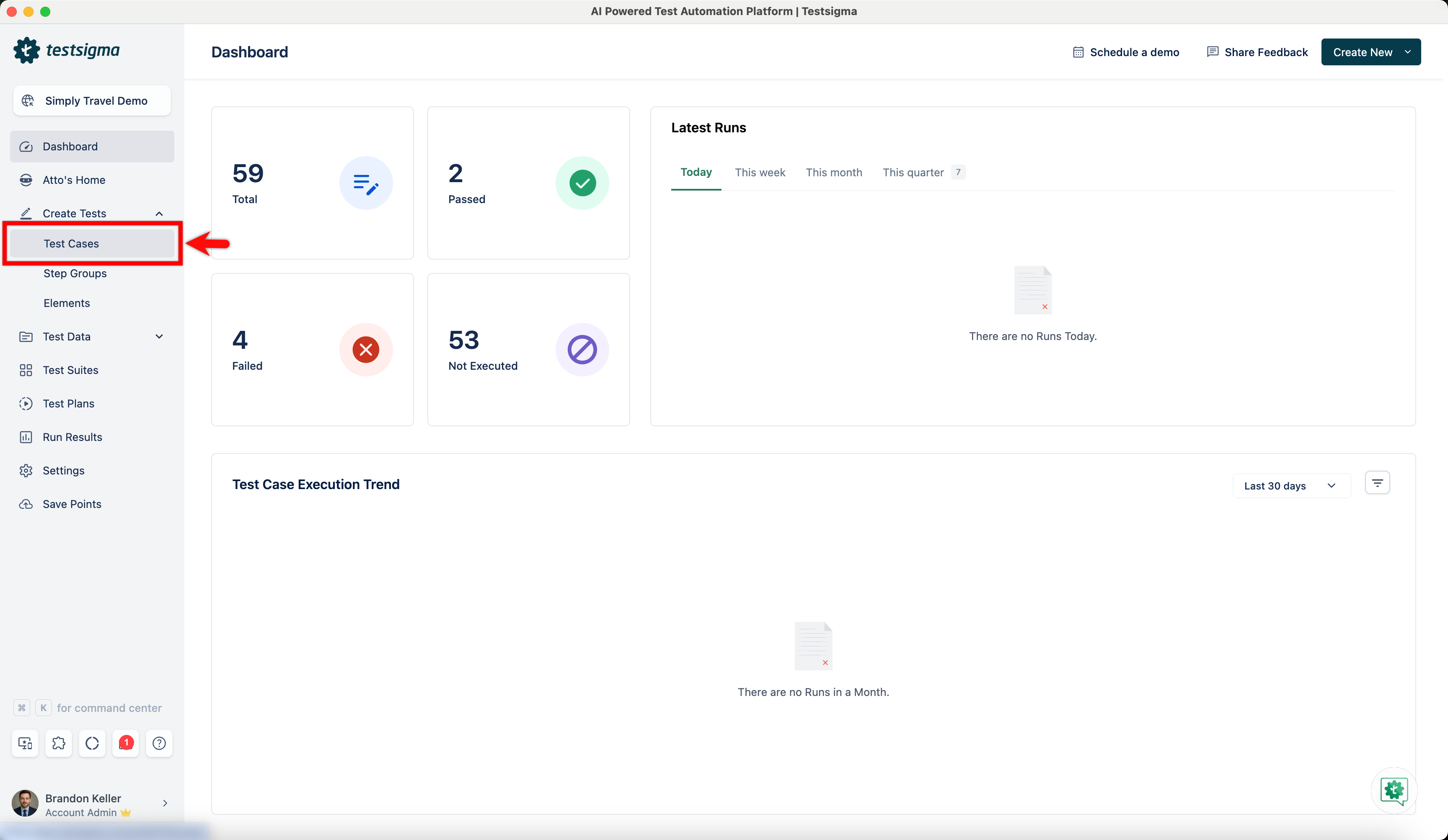
- From the left navigation bar, go to Create Tests > Test Cases.
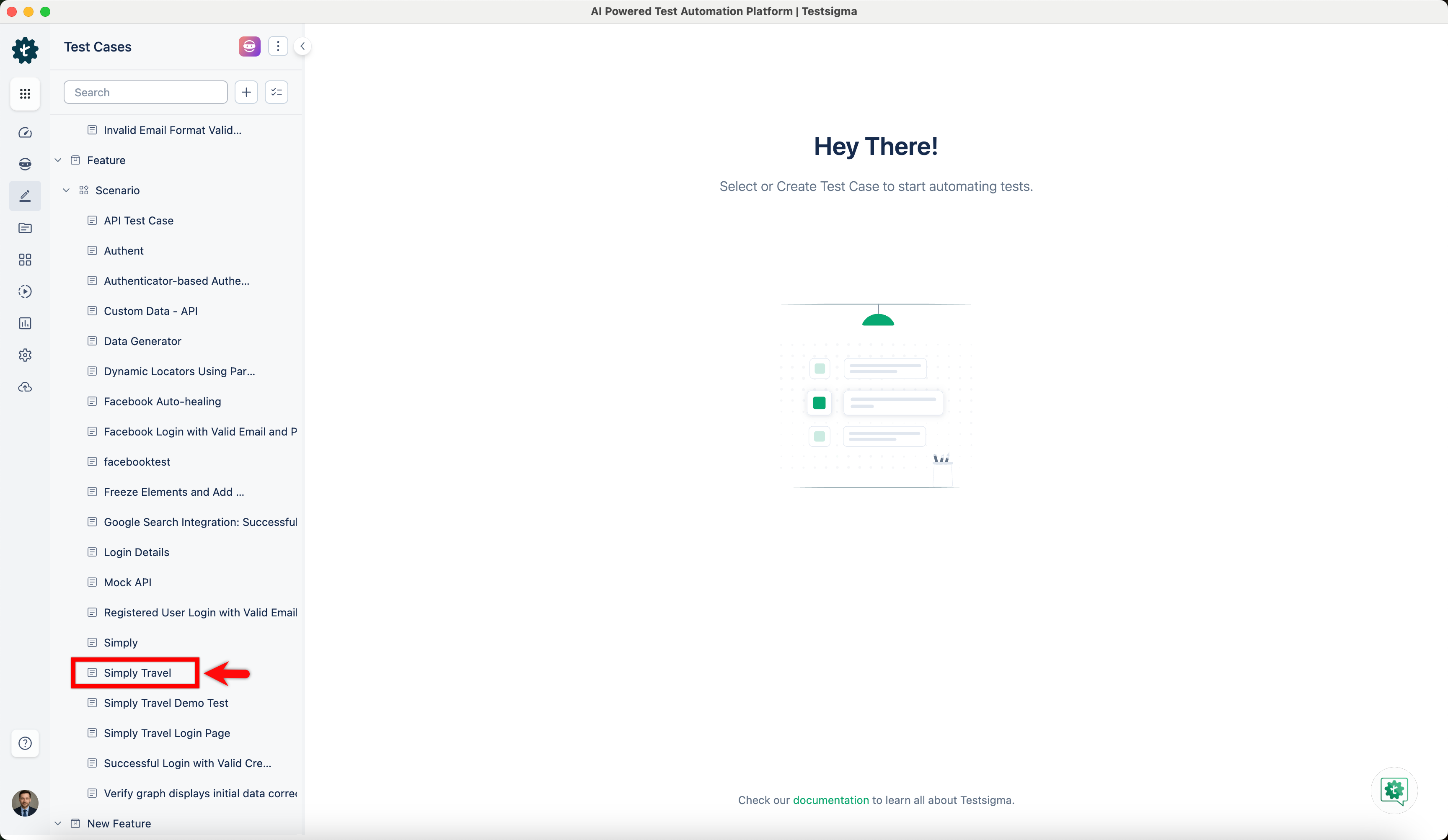
- In the Test Case Explorer section, expand a Feature and a Scenario and select the required test case.
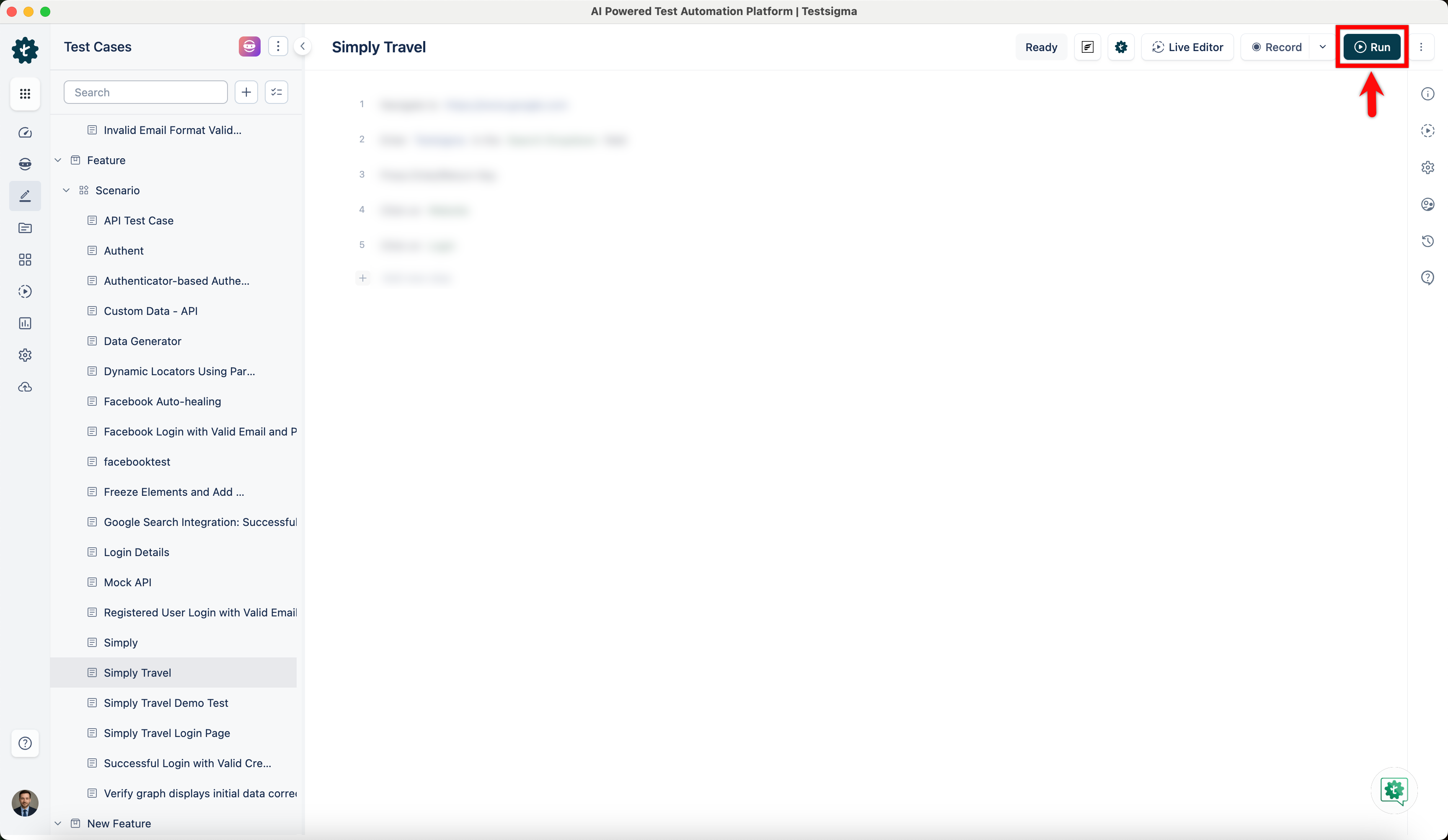
- In the Test Case Details page, click Run.
-
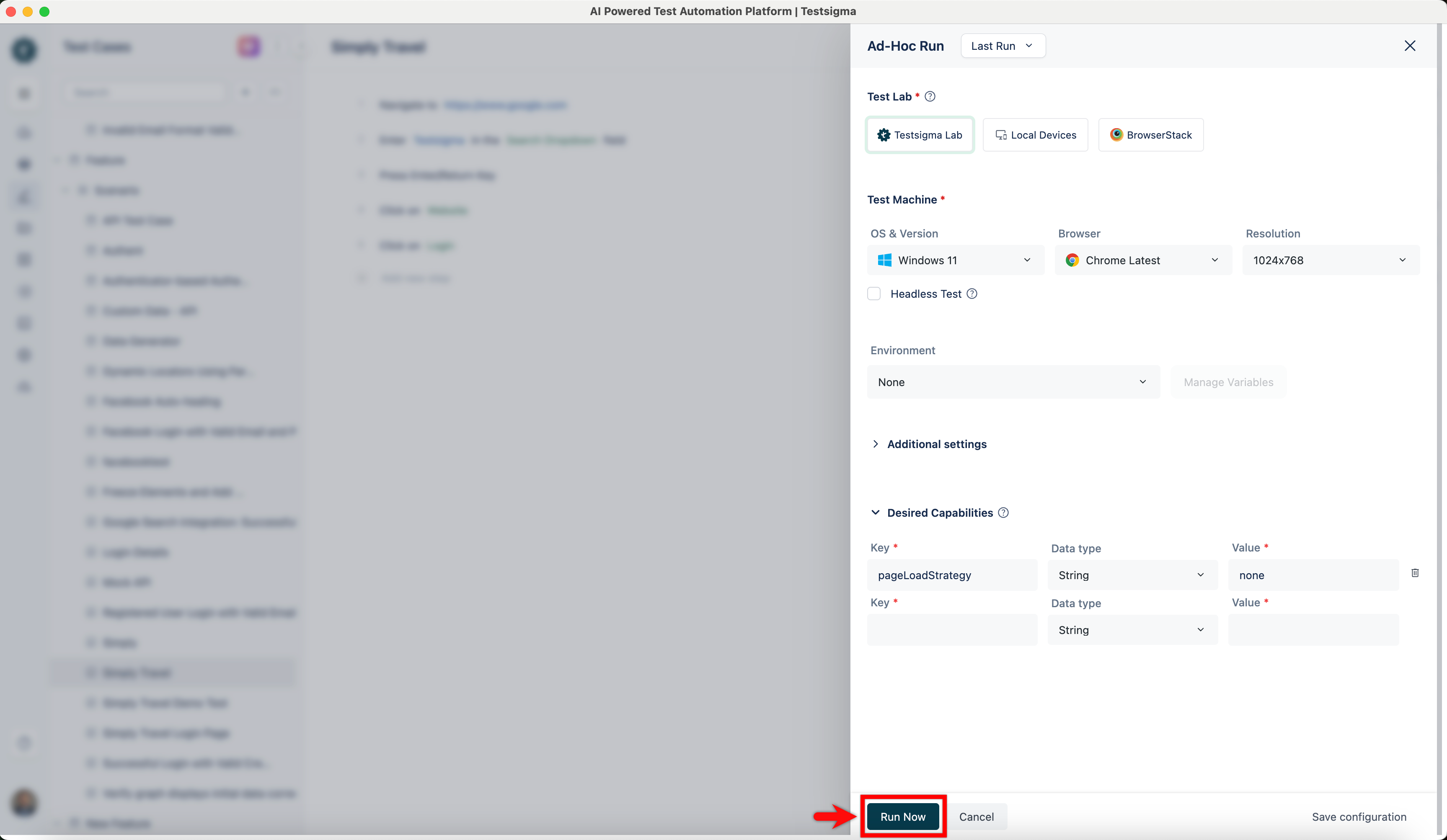
In the Ad-Hoc Run overlay, expand the Desired Capabilities section, enter the following:
Key Data Type Value pageLoadStrategy String none 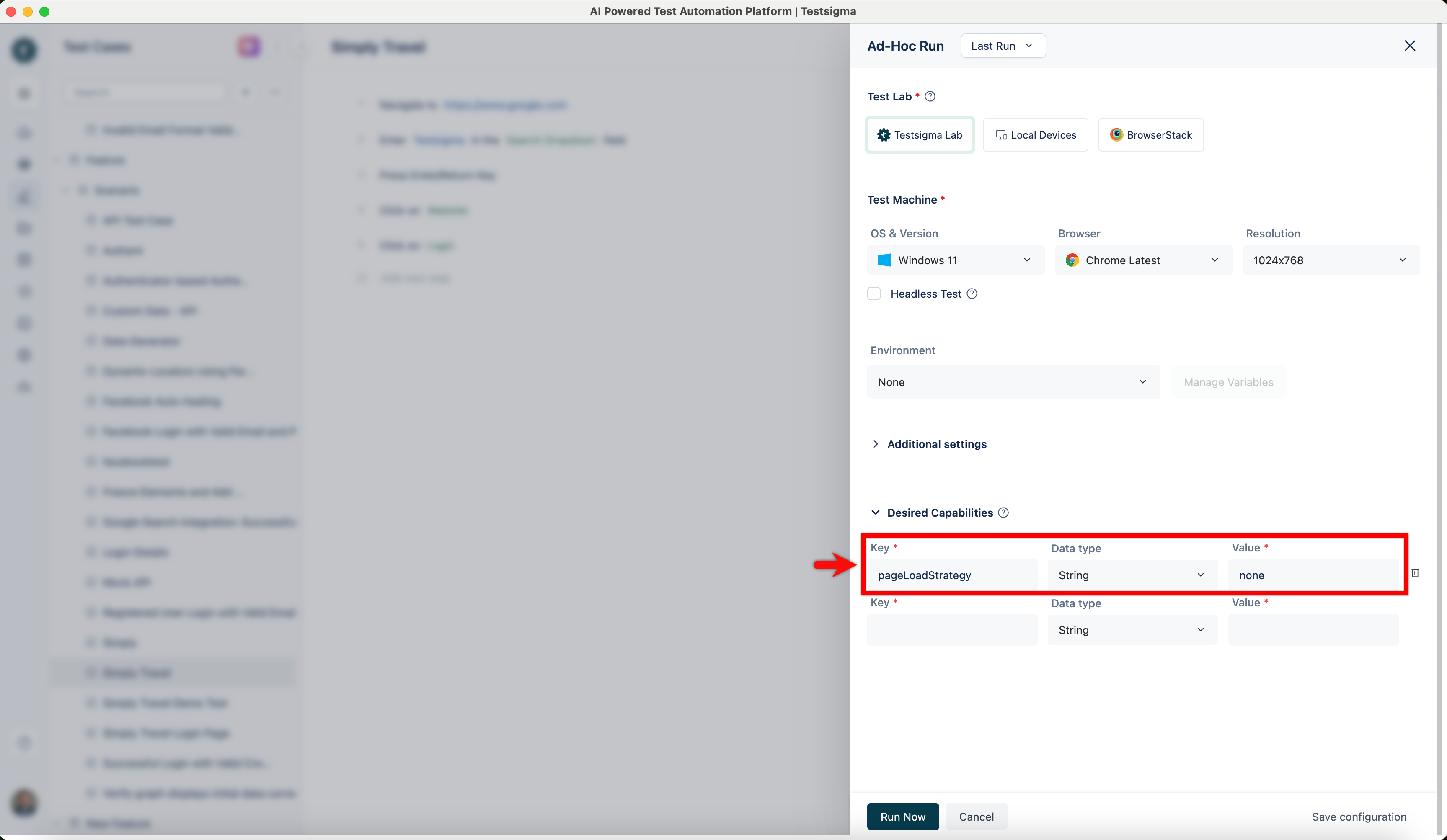
- Click Run Now.

Want to contribute or report missing content?