- auto healing
 Introduction: Auto-Healing
- Enable the Auto-Healing Feature
- AI-Enabled Auto-Healing for Web Applications
- AI-Enabled Auto-Healing for Salesforce Applications
- AI-Enabled Auto-Healing for Mobile Applications
- Auto-healing for AI-Generated Test Cases
- Using Auto-Healing in Copilot Test Execution
- Auto-Healing Insights
AI-Enabled Auto-Healing for Mobile Applications
Testsigma’s AI-Enabled auto-healing automatically detects and fixes broken element locators caused by UI changes during mobile test execution. This article discusses how auto-healing identifies and updates element locators while executing mobile test cases.
Prerequisites
Before you begin, ensure that you have referred to:
Use Case for Auto-Healing
Let’s say we are testing a login page for https://simply-travel.testsigma.com/.
Here are the steps to produce:
- Launch App.
- Tap on Login.
- Enter demo@gmail.com in the Enter email address field.
- Enter Demo@123 in the Enter password field.
- Tap on Continue.
Consider that the XPath for the Enter email address button on step 3 changed from emai to //android.widget'.EditText[@resource-id="email"].
When executing the test case with the Auto Healing feature enabled, the test lab will successfully locate the element using the new XPath.
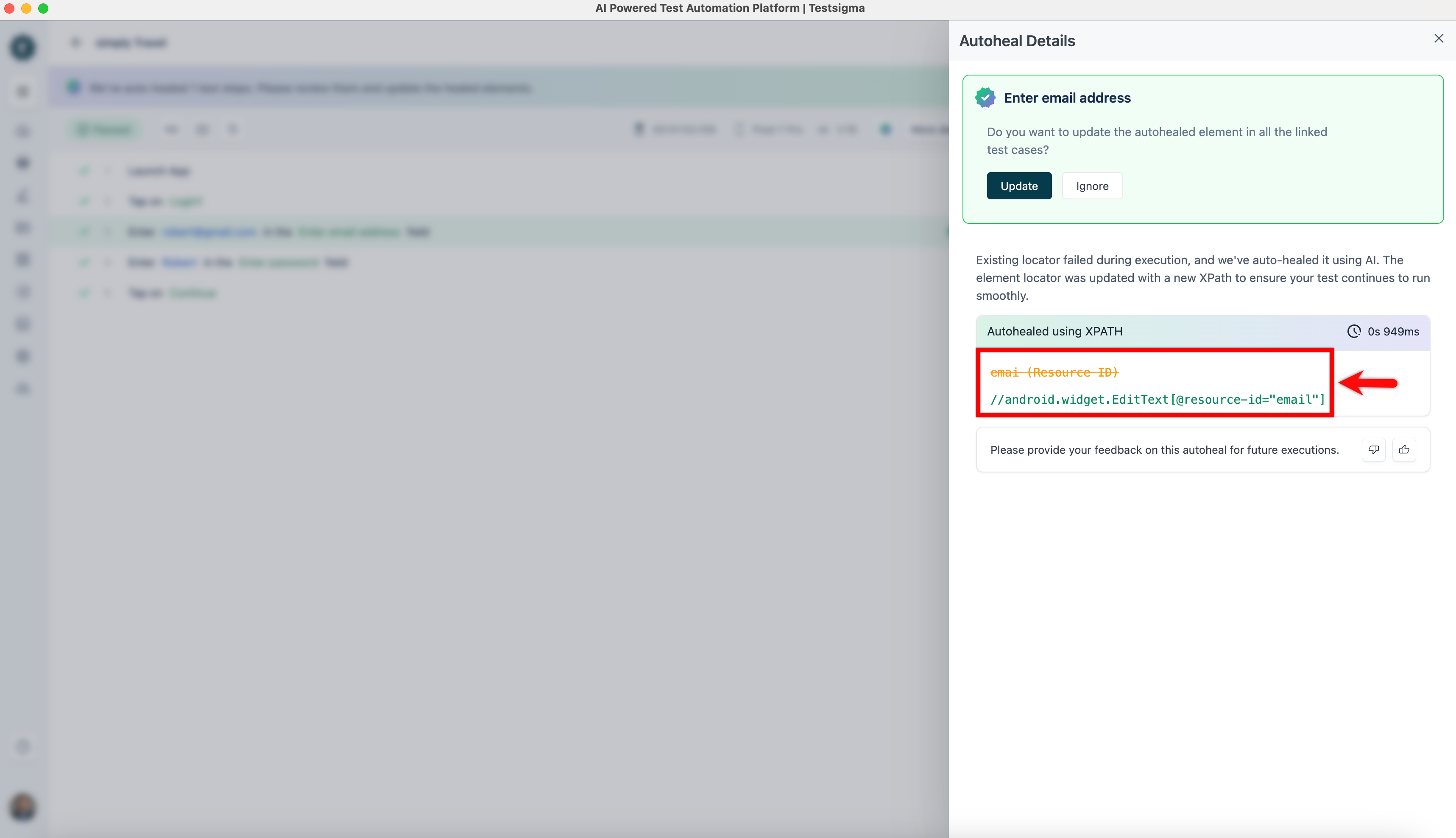
Auto-Healing Insights
Once the test execution is complete, please refer to the documentation on Auto-Healing Insights to view the auto-healing results and learn how to update the element locator.

Want to contribute or report missing content?