- auto healing
 Introduction: Auto-Healing
- Enable the Auto-Healing Feature
- AI-Enabled Auto-Healing for Web Applications
- AI-Enabled Auto-Healing for Salesforce Applications
- AI-Enabled Auto-Healing for Mobile Applications
- Auto-healing for AI-Generated Test Cases
- Using Auto-Healing in Copilot Test Execution
- Auto-Healing Insights
Enable the Auto-Healing Feature
Before running your tests, enable the Auto-Healing feature to keep them stable despite UI changes. It uses AI to detect and update outdated element locators automatically.
For broader and smarter healing, enable the Generative AI feature, which provides deeper locator analysis and improved coverage. If you don’t have access to it, contact Support via chat for assistance.
This article discusses how to enable the auto-healing feature.
Steps to Enable the Auto-Healing Feature
- Navigate to Settings > Preferences.
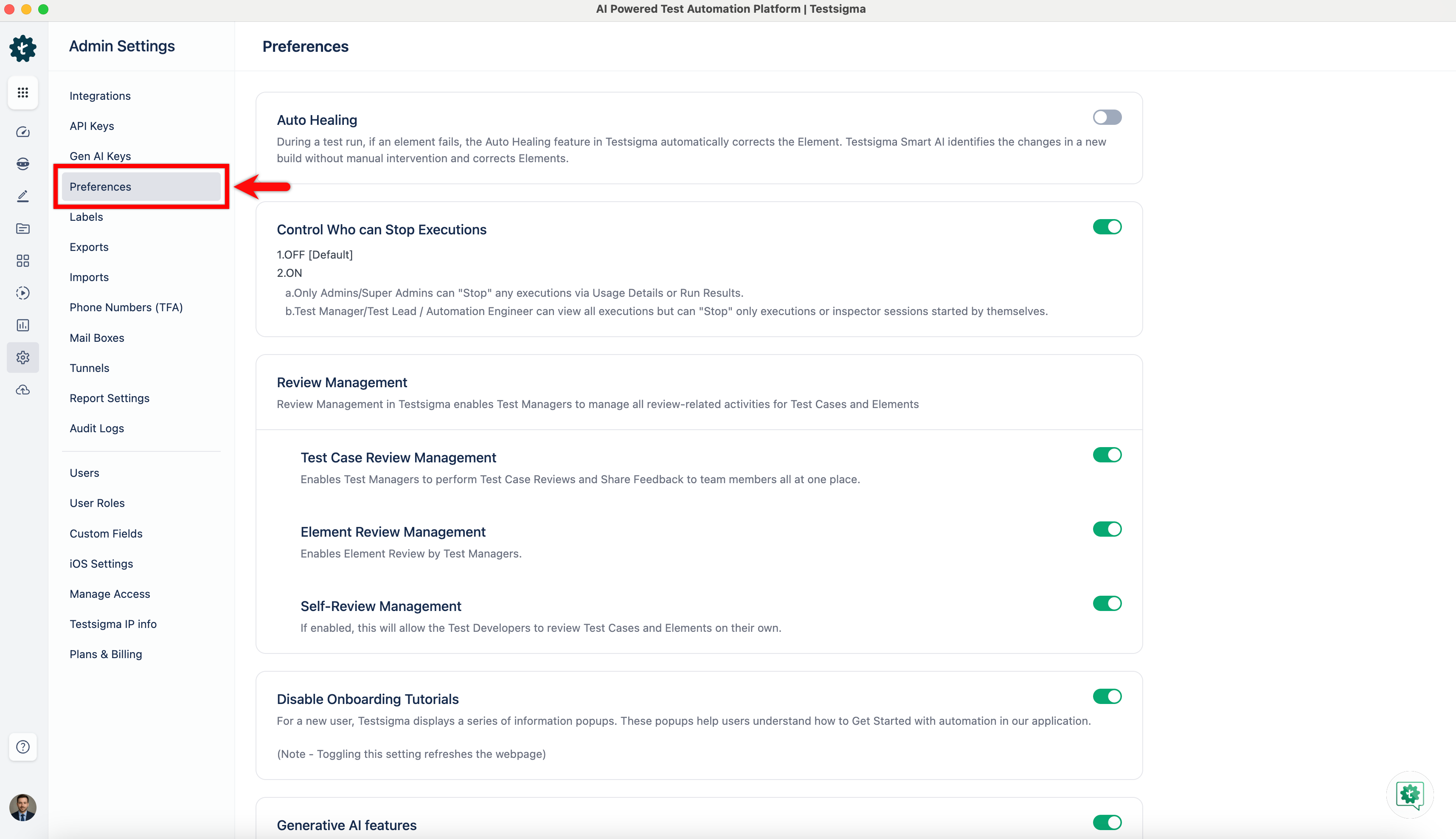
- On the Preferences page, enable the toggle on the Generative AI Autoheal widget.
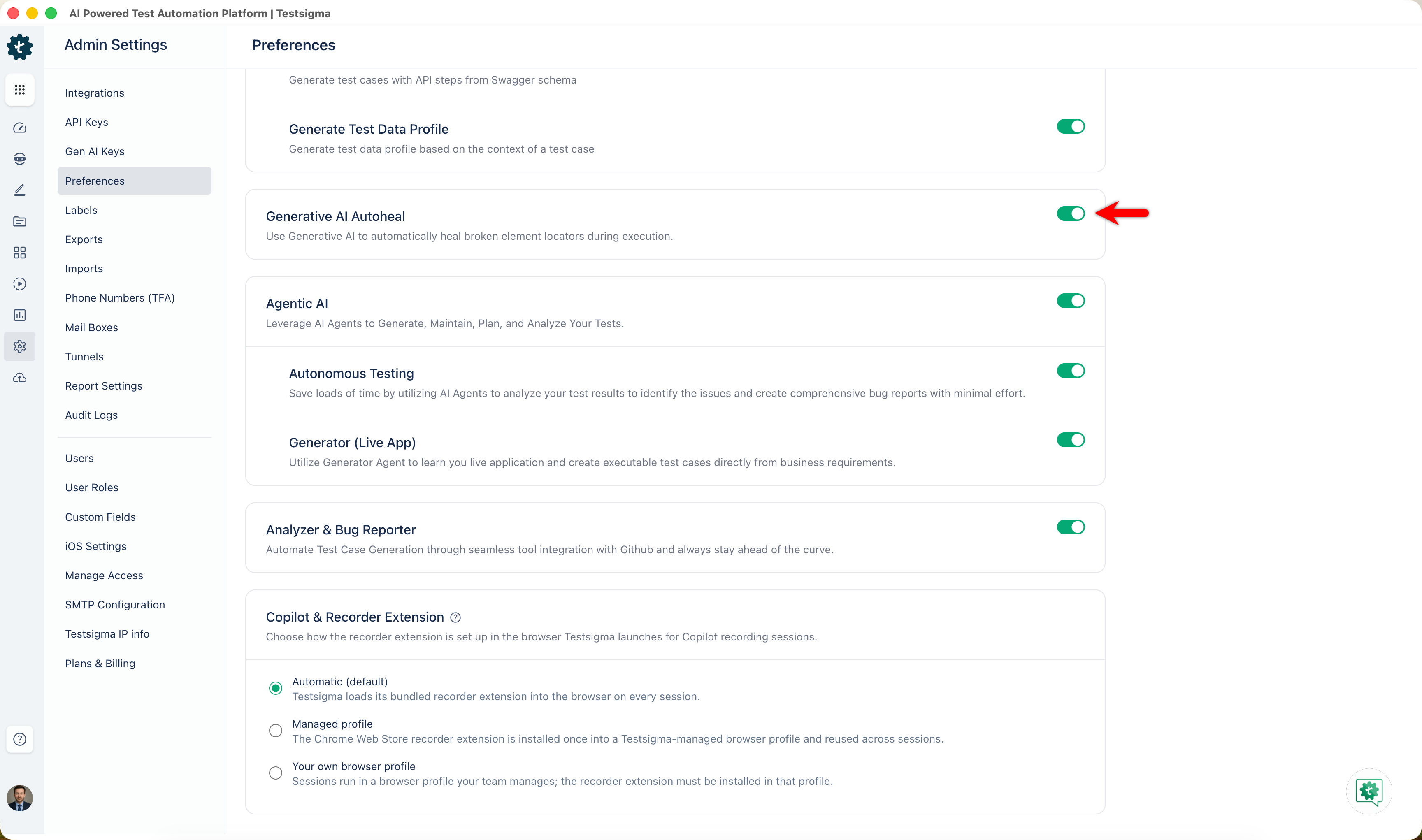
Your tests are ready to execute without manual intervention whenever there are changes in the build. The Auto Healing feature will automatically correct the elements.

Want to contribute or report missing content?