
Bug Reporter Agent in Testsigma
The Bug Reporter Agent in Testsigma streamlines bug reporting by allowing users to log bugs directly from the Analyzer Agent panel. It automatically captures necessary data like error type, root cause, recommended fixes, and visual evidence and attaches them to a new bug report. This eliminates manual effort in reproducing failures and enhances collaboration between QA and development teams by ensuring each issue is logged with complete and actionable context. This article discusses the Bug Reporter Agent in Testsigma.
Prerequisites
Before you begin, ensure the Analyzer Agent has reviewed at least one failed test step and a bug tracking tool is integrated with Testsigma.
Steps to Report a Bug
- From the left navigation bar, go to Run Results.
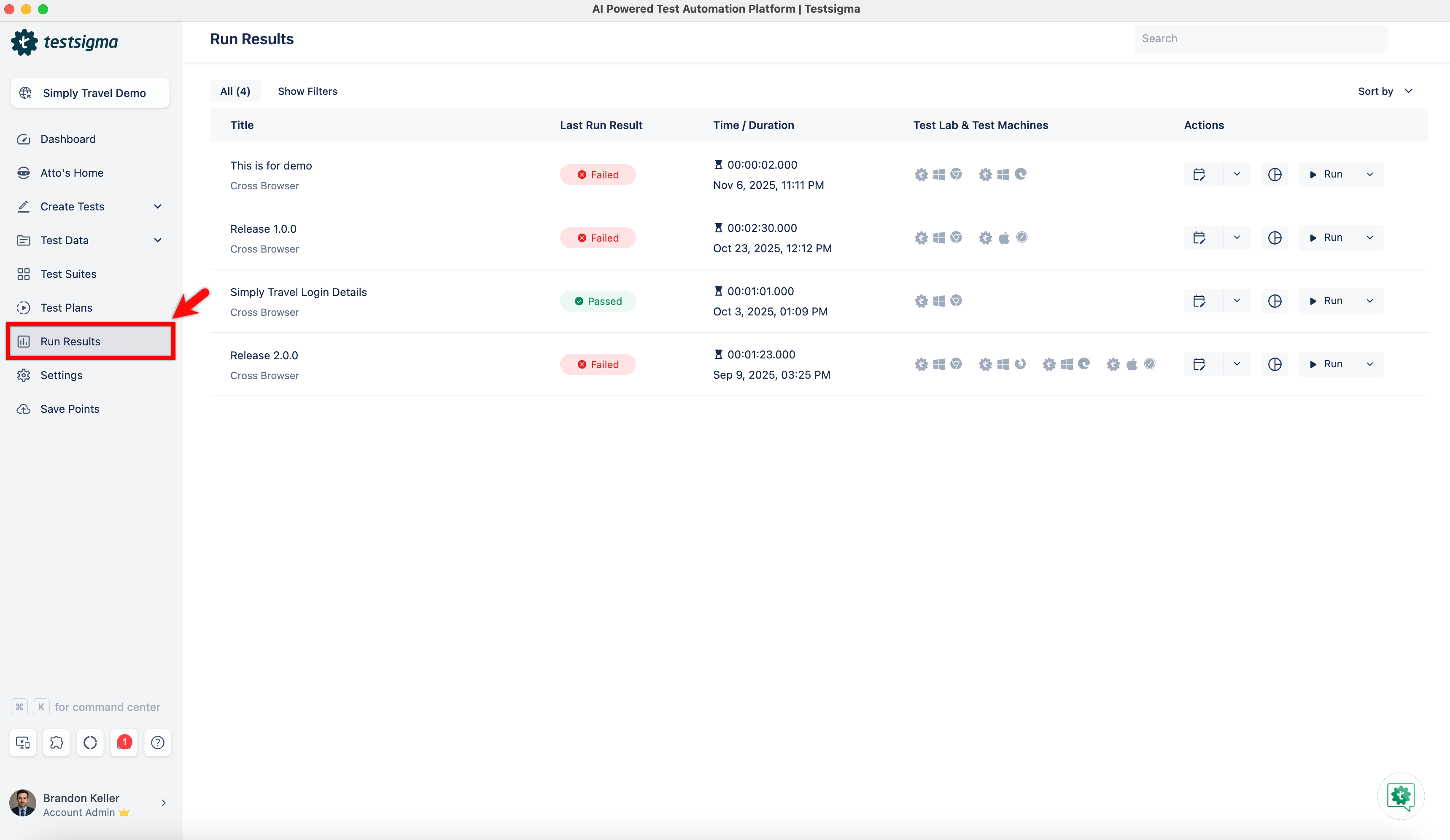
- Open the test plan that contains failed test cases.
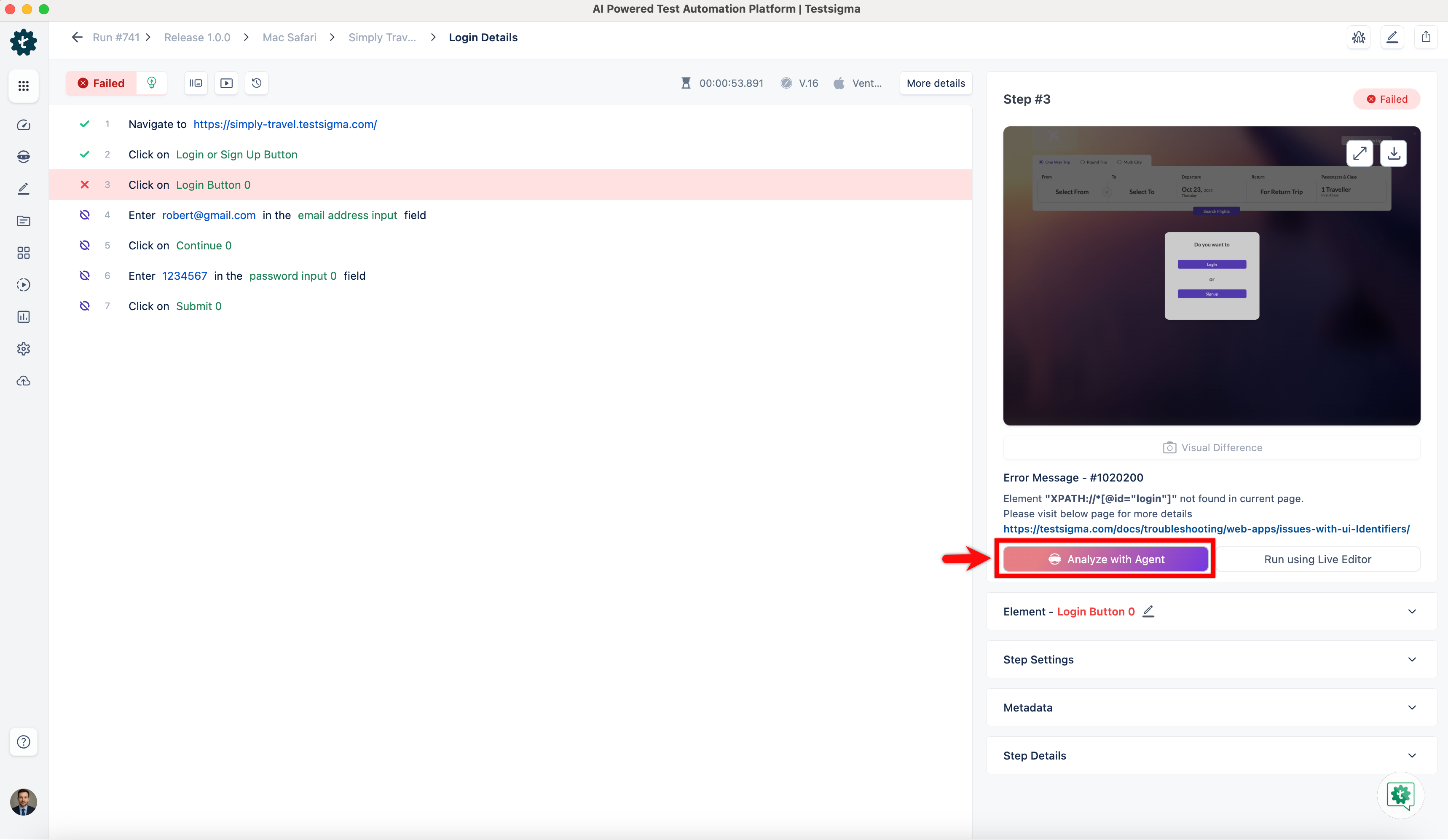
- Select a test case with a failed step and click the step to open its details.
- In the Step Details panel, click Analyze with Agent, and wait for the analysis to complete.
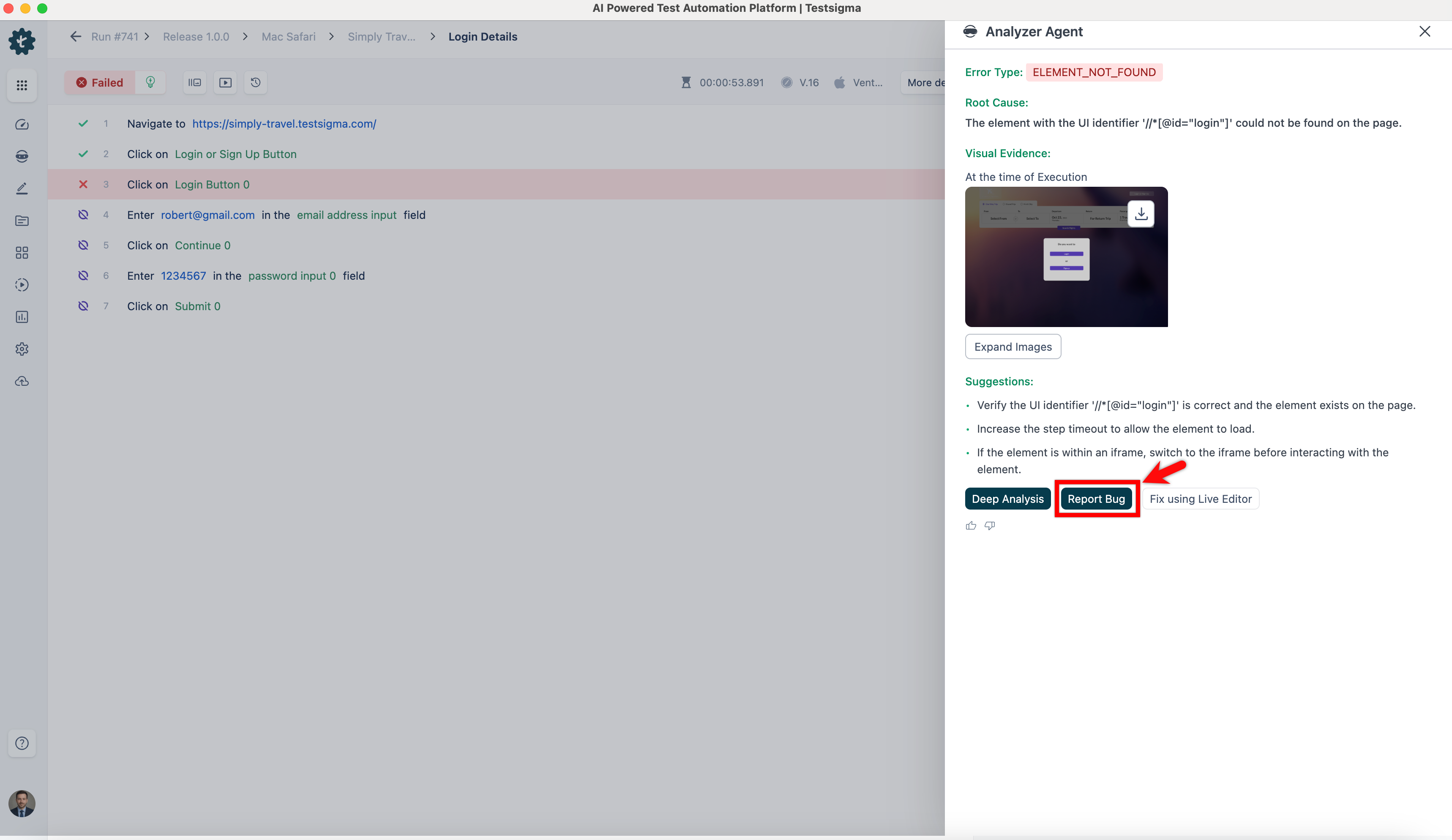
- In the Analyzer Agent overlay, click Report Bug.
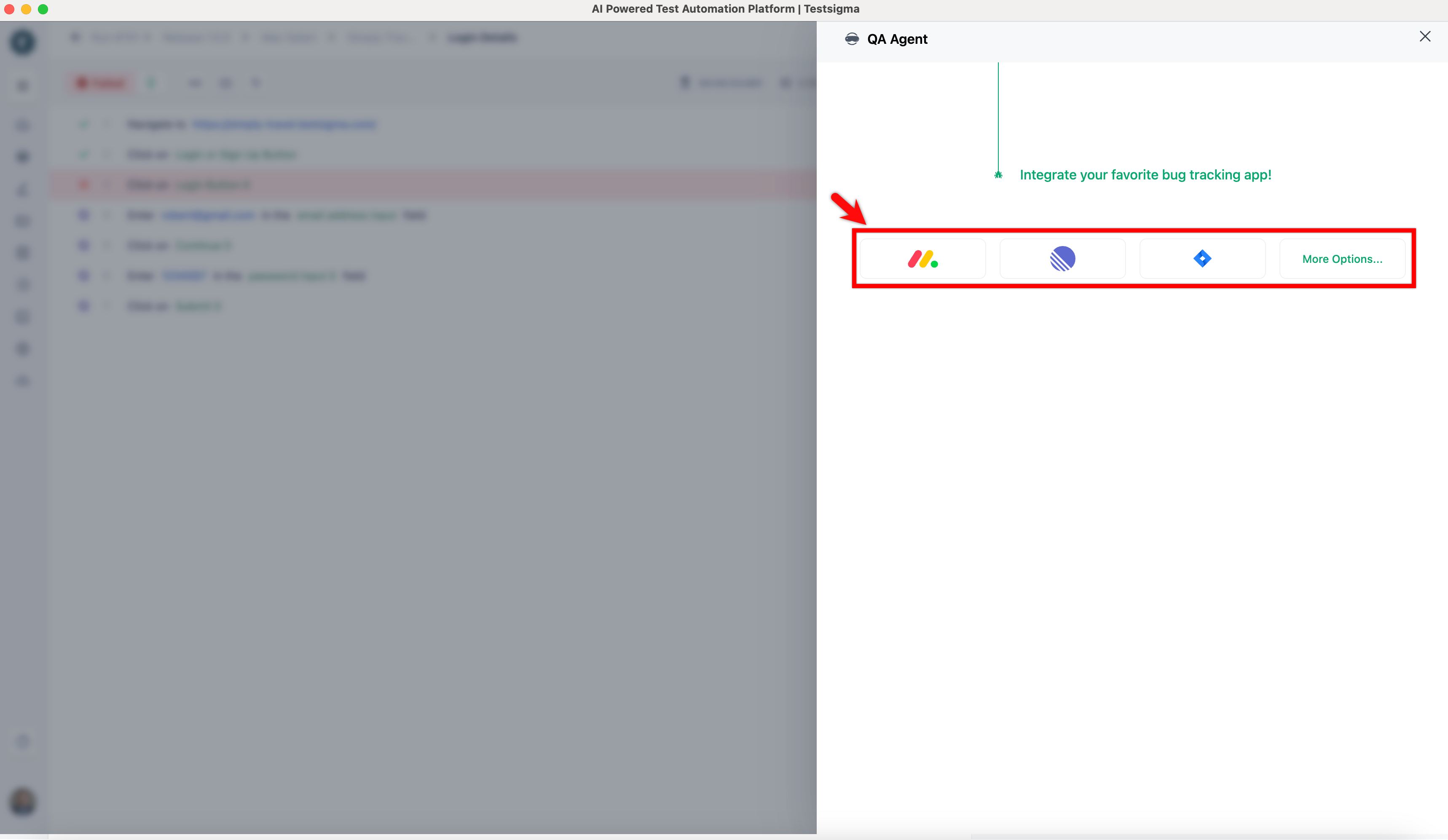
- On the QA Agent overlay, select a bug tracking tool.
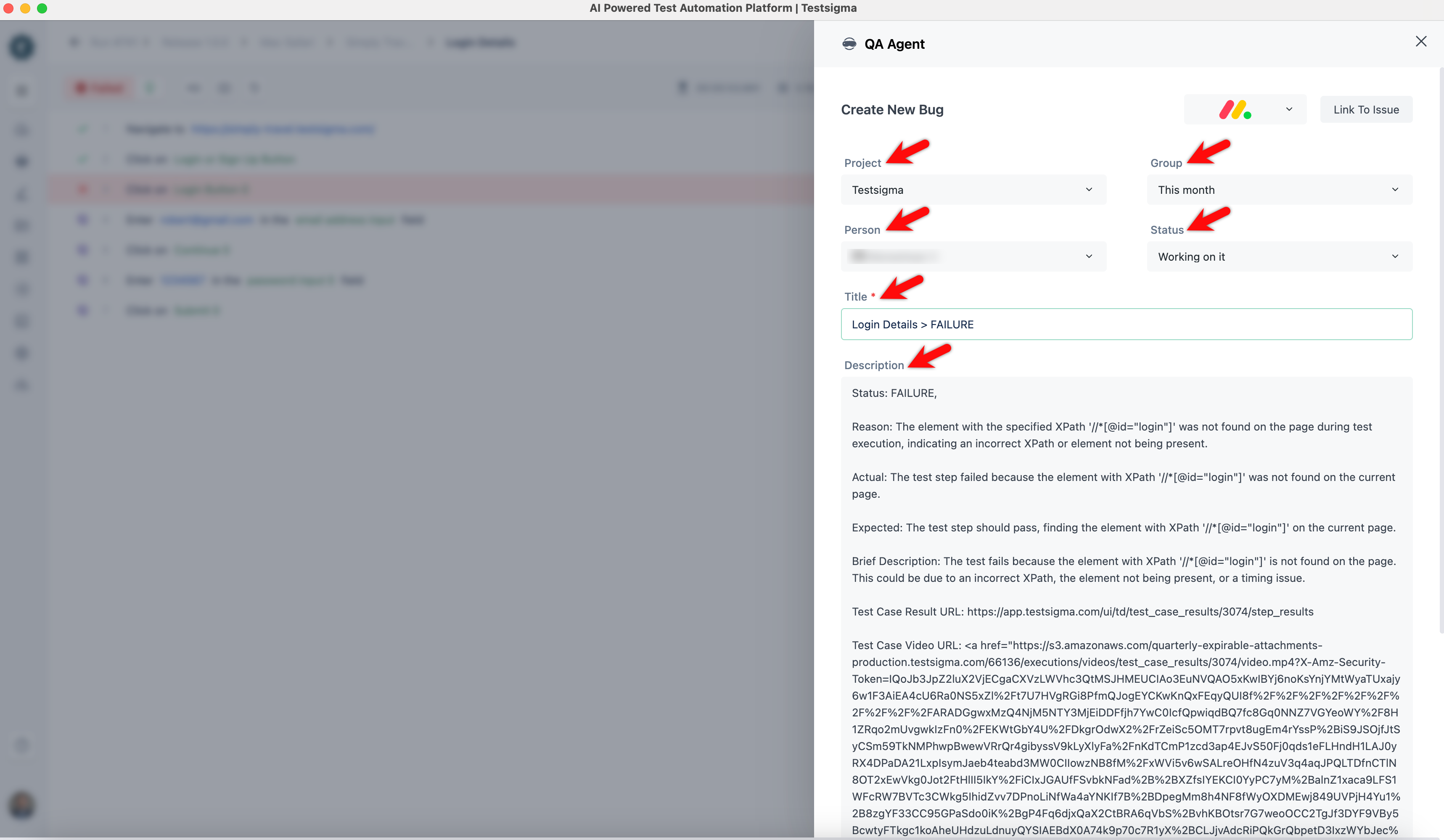
- Select Project, Group, Person, and Status. Update the title if needed, and review the Description.
- Click Report Bug.
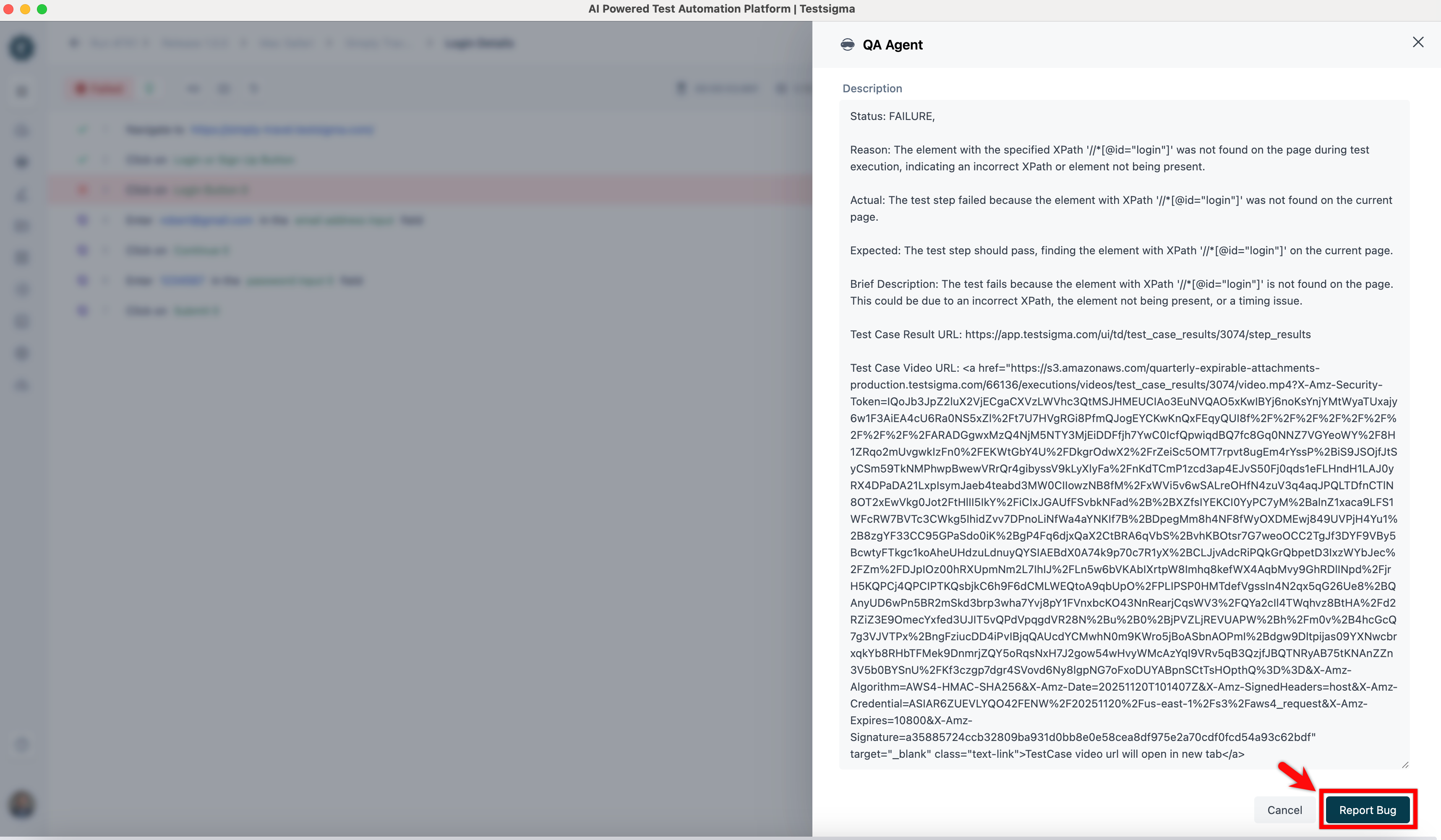
- The issue will be created in Jira with all the details.

Want to contribute or report missing content?