
Test Data Generator in Testsigma
The Test Data Generator in Testsigma helps you quickly create a Test Data Profile (TDP) for data-driven test cases. Instead of manually creating multiple datasets, you can generate the data automatically using the Test Data Generator agent. This allows you to focus on test logic and validations rather than repetitive data entry. This article discusses using Test Data Generator to create and customize test data.
Prerequisites
Before you begin, enable AI Features from Settings > Preferences > Generative AI features.
Steps to Generate Test Data
- Navigate to Create Tests > Test Cases and select the test case for which you want to generate test data.
- From the Test Case Details page, go to Test Case Settings in the Utility Panel.
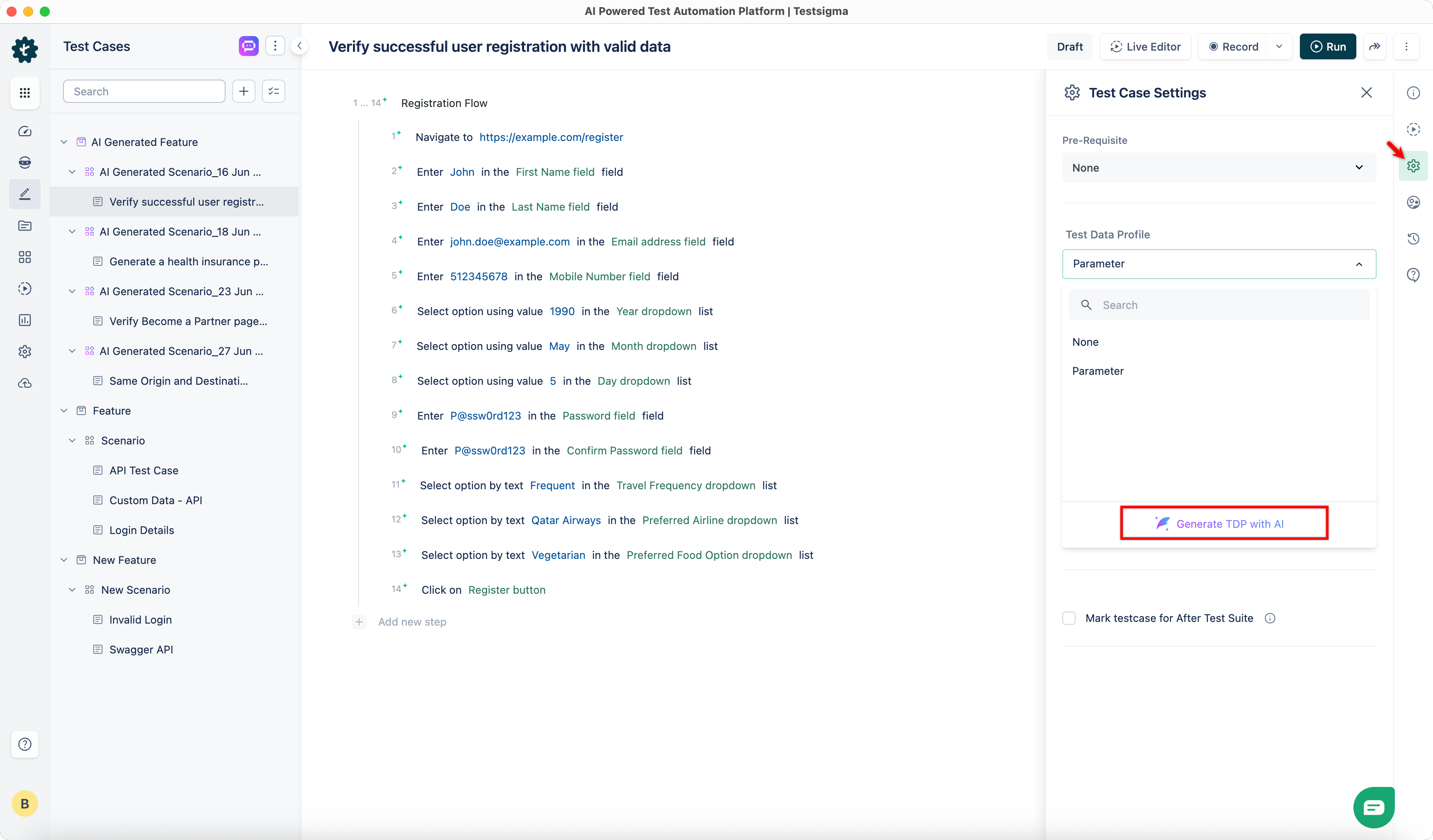
- Click Test Data Profile.
- Click Generate TDP with AI.
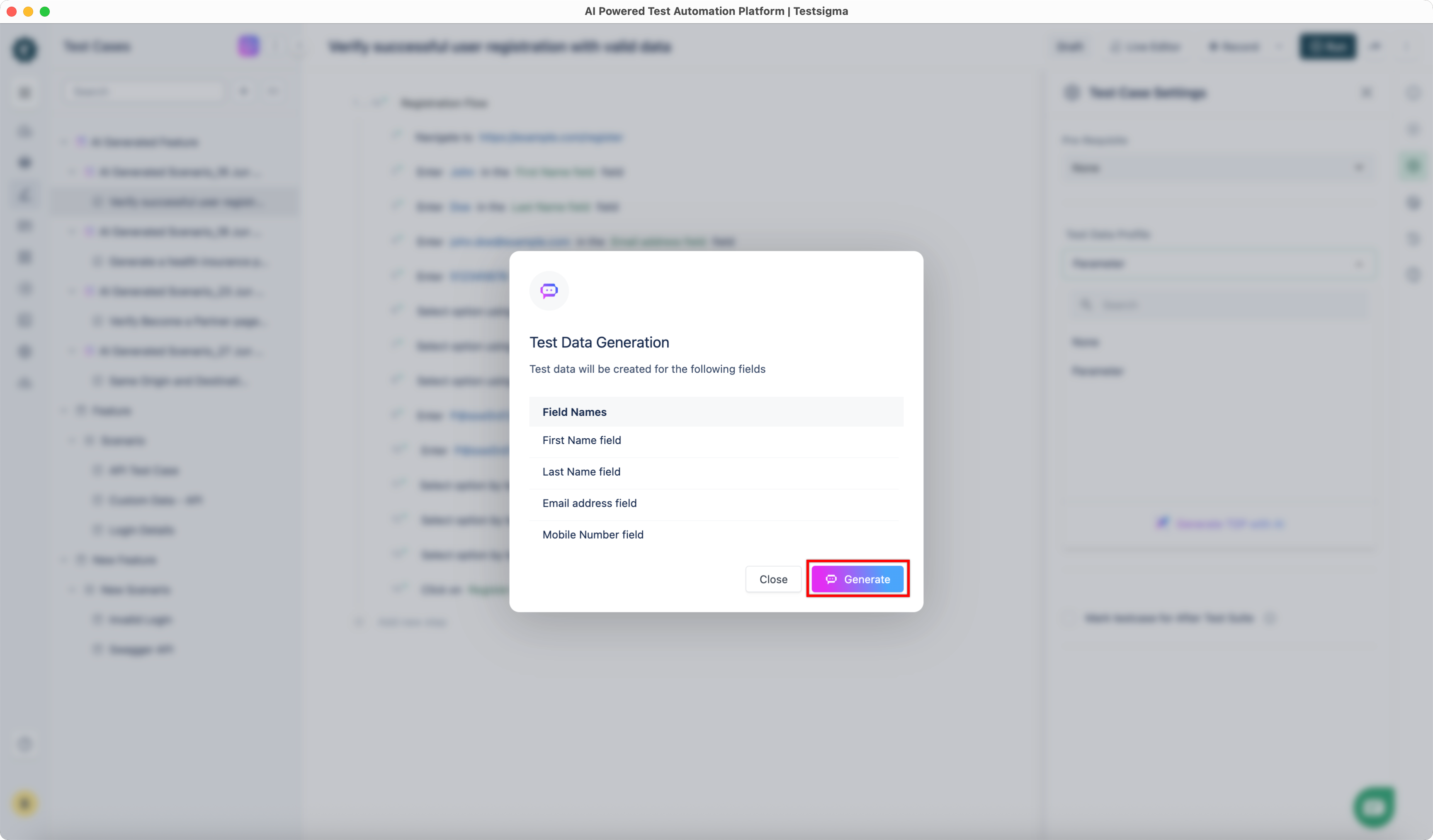
- In the Test Data Generation dialog, review the fields for which you want to generate data.
- Click Generate.
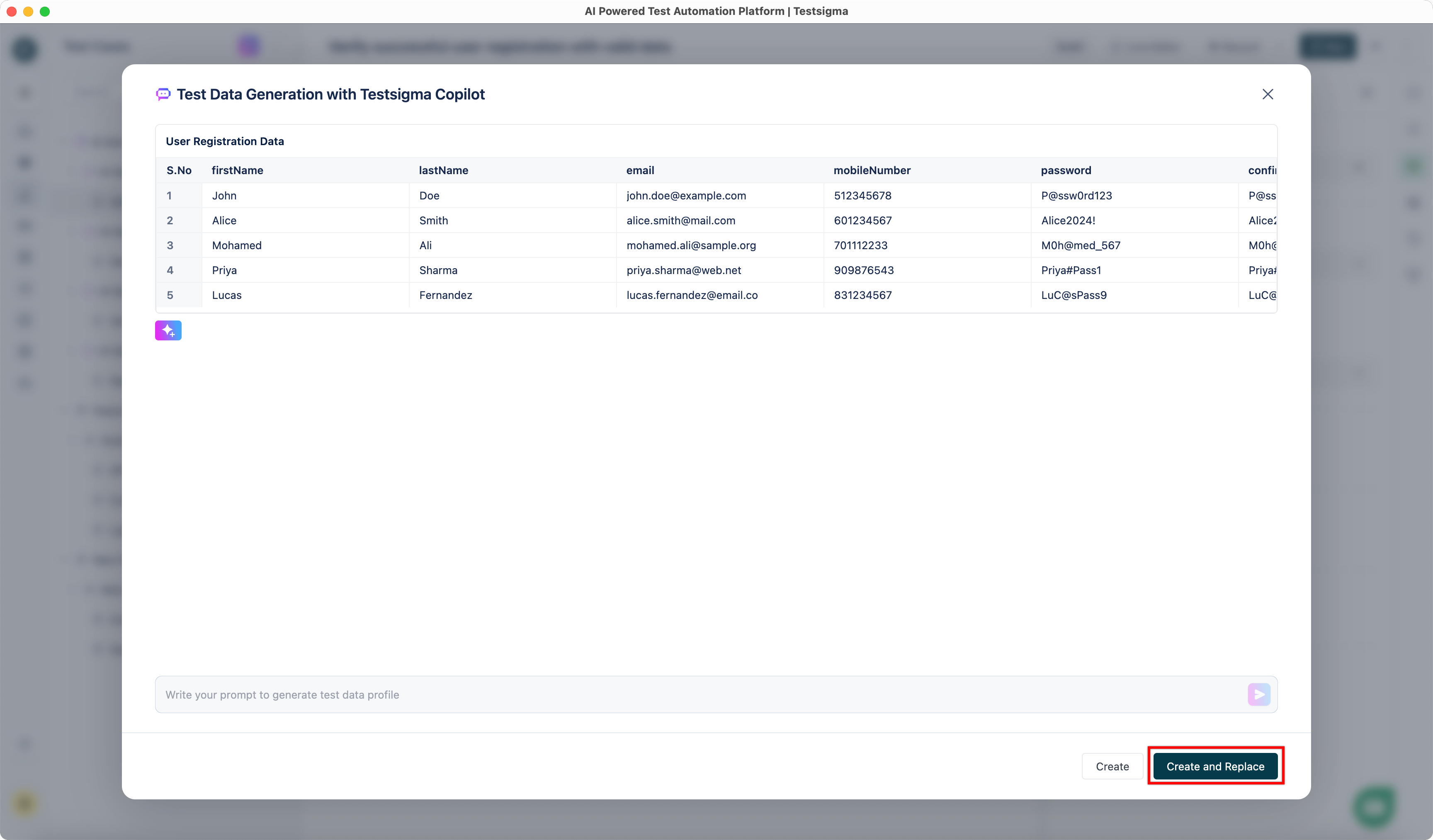
- Wait for the Test Data Generator to create data for the selected fields.
- You can click Add more rows to generate additional data.
-
You can also provide prompts to customize the data further.
For example, we successfully changed the entire dataset to reflect the Indian context with a simple prompt.
- Once satisfied with the generated dataset, click Create and Replace.

Want to contribute or report missing content?