




Table Of Contents
Overview
Why Seek SmartBear Alternatives
Many QA teams are moving beyond SmartBear as modern workflows demand faster, more flexible, and lower-maintenance tools. High licensing costs, complex integrations, and slower performance at scale are prompting the search for smarter, cloud-ready alternatives.
Common User Pain Points & Feedback
User reviews often cite issues like outdated UI, laggy execution, and integration challenges with CI/CD pipelines. Teams also report high resource usage and limited community support, making it harder to maintain efficiency in fast-paced release cycles.
Top SmartBear Alternatives
Top contenders such as Testsigma, Selenium, BrowserStack, and Tricentis Tosca provide modern solutions that blend usability, scalability, and automation depth. These platforms simplify test creation, boost collaboration, and align better with agile and DevOps practices.
SmartBear is a well-known name in the software testing world, offering tools for API, UI, and end-to-end automation. However, as teams adopt modern workflows and faster release cycles, many start looking for alternatives that are easier to use, integrate better with existing systems, and deliver more value for the cost.
In this guide, we’ve curated a list of SmartBear alternatives based on real user feedback and hands-on testing. These tools address common challenges like slow interfaces, integration friction, and high maintenance overhead. Leading the list is Testsigma, an AI-powered, codeless automation platform built for modern QA teams. It combines speed, scalability, and simplicity, making it a strong choice for teams ready to move beyond traditional testing tools.
Why Seek SmartBear Alternatives?
While SmartBear offers a comprehensive suite of testing tools, many teams are now re-evaluating their options to keep pace with evolving software delivery needs. Common triggers for switching include high licensing costs, complex integrations, and performance limitations when scaling automation. Users also cite challenges with outdated interfaces, slow execution speed, and limited flexibility for modern CI/CD environments.
As organizations move toward cloud-based, AI-driven, and codeless testing solutions, these pain points become more apparent. Teams are increasingly seeking tools that are faster, easier to maintain, and more adaptable to diverse tech stacks. User feedback from platforms like G2, Capterra, and community forums consistently highlights the need for solutions that simplify setup, enhance collaboration, and deliver measurable testing efficiency, driving the search for better SmartBear alternatives. To ensure smoother integrations and consistent coverage, refer to our cross browser testing checklist.
Common User Pain Points & Feedback
Real-world feedback from users across G2, Capterra, r/automation, and the SmartBear Community Forums reveals consistent challenges that impact daily productivity and testing efficiency.
- Slow and Outdated UI/UX: Many users find SmartBear tools like ReadyAPI and TestComplete to have a dated interface, with slow response times and clunky navigation even for simple actions such as expanding a test suite. Many testers reference community comparisons such as Xray vs Zephyr when assessing tool responsiveness.
- Integration Issues: Frequent friction occurs when integrating with version control systems or third-party tools, often causing random project diffs and confusion across teams.
- Schema/API Validation Performance: For complex or data-heavy APIs, schema validation can be slow, reducing test execution speed and overall efficiency.
- Missing Basic Features: Users often note the absence of simple, modern conveniences like drag-and-drop functionality or seamless project migration.
- Resource and Performance Bottlenecks: Local tools can consume excessive system resources, running in the background and slowing machines.
- Community and Support Limitations: The official forums and community channels are often described as slow, unresponsive, and difficult for new users to navigate.
- General Integration Overhead: Larger teams report frequent performance drops and workflow interruptions when integrating SmartBear products into extensive or customized environments.
Comparison Table: Top 5 Alternatives
Before diving into detailed reviews, here’s a quick side-by-side look at the top five SmartBear alternatives. Each tool stands out for its unique strengths, from codeless, AI-powered testing to developer-focused, open-source flexibility, helping teams choose what best fits their workflow and scale. Enterprise users often weigh choices like LambdaTest vs BrowserStack
before selecting a cross-browser grid.
| Tool Name | Major Feature/USP | Best For | Notable Advantage |
| Testsigma | AI-assisted, codeless automation; cloud & open-source options | QA teams needing fast web, mobile, and API coverage | Rapid authoring in plain English. Low maintenance |
| Selenium | Open-source browser automation framework | Engineers who prefer code-first, customizable setups | Huge ecosystem and community support |
| BrowserStack | Cloud testing on real devices/browsers at scale | Teams needing scalable cross-browser/device testing | Instant access to thousands of environments |
| Tricentis Tosca | Codeless, model-based, enterprise-grade testing | Large orgs with complex end-to-end workflows | Strong integrations and governance for enterprises |
| Playwright | Modern, multi-browser E2E testing (Chromium/Firefox/WebKit) | Dev teams seeking fast, reliable, code-driven tests | Auto-waits, robust selectors, parallelization built-in |
Top 8 SmartBear Alternatives
Choosing the right testing platform depends on your team’s goals, technical expertise, and delivery speed. Below are eight top-rated SmartBear alternatives that balance usability, scalability, and innovation, starting with Testsigma, our leading choice for modern, AI-powered test automation.
1. Testsigma

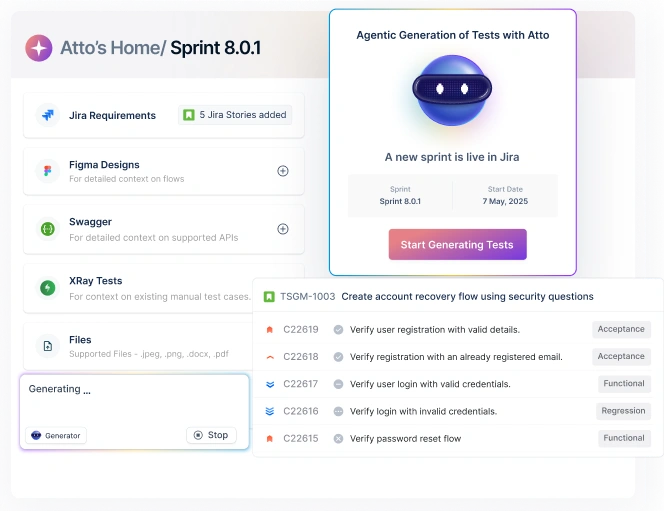
Testsigma is a unified, codeless, agentic AI-powered test automation platform designed to simplify and accelerate testing across web, mobile, desktop, API, Salesforce, and SAP applications. Built for modern QA teams, it combines agentic AI with features like self-healing, parallel execution, and real device labs to reduce flakiness and improve test coverage. Testsigma also includes a dedicated Test Management solution with advanced AI capabilities, helping teams streamline organization, minimize maintenance, and manage all testing workflows from a single platform.
Key Features
- Codeless test creation in natural language
- AI-powered auto-healing, flake/locator stabilization
- Web, mobile, API, and data-driven testing in one place
- Parallel and cross-environment execution (cloud or self-hosted)
- CI/CD, bug tracker, and notifications integrations
- Reusable test assets, parameterization, and test data management
2. Selenium

Selenium is the de facto open-source framework for automating browsers. It’s highly flexible, language-agnostic, and integrates with virtually every CI/CD system and test runner. Teams adopt Selenium when they need granular control over test logic, custom frameworks, or deep integration with engineering workflows. It’s also a common backbone for in-house test platforms and vendor clouds (e.g., running Selenium tests on device/browser clouds). Selenium users expanding coverage can apply practices from Cross Browser Testing with Selenium WebDriver.
Key Features
- WebDriver API with multi-language support (Java, Python, JS, C#, etc.)
- Vendor-maintained drivers for wide browser coverage
- Grid for distributed execution and scaling
- Fits any CI/CD, reporting, and assertion ecosystem
Pros
- Free, battle-tested, huge community and tutorials.
- Maximum flexibility for custom setups.
- Works with most cloud test providers and tools.
Cons
- Requires coding and ongoing framework upkeep.
- Test flakiness needs strong engineering practices.
- Grid/environment management can add overhead.
3. Browserstack

BrowserStack provides a managed cloud of real devices and browsers so you can test without building and maintaining labs. It’s designed for scale, reliability, and speed, especially for cross-browser, responsive, and real-device coverage. BrowserStack’s positioning is similar to insights shared in top Browserstack alternatives. Teams use it to parallelize suites, run against a broad matrix, and record execution (videos, logs) for fast triage.
Key Features
- 3000+ real devices/browsers for web and mobile testing
- Runs Selenium, Playwright, Cypress, Appium, and more
- Parallel runs, session videos, console/network logs
- Enterprise controls (SSO, RBAC, audit) and SOC-compliant infra
Pros
- Eliminates lab maintenance and device churn.
- Easy to scale cross-browser/device testing.
- Strong uptime and integrations with popular frameworks.
Cons
- Costs can rise with heavy concurrency/usage.
- Network policies and data handling need governance.
- Some local/debug scenarios need extra setup. 4. Tricentis TOSCA
- Codeless, model-based authoring and reusable modules
- Strong support for SAP, Salesforce, and legacy/packaged apps
- Risk-based testing, requirements mapping, compliance reporting
- Robust enterprise integrations and test data capabilities
- Ideal for large, regulated, multi-app programs.
- Model abstraction cuts maintenance on UI changes.
- Governance, reporting, and audit-friendly workflows.
- Significant licensing and rollout investment.
- Best ROI when widely adopted across programs.
- Learning curve for model-based approach.
- In-browser runner, time-travel debugging, snapshots
- Auto-waiting and helpful error messages by default
- Strong DX for JS/TS; supports component and E2E testing
- CI integrations, parallelization, dashboards (paid)
- Very quick setup and excellent local dev experience.
- Debugging clarity accelerates triage.
- Active community, strong documentation.
- Primarily focused on web/browser testing.
- JS/TS-centric; mixed-language orgs may need extra tooling.
- Cross-browser edge cases sometimes need fine-tuning.
- Auto-waits, resilient selectors, trace viewer, codegen
- Parallel execution, sharding, and isolated contexts
- Multi-browser, headless/headed modes; API testing included
- Solid CI/container support and test fixtures
- Stable, performant tests with excellent tooling.
- Strong cross-browser fidelity and diagnostics.
- Great fit for CI at scale.
- Code-first; needs engineering ownership and patterns.
- Distributed scaling still benefits from DevOps maturity.
- New teams need time to define conventions.
- Visual test creation and editing in the browser
- Cloud scheduling, basic parallelism, simple CI hooks
- Reports with screenshots; minimal setup and learning
- Cost-effective plans for early-stage teams
- Very fast onboarding for non-technical users.
- Minimal tooling/maintenance burden.
- Friendly pricing for small projects.
- Narrower scope than full-stack/enterprise suites.
- Advanced scenarios may need workarounds or code assists.
- Governance/scale features are lighter.
- AI prompts for test/code generation and refactoring
- In-editor QA insights and automation scaffolding
- Collaboration-focused review workflows
- Extensible developer environment
- Accelerates authoring and standardizes patterns.
- Useful for teams piloting AI in SDLC.
- Can improve consistency across code and tests.
- Emerging category; processes may need adaptation.
- Output quality depends on prompts/guardrails.
- Best as a companion to core testing infrastructure.
- Code-first (Selenium/Playwright/Cypress) vs. codeless (Testsigma/Tosca).
- Who will write/maintain tests: QA, SDETs, or devs?
- Web, mobile, API, desktop coverage.
- Language fit (JS/TS, Java, Python, C#) and existing test stacks.
- CI/CD (GitHub Actions, Jenkins, GitLab), issue trackers (Jira), VCS, notifications, TMS.
- Auth/SSO, secrets management, and reporting/export needs.
- Parallelism, shardability, reliability at suite scale.
- Real-device/browser cloud access and data residency controls.
- Licenses + infra + device cloud + maintenance time.
- Predictable pricing for concurrency and seats.
- SLAs, onboarding, migration help, roadmap transparency.
- Quality of docs, examples, and troubleshooting guides.
- Flexibility and no license fees vs. vendor-managed reliability and support.
- Consider long-term governance and compliance.
- Plugin libraries, tutorials, forum responsiveness, release cadence.
- Availability of talent and best practices.

Tosca focuses on model-based testing to reduce script maintenance in complex enterprise landscapes. It’s well-suited for SAP, Salesforce, and regulated environments where traceability, governance, and risk-based testing are essential. Large QA organizations choose Tosca to standardize test design, enforce guardrails, and manage end-to-end coverage across packaged and custom apps.
Key Features
Pros
Cons
5. Cypress

Cypress is built for modern JavaScript apps and gives developers fast feedback with time-travel debugging, automatic waits, and rich error output directly in the browser. It’s excellent for teams practicing tightly integrated dev+test workflows and wanting quick iteration on web E2E and component tests.
Key Features
Pros
Cons
6. Playwright

Playwright offers reliable, modern APIs for Chromium, Firefox, and WebKit with powerful tracing, auto-waiting, and test isolation. It’s popular with engineering teams that want speed, stability, and first-class diagnostics in CI. It also supports API testing and fixtures, so teams can standardize on one toolkit for E2E and more.
Key Features
Pros
Cons
7. BugBug

BugBug is a lightweight, no-code recorder/editor focused on speed-to-value for small teams and startups. It’s browser-based, easy to learn, and keeps overhead low. Teams use it to cover critical user flows quickly without deep framework setup, then schedule and monitor runs in the cloud.
Key Features
Pros
Cons
8. Windsurf
Windsurf blends an AI-assisted IDE with testing and review capabilities to speed up both code and test authoring. It’s geared toward teams exploring AI-native workflows—using prompts to scaffold tests, suggest refactors, and surface QA insights during development. Typically complements, rather than replaces, dedicated test platforms.
Key Features
Pros
Cons
How to Choose the Right SmartBear Alternative
Use this quick framework to make a confident pick:
1) Team Skillset & Workflow
2) Supported Platforms & Languages
3) Ease of Integration
4) Scalability & Performance
5) Total Cost of Ownership
6) Support & Success
7) Open-Source Vs. Commercial
8) Community Adoption & Ecosystem
Conclusion
The end-to-end and object recognition for GUI tests is pretty top-notch for Smartbear. Let us not forget about the regression testing feature. It is truly excellent software. But there are loads of Smarbear competitors that are offering better value for its pricing. Most provide good support and a fluid testing process.
However, our top recommendation for the Smartbear alternative would be Testsigma. Even though it is not free, its features are worth the price. And you will be capable of handling each of your testing needs with the software.
FAQs
Testsigma is a strong pick for codeless automation. It lets teams author tests in plain English, supports web, mobile, and API testing, and includes AI-assisted maintenance to reduce flaky tests and upkeep.
Testsigma focuses on simplicity and fast onboarding with a clean UI and natural-language steps, while SmartBear’s tools can feel heavier and more complex to configure for everyday workflows.
Pricing varies by scale and features. Open-source options (e.g., Selenium, Playwright) reduce license costs but require engineering time. Commercial clouds (e.g., Testsigma, BrowserStack, Tosca) trade license fees for speed, support, and reduced maintenance.
Selenium and Playwright can scale efficiently with parallel runs and containerized CI, but need engineering stewardship. SmartBear scales, too, but some teams report overhead from setup and maintenance; the right choice depends on your infra and maturity.
Yes. Testsigma and BugBug provide no-code or low-code authoring with quick setup, making them suitable for lean teams that want coverage without building a custom framework.
Most modern tools integrate well with Jenkins, GitHub Actions, GitLab CI, and Azure DevOps. Expect CLI runners, REST APIs, and native plugins for triggering tests, collecting artifacts, and gating releases.
Teams often see faster test authoring, simpler maintenance, smoother CI/CD integration, and better cross-browser/device coverage. Many also report improved usability and reduced friction around version control and collaboration.

No-Code AI-Powered Testing
- 10X faster test development
- 90% less maintenance with auto healing
- AI agents that power every phase of QA