



Table Of Contents
- 1 Key Takeaways
- 2 What Is Perplexity AI and Why QA Teams Are Exploring It
- 3 Perplexity AI for Testing vs ChatGPT for Test Planning
- 4 How to Use Perplexity for AI Test Strategy Research
- 5 How to Generate Test Plans With Perplexity AI
- 6 How to Use Perplexity for Exploratory Testing, Research, and Checklists
- 7 Limitations of Perplexity AI for Software Testing
- 8 Best Practices: Combining Perplexity With Other QA Tools
- 9 How Testsigma Turns Test Plans Into Automated Execution (Conclusion)
- 10 FAQ’s
Key Takeaways
- Perplexity AI acts as an AI answer engine that retrieves real-time web results and returns cited summaries, helping QA teams research testing practices faster than manual browsing.
- Unlike ChatGPT, Perplexity uses real-time web retrieval with citations, making it ideal for research and validation during test planning — while ChatGPT handles structured test case and script generation.
- QA teams can use Perplexity to research test strategies, generate exploratory testing ideas and checklists, identify domain-specific risks, and draft test documentation and planning inputs.
The plan looks complete until someone asks, “What about failure scenarios?” The room pauses. No one has a clear answer yet.
The above situation is common in test planning. Teams move forward without full context and spend time searching for inputs before they can proceed.
Using tools like Perplexity AI for testing helps close this gap early. It gives QA teams access to relevant practices and risks in one place. Teams can use it to shape planning inputs with more clarity.
In this guide, you’ll learn how to apply it step by step for test planning.
What is Perplexity AI and Why QA Teams Are Exploring it
Perplexity AI is an AI-powered answer engine that retrieves real-time information from the web and synthesizes it using large language models. It returns responses with inline citations, allowing outputs to be traced back to sources.
Instead of relying only on pre-trained knowledge, it combines live search with summarisation. This makes it useful when accuracy and recency matter, especially in areas where practices evolve quickly.
QA teams are exploring it because test planning depends on current information and fast access to reliable inputs. Manual research across blogs, documentation, and forums takes time and often leads to a fragmented understanding.
Perplexity also helps standardize how research is consumed across teams. Instead of each tester interpreting sources differently, teams can work from a shared, summarised view of testing practices and risks.
This improves alignment during discussions and reduces back-and-forth during planning reviews. It is especially useful in cross-functional teams where QA, product, and engineering need a common understanding before execution begins.
Use cases in QA:
- Test strategy research
- Risk-based testing inputs
- Test coverage planning
- Test documentation drafting
Users often describe Perplexity as a way to get direct, summarised answers without opening multiple links, which helps them move faster when exploring new topics.
Perplexity AI for Testing Vs Chatgpt for Test Planning
QA teams often use both tools, but they serve different roles during test planning. Perplexity focuses on retrieving and grounding information, while ChatGPT focuses on generating structured outputs.
Understanding this difference helps teams use each tool where it fits best:
| Capability | Perplexity AI | ChatGPT |
| Data source | Real-time web retrieval | Pre-trained + optional browsing |
| Output type | Summarised answers with citations | Generated structured outputs |
| Strength | Research, validation | Test cases, scripts |
| Use case | Test planning research | Test design |
Perplexity works well when teams need current information, such as testing approaches, risks, or domain-specific practices. It brings together insights from multiple sources and presents them with references.
ChatGPT is better suited for turning those inputs into structured outputs, such as test cases, scenarios, or automation scripts.
Some users who subscribe to both tools describe a clear split in usage. Perplexity is better for research and answering queries, and ChatGPT is for everything from writing to coding.
How to Use Perplexity for AI Test Strategy Research
Perplexity works best at the discovery stage of test planning, where teams need to understand the system, identify risks, and gather inputs before structuring a plan.
Use it to guide early-stage research:
- Define system or feature context: Describe the application, domain, and constraints to anchor the research.
- Explore testing approaches: Ask for relevant strategies, such as risk-based, security, or domain-specific testing methods.
- Identify risks and patterns: Probe for failure points, edge cases, and common issues seen in similar systems.
- Compare perspectives: Review multiple approaches or trade-offs to understand coverage options.
- Capture findings: Note key risks, scenarios, and considerations for use in later planning.
At this stage, the goal is not to create a test plan, but to build a clear understanding of what needs attention.
Example prompt:
“Identify risk-based testing approaches for a fintech payment system with regulatory constraints.”
On communities like Reddit, consumers describe Perplexity as a time saver for research-heavy tasks like analyzing data and building project plans, helping them surface insights they might otherwise miss.
How to Generate Test Plans with Perplexity AI
Once research inputs are available, Perplexity can help turn them into a structured test plan. It works well for organizing information into clear sections that teams can review and refine.
Use it to structure your test plan:
- Organize inputs into sections: Convert research findings into scope, objectives, risks, and coverage areas.
- Generate a test plan template: Ask for a format that includes approach, environments, and entry and exit criteria.
- Expand each section: Add detail to risks, define coverage, and outline key scenarios based on earlier inputs.
- Add constraints: Include timelines, tools, environments, and compliance requirements.
- Review and refine: Validate structure and completeness before adapting it to your system.
This step focuses on structuring and clarity, not discovery. The quality of the output depends on the quality of the inputs gathered earlier.
It also helps maintain consistency across test plans. Teams working on multiple features or modules can use similar prompts to generate comparable structures. This makes it easier to review, track, and update plans over time without creating fragmented documentation across projects.
To go deeper into structure and sections, refer to this guide on how to write a test plan.
Some practitioners have also noted that while Perplexity provides cited answers, verifying outputs is necessary. The tool’s responses sometimes include details not fully supported by the linked sources.
How to Use Perplexity for Exploratory Testing, Research, and Checklists
Exploratory testing relies on asking the right questions and uncovering scenarios that are not always defined upfront. Perplexity helps QA teams expand their thinking by surfacing patterns, risks, and behaviors from similar systems.
QA teams can use it to:
- Generate exploratory testing charters based on features, user flows, or system behavior.
- Identify edge cases by analyzing how similar systems fail or behave under stress.
- Build checklist-based flows that guide testing sessions without restricting flexibility.
Instead of starting from scratch, testers can use Perplexity to gather ideas and quickly structure exploration areas. This improves coverage while keeping sessions focused, especially when following a structured exploratory testing guide.
Limitations of Perplexity AI for Software Testing
Perplexity is useful for research and planning, but it has clear limitations when applied to software testing workflows. It supports early-stage thinking, not execution, so teams need to rely on other tools for implementation.
Key limitations to consider:
- Cannot execute tests: It does not run test cases or interact with applications, so it cannot validate system behavior.
- Cannot generate runnable automation: Outputs are text-based and require conversion into scripts or frameworks before execution.
- Lacks system-specific context: Responses are based on general web data, not your application’s architecture, data, or workflows.
- Depends on web content quality: The accuracy of outputs depends on the reliability and relevance of available sources.
- Requires validation: Even with citations, teams need to review outputs to ensure correctness and applicability.
Perplexity also cannot account for internal dependencies such as team workflows, legacy systems, or undocumented behaviors. These factors often influence real testing decisions and must be handled through experience and system knowledge.
These limitations mean that the tool should be treated as a research assistant. It helps shape planning inputs, but it cannot replace hands-on testing, automation, or system-level validation.
Best Practices: Combining Perplexity with Other QA Tools
Perplexity works best when used as part of a broader QA workflow rather than a standalone tool. It supports research and planning, but execution still depends on testing frameworks and automation tools.
QA teams can use it effectively by:
- Using it for research, not execution: Gather testing approaches, risks, and domain insights before moving into structured workflows.
- Combining it with automation tools: Translate research outputs into execution using tools that support AI test automation workflows.
- Validating outputs: Review cited sources and align responses with system-specific requirements and constraints.
- Using structured prompts: Define roles, context, and expected formats to improve the relevance of outputs.
- Pairing it with ChatGPT: Use insights from Perplexity and convert them into structured test cases and scripts, as explained in ChatGPT for software testing.
This approach helps teams move from research to execution without losing context. Perplexity supports early-stage thinking, while other tools handle structured outputs and automation.
How Testsigma Turns Test Plans into Automated Execution (Conclusion)
Test planning sets direction, but value comes from how those plans are executed and maintained. Research-driven inputs only matter when they translate into reliable test workflows.
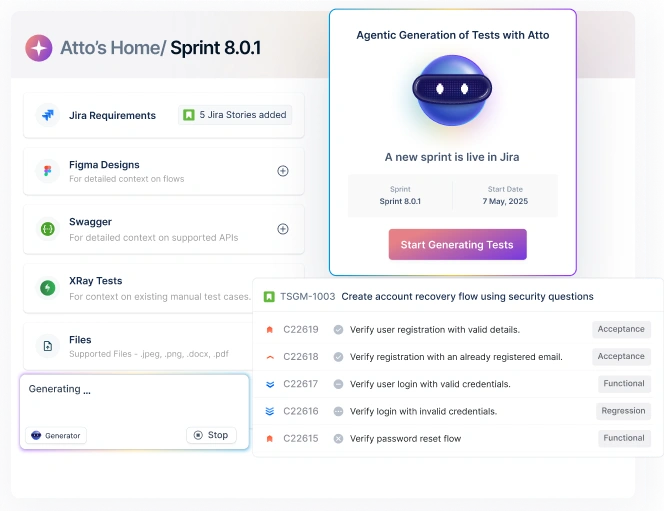
Testsigma bridges this gap by converting structured plans into automated execution. Teams can create tests in plain English or generate them from user stories using AI test generation.
These tests run across web, mobile, and API layers within a single platform, keeping execution aligned with the test strategy.
Its agentic architecture supports the full lifecycle. The Generator creates tests, the Runner executes them, the Analyzer identifies failures, the Healer fixes broken tests, and the Optimizer improves coverage over time.
This reduces maintenance effort while keeping test suites stable as applications evolve.
As teams move from planning to execution, connecting both becomes essential. Testsigma ensures those plans run and scale.
If you’re looking to turn test plans into automated execution and scale testing across workflows, explore how Testsigma supports this end-to-end. Start a free trial to see how it works for your team.
FAQ’s
Yes, Perplexity AI supports test planning during the research stage by retrieving real-time information with citations. It helps QA teams identify risks, explore testing approaches, and gather planning inputs without having to search across multiple sources.
Perplexity focuses on research by retrieving current, cited information from the web, which makes it useful for validation and planning inputs. ChatGPT is better suited for generating structured outputs such as test cases, scripts, and formatted documentation.
Perplexity can generate drafts such as test strategies, risk assessments, coverage notes, and exploratory testing checklists. It also helps structure key sections like scope, objectives, risks, and assumptions based on common practices.
Perplexity offers a free tier that includes basic search and AI-generated responses suitable for occasional research tasks. Paid plans provide higher usage limits and access to more advanced models, which can benefit teams that rely on it regularly.
Perplexity cannot execute tests, generate runnable automation, or integrate directly with testing frameworks. Its outputs are based on general web content and may not reflect system-specific architecture or workflows.