




Prompt Templates for Pro-level test cases
Use ready to use templates to turn user journeys into structured test cases - with expected results, edge cases, and negative paths.
Table Of Contents
- 1 Key Takeaways
- 2 The Ultimate Guide to Selenium AI in 2025
- 3 What Is Selenium AI?
- 4 What Are the Benefits of Using AI with Selenium?
- 5 What Are the Real-World Use Cases for Selenium AI?
- 6 How Does AI Enhance Selenium’s Core Capabilities?
- 7 Selenium AI vs. Traditional Selenium: What’s the Difference?
- 8 How to Implement Selenium AI in Your Testing Workflow?
- 9 What Are the Disadvantages and Challenges of Selenium AI?
- 10 How Does Testsigma Go Beyond Selenium AI?
- 11 What Is the Future of Selenium AI?
- 12 Why QA Teams Should Move Beyond Selenium Entirely
- 13 Conclusion
- 14 Frequently Asked Questions
Key Takeaways
- Selenium AI adds ML, NLP, and computer vision to make tests self-healing, smarter, and faster to maintain.
- Brittle locators are the main pain point, AI fixes them automatically, without manual intervention.
- Top use cases: self-healing locators, flaky test reduction, visual regression, behavior-based test generation, and test impact analysis.
- 63% of QA teams are moving toward AI-powered testing, Selenium alone can’t keep up with modern CI/CD demands.
- Testsigma delivers all of this in one no-code platform, no scripting required.
The Ultimate Guide to Selenium AI in 2025
Selenium AI is the integration of artificial intelligence, including machine learning, NLP, and computer vision, into Selenium test automation. It makes web testing smarter, faster, and easier to maintain. Key capabilities include self-healing locators that auto-repair when UI changes, AI-generated test cases from plain English, predictive test selection, and visual validation.
According to a World Quality Report by Capgemini, 63% of QA teams plan to adopt AI-powered testing platforms. This reflects a growing recognition that traditional Selenium, while still widely used, struggles to keep pace with modern development velocity on its own. This guide covers what Selenium AI is, how it works, real-world use cases, and how to implement it, including when it makes sense to move beyond Selenium altogether.
What is Selenium AI?
Selenium AI refers to augmenting Selenium WebDriver, the open-source web browser automation framework, with artificial intelligence capabilities that make it adaptive, predictive, and easier to maintain.
Traditional Selenium relies on static, hardcoded locators like XPath, CSS selectors, and IDs. Every time a UI element changes, such as a button being renamed, a class updated, or an element moved, those locators break and require manual repair. Selenium AI eliminates this fragility by adding an intelligence layer that continuously learns and adapts to these changes.
Here Are the Five Core AI Capabilities Added to Selenium:
| Capability | How It Works | Problem It Solves |
| Self-Healing Locators | AI monitors element changes and automatically updates selectors using multi-attribute analysis (text, position, hierarchy, visual context) | Broken tests from every UI update, the major Selenium maintenance drain |
| Auto Test Case Generation | ML analyses user session recordings, logs, and analytics data to generate Selenium test cases that mirror real user journeys | Manual test creation misses real-world usage paths and edge cases |
| Smart Element Recognition | Computer vision and NLP find elements by visual position, neighboring text, and structural context, not just static locators | StaleElementReferenceException and fragile XPath dependencies |
| Predictive Test Selection | AI evaluates code changes, historical failure rates, and risk scores to run only impacted tests, not the full suite every time | Full-suite runs in CI/CD creating hours of unnecessary execution delay |
| Intelligent Wait & Timing | AI analyses page-load behavior in real time and dynamically adjusts waits instead of using arbitrary static timeouts | Flaky tests caused by race conditions and inconsistent load timing |
What Are the Benefits of Using AI with Selenium?
AI addresses the most common pain points in Selenium testing, from broken locators to slow regression cycles, making your test suite more stable and easier to maintain.
- Stable, Reliable Tests: AI identifies the root cause of flaky tests, whether timing issues or unstable locators, and suggests fixes like adjusted waits or retry mechanisms.
- Fewer Broken Scripts: When a UI element changes, AI identifies it using multiple attributes like text, position, and DOM hierarchy, so tests keep running without manual intervention.
- Smarter Locator Selection: AI picks the most stable locator strategy per element and updates it as the application evolves, removing the guesswork from XPath vs CSS decisions.
- Less Hardcoding: AI dynamically interprets element context during test runs, reducing reliance on hardcoded IDs, URLs, and input values.
- Better Cross-Browser Coverage: AI detects browser-specific layout shifts, loading delays, and rendering differences across Chrome, Firefox, Safari, and Edge automatically.
- Faster Regression Cycles: AI maps code changes to the tests they affect and runs only those, reducing regression cycle times significantly.
What Are the Real-World Use Cases for Selenium AI?
Here is where Selenium AI makes the most practical difference for QA teams today.
1. Handling Dynamic Web Elements
UI elements change constantly in modern web apps. Button IDs update, classes change, elements move. Traditional Selenium breaks every time this happens.
AI solves this through multi-attribute element analysis. Instead of relying on a single attribute, it examines structural context, nearby text, and visual position to find and update the correct element automatically.
2. Test Impact Analysis
Running the full test suite on every commit wastes time. AI evaluates code changes and identifies only the tests affected, so unaffected tests are skipped automatically.
This keeps CI/CD pipelines fast without sacrificing coverage.
3. Reducing Flaky Tests
Flaky tests are caused by timing issues, dynamic data, and inconsistent environments. AI analyzes execution logs to find the root cause and suggests fixes like adjusted waits, retry logic, or more stable locators.
4. Generating Tests From User Behavior
AI can analyze session recordings and usage analytics to generate test cases that reflect how real users interact with your app, rather than how engineers assume they do.
This helps surface high-value flows like checkout paths and onboarding sequences that manual scripting often misses.
5. Visual Validation
Selenium only validates the DOM, not what is actually rendered on screen. AI-powered visual validation uses computer vision to detect layout shifts, misaligned elements, and rendering issues that standard assertions would miss.
It also distinguishes between meaningful changes and harmless ones, such as dynamic content like timestamps or rotating banners, reducing false positives.
How Does AI Enhance Selenium’s Core Capabilities?
| Selenium Limitation | AI Enhancement | Business Impact |
| Static locators break on every UI change | Self-healing: multi-attribute element analysis adapts automatically | 90% reduction in script maintenance overhead |
| Full suite runs after every commit | Predictive test selection: only impacted tests run | 60–80% faster CI/CD feedback cycles |
| Arbitrary static waits cause flakiness | Smart waits: AI adapts timeout dynamically to real page-load behaviour | Fewer false failures; more reliable green builds |
| No native visual testing capability | AI visual validation: semantic image comparison across browsers and screen sizes | Visual regressions caught before release without extra tooling |
| Manual test creation misses real user paths | Behaviour-based generation: AI turns session recordings into Selenium scripts | Higher coverage relevance; tests reflect actual usage patterns |
| Difficult to diagnose failure root cause | AI-powered debugging: smart logs, screenshots, and failure reasoning surface the why | Faster mean-time-to-resolution (MTTR) across sprints |
Selenium AI Vs. Traditional Selenium: What’s the Difference?
Every Selenium team hits the same walls: broken locators, slow regression cycles, and tests that need constant fixing. AI tackles each of these at the root.
| Aspect | Traditional Selenium | Selenium AI |
| Locator Handling | Static XPath/CSS breaks with every UI change | Multi-attribute recognition adapts to changes automatically |
| Test Maintenance | High effort; frequent manual updates after each sprint | Self-healing scripts reduce maintenance by up to 90% |
| Test Script Creation | Manual scripting is time-consuming, error-prone, requires coding | AI-generated from NL prompts, user sessions, or design files |
| Handling Dynamic UI | Fails when elements are moved, renamed, or hidden | Dynamically adapts using structural, textual, and visual context |
| Test Execution Speed | Full suite runs every time, hours of CI/CD delay | Predictive selection runs only impacted cases |
| Flaky Test Management | Difficult to identify; requires manual log analysis | AI detects patterns, suggests fixes, applies auto-retries |
| Wait & Timing Logic | Static waits cause either delays or race condition failures | Smart waits adjust to real page-load behaviour dynamically |
| Visual Validation | Requires separate tools or custom code | AI semantic image comparison built in |
| Cross-Browser Testing | Needs extensive scripting and manual validation per browser | AI detects cross-platform inconsistencies and recommends fixes |
| Scalability | Becomes harder to manage as test cases grow | AI-driven optimisation scales with the application |
| Skill Requirement | Requires strong coding skills (Java, Python, JavaScript) | Natural language authoring enables non-engineers to create tests |
How to Implement Selenium AI in Your Testing Workflow?
Adding AI to your Selenium setup does not have to happen all at once. Follow these steps to get started gradually and build confidence before expanding coverage.
Step 1: Audit Your Pain Points
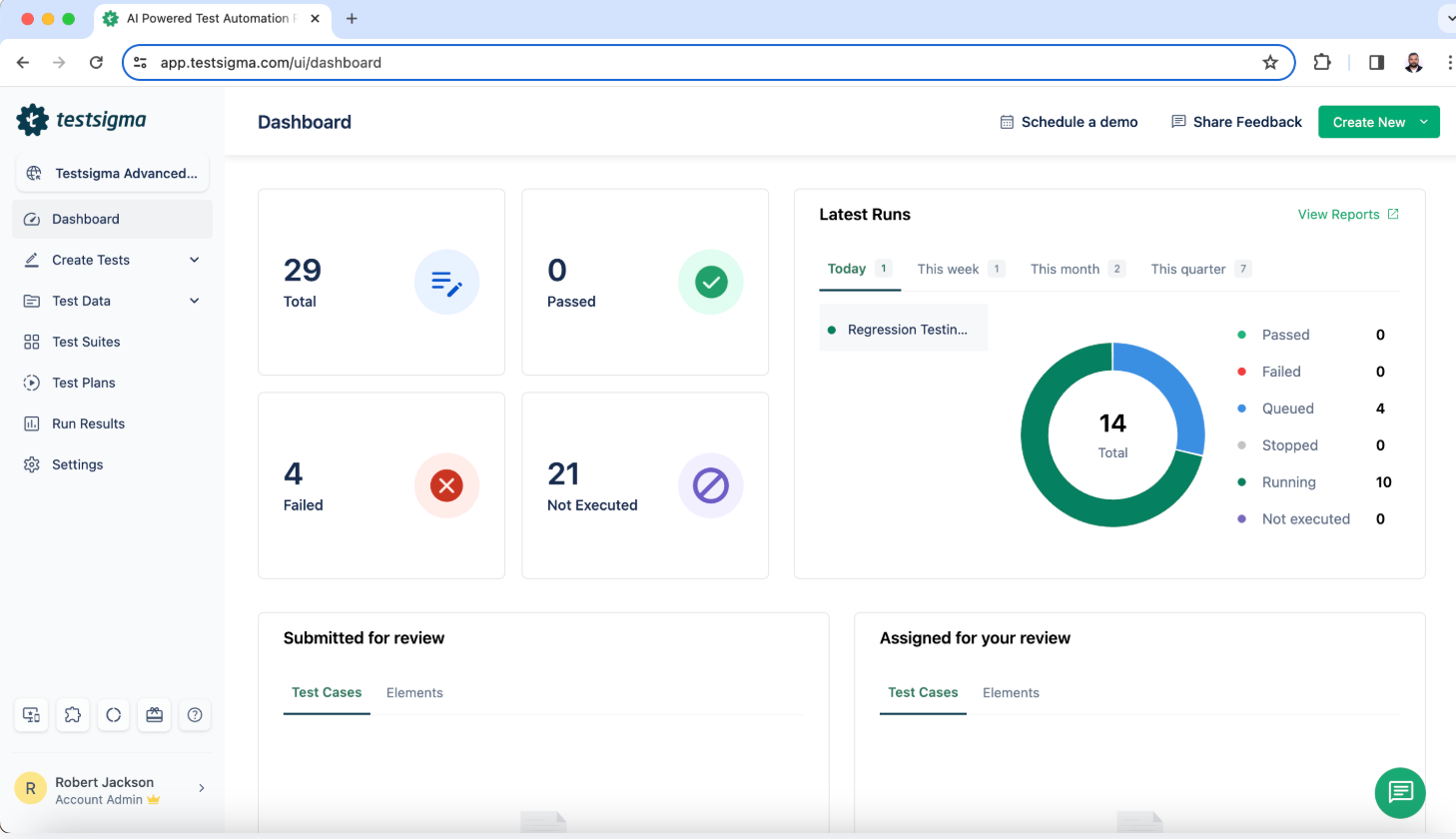
Identify what costs you the most time: broken locators, flaky tests, or slow regression cycles. Testsigma’s dashboard gives you visibility into failure trends and flaky test counts out of the box.
Step 2: Choose Your Approach, Testsigma As the Unified Platform
Skip the plugin juggling. Rather than bolting AI plugins onto an existing Selenium framework, Testsigma replaces them with a single platform. No test code required; tests are authored in plain English via the AI-powered NLP engine.
Step 3: Self-Healing Locators (Built-in)
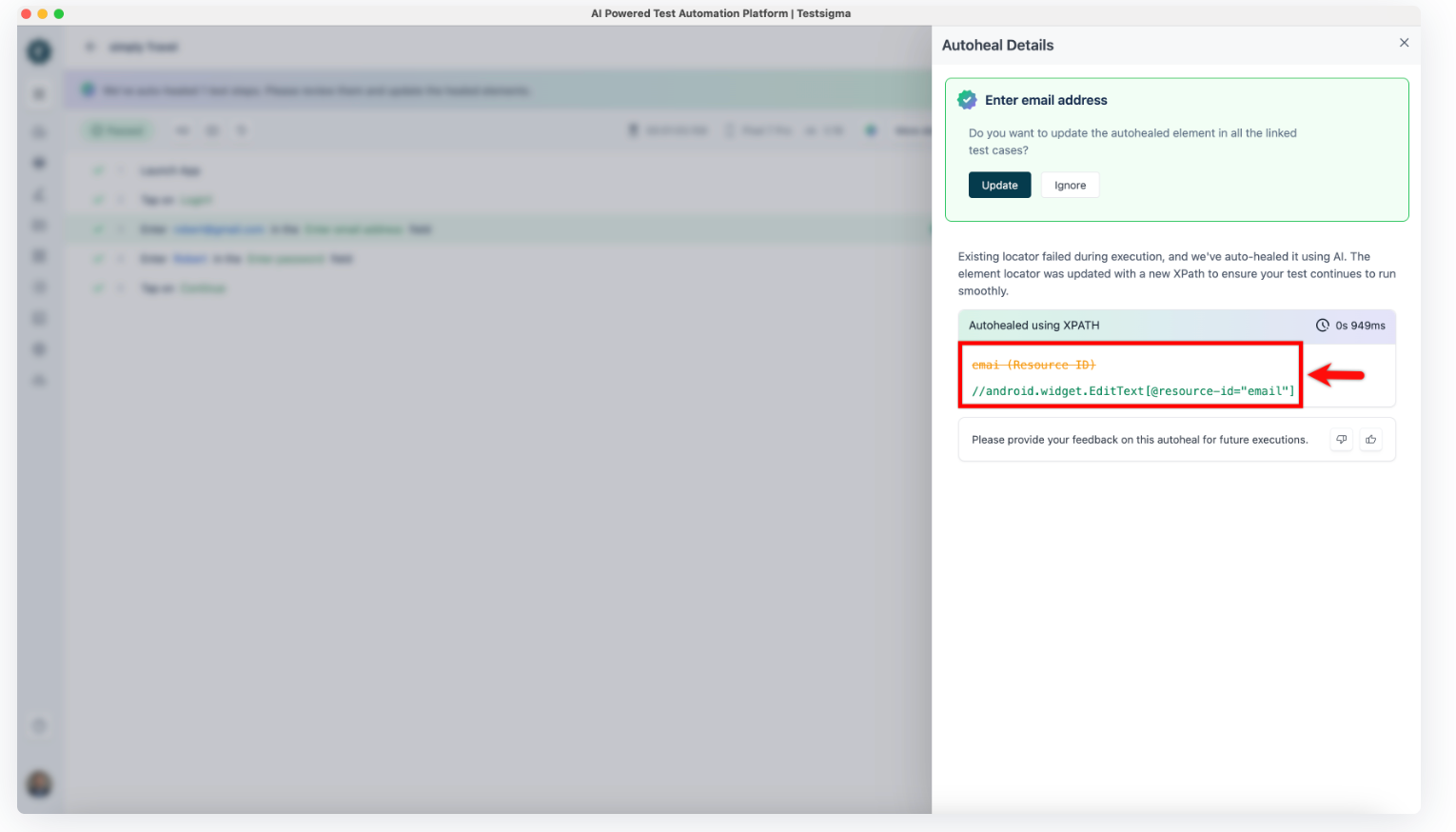
Self-healing locators deliver the fastest ROI for most teams. Testsigma’s self-healing is native, with no add-ons needed. When a UI element changes, it automatically identifies the closest match and updates the locator. Apply this to your most brittle suites first and track manual fixes avoided.
Step 4: CI/CD Integration
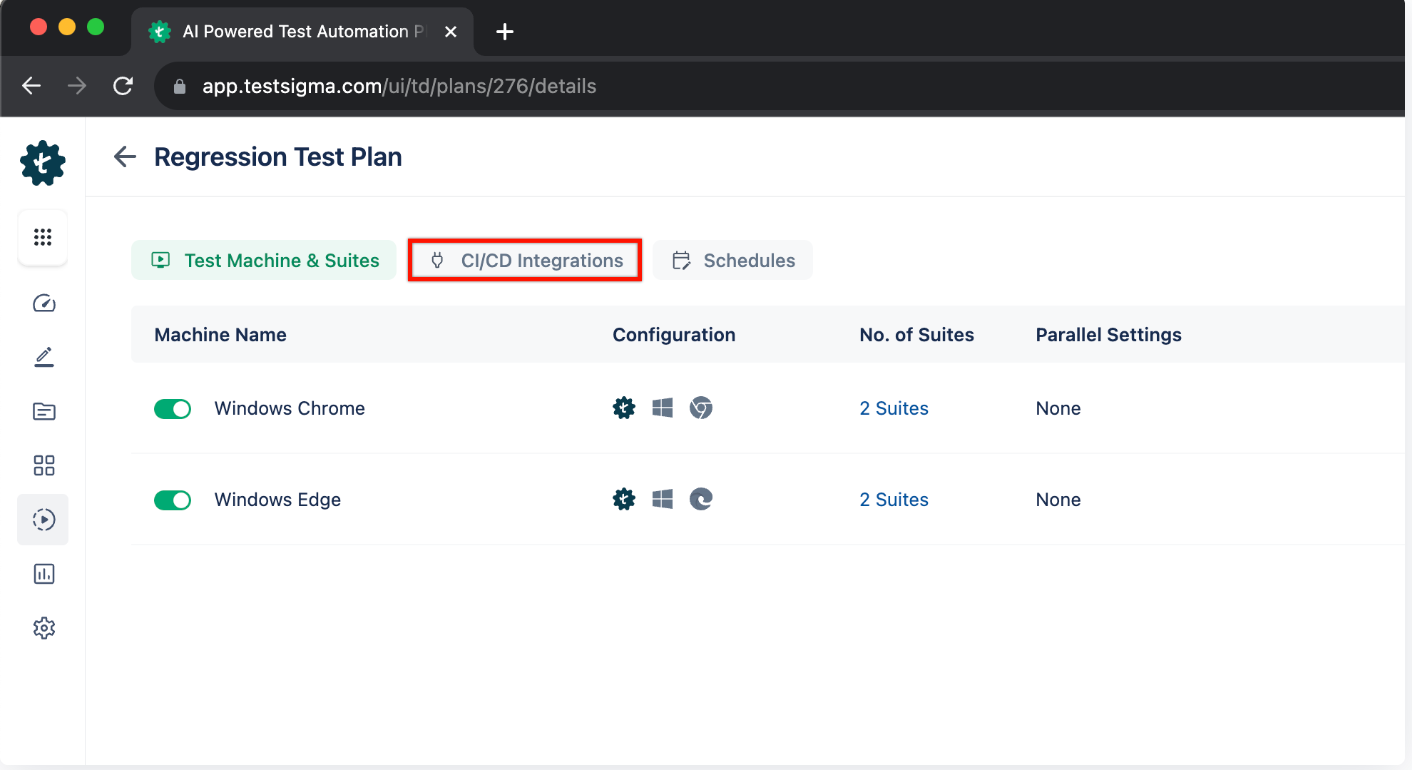
Testsigma integrates with GitHub Actions, Jenkins, and Azure DevOps via REST APIs and plugins. Test impact analysis ensures only relevant tests run on each code push, keeping feedback loops fast.
Step 5: Visual Validation
Capture visual baselines across key pages. On subsequent runs, the AI flags only meaningful regressions, ignoring dynamic elements like timestamps or rotating banners. No separate Applitools license needed.
Step 6: Monitor & Iterate
Track metrics weekly via Testsigma’s Reports & Analytics: flaky test count, suite execution duration, pass/fail trends by sprint, and maintenance hours. Use these to decide where to expand AI coverage next (e.g., mobile, API, data-driven tests).
Key advantage: The entire stack (authoring, self-healing, visual testing, CI/CD, and reporting) lives in one platform, so your team isn’t stitching together multiple tools or maintaining custom integrations.
What Are the Disadvantages and Challenges of Selenium AI?
AI makes Selenium smarter, but adopting it comes with real trade-offs worth understanding before you commit.
| Challenge | Root Cause | How to Mitigate |
| High initial setup cost | AI tools and upgraded infrastructure require upfront investment | Start with a cloud-based platform like Testsigma, zero infrastructure cost; pay for outcomes |
| Steep learning curve | Teams used to classic Selenium must learn new AI-augmented tooling paradigms | Choose no-code platforms that require no scripting; offer ‘test in plain English’ as the starting point |
| Tool compatibility gaps | Some AI tools do not support all Selenium features or test types | Use a unified platform covering web, mobile, API, desktop, SAP, and Salesforce in one interface |
| AI over-reliance risk | Blind trust in AI predictions leads to missed edge cases or false-positive test results | Maintain human review gates; use AI as co-pilot, not sole authority |
| Opaque debugging | AI self-healing decisions are not always transparent, hard to understand why a fix was made | Choose platforms with explainable AI logs and annotated failure reports |
| Data privacy concerns | Some AI tools send test data to third-party cloud services | Evaluate data residency policies; prefer on-premise or SOC 2-compliant cloud options for sensitive apps |
How Does Testsigma Go beyond Selenium AI?
Selenium AI solves a lot of problems, but you still need coding skills, framework knowledge, and time to maintain scripts. Testsigma removes all of that. It is a no-code platform that covers everything Selenium AI offers, and more, without writing a single line of test code.
| Selenium AI Limitation | Testsigma Solution | Key Metric |
| Still requires coding to implement and maintain | No-code test creation. Write tests in plain English or record user flows | Zero scripting; any team member can create tests |
| AI tools often cover only one pain point | 7 AI agents covering every phase: plan, generate, execute, analyse, maintain, report | End-to-end lifecycle automation |
| Limited to web testing | Unified platform for web, mobile, API, desktop, SAP, and Salesforce testing | Single platform for all test types |
| Manual device/browser configuration overhead | 3,000+ real and virtual devices instantly accessible in cloud lab | No device procurement or setup |
| Fragmented CI/CD integrations per AI plugin | 30+ native CI/CD, bug tracker, and collaboration tool connectors | Works with your existing DevOps stack |
| Self-healing limited to locator repair | Full Maintenance Agent: auto-heals locators, flags flaky tests, removes obsolete steps | 90% maintenance reduction |
| No intelligent test coverage analysis | Coverage Planner Agent maps gaps and suggests new test scenarios automatically | 100% automation coverage achievable |
| Debugging requires manual log review | Analyzer Agent: real-time failure correlation with code changes, screenshots included | Faster MTTR; one-click bug filing |
What is the Future of Selenium AI?
Selenium AI is evolving fast, and the teams that stay ahead of these shifts will have a real advantage in speed and test reliability.
| Trend | What It Means for Selenium Teams | Timeline |
| More Adaptive Test Scripts | AI will handle increasingly dynamic UIs like single-page apps, real-time components, WebSockets, with near-zero script maintenance | 2025–2026 |
| Tighter DevOps Integration | AI will natively integrate with PR workflows, auto-generating test cases for new code and self-reviewing test coverage on every merge | 2025–2026 |
| Predictive Bug Prevention | AI will study historical patterns to flag risky code paths before they are tested, shifting QA from reactive to proactive | 2026–2027 |
| Plain English Test Authoring | Natural language will replace scripted Selenium entirely ‘test the checkout flow on mobile in Firefox’ becomes a runnable test case | Already here (Testsigma); broader industry: 2026 |
| AI-Explained Failure Reasoning | AI will not just report that a test failed, it will explain why, link to the responsible code change, and suggest the exact fix | 2025–2026 |
| Full Visual Intelligence | AI will test layout precision, font rendering, responsive breakpoints, and accessibility across all browsers and screen sizes autonomously | 2026–2027 |
Why QA Teams Should Move beyond Selenium Entirely
Selenium AI improves what Selenium can do. But sometimes the smarter move is to leave Selenium behind altogether. Here is how to know if that applies to your team.
You Spend More Time Maintaining Tests Than Writing Them
Even with AI augmentation, Selenium still needs constant framework upkeep. If maintenance is eating into your sprints, the problem is the foundation. Testsigma eliminates framework maintenance entirely with self-maintaining, no-code automation.
Non-Engineers Cannot Contribute to Testing
Selenium is code-first by design. AI plugins do not change that. Testsigma lets anyone on your team write and run tests in plain English, no coding required.
You Are Testing across Web, Mobile, and API
Selenium is built for web. Everything else requires stitching together separate frameworks. Testsigma covers web, mobile, API, and desktop in one unified platform.
Your Pipeline Needs Faster Feedback
Large Selenium suites struggle to keep up with fast release cycles even with test impact analysis. Testsigma runs tests on 3,000+ real devices in the cloud, keeping feedback loops tight without infrastructure overhead.
Your Team is Too Small to Manage a Selenium Framework
Building and maintaining Selenium with AI integrations requires expertise that smaller teams often do not have. Testsigma removes that barrier with a ready-to-use platform that needs no setup.
Conclusion
Selenium AI makes test automation faster, more stable, and far easier to maintain. Whether you add AI capabilities to your existing Selenium setup or move to a no-code platform like Testsigma, the impact on your team’s speed and reliability is real. The best time to start is now.
Frequently Asked Questions
You can add AI to Selenium by using tools that support smart test creation and maintenance. These tools often come with built-in AI features. Testsigma, Testim, and Functionize are good examples. They help track UI changes, manage locators better, and improve test coverage.
AI makes Selenium testing more stable and less manual. It can fix broken locators on its own and find the most useful tests to run. You can add AI through plugins or use platforms that are built over Selenium. This makes testing faster and more reliable without needing to code everything by hand.
Start with tools that bring AI into your existing Selenium setup. Some of them offer smart script healing, test creation in plain English, and auto bug detection. These tools do not need major changes to your framework. They help your tests adjust and grow with your app.
Adding AI to Selenium can cost more at first. The way AI makes decisions is not always clear. That can make debugging harder. Teams may also depend too much on third-party tools. Learning how to use these AI features takes time. If the tool runs in the cloud, it might raise data privacy concerns too.