




Table Of Contents
- 1 What is Qase?
- 2 Why should you seek Qase alternatives?
- 3 What are the common pain points faced by Qase users?
- 4 What are the top 8 alternatives for Qase?
- 5 Introduction
- 6 Why Seek Qase Alternatives?
- 7 Common Pain Points Faced on Qase
- 8 Comparison Table: Top 5 Alternatives
- 9 Top 8 Qase Alternatives
- 10 How to Choose the Right Qase Alternative
- 10.1 Assess Your Testing Maturity and Needs
- 10.2 Evaluate Performance Capabilities
- 10.3 Consider Integration Ecosystem
- 10.4 Analyze Total Cost of Ownership
- 10.5 Evaluate Scalability and Performance
- 10.6 Prioritize Usability and Adoption
- 10.7 Verify Enterprise Requirements
- 10.8 Assess Vendor Reliability and Support
- 11 Conclusion: Making a Confident Decision
- 12 Frequently Asked Questions
What is Qase?
Qase is a cloud-based test management platform designed to help QA teams organize, execute, and track manual and automated tests. It offers test case management, test runs, integrations with CI/CD tools, and reporting features. It also centralizes testing workflows, making it easier for you to collaborate and maintain structured quality processes.
Why should you seek Qase alternatives?
While Qase is a great tool to streamline test management, you need to consider the following reasons to consider looking for Qase alternatives:
- Limited Customisation
- Scaling Issues
- Integration Gaps
- Pricing vs Value
- UI/UX Preferences
What are the common pain points faced by Qase users?
Qase users usually face the following pain points, pushing them to look for an alternative:
- Performance and Scalability Issues
- Limited Features and Customisation
- Integration Challenges
- Maturity and Stability Concerns
- User Experience Limitations
- Enterprise and Security Limitations
- Learning Curve for Advanced Features
What are the top 8 alternatives for Qase?
- Test Management by Testsigma
- TestRail
- Testmo
- PractiTest
- Tuskr
- Allure TestOps
- Xray
- aqua cloud
Introduction
Choosing the right test management platform can significantly impact your software development process and ultimately determine the quality of your application or website. While Qase offers a solid platform for test management, several teams prefer tools that provide greater flexibility, scalability, or specific features that Qase might lack.
To help you compare and decide which tool best fits your workflow, we’ve curated eight alternatives to Qase, each with its own strengths in test planning, execution, and collaboration. This list of alternative tools can also help you explore options before determining which one best suits your process.
Why Seek Qase Alternatives?
While Qase offers robust features to streamline test management, it may not necessarily meet all of your team’s needs, or quite simply, your team’s needs might outgrow what Qase offers. Here are some common reasons to consider:
- Limited Customisation: This is particularly disappointing if your team needs more flexible workflows, fields, or reporting.
- Scaling Issues: These issues can negatively impact your workflow if you work with teams, projects, or test cases that are constantly growing.
- Integration Gaps: These issues can prevent you from accessing deeper, more native integrations with CI/CD, bug trackers, or automation tools.
- Pricing vs Value: Other tools in the market may offer better features or user limits for the same (or lower) costs.
- UI/UX Preferences: You might find another tool more intuitive, faster to navigate, or easier to onboard new testers.
Common Pain Points Faced on Qase
Performance and Scalability Issues
As your team grows and the volume of test cases increases, Qase can exhibit performance bottlenecks, especially around parallel execution and the sharding of automated tests. According to users, each worker or shard may generate a separate test run in Qase, which can fragment reporting and thus increase maintenance overhead.
Large suites with many test cases, or sharing results across many CI/CD agents, can lead to slower response times, complex management runs, and difficulty aggregating metrics into a single view. These limitations affect scalability and make agile teams consider more robust alternatives.
Limited Features and Customisation
Though Qase offers basic customisation, many users report that these features remain constrained and insufficient for complex or large-scale testing environments. Key capabilities like advanced reporting, deep analytics, flexible dashboards, or highly tailored test workflows often feel basic or rigid.
If you work with a team that has intricate requirements, you may struggle to adapt Qase to your specific processes. This lack of rich, enterprise-grade customization and feature depth can prompt organizations to consider alternative tools that are better aligned with their needs.
Integration Challenges
Although Qase supports integrations with popular issue-tracking tools and CI/CD pipelines, real-world use often reveals friction. For example, users on testing community forums report problems linking Qase with Jira, where the connections fail or return authentication errors, even when the credentials appear to be correct, making automatic bug reporting unreliable.
Additionally, retrieving Qase-linked test case data through Jira’s API or external automation scripts can be difficult or unsupported, which complicates the creation of traceability matrices or custom reporting across systems.
Maturity and Stability Concerns
While Qase is a promising test management platform, some users note that it is relatively new, and its evolving nature raises concerns about stability and maturity. Users have cited UX issues such as overly cluttered screens and AI-powered features, which can make parts of the app still feel unfinished under heavy use.
Several other reports mention that specific settings feel rigid or incomplete, indicating that the product isn’t yet fully mature for complex or enterprise-grade workflows. As a result, if your team is focused on high stability under large-scale test loads, you may find Qase falling short of expectations.
User Experience Limitations
Although Qase receives plaudits for its intuitive interface and basic usability, several users find its UX lacking under more complex workloads. For example, users often find the screen overwhelming when multiple fields and components are displayed simultaneously, making it difficult to focus or locate relevant information.
Other users have also observed that specific screens, such as test run or report views, feel clunky or overloaded, which hinders navigation and test management. In short, the UI works well for smaller projects but may degrade in clarity and ease as the project complexity increases.
Enterprise and Security Limitations
From an enterprise and security standpoint, Qase can feel restrictive if your team adheres to strict compliance regulations. Advanced capabilities, such as SSO/SAML and SCIM-based user provisioning, are only available with the Qase Access add-on for Business and Enterprise plans, which may put them out of reach if you have a smaller, regulated team.
Qase is also a cloud-only solution with no valid on-premise deployment option, which can be a blocker if you require complete infrastructure control or specific data residency. On lower tiers, limits on data retention, storage, and API usage can complicate long-term audit trails, prompting security-conscious enterprises to seek alternatives.
Learning Curve for Advanced Features
Although Qase’s core functions are relatively easy to adopt, several users report that mastering its advanced features requires additional time and training. Since these advanced capabilities are more intricate, if your team doesn’t have prior experience in structured test management tools, you may struggle initially to set up and configure them correctly.
As a result, you can only utilise the complete set of Qase’s feature set after a learning and onboarding period, which can be a challenge under tight timelines or limited resources.
Comparison Table: Top 5 Alternatives
| Tool | Best For | Key Differentiator | Standout Feature |
| Testsigma | Teams want all-in-one test management and codeless automation across web, mobile, and APIs. | Unified low-code automation and test management in a single cloud platform. | Plain English authoring, codeless tests, with self-healing and strong CI/CD integrations. |
| TestRail | Midsize to enterprise teams with large, structured manual test suites. | Very mature, hierarchical test case and run management. | Deep test planning and reporting with suites, plans, milestones, and rich dashboards. |
| Testmo | Agile teams needing unified manual, exploratory, and automated testing. | Built from the ground up as a single hub for all test types. | First-class exploratory sessions plus automation results in the same UI. |
| PractiTest | Organizations needing end-to-end traceability and governance-heavy QA. | Strong requirements, tests, defects traceability, and customization. | Modular lifecycle with powerful custom dashboards. |
| Tuskr | Teams seeking a modern, lightweight, and affordable TCM tool. | Clean UX with strong value-for-money and robust core TCM features. | Rich test authoring, bulk ops, and intuitive UI at a comparatively lower price. |
Top 8 Qase Alternatives
Test Management by Testsigma
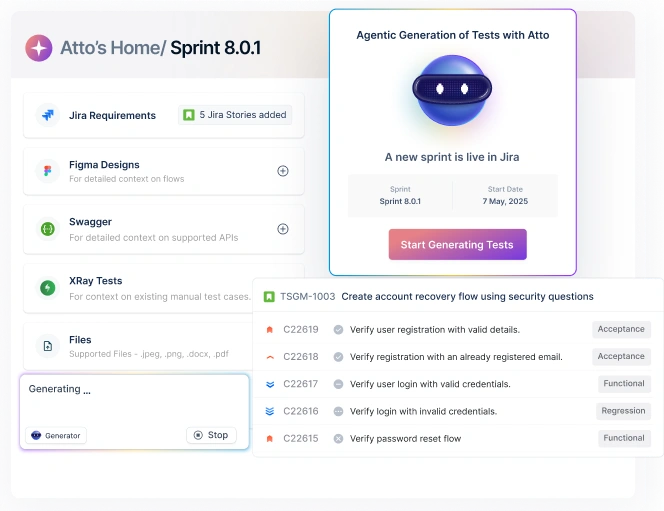
Testsigma is an agentic test automation platform that enables you to create and execute tests using simple English. It supports comprehensive testing across web, mobile, desktop, API, SAP, and Salesforce applications, making it a versatile choice for modern QA teams.
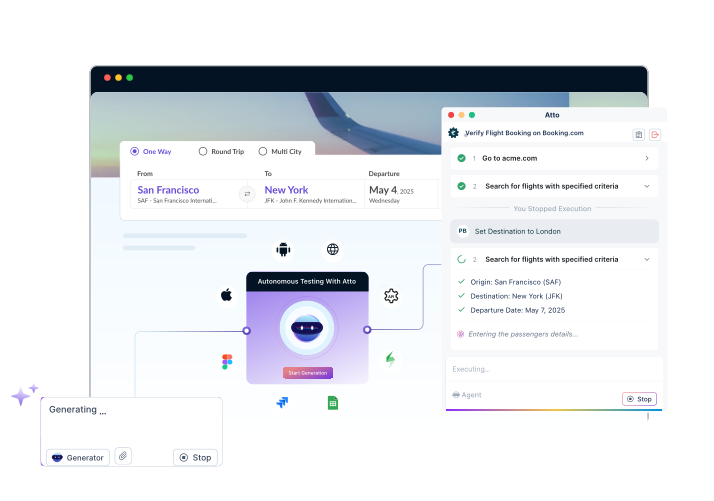
Testsigma has also introduced the first-ever autonomous testing capability powered by its AI agent, Atto. Atto is designed to significantly streamline your QA processes, reduce manual effort, and boost overall testing productivity.
Features
- It features Atto, the first-ever autonomous testing capability that generates plans, creates test cases, executes tests, and reports bugs.
- It allows you to write test cases in plain English, eliminating the need for programming knowledge.
- You can manage tests for web, mobile, and APIs, all within the same platform.
- It acts as a single source of truth for all test cases, enabling reuse, versioning, organisation, and ease of maintenance.
- Testsigma can automatically adjust or heal tests when the application under test changes, reducing flakiness and maintenance overhead.
- You can execute tests simultaneously across multiple browsers, devices, and environments, enabling broad coverage and faster feedback.
- Testsigma can integrate with popular tools like Jira, GitHub, Jenkins, Azure DevOps, etc, enabling continuous testing within DevOps workflows.
- If and when a test fails, you can log bugs directly and link them to requirements/stories, helping maintain traceability across requirements, tests, and defects.
- Testsigma also generates detailed test execution reports, trend analysis, coverage tracking, and dashboards to help you monitor quality over time.
Why Choose Testsigma over Qase?
- With Qase, you still need a separate automation framework and add-on for other features, but Testsigma provides a codeless, AI-assisted test automation tool for web, mobile, and APIs, all within the same platform.
- Testsigma lets you write tests in plain English, making it friendlier for teams that include manual testers, BAs, and non-coders.
- Qase helps you focus more on manual/structured management, but Testsigma sits directly in your CI/CD pipeline and triggers runs from Jenkins/Azure/GitHub.
- Keeping tests green in Qase requires a significant amount of manual effort, but Testsigma’s AI-based self-healing feature helps maintain stability when locators or minor UI details change.
- Since Testsigma combines test management, automation, and reporting in one platform, you avoid paying for and maintaining multiple tools that you’d typically pair with Qase.
TestRail
TesRail is a web-based test case management tool designed to help QA teams organize, execute, and track software testing efficiently. It provides a centralised repository where you can create test cases, organize them into suites and sections, build test plans, execute runs across configurations, and log results.
You can also benefit from real-time dashboards and comprehensive reports that track progress, coverage, and quality metrics. With integrations to issue-tracking and CI/CD tools, TestRail offers visibility, traceability, and a structured testing workflow, making it a reliable backbone for your QA operations.
Features
- TestRail enables you to create and manage test cases using a hierarchical structure, allowing you to easily organize tests by module, release, or functionality.
- You can define test suites, build test plans as a collection of runs, assign test cases to testers, and execute test runs per release, build, or milestone.
- You can record test results, track execution history over time, and maintain a central repository of past test runs for audits and traceability.
- TestRail offers real-time dashboards and customizable reports, providing visibility into coverage, completion, and risk.
- You can reuse test cases across multiple cycles, maintain versions, and utilise templates or shared steps/data to avoid duplication and expedite test authoring.
- TestRail enables seamless or API-based integration with tools like Jira, automation frameworks, and CI/CD pipelines, enabling you to link tests to requirements, defects, and builds.
- You can import existing test cases, export data, and maintain backups, which simplifies migration and reporting.
Why Choose TestRail over Qase?
- TestRail is a more mature platform that has been around for longer, so its workflows, performance, and stability are more reliable for large, regulated teams as compared to Qase.
- TestRail offers a richer test planning structure, including projects, suites, sections, configurations, and milestones, compared to Qase. This provides granular control over organising large, complex test portfolios.
- When compared to Qase, TestRail’s dashboards and built-in reports are generally more advanced and flexible.
- TestRail can feel more comfortable for high-volume test suites and long-running projects, while Qase can start to feel crowded or less smooth at scale.
- TestRail has long-standing integrations with Jira and other ALM/CI tools, as well as a robust API, which makes it easier to integrate with existing enterprise toolchains. In contrast, Qase requires you to depend on multiple other tools for the same purpose.
Testmo
Testmo is a modern, unified test management platform that is designed to handle manual, exploratory, and automated testing. It offers flexible test case management, test runs, and result tracking, plus built-in support for exploratory test sessions and seamless integration of automated test results via CI/CD pipelines and automation frameworks. With rich reporting, real-time metrics, project/milestone management, and integrations with issue trackers and DevOps tools, Testmo serves as a unified quality assurance hub, which makes it suitable for teams aiming to streamline QA, improve visibility, and accelerate release cycles.
Features
- Testmo can store, organize, and manage test cases in a central repository, allowing you to use folders/tags/custom fields, create reusable templates, and manage test runs, results, assignments, and workflows.
- It supports exploratory testing, so you can run sessions, take notes, capture screenshots, track time, and log issues.
- You can integrate automated test suites and CI/CD pipelines, following which you can also submit automation results, view them alongside manual results, and track failures, flaky, or slow tests.
- You can plan tests per project or release, organize test runs, manage milestones and versions, or track progress across releases.
- Testmo offers rich dashboards, real-time metrics, charts, coverage, and progress reports, which allow you to track test history, team workload, automation stability, and coverage.
- It integrates with popular tools like Jira, GitHub, and GitLab, as well as CI tools such as Jenkins and CircleCI, enabling seamless linking of tests to issues, workflows, and builds.
- Testmo has been designed to support teams of all sizes, featuring custom fields, permissions/workflows, as well as unified reporting across various testing types.
Why Choose Testmo over Qase?
- Unlike Qase, Testmo has been designed to manage manual test cases, exploratory sessions, and automated test results in one platform, so you don’t have to end up using separate tools or views.
- Testmo treats exploratory testing as a core feature with structured sessions, notes, screenshots, and time tracking, which is ideal if you work in an agile team that ships frequently.
- It also provides strong hooks for CI pipelines and any automation framework, with a CLI and APIs to push automated results alongside manual runs.
- While Qase offers more test-case-centric reporting, Testmo aggregates manual, exploratory, and automated data, which provides a fuller picture of coverage, risk, and trend analysis.
PractiTest
PractiTest is a cloud-based, end-to-end test management platform that encompasses the entire QA lifecycle, spanning from requirements and test design to execution and defect tracking. It organizes work into different modules, enabling clear traceability. It also supports both manual and automated testing, integrates with tools such as Jira, automation frameworks, CI/CD pipelines, and provides customizable dashboards and real-time reporting.
It also offers flexible configuration, re-usable test cases, and strong visibility across projects, positioning itself as an excellent tool for medium-to-large teams seeking structured, scalable QA management.
Features
- PractiTest allows requirements, test cases, test runs, and defects to live in one platform, giving you a unified view of the QA lifecycle.
- You can link requirements or user stories to test cases, and track what’s covered and tie test outcomes back to requirements.
- You can create, organize, and maintain test cases with custom fields, versions, reusability, cloning, bulk edits, and custom layouts.
- You can group tests into test sets, run them, track progress, batch edit, reuse instances, and manage test runs across cycles and releases.
- PractiTest supports scripted manual tests, exploratory tests, BDD-style scenario tests, and automated tests.
- It can be connected with tools like Jira, Jenkins, Selenium, etc., to incorporate automated results and link defects seamlessly.
- You can reuse test cases across multiple runs, clone tests/projects, maintain versions, and avoid duplication, which can help you scale test management as projects grow.
Why Choose PractiTest over Qase?
- Unlike Qase, PractiTest can link requirements, test cases, test runs, and defects, giving you full traceability and coverage visibility and simplifying the understanding of what user stories are tested and what’s missing.
- PractiTest gives powerful insights into test coverage, progress, defects, and quality metrics via dynamic filtering, real-time dashboards, cross-project and cross-release reporting.
- PractiTest can integrate with popular issue trackers, CI/CD and automation tools, which can help you embed QA tightly into existing development pipelines.
- PractiTest is designed to support mid- to large-sized teams and complex projects that can support many users, multiple projects, large test suites, and offers the flexibility and structure needed for enterprise QA.
- Test steps and test cases on PractiTest can be reused across runs and projects, and the updates are propagated throughout the pipeline, which reduces duplication and simplifies maintenance as requirements evolve.
Tuskr
Tuskr is a modern, cloud-based test management platform that can help you streamline everything from test case creation, execution, and result tracking to reporting, collaboration, and automation integration. It offers a clean, intuitive UI, customizable workflows and dashboards, and supports both manual and automated testing efforts. It gives real-time visibility into quality metrics, supports role-based permissions, audit logs, and integrations with issue trackers, CI/CD tools, and automation frameworks, making it suitable for small teams and enterprises alike.
Features
- Tuskr lets you write rich test cases, define multiple steps & expected results per test, and supports importing test cases.
- You can perform bulk edits, bulk assignments, or bulk result entry to streamline large-scale test maintenance.
- You can create test runs across projects, choose all or filtered test cases for each run, and track execution results.
- Tuskr offers dashboards, charts, workload reports, planned vs actual tracking, and exportable status or PDF reports, helping you monitor test progress, coverage, and team performance.
- It integrates with tools like Jira, GitHub/GitLab, Slack, and CI tools, enabling you to link test results, issues, and automation pipelines.
- Tuskr also supports a wide range of projects, test cases, and runs, making it appropriate for small teams to enterprise-scale QA.
Why Choose Tuskr over Qase?
- Tusker provides multi-step tests with separate steps and expected results, inline images, custom fields, bulk editing, import/export, and a recycle bin for projects/suites/sections.
- You can build runs from complex filters, bulk-assign tests, optimize workload, bulk-add results, capture custom fields, and track burndown, making execution management more advanced than Qase’s basic features.
- Tuskr highlights custom security roles, project-level privileges, MFA/2FA, SSO, and compliance with EU/UK GDPR, SOC 2, and ISO 27001 as differentiators against Qase.
- Tuskr is also considered a reliable, robust, affordable, and easy-to-use tool with an aesthetically pleasing and intuitive interface, positioning itself as simpler and more intuitive than Qase.
- Tuskr also supports native integrations with bug/time-tracking tools, and emphasizes dynamic integrations via platforms like Zapier/Integromat, allowing you to customize workflows without custom code and without being locked into specific tools.
Allure Testops
Allure TestOps is a full-stack test management tool that is designed to unify manual and automated testing under DevOps workflows. It allows you to manage, run, and monitor test executions directly from its interface, and aggregates results from multiple sources in real time.
It also generates and updates test documentation automatically through smart test cases, reducing the drift between code and test suite. With powerful analytics, dashboards, and customizable KPIs, Allure TestOps gives you visibility into test coverage, stability, and project progress, making it a strong backbone for quality-driven, automated release workflows.
Features
- Allure TestOps unifies manual test cases and automated test results under a single hub, giving you a centralized view of your entire QA process.
- It integrates with popular CI/CD tools and supports the automated import of test results from most frameworks.
- Test cases are automatically updated after each automated run, ensuring the documentation remains in sync with actual behavior and preventing outdated or stale test artifacts.
- You can trigger test runs directly from TestOps, monitor build progress in real time, and see aggregated results as tests complete.
- Allure TestOps offers customizable dashboards, rich metrics, and lets you define your own KPIs using a query language to track quality and release readiness.
- Allure TestOps is designed to support large test suites and multiple users, with robust storage, configuration, and the ability to handle complex testing needs across various teams.
- It also stores and aggregates test results from multiple runs, providing history, trend tracking, and traceability over time.
Why Choose Allure Testops over Qase?
- Allure TestOps lets you track manual test cases and automated test results in the same interface, giving you a “single source of truth” for all quality-related data.
- Allure TestOps can also integrate out of the box with major CI systems and accept results from multiple testing frameworks, which is ideal for DevOps and continuous testing workflows.
- Allure TestOps can help you monitor test coverage, stability, and quality in automated-heavy setups via built-in dashboards, trend and failure analytics, and custom KPIs.
- Unlike Qase, Allure TestOps enables you to launch, monitor, and rerun builds/tests from within TestOps across multiple environments, and view the results live.
- Allure TestOps is designed to handle high-volume test suites, automation results, and multiple users, which is particularly helpful when your projects increase and you run numerous CI jobs daily.
Xray
Xray is a Jira-native test management tool that lets QA teams plan, design, execute, and report tests directly within Jira. It supports both manual and automated tests, linking test cases to requirements and defects for full traceability. It enables the creation of test plans, organization of test sets, handling of execution across environments, and importing of automation results via REST/GraphQL APIs or CI/CD tools.
With built-in dashboards, coverage, and requirement traceability reporting, Xray offers visibility into test status, progress, and quality, making it a strong fit for your team if it’s already embedded in the Jira ecosystem.
Features
- Xray utilizes Jira issue types, allowing test cases, plans, and runs to coexist within the same tool and workflows as stories, bugs, and tasks.
- Xray supports the entire QA lifecycle, test planning, test design/specifications, test execution, and reporting, all inside Jira.
- You can create manual test cases and also link or import automated tests from frameworks.
- Xray allows you to write tests using BDD/Gherkin syntax, which helps bridge the communication between developers, testers, and stakeholders.
- You can organize test cases into hierarchical categories, reuse tests, define preconditions, and manage test versions.
- Xray supports parameterization or data-driven test cases to test large datasets or multiple configurations efficiently.
- It offers built-in reports, dashboards, requirement coverage charts, execution progress, and status by version/environment, giving real-time visibility into test health and readiness.
Why Choose Xray over Qase?
- Unlike Qase, Xray lives inside Jira as native issue types, so tests follow the same workflows, permissions, and projects as stories and bugs, which is a big win if Jira is your single source of truth.
- You can link requirements/user stories with tests, executions, and defects within Jira, giving you full, in-tool traceability with no context switching.
- Xray provides full support for BDD/Gherkin scenarios, making it easier for product, development, and QA teams to collaborate on behavior-driven specifications that serve as both executable tests and documentation.
- You can combine Xray’s coverage/execution reports with native Jira dashboards, filters, gadgets, and custom fields to build very Jira-specific quality views.
- If your team standardizes on Jira for everything, Xray can keep your QA process in the same governed ecosystem, simplifying compliance and process audits.
Aqua Cloud
A modern, AI-augmented test management and QA platform, aqua cloud combines requirements, test cases, test data, defects, and project management under one roof. It utilizes an AI Copilot to generate requirements, test cases, and test data from plain text, voice prompts, or draft visuals in seconds, significantly reducing manual effort.
The tool supports both manual and automated testing, offers full traceability, and provides real-time dashboards, reporting, and coverage analysis to help teams maintain visibility and quality across releases.
Features
- The tool’s AI Copilot can transform plain text notes, voice prompts, or draft visuals into structured requirements and generate full test cases and test data.
- It supports both manual test cases and automated tests, allowing you to manage all test assets on a centralized platform.
- Requirements can be linked to test cases and defects, making it easier to track coverage and ensure nothing slips through.
- Real-time analytics dashboards, custom reports, test coverage insights, trend analysis, and KPI alerts provide a clear view of test health and product readiness.
- Its built-in bug reporting tool links defects to test cases and test runs with complete context, facilitating quicker triage and regression tracking.
- It supports custom project hierarchies, workflows, role-based permissions, audit logs, and version history.
- It can integrate with common tools and frameworks, plus REST API support to connect other tools and custom scripts.
- It is specifically designed for small teams and large enterprises, with support for unlimited projects, test runs, users, and robust data management.
Why Choose Aqua Cloud over Qase?
- Its built-in AI Copilot can generate requirements, test cases, and test data from simple text, voice, or draft visuals, reducing test planning time up to 97%.
- It offers native support for popular automation tools and frameworks, as well as REST API support, providing more flexibility compared to Qase’s limited integration options.
- In terms of reporting, version control, integration, and test repository capabilities, aqua cloud is rated higher than Qase, meaning it gives better insights into coverage, stability, and history of test artifacts.
- For teams with strict compliance or infrastructure requirements, aqua cloud supports both cloud and on-premise deployments, unlike Qase’s rigid deployment features.
- Unlike Qase, Aqua Cloud also aims to cover the entire QA life cycle under one cohesive platform, which can help you avoid the need to stitch together multiple tools for your QA lifecycle.
How to Choose the Right Qase Alternative
Assess Your Testing Maturity and Needs
Before selecting an alternative for Qase, it’s essential to assess your team’s testing maturity and specific needs. You must consider the volume of test cases, level of automation, reporting depth, and integration requirements that are demanded by your workflow.
You must also evaluate whether your team needs advanced features like end-to-end traceability, CI/CD orchestration, or AI-powered test creation. Understanding these factors can ensure that you choose a platform that scales with your processes and elevates overall QA efficiency.
Evaluate Performance Capabilities
When selecting an alternative to Qase, it’s essential to evaluate the platform’s performance under real-world testing workloads. You must always consider how the tool handles large test repositories, parallel executions, and high-volume automation results.
You must also assess responsiveness, load times, and stability during peak cycles or CI/CD bursts. A scalable, high-performance tool ensures faster feedback, smoother test runs, and reliable reporting, which is critical for improving release velocity and maintaining consistent product quality.
Consider Integration Ecosystem
When evaluating Qase alternatives, consider how well each platform aligns with your existing tool ecosystem. You must look for seamless integrations with CI/CD pipelines, automation frameworks, issue trackers, requirement tools, and version control systems.
Strong integration can help you reduce manual effort, improve traceability, and streamline end-to-end workflows. A robust integration ecosystem ensures that your test management tool becomes a natural extension of your development process.
Analyze Total Cost of Ownership
When comparing Qase alternatives, it is essential to look beyond the subscription fees and analyze the total cost of ownership. You must consider all expenses associated with onboarding, training, maintenance, integrations, automation setup, and scaling users or projects.
It’s also important to factor in hidden costs, such as tool switching, manual workarounds, or limited features that require additional plugins. Choosing a platform with predictable pricing, built-in capabilities, and reduced operational overhead can ensure long-term value and a more cost-effective QA ecosystem.
Evaluate Scalability and Performance
When choosing an alternative to Qase, you must assess how well the platform scales with your growing projects, teams, and test volumes. You should evaluate its ability to manage large repositories, handle parallel test runs, and process automation results without slowdowns.
You must also consider load performance, response times, and stability during peak CI/CD activity. A scalable, high-performance tool ensures smooth execution, reliable reporting, and long-term support for expanding QA operations.
Prioritize Usability and Adoption
When choosing a Qase alternative, it is essential to prioritize tools that offer intuitive navigation, clean interfaces, and minimal learning curves. Choosing a user-friendly platform can help you accelerate onboarding, boost productivity, and encourage consistent adoption across QA, dev, and product teams.
You must also consider features like customizable views, guided workflows, and accessible documentation. The simpler the tool is to use, the faster your team can streamline the testing processes and achieve measurable quality improvements.
Verify Enterprise Requirements
When evaluating a Qase alternative, you must verify that the platform meets your enterprise-grade requirements. You must assess support for SSO, role-based access control, audit logs, data residency, compliance standards, and secure deployment options like on-premise or private cloud.
You must also ensure that the tool can handle large teams, complex workflows, and rigorous governance. Confirming these capabilities early can help you prevent scalability issues and ensure that the solution aligns with your organization’s security and operational policies.
Assess Vendor Reliability and Support
When choosing a Qase alternative, you must assess the vendor’s reliability, responsiveness, and long-term stability. You must look for proven customer support, comprehensive documentation, and a strong product roadmap.
You must also evaluate factors like onboarding assistance, response times, SLA options, and community engagement. A trustworthy vendor with consistent updates and proactive support ensures smoother implementation, faster issue resolution, and confidence that your test management platform will continue evolving with your organization’s QA needs.
Conclusion: Making a Confident Decision
Ultimately, choosing the right alternative for Qase boils down to understanding your team’s testing maturity, integration needs, scalability requirements, and long-term quality goals. Whether you prioritize advanced automation support, richer reporting, enterprise-grade security, or a more intuitive user experience, today’s test management landscape offers powerful options to fit every workflow.
Among all the platforms outlined in this blog, Testsigma stands out as one of the most comprehensive and user-friendly alternatives, especially with its no-code capabilities and AI-powered automation. But by carefully evaluating performance, usability, total cost of ownership, and vendor reliability, you must select a platform that not only replaces Qase but also elevates your entire QA process. The right tool can become a catalyst for faster releases, stronger collaboration, and higher product quality.
Frequently Asked Questions
For small QA teams, the best alternative to Qase is Testsigma, because it offers an all-in-one test management and automation platform that’s incredibly easy to adopt, even with limited resources.
The Qase alternative that offers the most advanced AI-powered test generation capabilities is Testsigma. It stands out by letting you write tests in plain English, following which it uses AI-assisted logic to transform those descriptions into executable test cases.
Testsigma offers a unified platform where teams can manage test cases and execute automated tests across web, mobile, and APIs within the same interface. Qase, by contrast, is primarily a test management tool that tracks test cases and results but relies on external automation frameworks for execution.
For mid-sized teams seeking a cost effective Qase alternative, Testmo stands out. It combines manual, exploratory, and automated testing in a single platform, offering powerful reporting and test run management without the expensive overhead often associated with enterprise tools.