




Table Of Contents
- 1 Overview
- 2 What is Test-Driven Development (TDD)?
- 3 When was TDD Developed, and How has It Evolved?
- 4 How Does TDD Work? The Red-Green-Refactor Cycle Explained
- 5 What are the Benefits of Test-Driven Development?
- 6 What are the Challenges and Limitations of TDD?
- 7 What are the Two Main Types of TDD?
- 8 Which Frameworks and Tools Support TDD?
- 9 TDD vs BDD vs ATDD: What is the Difference?
- 10 How Does TDD Fit into Agile, CI/CD, and DevOps?
- 11 How to Implement TDD with Testsigma
- 12 Real-World Examples of TDD in Production
- 13 What Are the Best Practices for TDD?
- 14 What is the Future of TDD with AI-Powered Automation?
- 15 Frequently Asked Questions
Overview
TDD is a development methodology where you write automated tests before writing code, following the Red-Green-Refactor cycle. Each cycle confirms the feature is not yet built, delivers it with minimum complexity, and cleans the code without breaking existing tests.
TDD reduces production defects by 40–90% and creates a safety net that lets developers refactor confidently at any stage. The test suite also serves as living documentation, always accurate, always in sync with the codebase.
TDD integrates directly into Agile sprints and CI/CD pipelines, ensuring every feature ships with a passing test suite from day one. AI-powered tools now extend TDD beyond unit tests to web, mobile, and API coverage, without the traditional maintenance overhead.
What is Test-Driven Development (TDD)?
Test-driven development (TDD) is a software development approach in which automated tests are written before the production code they validate. The tests define the expected behavior, and the code evolves to satisfy them.
Each TDD cycle follows three repeating steps, called Red-Green-Refactor, that together produce reliable, maintainable software:
| Step | Action | Goal |
| 🔴 Red | Write a failing test for the new functionality | Confirm the feature is not yet built |
| 🟢 Green | Write the minimum code to make the test pass | Deliver the feature with no extra complexity |
| 🔵 Refactor | Clean and improve the code while keeping tests green | Maintain code quality and reduce duplication |
When developers focus on tests first, they naturally design cleaner, more modular code.
When Was TDD Developed, and How Has it Evolved?
TDD originated in the late 1990s as part of Kent Beck’s Extreme Programming (XP) framework, with the core principle that fast feedback and continuous testing prevent defects from accumulating.
Its evolution is in three phases:
- 1990s–2003: Unit-test focused, developer-centric, confined to XP teams
- 2003–2015: Mainstream adoption with Agile. BDD (Behavior-Driven Development) and ATDD (Acceptance TDD) emerged as offshoots targeting business alignment
- 2015–present: CI/CD and DevOps integration made TDD the backbone of automated release pipelines. AI-powered tools now extend TDD to system-level and end-to-end tests
How Does TDD Work? the Red-green-refactor Cycle Explained
Step 1: Red, Write a Failing Test
Start by writing a test for the functionality you want to add. Since the feature does not yet exist, the test fails. This failure confirms the test is valid and the feature still needs to be built.
Step 2: Green, Write Just Enough Code to Pass
Write the simplest code that makes the test pass. At this stage, elegance is secondary; correctness is the only goal. Over-engineering here defeats the purpose of TDD.
Step 3: Refactor, Improve without Breaking
Once the test passes, clean the code: remove duplication, improve naming, and optimize structure, all while ensuring every test remains green. Skipping this step is the most common TDD anti-pattern, leading to a messy, fragile test suite over time.
| 💡 Python Example: Step 1, Write the test: assert add(2, 3) == 5Step 2, Minimal code: def add(a, b): return a + bStep 3, Refactor if needed (add type hints, docstrings, edge-case handling) |
What Are the Benefits of Test-Driven Development?
According to studies from IBM and Microsoft study, TDD reduces defect density by 40–90% in projects where it is consistently applied. The core benefits include:
- Fewer production bugs: Tests written before code prevent defects from reaching users
- Faster feedback: Developers know immediately if a change breaks existing behavior
- Safer refactoring: A comprehensive test suite lets teams restructure code confidently
- Better design: Writing tests first forces modular, loosely coupled code, because untestable code fails TDD
- Living documentation: Tests describe what the code does; no documentation can drift out of sync the way prose can
- Improved Dev–QA alignment: A test-first culture shared across the team reduces handoff friction and rework
What Are the Challenges and Limitations of TDD?
TDD is not a silver bullet. Teams should plan for:
- Initial slowdown: New adopters typically see reduced velocity for the first 1–3 sprints while building the habit
- Steep learning curve: Writing good tests (not just any tests) requires skill in mocking, fixtures, and test isolation
- Overemphasis on unit tests: TDD naturally produces many unit tests, but can neglect integration, contract, and end-to-end coverage
- Test-induced design damage: Forcing testability can occasionally produce artificial architecture choices (e.g., excessive dependency injection)
- Maintenance overhead: More tests mean more code to maintain; tests must be refactored alongside features
- Limited fit for exploratory work: TDD is less effective for R&D, spike solutions, or highly ambiguous requirements
| ⚠️ Key Misconception: TDD does not guarantee zero bugs. It reduces the probability of defects and their cost when they occur, it does not eliminate them. |
What Are the Two Main Types of TDD?
Developer TDD (unit-Test Focused)
Developer TDD tests the smallest units of code, functions, methods, and classes in isolation. It is the most common form, best suited for business logic, pure functions, and modular components with well-defined inputs and outputs.
Example: Writing test_login_success() and test_login_failure() before building the login() function.
Acceptance TDD (atdd, User Behavior Driven)
Acceptance TDD (ATDD) validates whether the system meets business requirements from a user’s perspective. Tests simulate real user scenarios and are readable by non-technical stakeholders.
ATDD overlaps with Behavior-Driven Development (BDD). BDD extends ATDD by using natural-language Gherkin syntax (Given–When–Then), making test cases understandable to product managers, business analysts, and QA without requiring them to read code.
Which Frameworks and Tools Support TDD?
| Language | Unit Testing | BDD / Acceptance | Notes |
| Java | JUnit, TestNG | Cucumber | JUnit is the de facto standard; TestNG adds parallel execution |
| Python | pytest, unittest | Behave, pytest-bdd | pytest is preferred for its fixture system and plugins |
| JavaScript | Jest, Mocha + Chai | Cucumber.js | Jest offers zero-config setup and built-in mocking |
| C# | NUnit, xUnit | SpecFlow | xUnit is the modern choice for .NET Core projects |
| Cross-platform | Testsigma | Testsigma (NLP) | Extends TDD to web, mobile & API without boilerplate code |
TDD Vs BDD Vs ATDD: What is the Difference?
The table below shows key differences between TDD vs BDD vs ATDD across focus, audience, language, and test level.
| Aspect | TDD | BDD | ATDD |
| Focus | Code correctness | System behavior & scenarios | Business acceptance criteria |
| Primary Audience | Developers | Developers + QA | Business + Developers + QA |
| Language | Programming language | Gherkin (Given/When/Then) | Plain English or Gherkin |
| Test Level | Unit | Feature / Integration | End-to-end / Acceptance |
| Best Used For | Logic validation | Cross-team collaboration | Validating business requirements |
Use TDD for coding discipline, BDD for behavior clarity across teams, and ATDD for aligning tests with business goals.
How Does TDD Fit into Agile, CI/CD, and Devops?
TDD integrates naturally at every layer of modern delivery pipelines:
- Agile sprints: TDD ensures each user story has tests from day one. New features are never shipped without a passing test suite
- CI pipelines: Every commit triggers an automated test run. Failures block merges, preventing regressions from reaching main branches
- CD pipelines: TDD-maintained test suites provide the confidence needed for automated deployment to production without manual sign-off
- DevOps: TDD scales test coverage across environments, making reliability a built-in property of the release, not an afterthought
In-sprint automation, creating automated test cases in the same sprint as the feature, is the operational form of TDD in Agile. It prevents automation backlogs and keeps QA synchronized with development.
How to Implement TDD with Testsigma
Traditional TDD tools stop at unit tests. Testsigma extends TDD principles to web, mobile, API, desktop, and Salesforce testing via a low-code, AI-powered platform, without boilerplate code or framework expertise.
Step-by-step: TDD Workflow in Testsigma
- Define the feature requirement. Identify what the new feature should do and capture it as a user story or acceptance criterion.
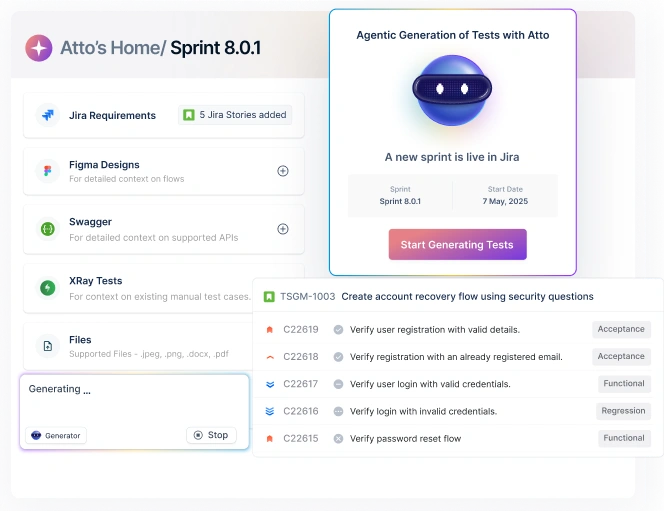
- Create the test case in Testsigma. Use plain-English NLP steps to describe the test scenario, no code required. Example: ‘Verify that clicking Login redirects the user to the dashboard.’ Or use the Generator agent to automatically generate test cases from Figma, Jira, images, screenshots, videos, PDFs, and other files.
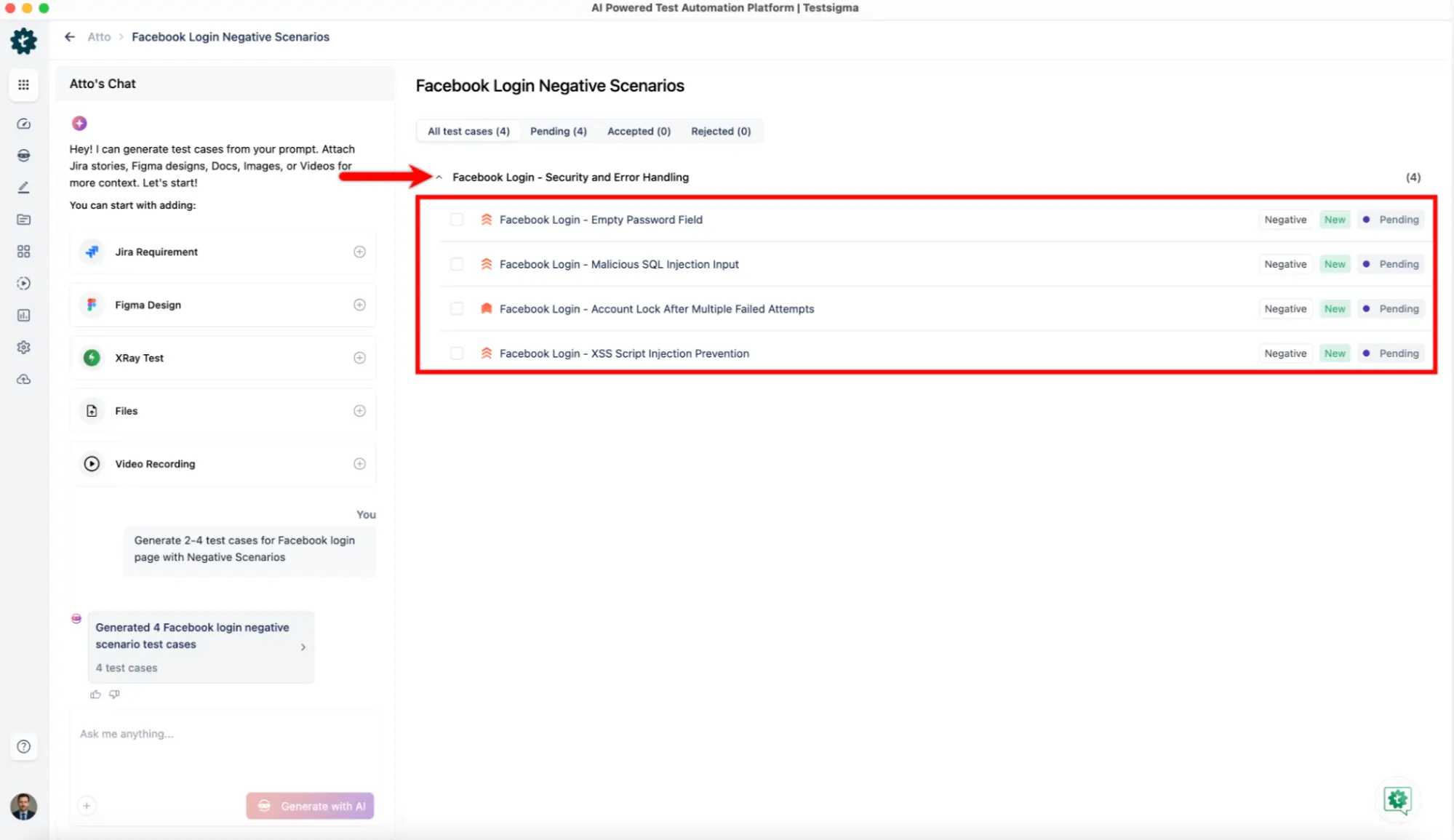
- Run the test, it should fail (Red). Execute the test against your feature branch. Since the feature is not built yet, it fails. Testsigma logs the failure with step-by-step details.
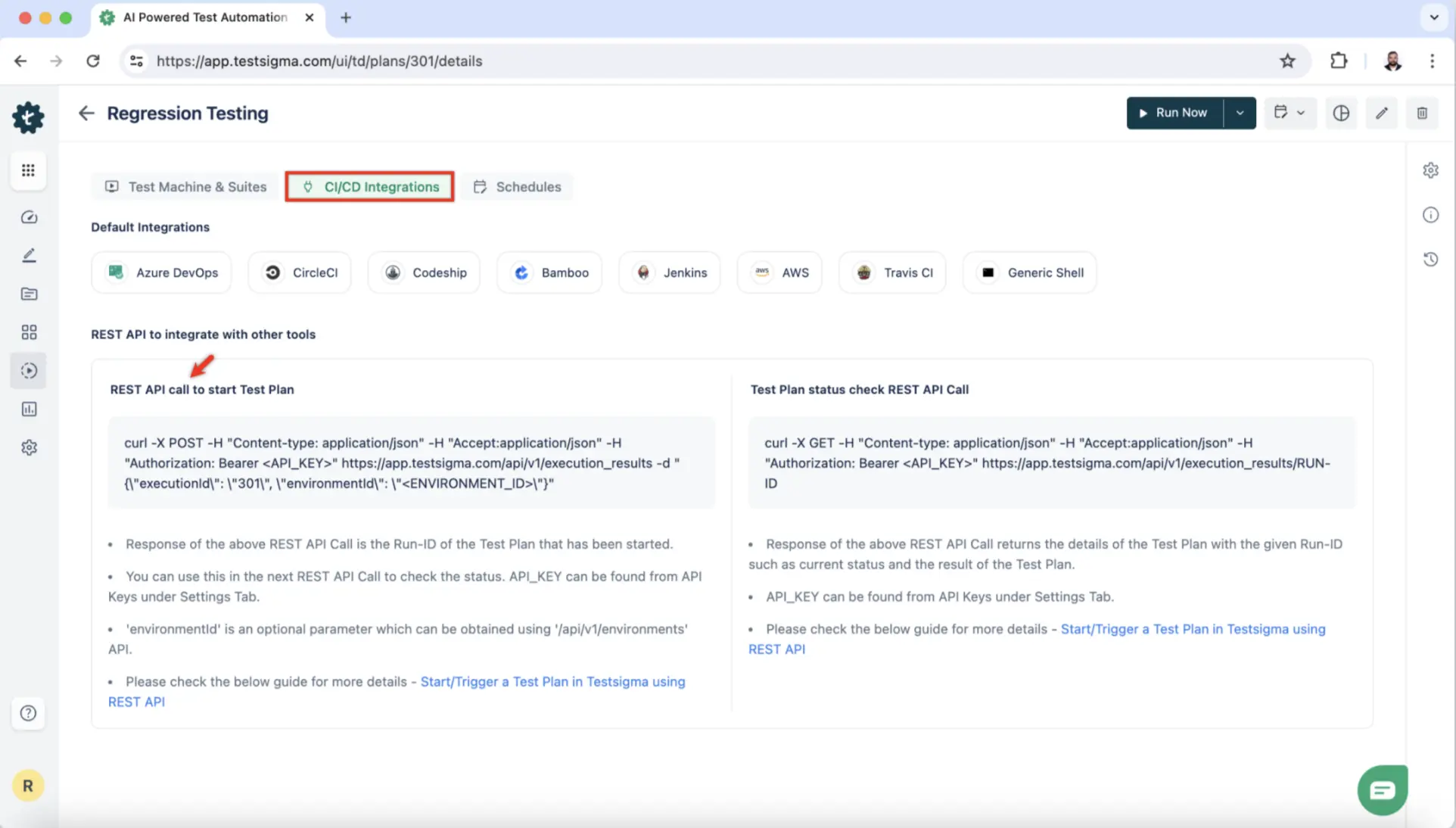
- Build the feature and re-run (Green). Implement the feature code, then trigger the test plan from Testsigma’s CI/CD integration (Jenkins, GitHub Actions, Azure DevOps, etc.).
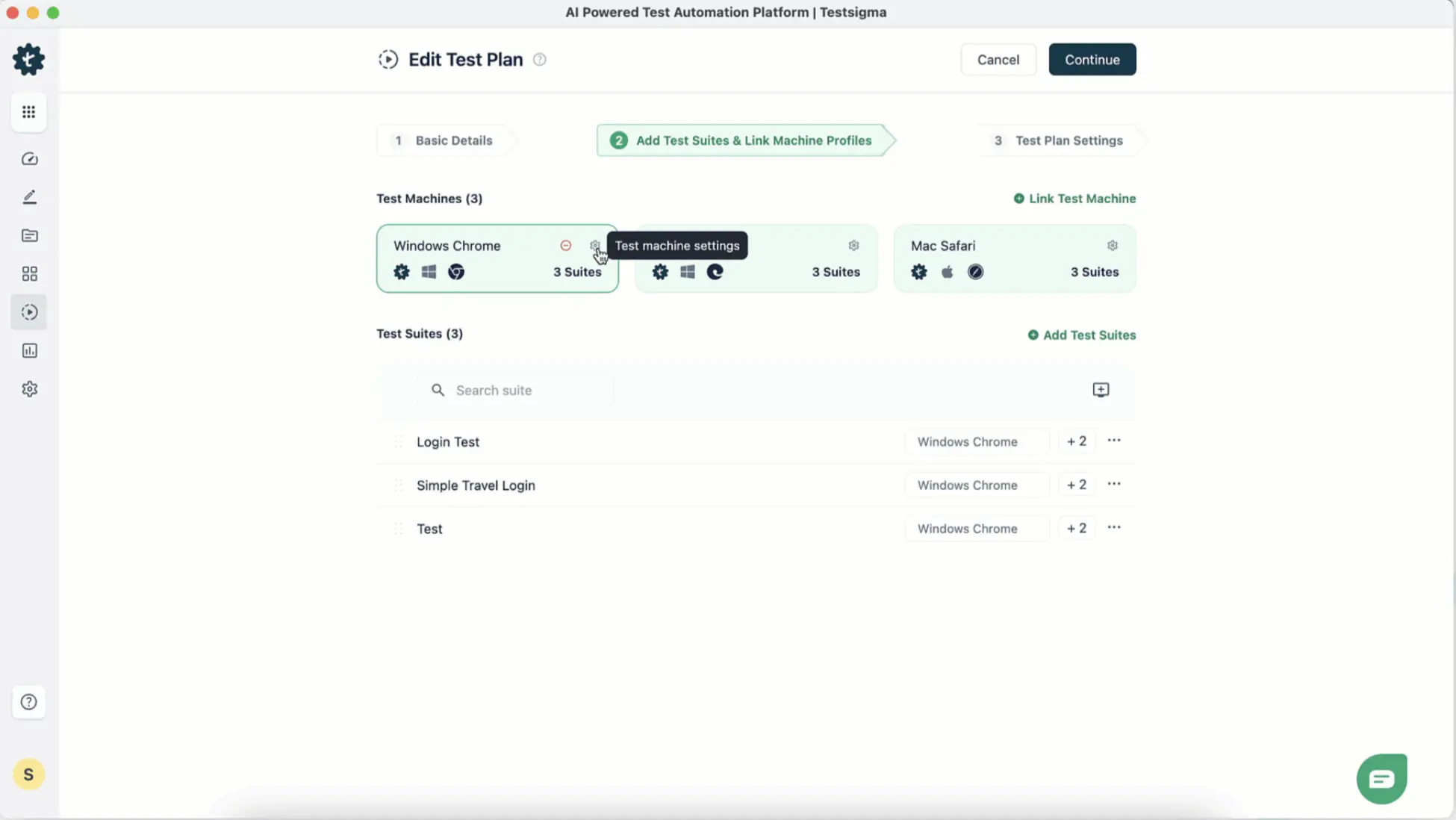
- Auto-heal and refactor (Refactor). Testsigma’s AI auto-healing detects UI changes and repairs broken locators automatically , reducing test maintenance by up to 70%.
- Scale across platforms. Run the same test plan across web browsers, Android, iOS, and APIs in parallel on Testsigma’s cloud grid , no additional configuration needed.
| 📖 Docs Reference: Testsigma Continuous Integration guide: testsigma.com/docs/continuous-integration/, covers GitHub Actions, Jenkins, Azure DevOps, and more. |
Real-World Examples of TDD in Production
Microsoft reported a 40–60% reduction in defect density across teams that adopted TDD , while noting a 15–35% increase in initial development time that is typically recovered during maintenance.
Google applies TDD variants across multiple codebases, using the practice to keep millions of lines of code stable through continuous refactoring.
Startups use TDD to ship MVPs without accumulating crippling technical debt, creating a safety net that allows rapid feature iterations without regression anxiety.
What Are the Best Practices for TDD?
- Start small: Write tests for one behavior at a time. A test covering too much is hard to maintain
- Keep tests atomic: Each test should validate exactly one thing. When it fails, you know exactly what broke
- Use mocks and stubs wisely: Mock external dependencies (APIs, databases) but avoid over-mocking internal logic
- Test behavior, not implementation: Testing internal wiring rather than observable behavior creates brittle tests that break on every refactor
- Refactor ruthlessly: Skipping the Refactor step is the leading cause of TDD failure. Clean code and clean tests must evolve together
- Combine with BDD for wider coverage: TDD at the unit level + BDD at the acceptance level provides the best coverage profile for Agile teams
- Integrate into CI from day one: Tests that don’t run automatically are tests that don’t get maintained
What is the Future of TDD with AI-Powered Automation?
AI is reshaping TDD in three areas:
- Test generation: LLMs can auto-generate test cases from requirements, user stories, or existing code, dramatically reducing the ‘write tests first’ overhead
- Edge case suggestion: AI identifies scenarios developers typically miss, expanding coverage without extra manual effort
- Intelligent maintenance: Auto-healing tools like Testsigma automatically fix broken locators when UI changes, preventing the test maintenance burden that causes teams to abandon TDD
Testsigma’s NLP-powered automation and AI agents (test generation, coverage planning, defect logging) allow teams to extend TDD from unit tests all the way to full system tests , without drowning in boilerplate code.
Frequently Asked Questions
Yes, TDD remains one of the most effective ways to ship reliable software in 2026. Studies consistently show it cuts defect rates by 40–90%, and its fit with Agile, CI/CD pipelines, and AI-assisted test generation makes it more practical today than ever before.
The core discipline hasn’t changed: write a failing test, make it pass, refactor. What has changed is tooling. AI-powered platforms can now auto-generate test scaffolding and heal broken tests automatically, removing the two biggest adoption barriers: setup time and maintenance overhead.
Yes, but only at first. Teams new to TDD typically see a 15–35% slower start during the first few sprints. That investment pays back through fewer production bugs, faster debugging cycles, and safer refactoring; most teams recover the time within one or two releases.
The slowdown is a habit problem, not a method problem. Once developers internalise the Red-Green-Refactor rhythm, the cycle becomes faster than writing code first and chasing bugs later. The long-term maintenance savings consistently outweigh the initial ramp-up cost.
Yes. Native frameworks like XCTest (iOS) and Espresso (Android) both support writing tests before feature code, making TDD fully applicable to mobile development. For teams targeting multiple platforms, low-code tools like Testsigma let you run the same TDD workflow across iOS, Android, and web without platform-specific boilerplate.
Mobile TDD does require extra care around UI state, device fragmentation, and flaky network conditions, areas where traditional unit-test-first TDD gets complex. AI-powered auto-healing addresses the flakiness problem by detecting and repairing broken locators whenever the UI changes.
TDD is a developer practice focused on code correctness; you write unit tests before writing implementation code. BDD is a team practice focused on system behaviour. Tests are written collaboratively in plain English (Given/When/Then) so developers, QA, and business stakeholders all share the same definition of done.
In practice, the two approaches complement each other well. Use TDD at the unit level to drive clean, modular code, and layer BDD on top for feature-level scenarios that non-technical stakeholders can read and validate. Most mature Agile teams use both.
No, TDD significantly reduces defect density and lowers the cost of fixing bugs when they do appear but it doesn’t eliminate them entirely. It is a risk-reduction discipline, not a guarantee. Edge cases, integration failures, and environmental issues can still slip through even a well-maintained test suite.
The most common misconception about TDD is that a green test suite means bug-free software. Tests only cover the scenarios you thought to write. TDD’s real value is making bugs cheaper to find and fix, not making them impossible.