
Prompt Templates for Pro-level test cases
Get prompt-engineered templates that turn requirements into structured test cases, edge cases, and negatives fast every time.
Table Of Contents
- 1 Key Takeaways
- 2 What Is Prompt Engineering for Software Testers?
- 3 Why Does Prompt Engineering Matter for QA Teams?
- 4 What Are the Best Prompt Engineering Frameworks for Testers?
- 5 What Are the Advanced Prompt Engineering Techniques for Testers?
- 6 Ready-to-Use Prompt Templates by QA Task
- 7 What Are the Best Practices for Prompt Engineering in QA?
- 8 Should Your QA Team Be Doing This, or Is There a Better Path?
- 9 Conclusion
Key Takeaways
- What it is: Prompt engineering for testers means writing structured instructions to LLMs that generate test cases, data, scripts, and reports with minimal manual effort.
- What it actually takes: To do it well, someone on your team needs to learn multiple frameworks, maintain a shared prompt library, and review every AI output before it goes near your regression suite.
- 5 core frameworks: APE, RACE, COAST, TAG, and RISE. This guide covers all five, so you know exactly what good prompt engineering requires.
- The real question: Once you see what it takes, you can decide whether your team’s time belongs here, or whether a platform that handles this for you makes more sense.
- What Testsigma does instead: Testsigma’s agentic AI handles the prompting automatically. QA teams get production-ready tests from their existing tools, with no frameworks to learn and no prompts to maintain.
What is Prompt Engineering for Software Testers?
Prompt engineering is the skill of writing structured, context-rich instructions that get LLMs to produce useful QA outputs. Test cases with real edge cases. Automation scripts that follow your conventions. Test data that covers security scenarios. Requirement analyses that catch ambiguities before a sprint starts.
It works. Teams that do it well get meaningfully better outputs from AI than teams that do not. But before you commit to building this skill across your QA team, it is worth being clear about what that actually involves.
What Does Prompt Engineering Well Require From Your Team:
- Learning which framework to use for which task and why
- Writing context-rich prompts from scratch for every new project, because the AI does not know your app
- Building and maintaining a shared, versioned prompt library so that quality does not depend on one person
- Reviewing every AI output before it goes into your regression suite
- Updating prompts every time your app or stack changes
- Doing all of this outside your actual test management toolchain
That is not a small investment. For teams that can make it, this guide covers every framework, technique, and template you need. For teams that would rather put that energy into testing strategy and quality ownership, we will show you what Testsigma does instead.
Why Does Prompt Quality Matter so Much?
LLMs produce outputs that match the quality and specificity of the input. A vague prompt like ‘write test cases for login’ produces five obvious happy-path scenarios that any junior tester could have listed in two minutes. A structured prompt that includes role, context, tech stack, output format, and acceptance criteria produces something you can actually use.
If AI has ever felt underwhelming for your QA work, the prompt is almost certainly where the problem started.
The Four Components That Separate Good QA Prompts From Bad Ones
| Component | What It Provides | Without It, the LLM Produces |
| Role Assignment | Sets the AI’s expertise level and persona | Generic, non-specialist outputs with no domain depth |
| Context | App type, tech stack, user flows, acceptance criteria | Hallucinated scenarios that don’t match your real application |
| Constraints | Coding standards, framework version, language, and privacy requirements | Code that breaks your stack or violates your team’s conventions |
| Output Format | Table, JSON, BDD steps, specific fields required | Unstructured prose, you have to reformat before it is usable |
Why Does Prompt Engineering Matter for QA Teams?
Most AI failures in QA are self-inflicted. The problem is not the model. It is the pattern. Here are the most common anti-patterns and how to fix them.
| Anti-Pattern | Example | Fix |
| Overloaded prompts | Generate UI tests, API tests, automation scripts, and analysis in one step. | Break into single-task prompts. One capability per prompt. |
| No structured output | Write test cases for checkout with no format specification | Specify the format: table, BDD steps, JSON, or exact fields required |
| Missing environment details | Write Selenium tests for login with no browser, framework, or language specified | Include browser, framework version, language, and coding standards |
| Contradictory instructions | Give detailed coverage and keep it minimal in the same prompt | Choose one goal per prompt. Use separate prompts for breadth and depth. |
| No role assignment | Prompting directly with no Act as a …. role prefix | Always open with a specific role and experience level |
Fixing these anti-patterns is where most of the gains come from. Teams that adopt structured prompt frameworks consistently report faster test case creation cycles and significantly fewer false positives in AI-generated test suites.
What Are the Best Prompt Engineering Frameworks for Testers?
Five structured frameworks have emerged as the most effective for QA use cases. Each maps to a different task type.
| Framework | Best QA Use Case | Complexity | Core Structure |
| APE | Test data generation; quick test ideas | Low | Action + Purpose + Expectation |
| RACE | Automation scripts; code with team conventions | Medium | Role + Action + Context + Expectation |
| COAST | Requirement analysis; ambiguity review | High | Context + Objective + Actions + Scenario + Task |
| TAG | JSON/schema-based testing; API payload generation | Low | Task + Action + Goal |
| RISE | Environment setup docs; onboarding guides | Medium | Role + Input + Steps + Expectation |
Framework 1: Ape (action, Purpose, Expectation)
Best for: Test data generation, boundary value analysis, and quick test idea lists.
APE is the lightest framework. Define what to do, why you are doing it, and what the output should look like. Use it when you need results fast, and the task is straightforward.
Ready-to-use Template: Test DATA Generation
Action: Generate test data for a user attempting to reset their password.
Purpose: To evaluate the password reset form’s input validation, security handling, and error messaging across valid, invalid, and edge-case inputs.
Expectation: Provide the output as a table with the following columns and rows.
| Input Scenario | Username | New Password | Confirm Password | Expected Result |
| Valid reset | valid@email.com | NewPass@123 | NewPass@123 | Password reset successful |
| Mismatched passwords | valid@email.com | NewPass@123 | Different@123 | Error: Passwords do not match |
| Expired token | valid@email.com | NewPass@123 | NewPass@123 | Error: Reset link has expired |
| Invalid email format | notanemail | NewPass@123 | NewPass@123 | Error: Invalid email address |
| SQL injection attempt | ‘ OR ‘1’=’1 | NewPass@123 | NewPass@123 | Error: Invalid input |
| Empty fields | (blank) | (blank) | (blank) | Error: All fields are required |
| Password too short | valid@email.com | Ab1! | Ab1! | Error: Password does not meet minimum length |
| Password too long | valid@email.com | [256-character string] | [256-character string] | Error: Password exceeds maximum length |
Framework 2: Race (role, Action, Context, Expectation)
Best for: Automation script generation, API test generation, and any code that needs to follow your team’s conventions.
RACE is the most broadly useful framework for QA. It forces you to supply all four components before anything gets generated. The difference between a RACE prompt and a bare request is the difference between code you can commit and code you need to rewrite.
Ready-to-use Template: Selenium Script Generation
Role: Act as a senior QA automation engineer with 5 years of Selenium experience in Java, using TestNG and Page Object Model (POM) conventions.
Action: Write a Selenium WebDriver test script to automate the checkout flow of an e-commerce web application.
Context: The checkout page has a product summary, a shipping address form (name, address, city, postcode), a payment method selector (card/PayPal), and a Place Order button. Success shows an order confirmation number.
Expectation: Use POM structure. Include setup/teardown, explicit waits, and assertions for form validation errors, order confirmation element, and page title. Follow camelCase naming conventions throughout.
Framework 3: Coast (context, Objective, Actions, Scenario, Task)
Best for: Requirement analysis, ambiguity identification, and testability reviews before sprint planning.
COAST is the right tool when you are evaluating whether requirements are even testable before a single line of code is written. Finding an ambiguity during sprint planning takes minutes to resolve. Finding it after development is done takes days.
Ready-to-use Template: Requirement Analysis
Context: You are a lead QA engineer reviewing requirements for a mobile payments feature in a banking app before sprint planning.
Objective: Identify ambiguous, untestable, or incomplete requirements and flag them before development begins.
Actions
- Review each requirement for clarity, completeness, and testability.
- Flag ambiguous statements with a clarifying question.
- Suggest at least 2 test ideas per requirement.
- Mark each as: Testable / Needs Clarification / Incomplete.
Scenario: Cross-functional team with developers and product managers present.
Task: Review the following requirements: This is where you have to paste your requirements
Framework 4: Tag (task, Action, Goal)
Best for: API payload generation, test data analysis from JSON or CSV, schema-based testing.
TAG is designed for structured, data-focused inputs where you are working with a schema or file rather than a narrative description.
Ready-to-use Template: API Test DATA From Schema
Task: Extract all input parameters from the following API request schema.
Action: Review the schema and identify each parameter name, data type, whether it is required or optional, and any stated constraints (min/max, format).
Goal: Generate a test data matrix in the following format, with at least 3 rows per parameter category:
| Parameter | Data Type | Required | Valid Values | Invalid Values | Edge Cases |
| String | Yes | user@example.com | notanemail, user@, @domain.com | 255-character email, email with special characters | |
| password | String | Yes | MinPass@1 | 123, password, (blank) | 8-character minimum, 128-character maximum |
| otp | Integer | Yes | 123456 | 12345, abcdef, (blank) | 000000, 999999, expired OTP |
Schema: You can paste your JSON schema here.
Framework 5: Rise (role, Input, Steps, Expectation)
Best for: Test environment setup documentation, onboarding guides, step-by-step test execution procedures.
RISE is the framework for documentation tasks, when the output is a guide that a new team member needs to follow without additional help.
Ready-to-use Template: Test Environment Setup
Role: Act as a Lead Test Engineer responsible for onboarding new QA team members to a Python + Pytest test automation framework.
Input: Python 3.11, Pytest 7.4, the project repository URL, a requirements.txt file, and access to a Windows 11 test machine with no prior Python install.
Steps:
- Installation: Python, pip, virtual environment setup.
- Repository clone and dependency installation from requirements.txt.
- Running the full test suite with pytest -v and interpreting output.
- Configuring environment variables for test credentials.
- Troubleshooting: common errors (import failures, path issues, missing .env).
Expectation: A new team member with no prior framework experience should be able to follow these steps and run all tests successfully in under 30 minutes.
What Are the Advanced Prompt Engineering Techniques for Testers?
The frameworks get you structured outputs. These three techniques get you better, faster, and more consistent ones.
Few-Shot Prompting in QA
Few-shot prompting means giving the AI one or more examples of your desired output before asking it to generate similar content. It is the single most effective technique for getting consistently formatted test outputs, and often the difference between an output you can use immediately and one you need to spend time reformatting.
Here is an example of the test case format I need:
| Test ID | Title | Steps | Expected Result |
| TC-001 | Valid login with correct credentials | 1. Navigate to /login 2. Enter a valid email 3. Enter a valid password 4. Click Submit | User is redirected to /dashboard and sees welcome message |
Now generate 5 test cases in exactly this format for the password reset functionality. Include: valid reset, expired token, mismatched passwords, invalid email, and empty field.
Chain-of-thought Prompting for Test Analysis
Chain-of-thought prompting asks the LLM to reason step by step before giving its final output. This works well for tasks where the reasoning matters as much as the answer, such as risk analysis, test prioritization, and root cause identification.
Think through this step by step before answering:
1. What are the highest-risk user flows in a ride-sharing app’s payment module?
2. For each risk, what type of test would catch it (functional, security, performance)?
3. Which 3 tests should run first in a 30-minute regression window?
Show your reasoning for each prioritization decision, then give your final answer.
How Does Iterative Prompt Refinement Work?
Treat prompts like code. Version them, test them, and refine them based on output quality. The first prompt is rarely the best one.
| Version | What to Add | What to Check |
| v1 Baseline | Role + action + output format | Is the structure correct? Are scenarios relevant? |
| v2 Add context | Tech stack, app type, user flows, acceptance criteria | Did edge cases and security scenarios appear? |
| v3 Constrain | Exclusions, length limits, priority ordering | Is the output focused and actionable? |
| v4 Few-shot | One example of the ideal output format | Is formatting now consistent and immediately usable? |
| v5 Save | Store in your team’s shared prompt library | Is it reusable with minimal modification? |
The v5 step is where most teams leave the most value behind. A refined prompt that took two hours to develop can be reused by your whole team, every sprint, if someone actually saves it.
Ready-to-use Prompt Templates by QA Task
Copy any of these templates into your AI tool of choice, fill in the bracketed placeholders, and you are ready to go.
Test Case Generation From a User Story
Role: Act as a senior QA engineer.
Task: Given the following user story and acceptance criteria, generate a comprehensive set of test cases.
Coverage: Include happy path, negative tests, boundary values, and security edge cases. Mark Priority as Critical, High, Medium, or Low.
Output format:
| Test ID | Test Title | Preconditions | Test Steps | Expected Result | Priority |
| TC-001 | [Title] | [Preconditions] | [Steps] | [Expected result] | [Priority] |
Input details:
User Story: [PASTE USER STORY HERE]
Acceptance Criteria: [PASTE AC HERE]
Application Type: [e.g., web app, mobile app, REST API]
Tech Stack: [e.g., React frontend, Node.js API, PostgreSQL]
Bug Report From a Failed Test
Role: Act as a QA engineer, filing a defect report.
Task: Based on the following failed test execution details, generate a complete bug report.
Output format:
| Field | Details |
| Title | |
| Environment | |
| Steps to Reproduce | |
| Expected Result | |
| Actual Result | |
| Severity | Critical / High / Medium / Low |
| Priority | Critical / High / Medium / Low |
| Attachments Needed | |
| Root Cause Hypothesis |
Input details:
Failed Test Details: PASTE TEST OUTPUT / ERROR LOG HERE
Application: App name and version
Browser/Device: Environment details
Security Test Cases
Role: Act as a security-focused QA engineer.
Task: For the following feature, generate a security test checklist covering input validation, authentication bypass, session management, SQL injection, XSS, CSRF, and data exposure risks.
Output format:
| Risk Category | Test Scenario | Test Input | Expected Secure Behaviour | OWASP Reference |
| [Categor] | [Scenario] | [Input] | [Expected behaviou] | [OWASP ref] |
Input details:
Feature: DESCRIBE FEATURE
Tech Stack: e.g., Node.js API, JWT tokens, PostgreSQL, HTTPS only
Exploratory Testing Charter
Role: Act as an experienced exploratory testing specialist.
Task: Generate a 60-minute exploratory testing charter for the following feature.
Output format:
| Section | Details |
| Mission | One sentence about what you are testing and why |
| Areas to Explore | 3 to 5 specific areas with risk rationale |
| Test Ideas | 5 to 8 heuristic-driven test scenarios |
| Oracle | How you will judge pass/fail for each scenario |
| Risks to Uncover | 2 to 3 specific concerns to probe |
Input details:
Feature: DESCRIBE FEATURE
Recent Changes: Any recent code or design updates to focus on
Prefer to skip the frameworks and get straight to the tests? Testsigma’s Generator Agent does this for you. Start for free
What Are the Best Practices for Prompt Engineering in QA?
These are the habits that separate teams getting consistent, high-quality AI outputs from those constantly fixing what the AI got wrong:
| Practice | Why It Matters | How to Implement |
| Always assign a role | Anchors the LLM’s expertise level and vocabulary | Act as a senior QA automation engineer with 5+ years of [framework] experience |
| Provide application context | Generic prompts produce generic tests | Include: app type, tech stack, user flows, database, auth method, API version |
| Specify output format explicitly | LLMs default to prose | Provide output as a table with columns: [list exact column names] |
| Use few-shot examples | One example cuts formatting rework significantly | Paste one ideal test case before your generation request |
| Build a prompt library | Scales one engineer’s best work across the whole team | Store in Notion, Confluence, or a shared doc. Version when you refine. |
| Treat output as a first draft | LLMs can produce plausible but incorrect test logic | Human review before adding anything to your regression suite is non-negotiable |
| Add compliance constraints | AI ignores privacy rules unless explicitly told | Do not include real PII. Use synthetic data compliant with GDPR. |
Should Your QA Team Be Doing This, OR is There a Better Path?
Here is the conversation most prompt engineering guides skip entirely.
Everything in this guide works. The frameworks are real, the templates are production-tested, and teams that invest in structured prompting do get better AI outputs. But investing in prompt engineering has a real cost that is worth naming clearly.
Someone needs to learn five frameworks and know when to apply each one. Every new project requires crafting context-rich prompts from scratch because the AI does not know your app. You need a shared, versioned, actively maintained prompt library. Every AI output needs human review before it goes into your regression suite. When the app changes, your prompts often need to change too. And none of this connects to your actual toolchain. You are copy-pasting between a chat window and your test management tool.
For many teams, that is not a minor overhead. It is a second job layered on top of the actual job of testing.
This is precisely the gap Testsigma was built to close, not by teaching QA teams to be better prompt engineers, but by making prompt engineering invisible.
How Does Testsigma Go beyond Manual Prompt Engineering?
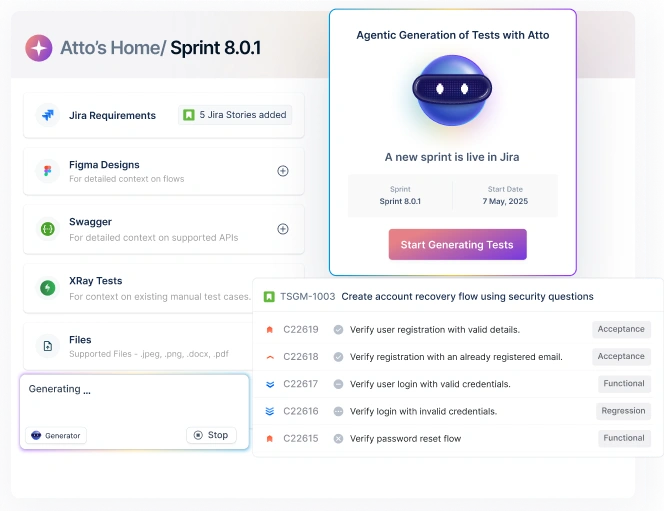
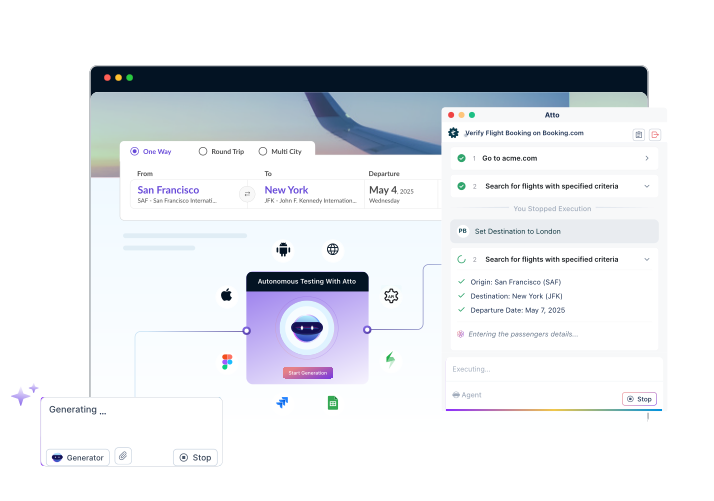
Testsigma’s Generator Agent handles the prompting automatically, using context-aware, production-tested AI under the hood. QA teams describe what they want tested in plain English, or simply connect their existing tools, and structured, execution-ready tests come back directly into their platform.
| Manual Prompt Engineering | Testsigma Generator Agent |
| Learn 5+ frameworks and when to apply each | Write in plain English. No framework knowledge required. |
| Craft prompts manually for each new task | Generate tests automatically from JIRA tickets, Figma files, PDFs, screenshots, and videos |
| Specify role, context, and output format every time | Context sourced directly from connected tools. No manual entry. |
| Maintain a team prompt library and onboard every new hire | Prompts are embedded in the platform. Consistent output for every team member by default. |
| Review and reformat AI output before it can be used | Outputs arrive as structured test cases with ID, steps, expected result, and priority, ready to execute |
| Data goes through external LLM interfaces | All data stays within Testsigma’s SOC 2-compliant environment |
For teams that want AI-generated tests without the overhead of becoming prompt engineering specialists, Testsigma’s Atto platform handles the full QA lifecycle, from sprint planning to bug reporting, with AI working at every step.
Conclusion
Prompt engineering is the skill that separates QA teams getting production-ready AI outputs from those getting generic results that they have to rewrite from scratch. The five frameworks, APE, RACE, COAST, TAG, and RISE, cover every QA task from test data generation to requirement analysis, and the templates in this guide are ready to use today.
But the deeper question is not which framework to use. It is whether your team’s time belongs to writing better prompts, or to testing strategy, coverage decisions, and quality ownership.
Testsigma is built for teams that want the answer to be the latter.
Start a free trial or watch a demo to see the Generator Agent in action.
The best prompt is one you never had to write. The second best is one you wrote once, saved to your library, and reuse every sprint.