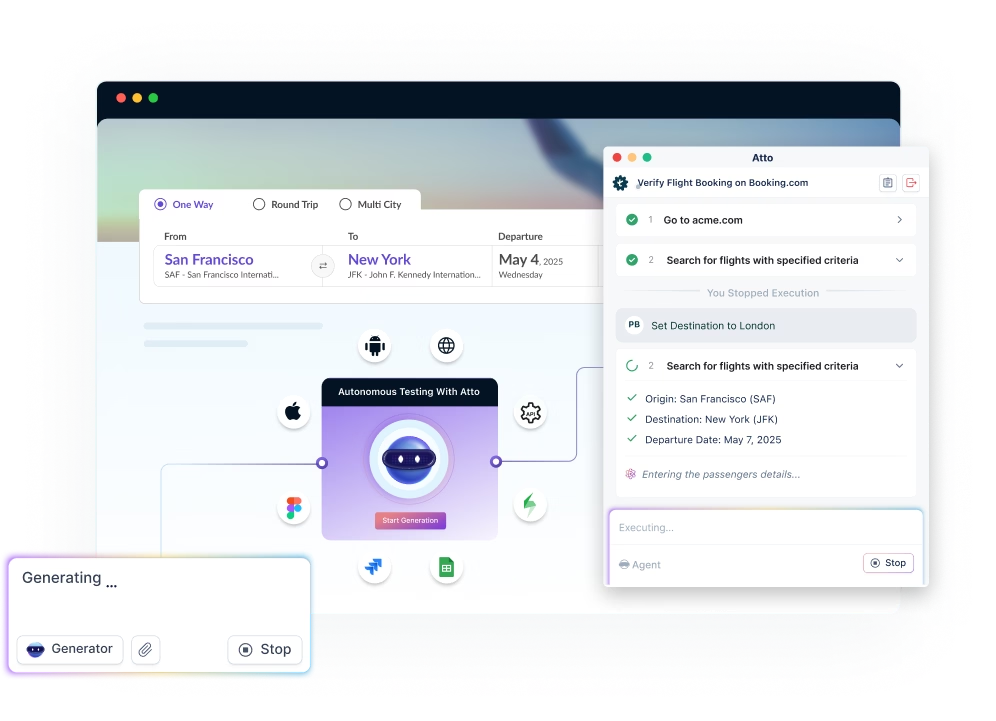
SAP runs key parts of your business, from finance to operations to customer work. With frequent updates, manual testing falls behind and misses risks. This guide compares 12 SAP automation tools, their features, and integrations, so you can choose the right fit for 2025.
Table Of Contents
- 1 Comparison Top 12 SAP Testing Tools
- 2 12 Best SAP Testing Tools in 2025
- 3 2. Testimony
- 4 Factors to Consider while Choosing the Best SAP Testing Tool
- 5 Conclusion
- 6 FAQ
Comparison Top 12 SAP Testing Tools
Selecting the right SAP automation tool in 2025 depends on what you need to test, who will maintain the tests, and how it fits into your CI/CD process. Use this comparison to find the tools that best match your setup, then explore the detailed breakdowns below.
| Tool | What it is | Best for | SAP focus areas |
| Testsigma | AI-driven test automation solution for SAP that works across modules and integrations. | Teams wanting fast authoring, scalable maintenance, and CI/CD | SAP GUI, APIs, cross-app flows |
| Testimony | Autonomous SAP regression testing via production-usage replication | Impact analysis and safer upgrades/transport moves | ECC, S/4HANA, change intelligence |
| Right Data | Data testing and reconciliation platform | Validating migrations, ETL, and S/4HANA transformation quality | SAP data loads, cutover checks, data pipelines |
| SAP eCATT | Native SAP test automation framework | Scripted tests maintained by SAP admins/consultants | SAP GUI transactions, BAPIs |
| Worksoft | Enterprise continuous test automation and process discovery | Complex, cross-app business processes at scale | S/4HANA, Fiori, ECC, web/ERP ecosystems |
| Selenium | Open-source web UI automation framework | Engineering-led custom frameworks and coding flexibility | SAP Fiori/browser-based apps |
| OpenText UFT One | Commercial functional testing suite | Script-based UI automation with mature add-ins | SAP GUI, Fiori add-ins |
| Opkey | No-/low-code packaged-app automation | Accelerators and prebuilt content for SAP releases | S/4HANA, ECC, Fiori |
| Tricentis | Model-based test automation and platform | Enterprise coverage, risk-based testing, and analytics | SAP GUI, Fiori, API, data/test management |
| Qualibrate | Cloud automation plus documentation | Agile projects and UAT with process capture | S/4HANA, Fiori, web |
| Leapwork | Visual, no-code automation | Business-user-friendly authoring and maintainability | SAP GUI, web, desktop |
| SolMan (SAP Solution Manager) | SAP ALM & Test Suite (incl. CBTA) | Test management and processes within SAP | Test plans, CBTA, BPCA, orchestration |
Automate Your SAP Tests Easily With Testsigma



12 Best SAP Testing Tools in 2025
Selecting the right SAP testing tool depends on your landscape, the skills of your team, and how you release software. The list below gives a clear overview of twelve leading options for 2025, with key features plus balanced pros and cons. Use it to compare quickly, shortlist two or three tools, and evaluate them on your own processes.
1. Testsigma

Testsigma is an agentic, AI-powered test automation platform that helps SAP teams validate end-to-end business processes and the surrounding non-SAP applications. AI coworkers plan, generate, run, and maintain tests so both QA and business users can contribute efficiently, without deep programming overhead. The same workspace supports web, mobile, desktop, and API automation, enabling full process coverage across interconnected enterprise systems. Built-in reporting, parallel execution, and CI/CD integrations keep feedback loops fast for every transport and release.
Key Features
- Object-Oriented Test Modeling: Build SAP tests using structured, object-oriented logic, offering better control and maintainability for complex SAP workflows.
- Unified Test Platform: Manage SAP along with web, mobile, desktop, API, and other enterprise apps in one place to ensure complete business process coverage.
- Cross-Browser and Cross-Device Testing: Validate SAP Fiori and related web steps on thousands of real browsers, OS, and device combinations, no lab maintenance required.
- Parallel Test Execution: Run large SAP regression suites simultaneously to accelerate cycles before cutovers and go-lives.
- CI/CD and Jira Integrations: Integrate seamlessly with Jenkins, GitHub, Azure DevOps, Jira, and more to align tests with user stories and automated pipelines.
- Live Reporting and Analytics: Access real-time dashboards with logs, screenshots, and videos for quick root-cause analysis and audit-ready documentation.
Pros
- Handles true end-to-end scenarios that cross SAP and non-SAP systems.
- Self-healing reduces upkeep when Fiori apps.
- Scales with parallel execution and a large cloud device and browser grid.
Cons
- Legacy SAP GUI automation may require initial desktop agent setup and some object strategy tuning.
- Highly customized SAP controls can still need occasional locator adjustments.
- Teams moving from multiple open-source scripts may need time to unify workflows inside a single platform.
2. Testimony

Testimony by Basis Technologies is a SAP regression testing tool that uses Robotic Test Automation to learn how users work in production and replay that behavior in test systems, without writing or maintaining scripts. It automatically creates, executes, and updates regression tests so teams can validate changes faster and with less risk. The approach is designed to raise coverage, cut manual effort, and support frequent SAP releases.
Key Features
- Robotic Test Automation: Builds, executes, and maintains a regression library based on actual usage.
- System-wide Coverage: Validates UI and back-end processes to catch cross-module impacts.
- Risk and Visibility: Provides coverage metrics, change risk insights, execution status, and audit trails.
- Faster Change Cycles: Enables large-scale regression in short timeframes to speed upgrades and updates.
Pros
- No scripts to write or maintain.
- High-relevance tests driven by real user behavior.
- Clear analytics and reporting for decision-making.
Cons
- Depending on production behavior, new or rarely used scenarios won’t be covered until they occur in production, so gaps can remain.
- Environment and data setup are required. Accurate replay needs stable test systems and representative data, which takes effort to prepare.
3. Rightdata

RightData (DataTrust) is a no-code data testing and observability platform used to validate, reconcile, and monitor data across SAP and non-SAP systems. SAP teams use it to check data quality during projects like S/4HANA migrations, BW/4HANA pipelines, and integrations, without writing scripts. It connects to SAP sources and popular BI tools to compare source-to-target results, spot anomalies, and create audit-ready evidence. The focus is on data accuracy at scale, so releases move with fewer defects and less manual effort.
Key Features
- Sap-Aware Data Validation And Reconciliation: Compare source and target tables or extracts, validate transformations, and certify loads across SAP landscapes.
- No-Code Test Design: Build rules and queries with a visual builder; profile data, create reusable scenarios, and schedule runs.
- Automated Checks And Monitoring: Detect anomalies, track thresholds, and alert on data quality drift across pipelines.
- Bi Report Testing: Validate data behind reports and dashboards, including SAP BusinessObjects and other analytics tools.
Pros
- Strong fit for SAP data migration and integration testing, reducing manual SQL and spreadsheet checks.
- Business-friendly, no-code approach broadens who can design and run data tests.
- Works across SAP and non-SAP sources, enabling end-to-end data reconciliation.
- Produces clear evidence and metrics for audits and go-live decisions.
Cons
- Focuses on the data layer; it doesn’t replace UI automation for SAP Fiori or SAP GUI.
- Requires connector setup and representative test data before full coverage is achieved.
- Best value is at enterprise scale; smaller teams should assess licensing and rollout effort.
4. SAP ECATT

SAP eCATT (extended Computer Aided Test Tool) is SAP’s built-in framework for SAP test automation in ABAP-based systems. It allows teams to record and replay SAP GUI transactions, call function modules and BAPIs, and run parameterized tests with reusable data sets. eCATT integrates with the SAP Solution Manager Test Suite for centralized planning and execution, making it useful for repeatable regression checks within the SAP ecosystem. It’s best suited for technical and basis teams who prefer native tooling and ABAP-style control.
Key Features
- Native SAP Automation: Record and replay SAP GUI steps, call BAPIs and function modules, and validate messages and data inside the ABAP stack.
- Parameterization and Data Reuse: Use test data containers, variants, and CSV uploads to run the same script across many datasets.
- Logging and Verification: Built-in logs, breakpoints, and checks to verify field values, return codes, and system messages.
- Solution Manager Integration: Plan, schedule, and monitor executions from SolMan’s Test Suite for broader regression control.
Pros
- Ships with SAP and aligns with SAP security, transport, and change processes.
- Good fit for backend validations and repeatable SAP GUI transaction tests.
- Strong data-driven runs through variants and test data containers.
- Works without external licensing or third-party dependencies.
Cons
- Requires SAP skills and familiarity with ABAP concepts; learning curve can be steep.
- Not ideal for modern web UIs like Fiori compared with newer UI-centric tools.
- Maintenance effort can rise when screens or dynpros change, and SAP GUI scripting must be enabled.
5. Worksoft

Worksoft provides an enterprise test automation platform centered on Worksoft Certify, a codeless, model-based solution for end-to-end business process testing with deep SAP support. Its ecosystem includes tools for SAP change impact analysis, business process capture, and scaled execution to help teams focus regression on what actually changed. The goal is faster, risk-aware releases with less maintenance and strong alignment to enterprise governance.
Key Features
- Codeless, Model-Based Automation: Build stable tests that separate UI objects from business logic for SAP and connected apps.
- SAP Change Impact Analysis: Pinpoint which processes and tests to run based on transports and change scope.
- Business Process Capture: Record real user workflows and convert them into documentation and automation assets.
- Scaled Execution and DevOps Integrations: Orchestrate remote runs across environments and plug into CI/CD tools.
Pros
- Strong depth for SAP with targeted, risk-based regression.
- Codeless, model-based design can reduce maintenance at scale.
- Accelerates documentation and test creation via process capture.
- Mature scheduling and CI/CD hooks for reliable, unattended runs.
Cons
- Enterprise pricing and total cost of ownership can be high once licenses, rollout, and infrastructure are included.
- Certify authoring is Windows-based; macOS/Linux users typically need VMs or jump hosts.
- Steep learning curve, with proprietary models/assets that can increase vendor lock-in.
- Broader web and mobile coverage often requires pairing with additional tools or cloud device/browser grids.
- Set up and governance overhead for impact analysis, repositories, and execution infrastructure.
6. Selenium

Selenium is an open-source framework for browser automation that’s widely used to test web apps. For SAP contexts, it’s best suited to SAP Fiori and other web-facing parts of your landscape; it does not automate SAP GUI (WinGUI) or desktop clients. Engineering teams use Selenium to build code-based, fine-grained tests and run them at scale in CI/CD. It offers maximum flexibility, but requires development skills and ongoing maintenance.
Key Features
- WebDriver API: Programmatic control of modern browsers with rich locator strategies and full language support (Java, Python, C#, and more).
- Selenium Grid: Parallel and distributed test execution across many browsers and versions, on-prem or via cloud grids.
- Ecosystem and Integrations: Works with popular test runners, CI/CD systems, and reporting libraries; easy to extend with custom utilities.
- Standards-Based Automation: W3C WebDriver protocol enables stable, cross-browser automation for Fiori and other web UIs.
Pros
- Free and open source with a huge community and ecosystem.
- Fine-grained control over complex browser behavior; highly extensible.
- Runs anywhere: local, on-prem grid, or hosted browser/device clouds.
- Strong fit for SAP Fiori and other web steps in end-to-end flows.
Cons
- Doesn’t automate SAP GUI (WinGUI) or desktop apps; separate tools are required for those flows.
- Higher coding and maintenance effort; no built-in self-healing or object repository.
- Tests can be flaky without robust waits and locator strategies, especially in dynamic Fiori components.
- Requires third-party tooling for reporting, test management, and advanced analytics.
7. Opentext

OpenText’s testing stack for SAP centers on UFT One for functional automation, with deep support for SAP GUI (WinGUI) and SAP Fiori/web apps, plus ALM/Octane/ValueEdge for management and LoadRunner for performance. UFT One provides SAP-specific add-ins and AI-based object recognition to stabilize UI tests and reduce maintenance. It also integrates with SAP Solution Manager to store and execute tests inside SAP processes and governance, and plugs into modern CI/CD to run at scale.
Key Features
- SAP GUI and Fiori Support: Native add-ins for robust automation of SAP GUI transactions and Fiori-based web flows.
- AI Object Recognition: AI-assisted object handling to improve locator resilience through frequent UI changes.
- ALM/Octane/ValueEdge and SolMan Integration: Centralized planning, traceability, and execution aligned to enterprise processes.
- Performance Coverage: LoadRunner family supports SAP protocols and SAP GUI scripting for load and performance testing.
Pros
- Mature, SAP-aware tooling with long enterprise adoption.
- Broad lifecycle coverage across functional, management, and performance testing.
- Strong fit for governed environments that rely on Solution Manager and strict change control.
- Rich customization and extensibility for complex SAP landscapes.
Cons
- Windows-centric authoring and desktop footprint; mixed-OS teams may need workarounds.
- Licensing and total cost can be high compared with mid-market or open-source options.
- Steeper learning curve and heavier setup than lightweight no-code tools, especially at CI/CD scale.
- Object repositories and legacy scripts can require ongoing maintenance during frequent SAP changes.
8. Opkey

Opkey is a no-code, AI-assisted test automation platform with a strong focus on ERP, including SAP. It’s built to help teams automate Fiori and SAP GUI flows, speed up regressions with pre-built accelerators, and target testing based on what actually changed. Opkey also supports cross-app processes, so SAP steps can be validated alongside web and other enterprise systems.
Key Features
- No-Code Test Authoring: Drag-and-drop test design with a large library of reusable steps and pre-built test cases for SAP.
- Change Impact Analysis: Surfaces objects and processes affected by transports and updates so you run only the tests that matter.
- Pre-Built Accelerators for SAP: Ready-made suites for ECC and S/4HANA, covering Fiori and WinGUI to speed ramp-up.
- Cross-App and CI/CD Support: Orchestrate end-to-end flows that include SAP and non-SAP apps, and run them in pipelines.
Pros
- Business-friendly authoring lowers the barrier for non-developers.
- Impact-based testing helps cut regression scope and time.
- Good fit for SAP programs with pre-built content and ERP depth.
- Supports end-to-end scenarios across SAP and adjacent systems.
Cons
- Commercial licensing; total cost can be higher than open-source stacks.
- Best results rely on adopting Opkey’s models and accelerators, which adds vendor lock-in.
- Very custom SAP controls or niche transactions may still need tailoring and maintenance.
- Desktop components are required for SAP GUI automation, adding setup overhead.
9. Tricentis

Tricentis offers an enterprise testing platform centered on Tosca for model-based, codeless automation with deep SAP support. It covers SAP GUI and Fiori, pairs with change intelligence to target high-risk areas, and scales execution through CI/CD and distributed infrastructure. Tricentis also provides test management (qTest) and performance testing (NeoLoad), giving SAP programs a single vendor across functional, orchestration, and performance needs. The focus is stable, end-to-end automation for frequent SAP changes and complex landscapes.
Key Features
- Model-Based, Codeless Automation: Build resilient tests for SAP GUI and Fiori without scripting, using reusable modules and centralized objects.
- Change Impact Analysis for SAP: Identify which processes and tests are affected by transports and updates to prioritize regression.
- Integrated Test Management and Reporting: Plan, trace, and analyze runs with enterprise-grade governance and auditability.
- CI/CD and Scaled Execution: Orchestrate large suites in pipelines and distribute runs across environments for fast feedback.
Pros
- Strong depth for SAP with mature support across GUI and Fiori.
- Model-based approach reduces locator churn and maintenance for large suites.
- Broad platform coverage (functional, management, performance) from one vendor.
- Robust governance, traceability, and enterprise integrations
Cons
- Licensing and total cost are typically higher than mid-market or open-source options.
- Authoring and administration come with a learning curve and heavier setup.
- Proprietary models and assets can increase vendor lock-in and migration effort.
- Complex web/mobile coverage outside SAP may still require complementary tools or cloud device/browser grids.
10. Qualibrate

Qualibrate is a cloud platform for SAP teams that lets you record a business process once and reuse it for automated testing, step-by-step documentation, and user training. It supports SAP GUI and Fiori as well as web apps, so you can cover end-to-end flows around SAP. The goal is to cut authoring time, keep assets consistent, and help both business and QA teams contribute without heavy scripting.
Key Features
- Record-Once, Reuse Everywhere: Capture a process and generate automation, living documentation, and training materials from the same source.
- SAP GUI and Fiori Support: Automate classic SAP GUI transactions and Fiori apps, with reusable steps and data-driven runs.
- Cloud Execution and Reporting: Run tests from the cloud and get run logs, screenshots, and dashboards for fast analysis.
- Team Collaboration and Traceability: Organize processes, versions, and test evidence with links into issue trackers and CI/CD.
Pros
- Business-friendly authoring lowers the barrier for non-developers.
- Single source of truth for test, doc, and training reduces duplication.
- Works across SAP and web apps to validate real business processes.
- SaaS delivery simplifies setup and ongoing maintenance.
Cons
- Focused on functional testing, you’ll need other tools for performance or security tests.
- Highly customized SAP controls may require additional tuning and upkeep.
- Smaller ecosystem and marketplace compared with larger enterprise vendors.
- Desktop components may be needed for some SAP GUI scenarios, adding setup steps.
11. Leapwork

Leapwork is a no-code, visual test automation platform that uses flowchart-style building blocks instead of scripts. SAP teams use it to automate SAP GUI and Fiori steps as well as the non-SAP web and desktop apps connected to those processes. The approach aims to let both QA and business users design, run, and maintain tests with less reliance on programming. Centralized scheduling, dashboards, and integrations help scale regression runs and reporting.
Key Features
- Visual, No-Code Authoring: Build tests with reusable flowchart blocks, data inputs, and assertions, no scripting required.
- SAP GUI and Fiori Coverage: Automate classic SAP GUI screens and web-based Fiori apps, with data-driven execution.
- Cross-Technology Support: Cover end-to-end flows across web, desktop, and virtualized environments such as Citrix/remote apps.
- Scheduling, Reporting, and Integrations: Orchestrate runs in parallel, view dashboards with screenshots and logs, and connect to CI/CD and issue trackers.
Pros
- Friendly for non-developers; visual flows make test logic easier to understand and review.
- Good fit for SAP plus adjacent systems in one tool.
- Reusable components and centralized scheduling help reduce maintenance at scale.
- Works with virtualized/remote app setups common in enterprise environments.
Cons
- Visual models can become complex on very large suites; governance and naming discipline are essential.
- Version control and code-level customization are more limited than developer-centric frameworks.
- Desktop agents and environment setup are required for SAP GUI and virtualized apps.
- Commercial licensing; total cost may be high for small teams or lightweight use cases.
12. Solman
SAP Solution Manager’s Test Suite is the native platform for planning, managing, and executing SAP tests with tight linkage to change control and documentation. It covers manual testing, semi-automation via CBTA, and risk-based selection with tools like BPCA, all inside SAP governance. Teams use it to align regression testing with transports, defects, and process documentation across SAP landscapes.
Key Features
- Integrated Test Management: Requirements, test plans, test execution, and defect tracking tied to ChaRM and process documentation.
- CBTA Automation: Component-based test automation for SAP GUI and selected web apps, with data variants and result logs.
- Risk-Based Testing with BPCA: Analyzes transports and change impact to propose the most relevant test set.
- Reporting and Audit Readiness: Evidence, traceability, and dashboards for releases and compliance.
Pros
- Native to SAP with strong alignment to transports, authorization, and governance.
- Central place to manage processes, tests, and defects with end-to-end traceability.
- BPCA helps focus regression on what actually changed.
- No additional third-party licensing to start using core test management.
Cons
- Setup and administration are heavy; standing up and maintaining SolMan Test Suite requires specialized skills.
- CBTA automation is limited in scope and flexibility compared with modern cross-tech tools.
- End-to-end flows that span many non-SAP apps are cumbersome to automate and orchestrate.
- Investment is shifting toward SAP Cloud ALM, so long-term roadmap and new features in SolMan are constrained.
Factors to Consider While Choosing the Best SAP Testing Tool
Choosing an SAP testing tool comes down to fit: what you need to test, who will maintain it, and how smoothly it runs in your environment. Use the points below to weigh your options and build a short, realistic shortlist.
- Easy Authoring: Natural-language or visual steps so non-developers can help.
- Smart Assistance: Built-in helpers that suggest tests, refine steps, and surface fixes.
- Stable Over Time: Tests that adapt well when screens or element attributes change.
- One Workspace: Support for SAP GUI, Fiori, web, mobile, desktop, and APIs together.
- True End-to-End: Simple chaining across SAP and the apps around it.
- Fast Feedback: Parallel runs and reliable execution at scale.
- Real Environments: Broad browser and device options for web and Fiori checks.
- Pipeline-friendly: Native connectors for popular CI tools and clean headless runs.
- Clear Traceability: Tight links to user stories, defects, and test results.
- Actionable Reports: Screenshots, videos, and logs that make root cause obvious.
- Change-aware: Guidance on what to recheck after transports and updates.
- Low Upkeep: Reusable components and lightweight maintenance routines.
- Enterprise Fit: Works smoothly with SSO and common security setups.
- Quick Ramp-up: Short learning curve to first useful automation.
- Predictable Cost: Minimal infra overhead and straightforward admin.
- Future-ready: Frequent updates and support for modern SAP and web tech.
Conclusion
In 2025, selecting the right SAP testing tools means matching coverage (SAP GUI and Fiori), maintenance effort, CI/CD fit, and end-to-end process support to your environment. Testsigma brings these together with plain-English authoring, AI-assisted test creation and maintenance, and one workspace for SAP and the apps around it, so teams get stable, end-to-end feedback with less effort.
FAQ
They automate and manage testing for SAP systems such as SAP GUI and Fiori. Teams use them to verify business processes, catch regressions after transports and updates, and produce audit-ready evidence with logs, screenshots, and results.
They reduce setup and infrastructure effort, scale execution on demand, and provide quick access to real browsers and devices for web and Fiori checks. Cloud delivery also simplifies collaboration, reporting, and updates, so teams spend more time testing and less time maintaining environments.
Match the tool to your landscape and skills: ensure support for SAP GUI and Fiori, evaluate authoring style (code or no-code), and check how well it fits CI/CD. Run a short pilot on real processes to compare maintenance effort, stability, reporting quality, and total cost before making a decision.