- Projects
- Test Cases
- Data Sets
- Imports and Exports
- Step Groups
- Test Runs
- Test Plans
- Integrations
- Testsigma Two-way Integration
- Settings
- Manage Users
- Reports & Analytics
- CI/CD Integrations
Testsigma Integration for Arcus by Testsigma
Seamless two-way sync that unifies manual and automated tests, delivering complete traceability & real-time visibility into quality.
The integration between Testsigma and Arcus by Testsigma provides a unified view of both manual and automated testing. It links automated tests in Testsigma with their corresponding manual test cases in Arcus by Testsigma.
This two-way synchronization ensures that execution results, logs, and screenshots are automatically updated in real time. The integration improves traceability, eliminates duplicate efforts, and provides complete visibility into test coverage and overall quality.
Prerequisites
Before you begin, ensure you have an Enterprise plan for both Testsigma and Arcus by Testsigma.
Interactive Demo
Integrate Arcus by Testsigma with Testsigma
You can enable the integration either from Arcus by Testsigma or directly from Testsigma.
a. Enable from Arcus by Testsigma
- From the Dashboard, go to Settings > Integrations.
- Turn on the toggle next to Testsigma.
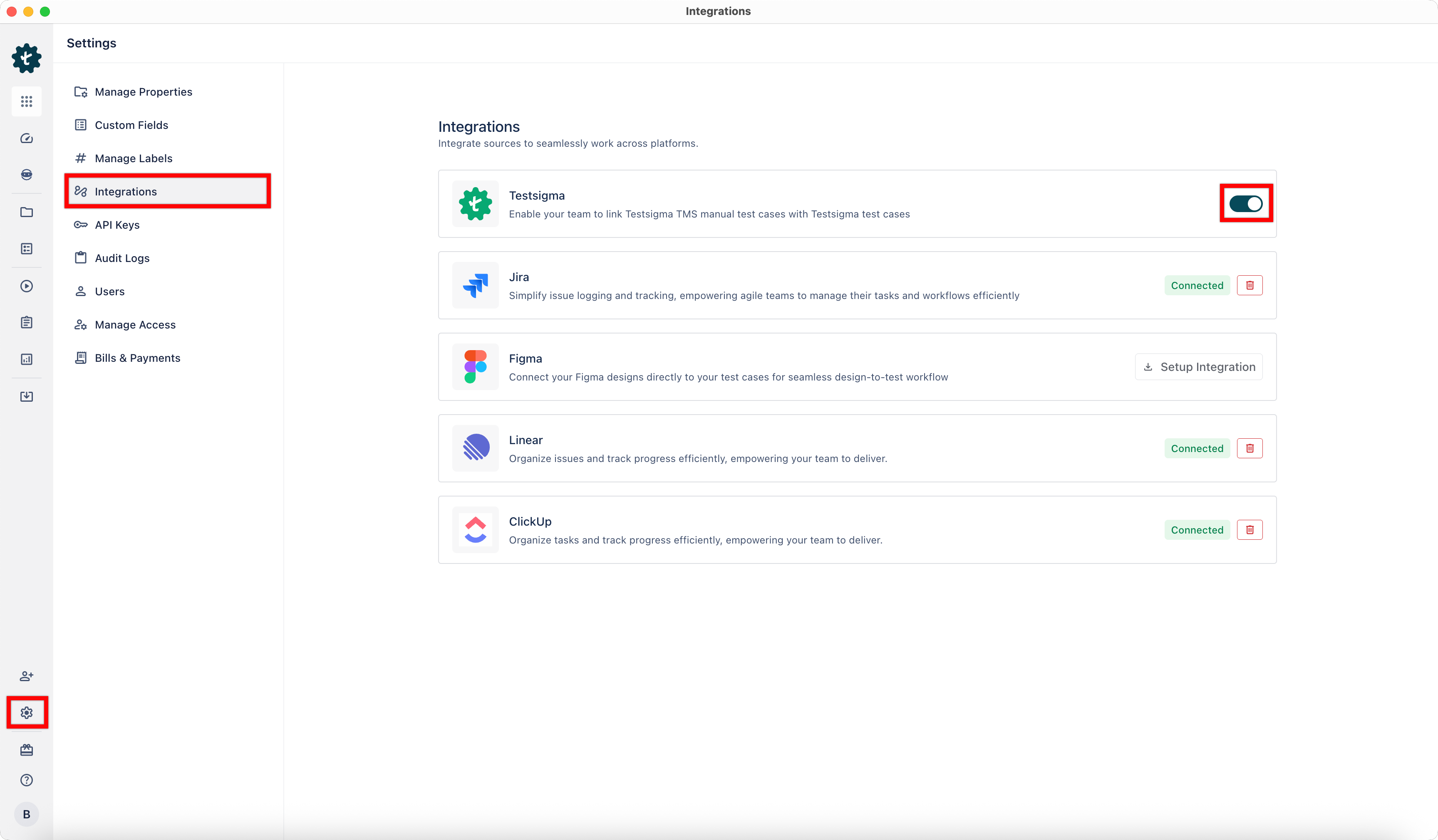
- The integration is now enabled successfully.
b. Enable from Testsigma
- From the left navigation bar, go to Settings > Integrations.
- Turn on the toggle next to Arcus by Testsigma.
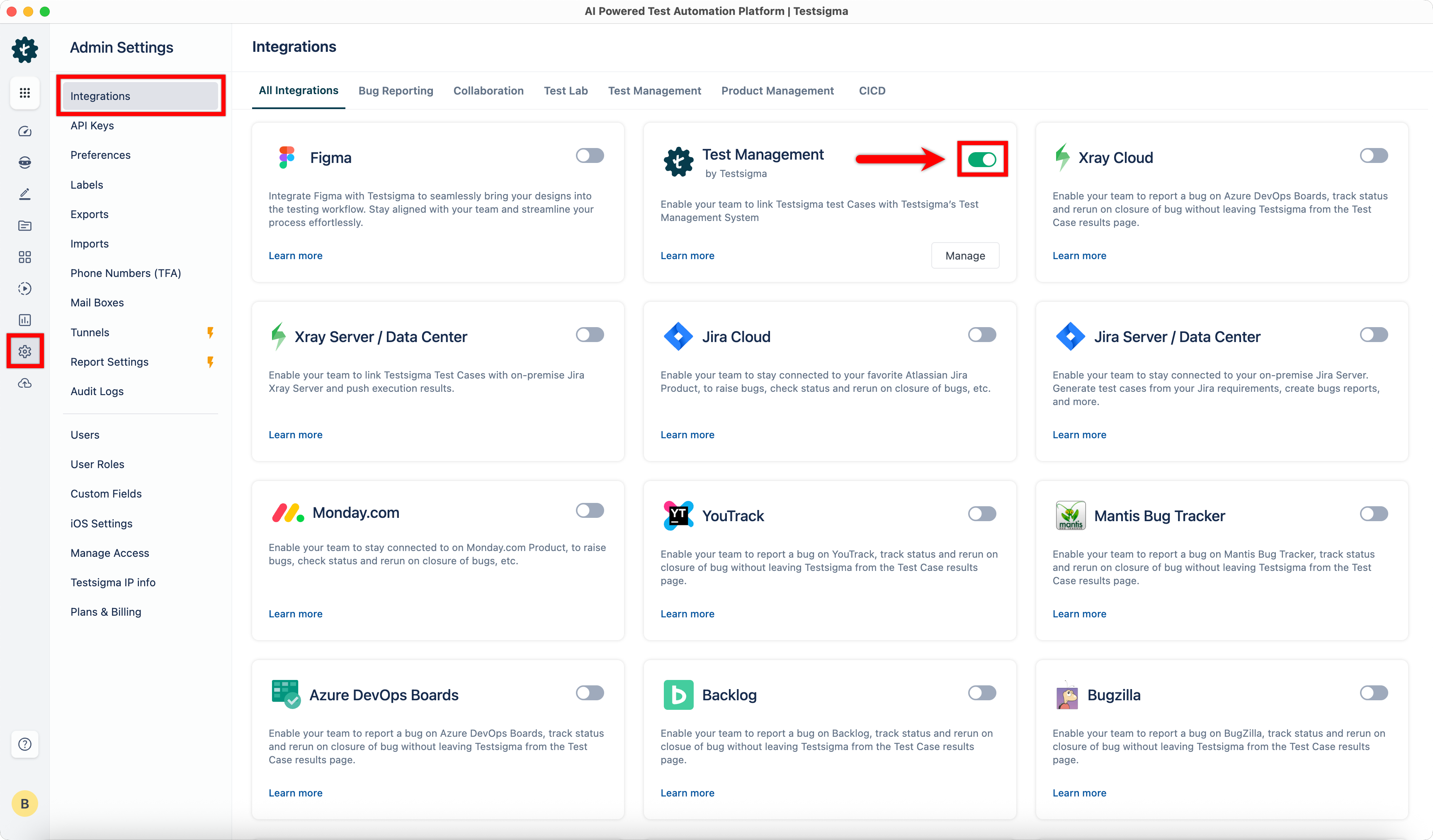
- The integration is now enabled successfully.

Want to contribute or report missing content?