- Projects
- Test Cases
- Data Sets
- Imports and Exports
- Step Groups
- Test Runs
- Test Plans
- Integrations
- Testsigma Two-way Integration
- Settings
- Manage Users
- Reports & Analytics
- CI/CD Integrations
Audit Logs: Complete Record of Activities
Audit Logs provide traceability, accountability, & compliance by recording all user actions and testing activities.
Audit logs provide a complete record of all key activities in your Arcus by Testsigma account. They capture every user action, including changes to test assets and account access events, and store them as immutable entries. Administrators can use audit logs to monitor account usage, investigate security incidents, and ensure accountability across the organization. This article discusses Audit Logs in Arcus by Testsigma.
Interactive Demo: View Audit Logs
View Audit Logs
- From the left navigation bar, go to Settings > Audit Logs.
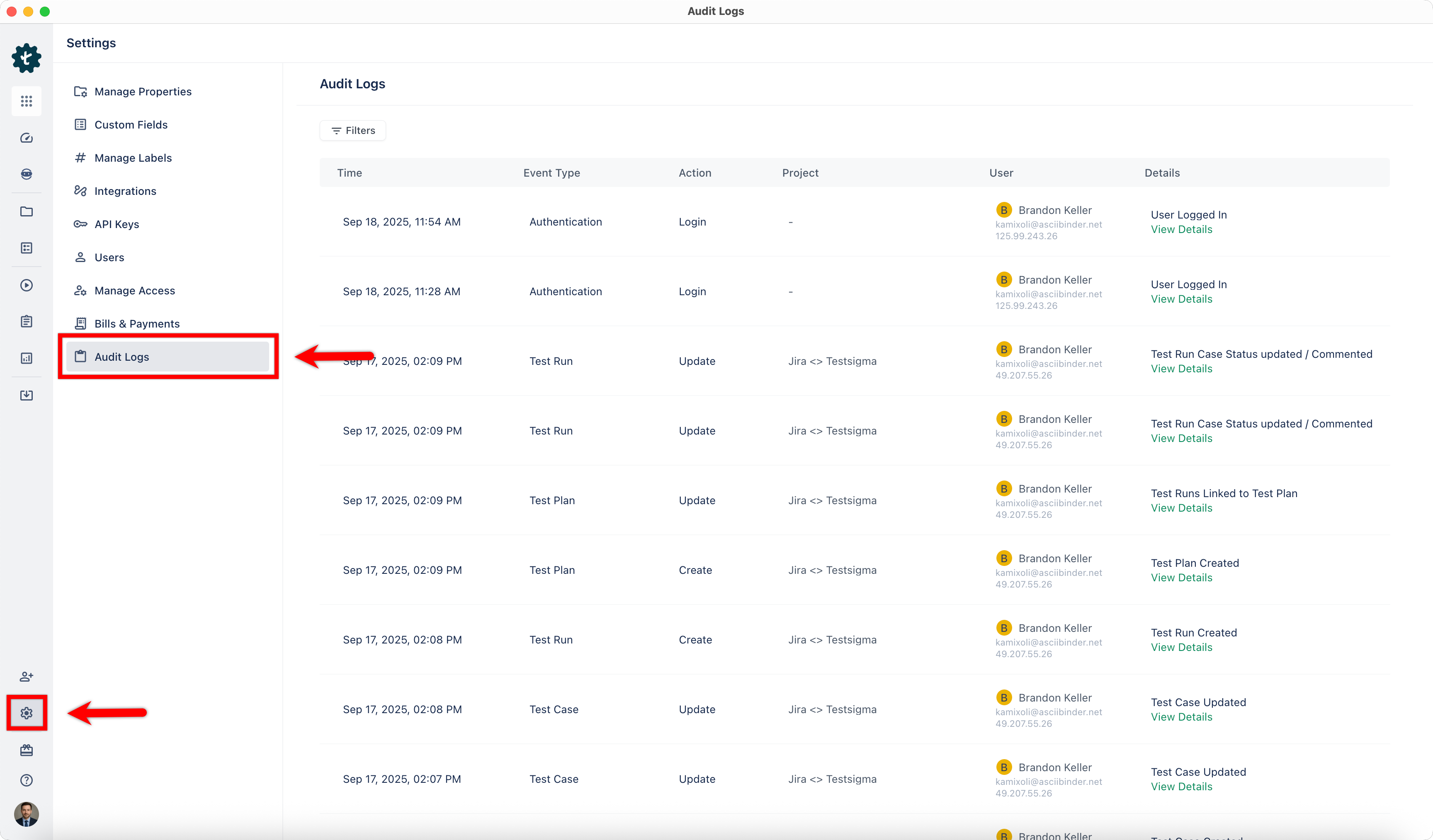
- The Audit Logs page lists all recorded activities.
-
Each log entry includes the following details:
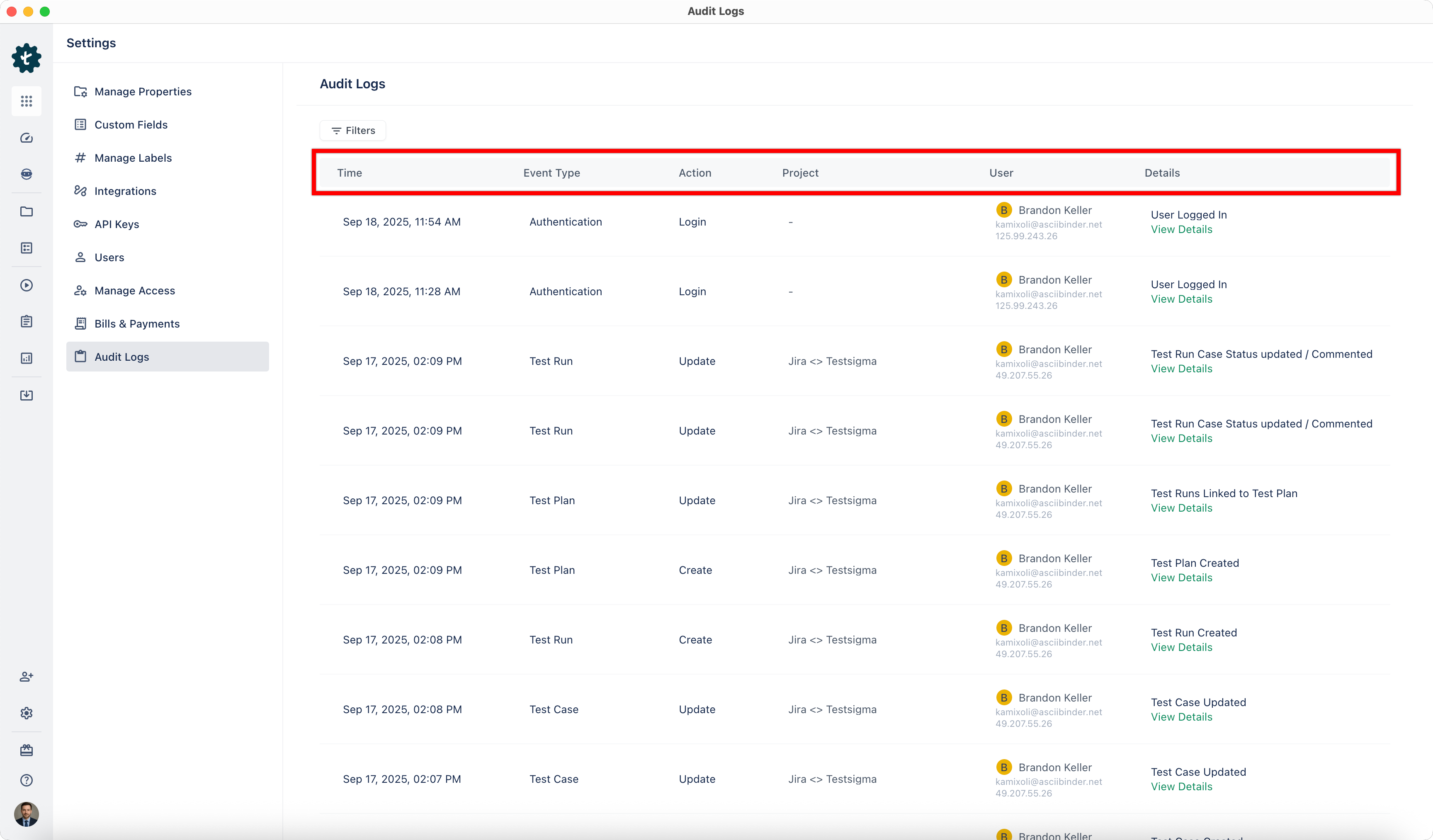
- Time: Date and time when the action occurred.
- Event Type: The entity type in Arcus by Testsigma.
- Action: The action type.
- Project: The project where the change was made.
- User: The user who performed the action.
- Details: The fields that were changed, with specific values.
Filter Audit Logs
You can narrow down audit log results using the following filters:
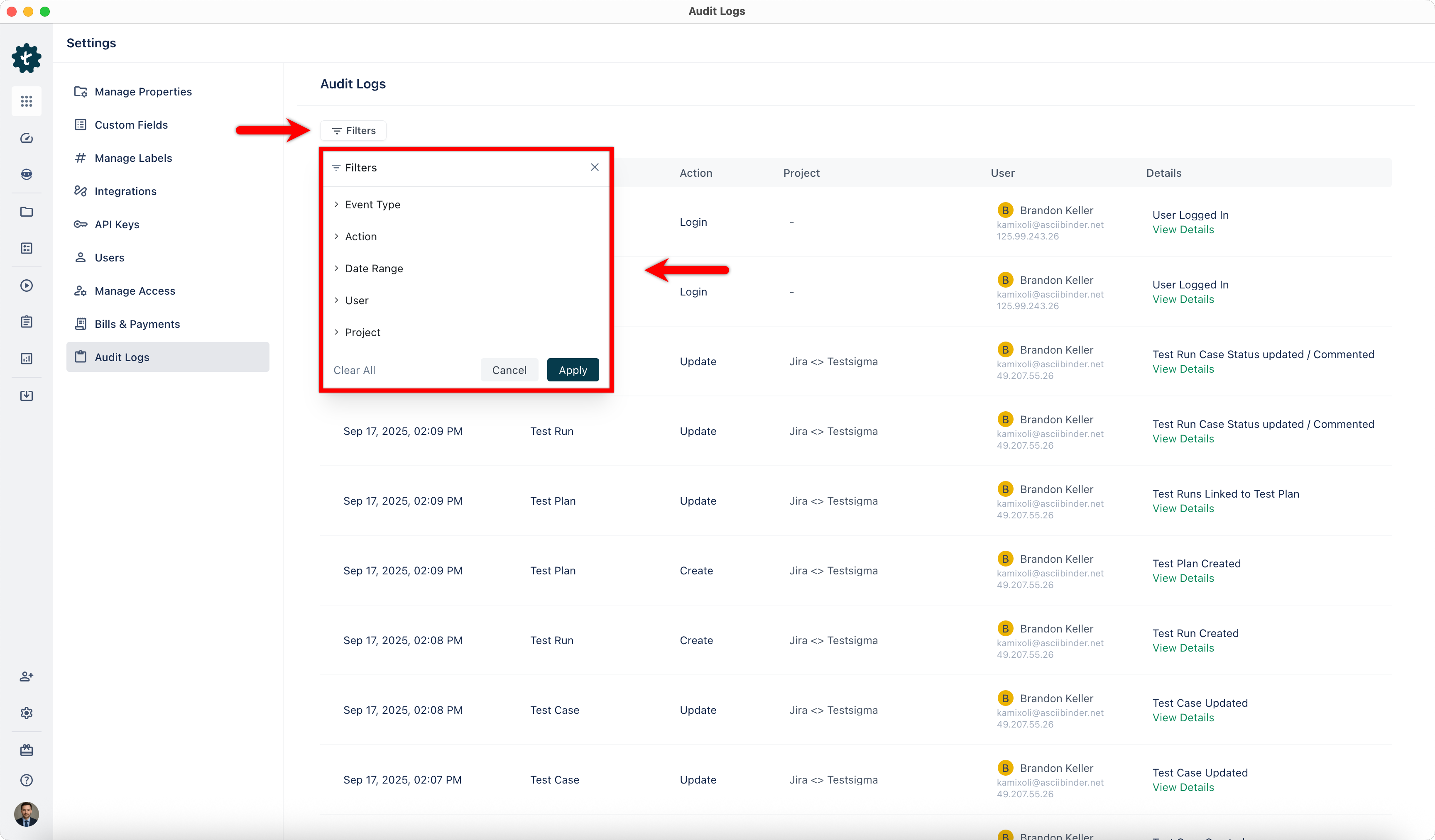
- Event Type: Displays logs for a specific entity in Arcus by Testsigma account.
- Action: Filters logs by the type of activity performed.
- Date Range: Limits results to activities that occurred within a selected time frame.
- User: Shows activities performed by a specific user in your organization.
- Project: Displays logs for actions within a selected project.

Want to contribute or report missing content?