- Projects
- Test Cases
- Data Sets
- Imports and Exports
- Step Groups
- Test Runs
- Test Plans
- Integrations
- Testsigma Two-way Integration
- Settings
- Manage Users
- Reports & Analytics
- CI/CD Integrations
Testsigma Integration App for Jira
You can create, run, and manage your tests inside Jira. Just like you do in Arcus by Testsigma.
The Testsigma Integration for Jira app seamlessly extends Jira’s core capabilities to include native test management. This allows teams to create, manage, and track test cases and test runs directly from the Jira environment, without switching to Arcus by Testsigma. You can add test results to stories, streamline workflows, and maintain testing continuity within Jira. The integration enhances issue tracking, accelerates testing cycles, and improves collaboration between QA and development teams from a unified workspace.
Prerequisites
Before you begin, ensure that you have an active Jira account with the necessary permissions.
Install the Arcus by Testsigma App
- Navigate to the Atlassian Marketplace and search for Arcus by Testsigma.
- Install Arcus by Testsigma in your Jira instance.
-
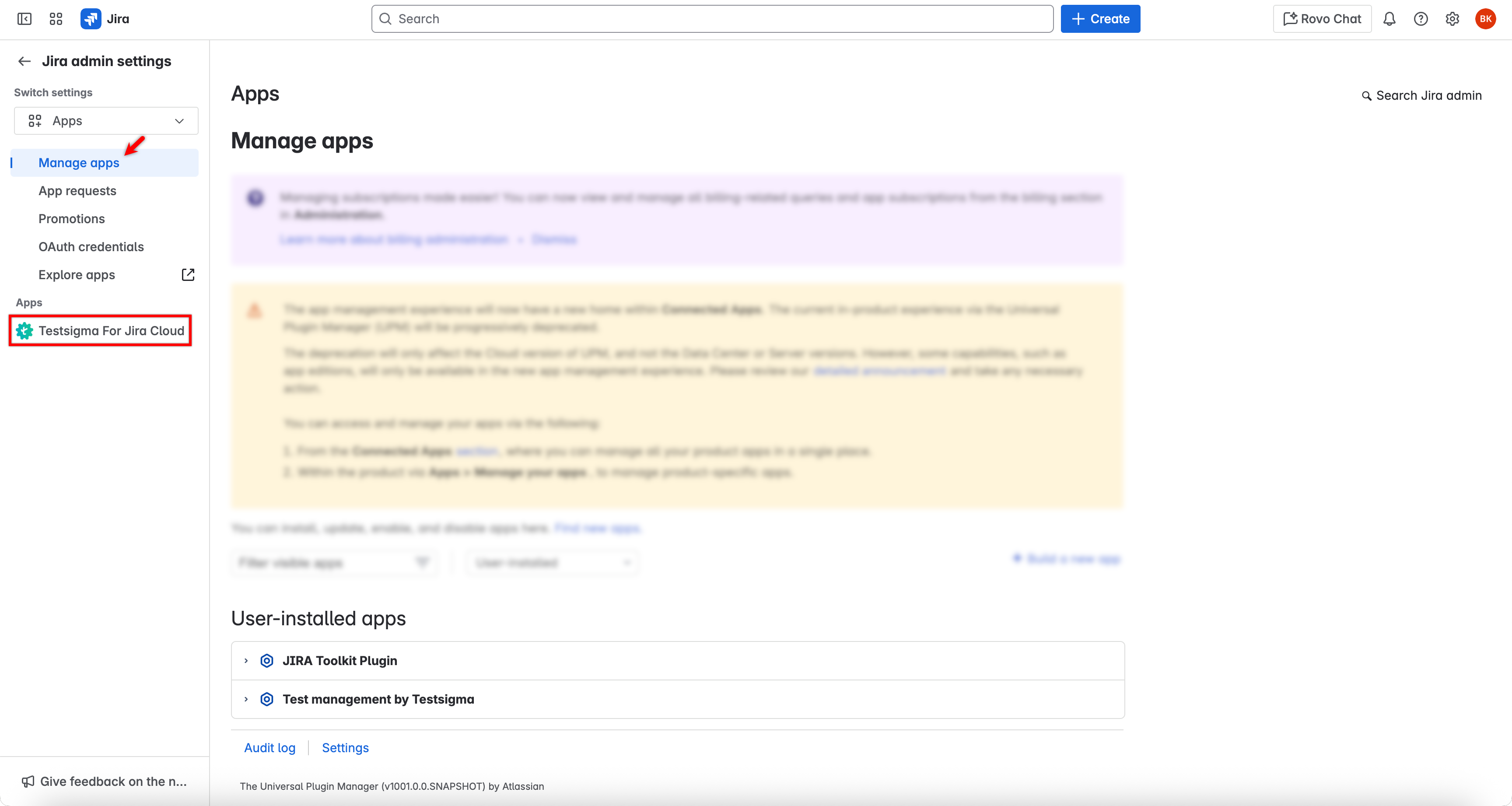
In Jira, go to Apps > Manage apps and confirm Arcus by Testsigma is installed.
Connect Testsigma and Jira
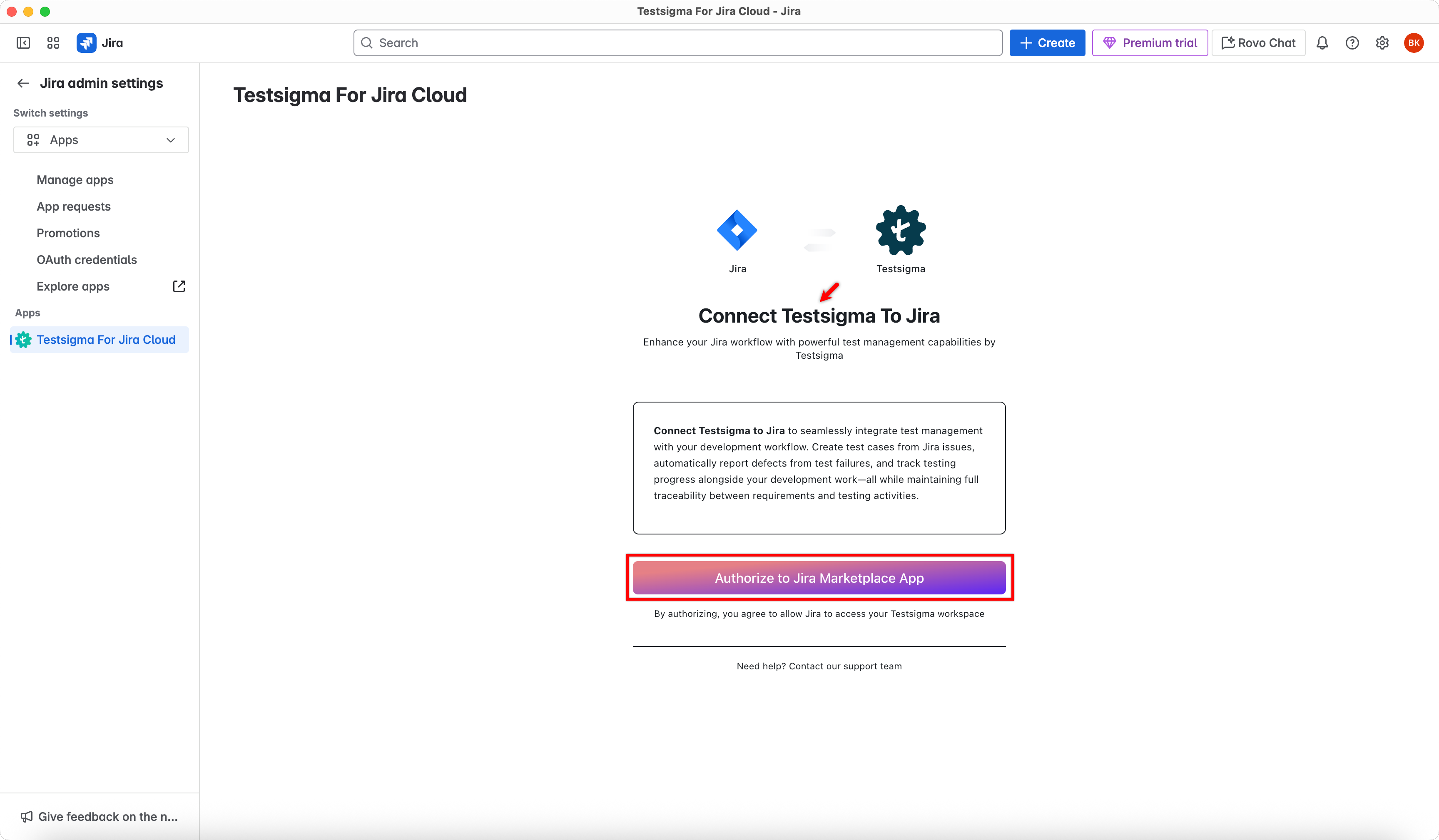
- In the left panel under Apps, click Arcus by Testsigma. This opens the authorization page.
- On the Connect Testsigma to Jira page, click Authorize to Jira Marketplace App Integration.
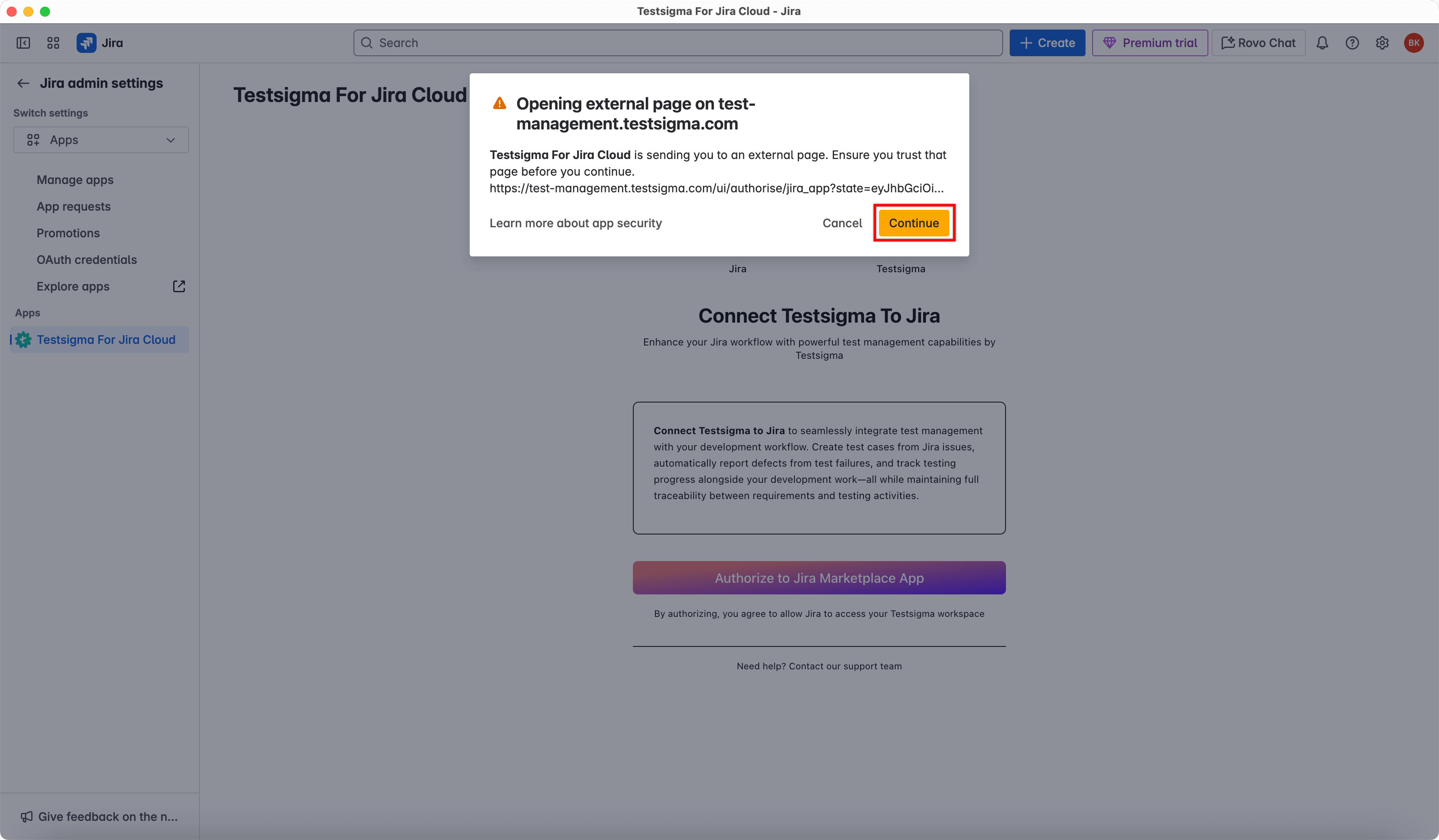
- In the dialog box, click Continue.
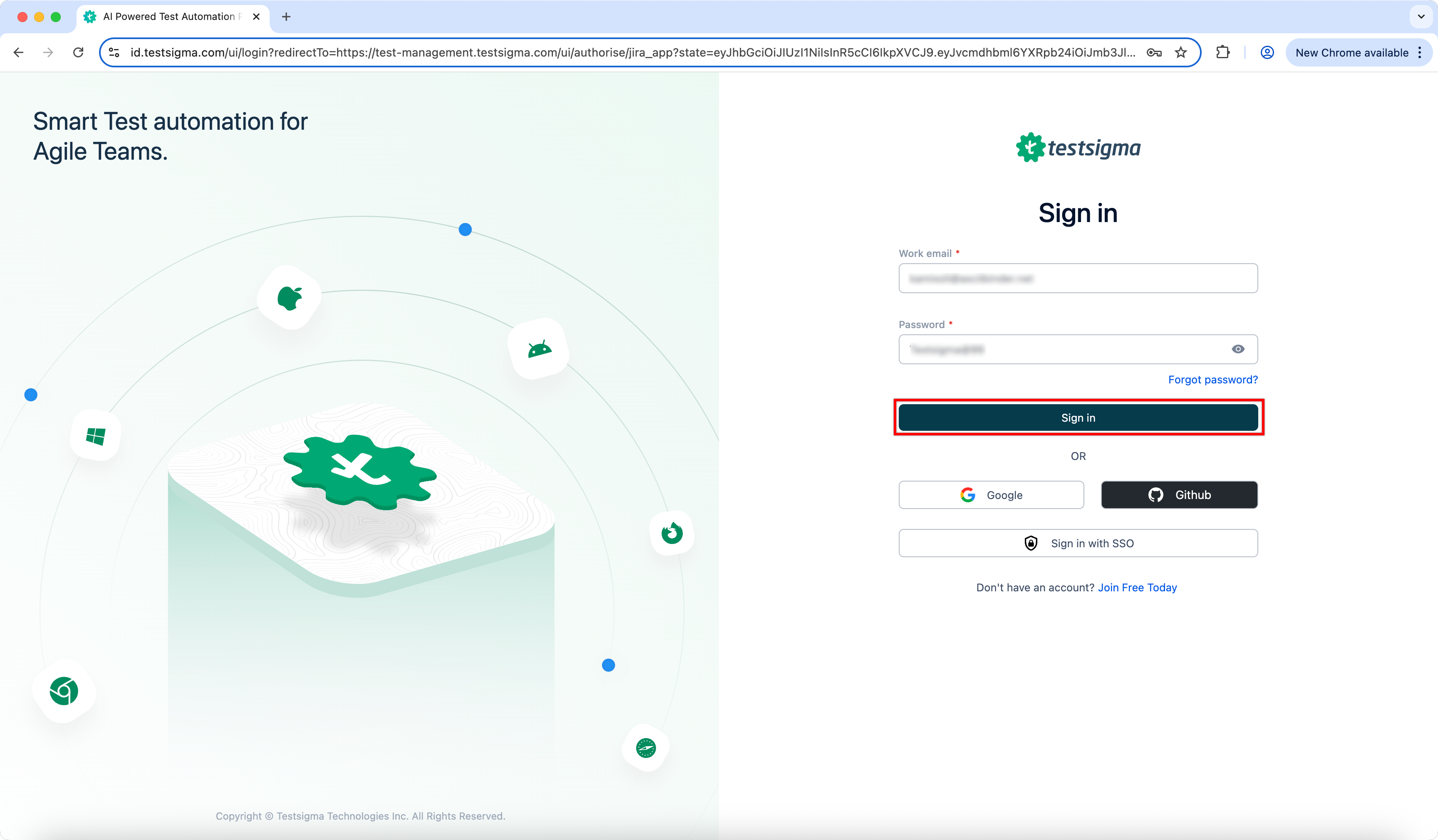
- You will be redirected to the Testsigma signin page. Sign in using your Testsigma credentials.
- After signing in, review the logged-in account and click Authorize Jira Integration.
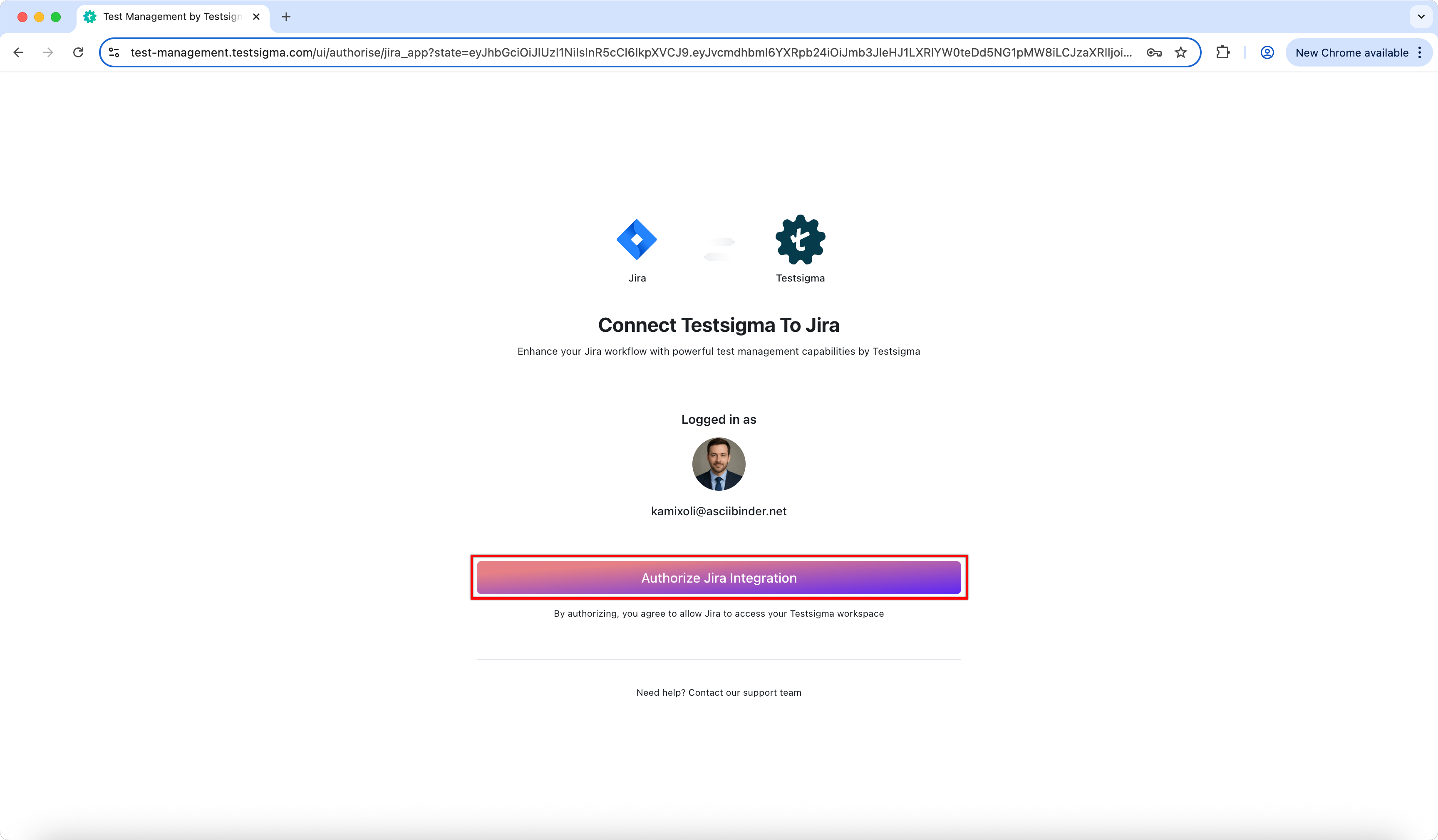
- Testsigma is now connected to Jira.

Want to contribute or report missing content?