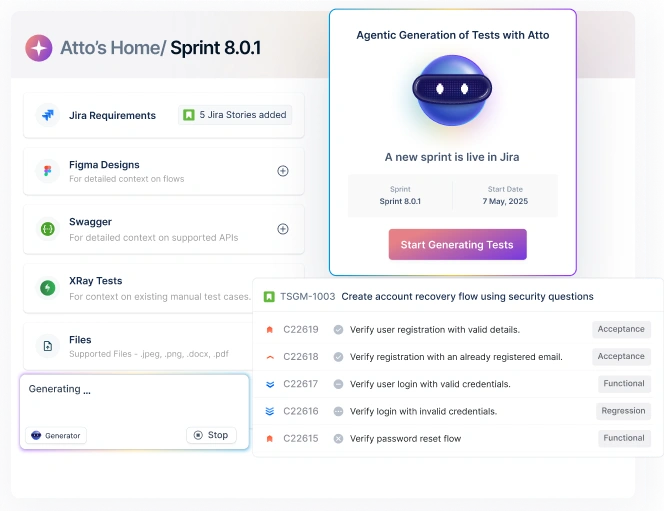






Claude can genuinely make testers faster-especially at test design, debugging, and automation authoring. But most teams hit a ceiling when they try to rely on it for release confidence across environments, platforms, and teams.
This guide gives you practical ways to use Claude today – and a clear view of what it can’t realistically replace.
Already using Claude and wondering where Testsigma fits in? → Skip to the decision guide
Table Of Contents
- 1 What does “using Claude for testing” mean?
- 2 How to use Claude for testing (7 steps)
- 3 What Claude is great at for testing (high leverage use cases)
- 4 Two practical workflows: how teams actually use Claude day-to-day
- 5 How to validate Claude-generated tests (so you don’t ship false confidence)
- 6 Where Claude struggles (the ceiling most teams hit)
- 7 Is Claude enough for testing? A quick decision guide
- 8 The “build vs buy” reality (and why some teams succeed with Claude)
- 9 Where Testsigma fits: everything after authoring
- 10 A simple way to think about it
- 11 Practical “Claude + Testsigma” workflow
- 12 Quick decision guide: when Claude alone is enough vs when you need a platform
What does “using Claude for testing” mean?
Using Claude for testing usually means one of two workflows:
(1) generating test artifacts (test plans, scenarios, Playwright/Selenium scripts) from requirements or bugs, or
(2) running ad-hoc verification by having Claude help execute a flow and summarize findings. Claude is strongest at authoring and analysis – turning specs into scenarios, suggesting edge cases, and helping debug failures – but teams typically still need a testing platform for repeatable execution at scale, CI/CD runs, reporting, and traceability.
The two most common Claude testing workflows (so you don’t mix them up)
1) Claude Code (authoring scripts): You use Claude to generate or modify test code (often Playwright). You still run tests in your framework/CI.
2) Claude as a “testing assistant” (ad-hoc verification): You use Claude during manual/exploratory sessions to propose checks, create charters, help reason about failures, and summarize findings.
Both are useful. They just solve different problems.
How to use Claude for testing (7 steps)

How to use Claude for testing (7 steps)
Step 1: Paste the user story + acceptance criteria (or bug report) and ask for a risk-based test plan.

Step 2: Generate scenarios: happy path, negative cases, boundary values, permissions, and data validation.

Step 3: Convert scenarios into executable tests (e.g., Playwright) and require strong assertions after critical steps.

Step 4: Run tests in a stable environment with seeded data and consistent test accounts.

Step 5: Review failures with evidence (screenshots/videos/logs) and ask Claude to propose hypotheses – not verdicts.

Step 6: Validate usefulness by replaying past incidents or seeding a known defect and checking if tests fail correctly.

Step 7: Operationalize: schedule regressions, gate CI/CD, track flakiness, and keep traceability to requirements.

Two rules that prevent “AI-generated fake tests”
- No assertions = no test. If a test only clicks and navigates, it can pass while the feature is broken.
- Always validate with a known failure mode. Replay a past bug or seed a defect – if tests don’t fail, your confidence is fake.
What Claude is great at for testing (high leverage use cases)
1) Turning requirements into test scenarios (fast)
This is Claude’s “sweet spot”: reading a story/PRD and producing:
- happy path + negative path coverage
- boundary values
- permissions/roles matrix
- data validation rules
- UX regressions (“should this reset?” “should this error persist?”)
Pro tip: Require Claude to quote/cite the specific AC line for each scenario (reduces invented behavior).
2) Helping manual QA move faster (without skipping thinking)
Great for:
- “What should I try to break here?”
- Creating exploratory charters
- Generating realistic test data variations
- Writing crisp repro steps and bug titles
3) Debugging failures faster (logs + hypotheses)
Claude is effective at:
- interpreting stack traces
- suggesting likely root causes
- proposing targeted validation steps (“change one thing and rerun”)
Rule: Never let Claude be the final judge. Use it to generate hypotheses; you still verify.
4) Authoring Playwright tests (and even “agentic” generation/healing)
This area is moving fast. Playwright now includes Test Agents – planner, generator, and healer – to help create coverage and fix failing tests.
That means a common workflow is:
- planner explores / drafts a plan
- generator turns plan into tests
- healer adapts when UI changes
What this changes: Claude isn’t only “writing code”; teams are building pipelines where AI helps plan → generate → maintain.
Two practical workflows: how teams actually use Claude day-to-day
Workflow A: Claude Code + Playwright (authoring automation)
Best for: teams who can live in code and want fast authoring
What you do:
- Feed Claude the user journey + selectors strategy (ARIA roles, stable attributes)
- Ask for Playwright tests with strong assertions (not just clicks)
- Run locally; iterate with Claude on failures
Big warning: “Generated tests” often default to shallow checks. If you don’t demand assertions, you’ll get click-through scripts that pass while the feature is broken.
Workflow B: Claude Cowork (ad-hoc verification / exploratory)
Best for: quick ad-hoc checks, “try to break it” sessions, reproducing issues
Cowork is designed to tackle multi-step tasks more autonomously than standard chat.
How to use it effectively:
- Give it a goal + constraints (“validate signup error handling; do not create real accounts”)
- Provide test accounts or a safe staging environment
- Require structured output (steps taken, observations, screenshots, suspected bug list)
Where it breaks quickly: repeatability, CI, regression at scale (more on that below).
How to validate Claude-generated tests (so you don’t ship false confidence)
If Claude generates “hundreds of tests,” the real question is: do they fail for the right reasons?
Use these gates:
Gate 1: Assertion quality check
A test that only clicks is not a test-it’s a script.
- Does it assert state changes?
- Does it validate error conditions?
- Does it verify data persistence and permissions?
Gate 2: Seeded defect test
Intentionally introduce a known bug (or replay a past incident).
- Do the tests catch it?
- If not, they’re not covering real risk.
Gate 3: Flake audit
Run the suite multiple times.
- Which failures are nondeterministic?
- Are waits and locators stable?
- Are environments consistent?
These gates are the difference between “AI created output” and “you gained confidence.”
Where Claude struggles (the ceiling most teams hit)
Claude can help with authoring and analysis, but it doesn’t naturally solve testing as an organizational function:
- Regression at scale: running hundreds/thousands of tests reliably, unattended
- Cross-platform coverage: web + real mobile devices + APIs in one consistent workflow
- Repeatability: stable runs across environments (not “it worked once”)
- Team workflows: managing suites, ownership, flaky policies, approvals
- Traceability + trends: mapping coverage to requirements, tracking quality over releases
- Audit-ready evidence: proving what was tested before shipping
This is where teams either (a) build a patchwork toolchain, or (b) adopt a single testing platform.
The “build vs buy” reality (and why some teams succeed with Claude)
Some teams absolutely succeed with Claude for automation – especially when they treat it as part of an engineered system, not a magic button. The teams that pull this off usually invest in:
- Orchestration: consistent workflows for planning → generating → running → triaging
- Quality gates: seeded defects / replaying past incidents to prove tests fail correctly
- Execution infrastructure: parallel runs across environments and stable test data
- Maintenance strategy: controlling flakiness, ownership, and change management
- Reporting: traceability to requirements and release-over-release trends
That “system-building” approach works – but it’s essentially building a testing platform out of parts. If your team doesn’t want QA to become a platform engineering project, the alternative is to use a unified platform for execution, reporting, and lifecycle management – while still using Claude for fast authoring.
Is Claude enough for testing? A quick decision guide
Claude (plus Playwright) may be enough if you:
- are web-only,
- have a small suite (dozens of tests),
- can tolerate maintaining scripts and tooling,
- and don’t need strong reporting or traceability.
You likely need a unified testing platform if you:
- run hundreds/thousands of tests per release,
- test across web + mobile + APIs,
- require CI/CD gating and parallel execution,
- need coverage, trends, and audit-ready evidence,
- or want QA ownership without building an internal testing toolchain.
If you’re in the second bucket, Claude is still useful – just not sufficient on its own.
The “build vs buy” reality (and why some teams succeed with Claude)
Yes-some teams are building serious multi-agent QA pipelines with Claude Code. OpenObserve publicly described building multiple agents and claimed major improvements in analysis time, flaky reduction, and test coverage.
That validates feasibility.
But it also highlights the tradeoff:
- you’re building orchestration
- execution infrastructure
- reporting/triage workflows
- and long-term maintenance processes
Most QA orgs don’t want QA to become an internal platform engineering project.
Where Testsigma fits: everything after authoring
Claude is excellent at helping individuals move fast. Testsigma is built to give teams release confidence.
Internally, we frame it like this:
- Some teams use Claude Code to generate Playwright scripts-but then they still need cloud execution, mobile coverage, API tools, and a TMS to tie it together.
- Others use Cowork for browser-based verification-but it’s one session at a time and doesn’t scale into CI/CD and regression.
Testsigma replaces that fragmented stack with one unified platform (web + mobile real devices + API + Salesforce) and adds an AI-first test management system with CI/CD built in.
A simple way to think about it
- Claude helps you create and explore faster.
- Testsigma helps you run, manage, report, and scale testing as a function.
Practical “Claude + Testsigma” workflow
- Use Claude to draft scenarios from Jira/requirements (fast coverage)
- Bring those scenarios into a single system where your team can:
- execute reliably and repeatedly
- run regressions in parallel
- test across web + mobile + API
- track coverage, trends, and flakiness over time
Quick decision guide: when Claude alone is enough vs when you need a platform
Claude (plus Playwright) might be enough if:
- you’re web-only
- small suite
- dev-led quality ownership
- you’re okay maintaining a stitched toolchain
You need a unified testing platform if:
- you run hundreds/thousands of tests per release
- you ship across web + mobile + APIs (and need consistent execution)
- you need traceability, trends, and auditability
- QA (not devs) owns quality as a function
If you’re already using Claude for test authoring, try the missing half: execution + evidence + test management in one place. Try Testsigma to turn AI-assisted testing into release confidence.
Yes. Many teams use Claude Code to generate Playwright scripts. Playwright also offers planner/generator/healer Test Agents to help plan, generate, and heal tests.
Cowork is designed for more autonomous, multi-step task execution and can be used for ad-hoc verification workflows.
Because they often lack assertions, don’t encode risk, and aren’t validated against seeded defects or real failure modes.
At scale, teams still need cloud execution infrastructure, mobile and API coverage, and test management/reporting to produce an ongoing quality signal.