


AI-Powered Automated Acceptance Testing
Powered by Agents, driven by you.
Automated acceptance testing that stays true to your acceptance criteria. With Testsigma, acceptance testing becomes a fast, no-code workflow powered by AI Agents.
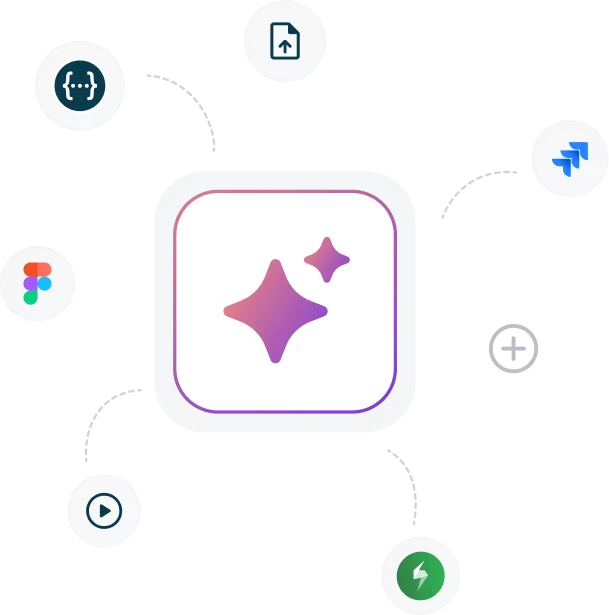
Generate automated user acceptance testing cases from Jira stories, PRDs, Figma files, or screen recordings with a prompt
Run unlimited tests in parallel on 3000+ real devices and browsers for wider coverage
Reduce upkeep by up to 90% with AI self-healing so your automated acceptance testing tools stay stable as the UI changes


Get started with Testsigma
By signing up, you agree to our Privacy Policy.
















Build and Maintain Automated Acceptance Tests
with Agentic AI and No-Code
Acceptance testing moves fastest when the whole team can contribute. Testsigma brings AI agents into automated acceptance testing so you can go from acceptance criteria to reliable runs without heavy scripting.
Plan the right tests before the sprint begins
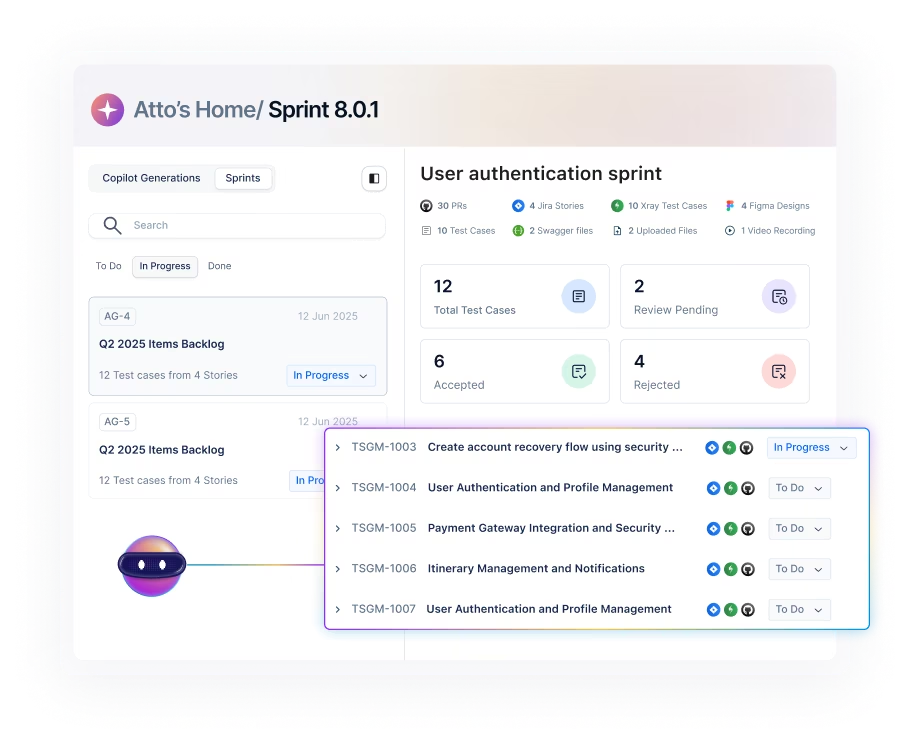
Turn acceptance criteria into a clear automated user acceptance testing checklist. Keep everything traceable to stories and requirements, so UAT stays focused.
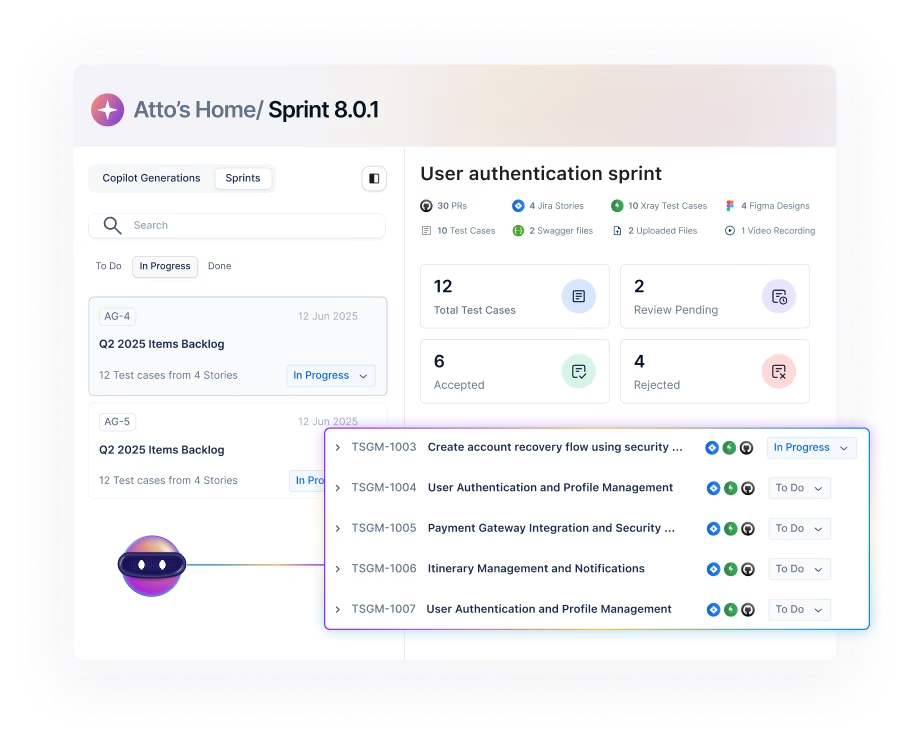
Generate UAT Scenarios from Your Work Artifacts
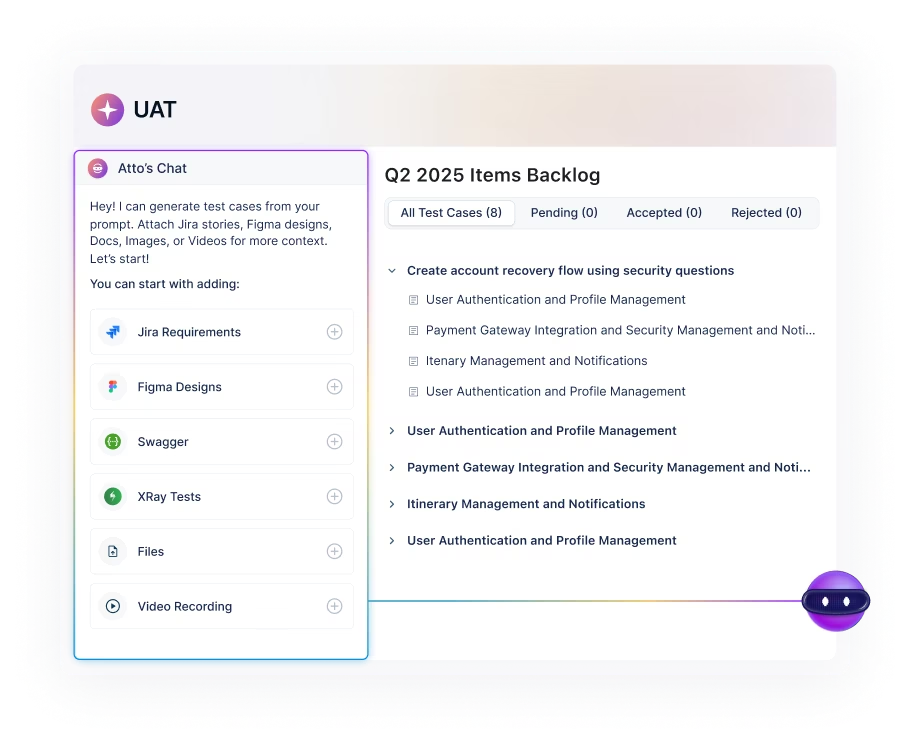
Use the Generator agent to draft test cases from Jira stories, PRDs, and designs, or use plain English prompts. Your team gets a practical user acceptance testing tool they can actually use.
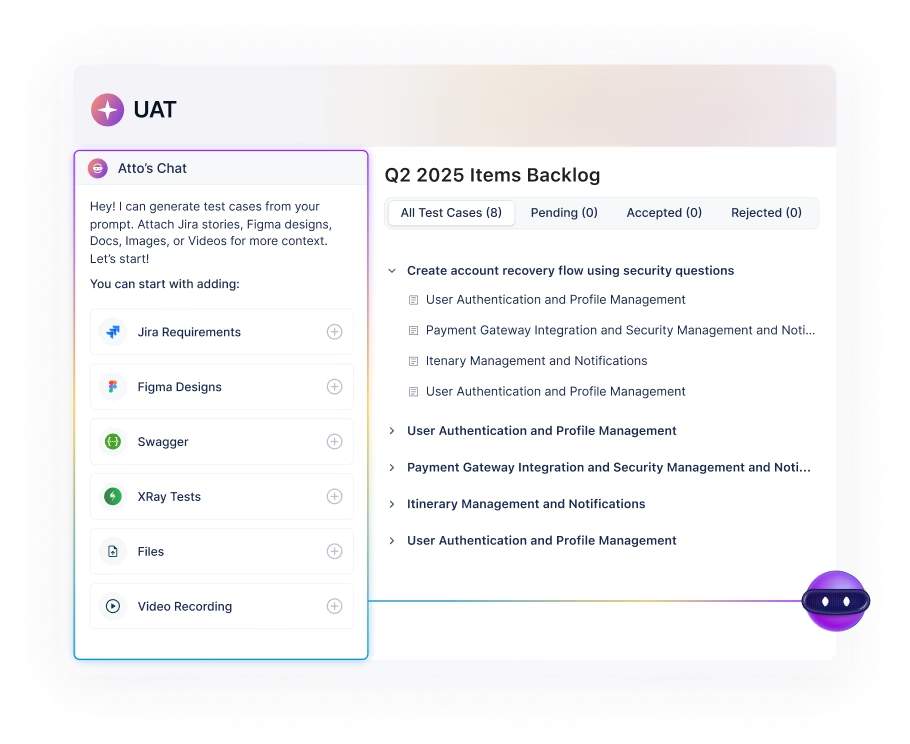
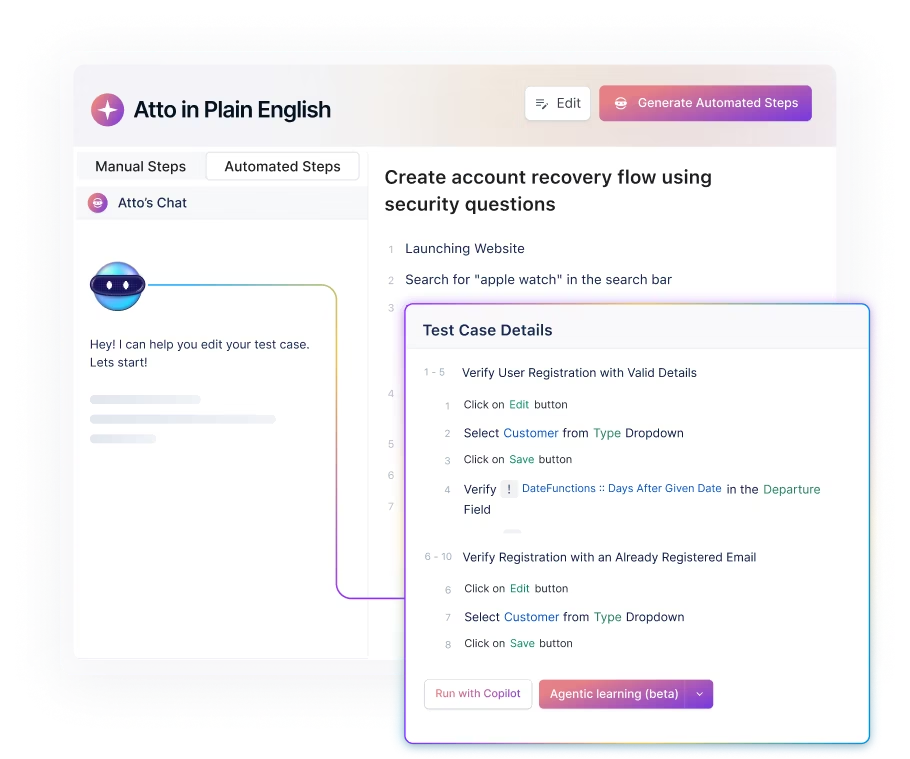
Build Tests in Plain English, Extend with Low-Code When Needed
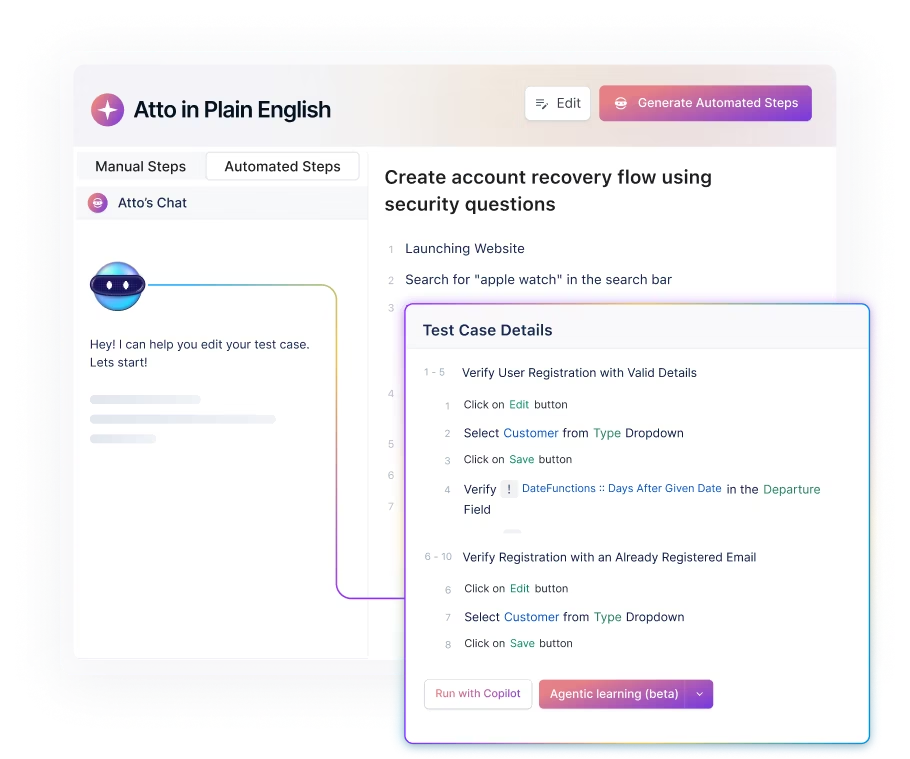
Create readable tests that match real user flows. Add custom validations with low-code only when your acceptance testing software needs deeper checks.
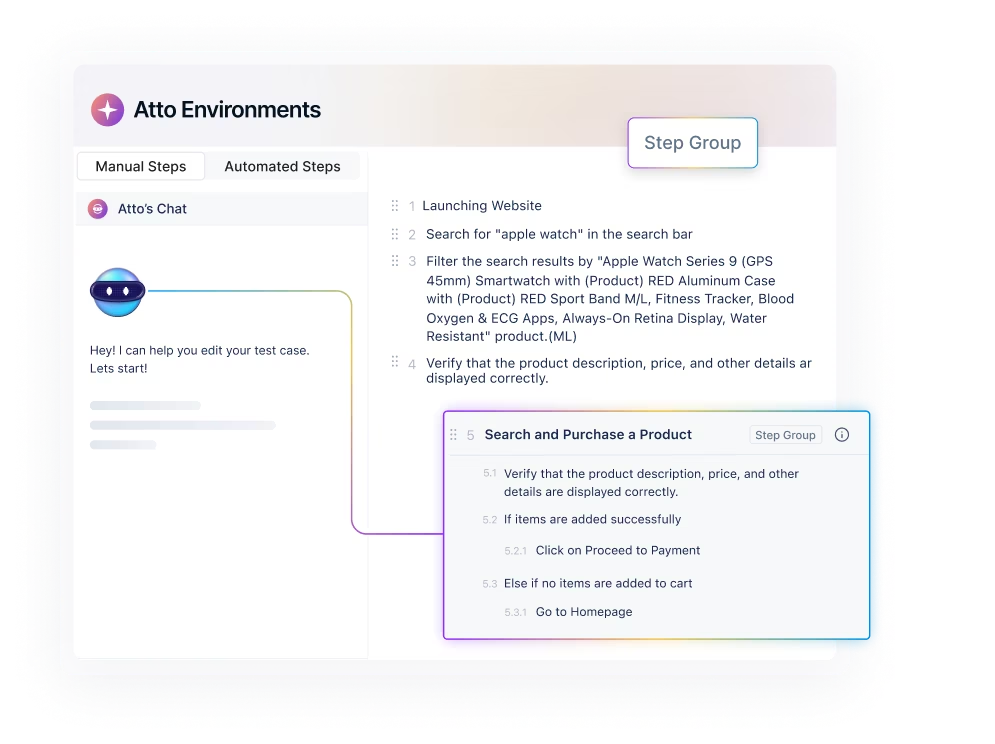
Reuse What Works Across Releases and Environments
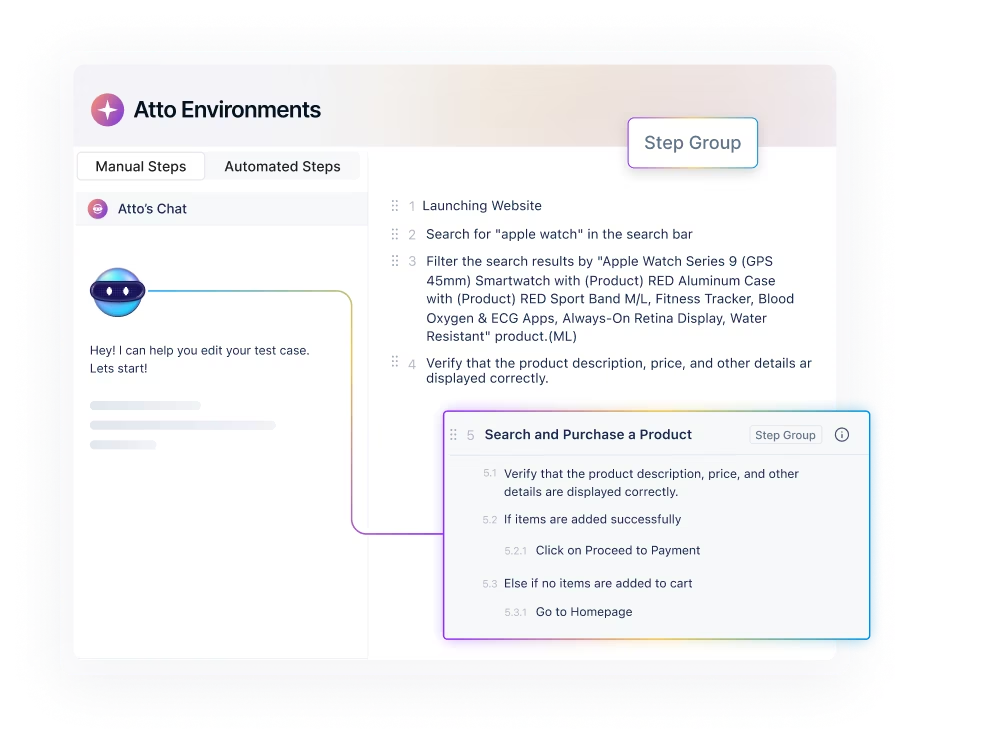
Use step groups, templates, and data sets to standardize UAT. Scale automated acceptance testing tools across SIT, UAT, and Prod without duplicating effort.
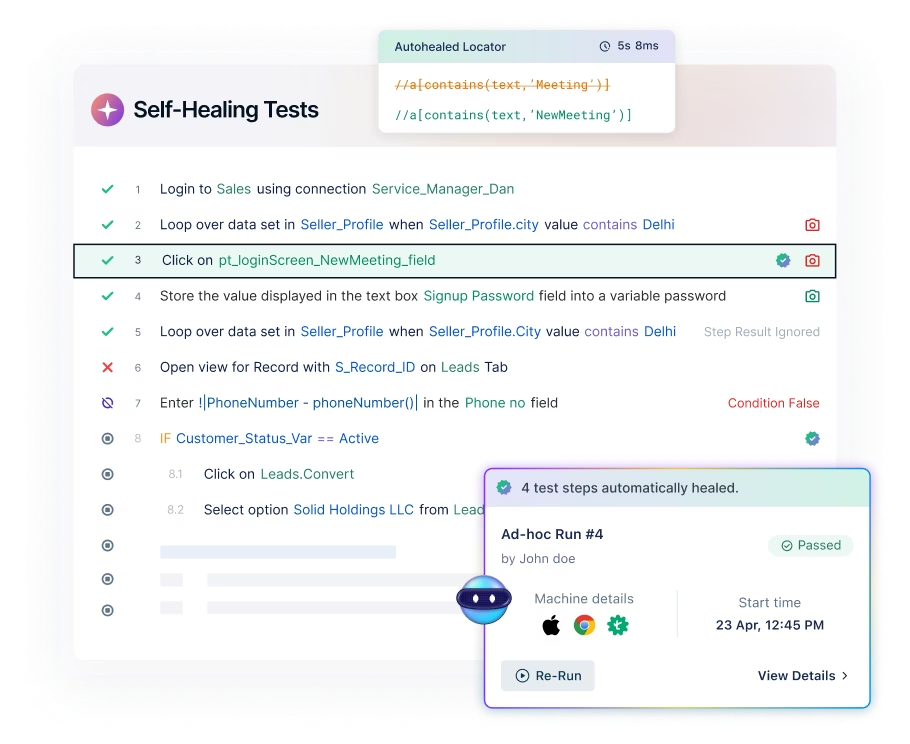
Keep Tests Stable with Self-Healing
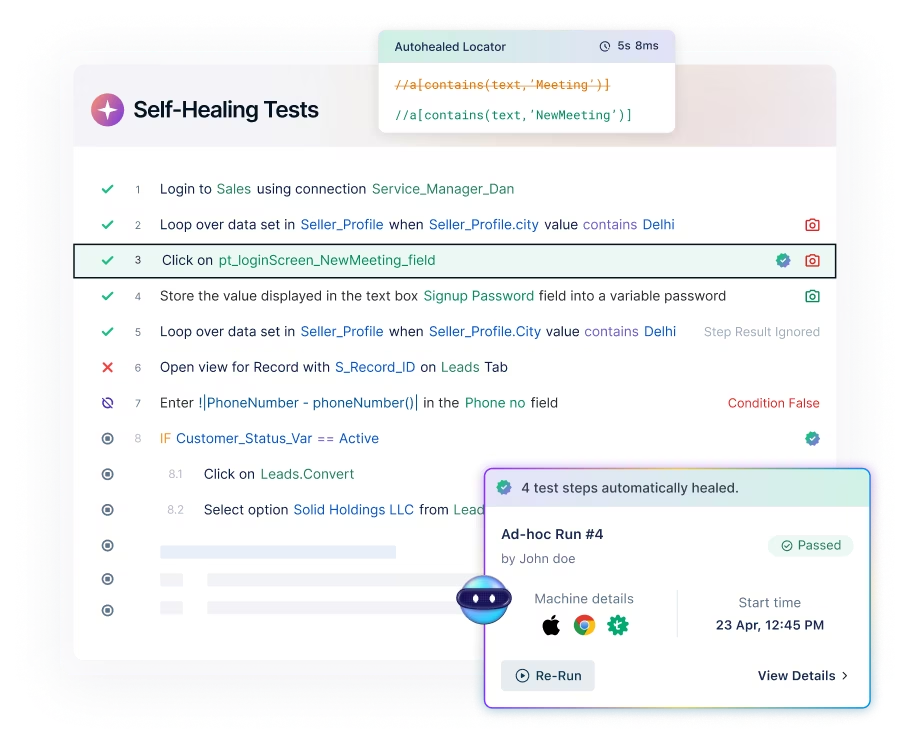
When the UI changes, Testsigma adapts automatically so you spend less time fixing and more time shipping. It is the difference between fragile scripts and dependable automated user acceptance testing tools.
Report and Close the Loop with Developers
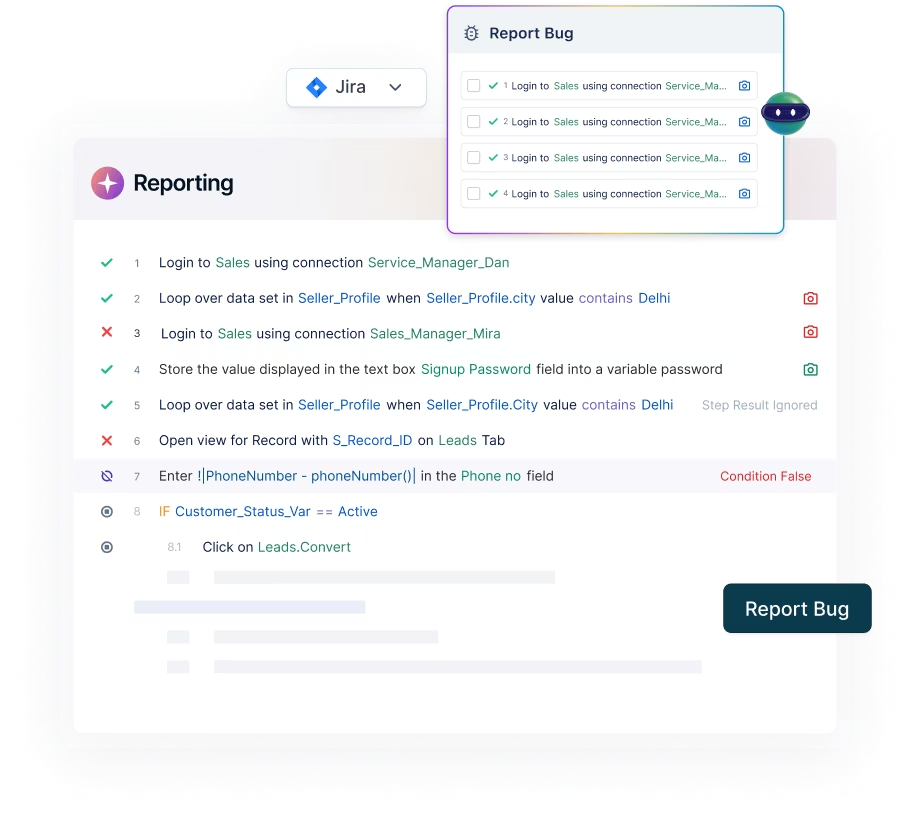
Get clear execution results, logs, screenshots, and defect-ready context. Move faster from failed acceptance testing tool runs to fixes and retests.
Testament of the value delivered


We chose Testsigma for its ease of use and flexibility. 80% of our test coverage is automated now, improving our software quality.


Automated Test Coverage

We run 5000+ test cases overnight, wake up to the results, and fix issues swiftly. The productivity boost and resource optimization achieved with Testsigma are truly commendable.

Automated Test Coverage


Testsigma has been a game-changer for our QA process. By automating 60–70% of our regression testing, we’ve significantly improved test coverage and reduced manual effort.

Regression Suite Automated


With Testsigma, we′ve reduced our test execution time from 8 weeks to just 5 weeks per sprint.

Regression Suite Automated


Testsigma changed the game for us - strategically, emotionally, and operationally. We’re not just building test scripts anymore. We’re building credibility.

Lower QA Effort


The clean UI and intuitive workflows make automation effortless. Instead of writing test cases from scratch, I can generate accurate AI-driven cases in minutes for any type of testing.

Reduced Test Creation Time


Testsigma has been a great addition to our QA workflow. We now catch bugs faster and run full regressions with ease.

Faster regression cycles
We run 5000+ test cases overnight, wake up to the results, and fix issues swiftly. The productivity boost and resource optimization achieved with Testsigma are truly commendable.
Automated Test Coverage
Testsigma has been a game-changer for our QA process. By automating 60–70% of our regression testing, we’ve significantly improved test coverage and reduced manual effort.
Regression Suite Automated
With Testsigma, we′ve reduced our test execution time from 8 weeks to just 5 weeks per sprint.
Regression Suite Automated
Testsigma changed the game for us - strategically, emotionally, and operationally. We’re not just building test scripts anymore. We’re building credibility.
Lower QA Effort
The clean UI and intuitive workflows make automation effortless. Instead of writing test cases from scratch, I can generate accurate AI-driven cases in minutes for any type of testing.
Reduced Test Creation Time
Testsigma has been a great addition to our QA workflow. We now catch bugs faster and run full regressions with ease.
Faster regression cycles
Testsigma vs Top Players
Automated Acceptance Testing
What you need for
Acceptance Testing
Best fit
Automated acceptance testing creation
Execution for UAT at scale
AI and resilience
Unique capability

Acceptance testing software workflows where teams want to create, run, and maintain tests in one place.
No-code authoring in plain English and AI Agent-based creation, including artifact-driven generation.
Unified platform to generate, run, and manage tests with parallel execution capabilities.
AI Agents plus self-healing to reduce maintenance and keep tests stable.
One place to create, run, and maintain your acceptance testing tool workflows with no-code and agentic automation.

Test management and reporting for UAT and QA teams.
Not a test creation tool. Focuses on organizing test cases and runs.
Does not execute tests. Connects to automation via integrations and workflows.
AI is positioned around test management, visibility, and QA workflows.
Strong UAT organization, traceability, and reporting, usually paired with a separate automation tool.

Cloud platform for running automated tests on real browsers and devices.
Not a test authoring tool. You bring your automation scripts and run them in their cloud.
Built for large-scale parallel runs on real devices and browsers.
Offers a Self-Healing Agent for runtime locator remediation in its automation cloud.
Fast, reliable infrastructure for running your automated acceptance testing tools across real environments.

Codeless automation platform focused on accelerating continuous testing.
Codeless test automation approach, positioned as AI-powered.
Executes automated tests as part of its automation platform.
Positions "Autopilot" as autonomous automation with learn, discover, recommend, automate, execute.
Codeless automation and autonomous testing positioning for teams standardizing automation.

and Earning Industry Recognition



Users love us




Seamlessly Fits Into Your Testing Workflow
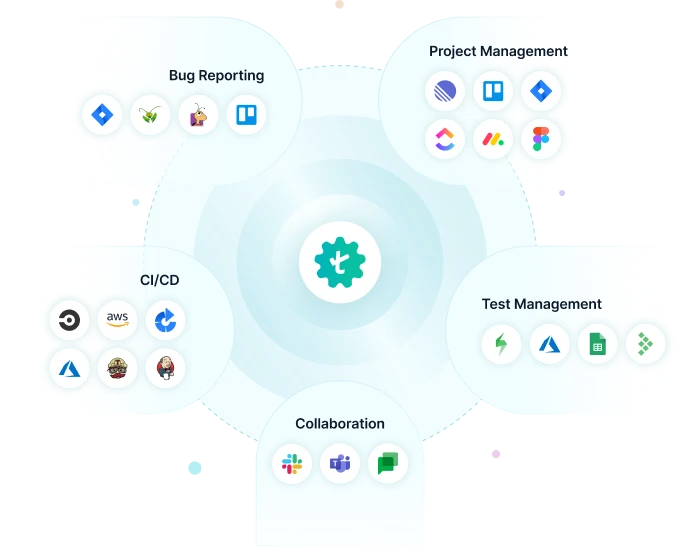
Testsigma integrates with all your favourite tools, including JIRA, Jenkins, Azure DevOps, GitHub, and Bamboo to achieve continuous testing and feedback at DevOps speed. Ultimately, accelerate your release cycles and reduce time-to-market.
What is an Automated Acceptance Testing Tool?
An automated acceptance testing tool helps teams validate that an application meets defined acceptance criteria by running repeatable tests automatically instead of relying on manual checks. It turns real user flows and business rules into automated user acceptance testing that can be executed consistently across releases and environments. The right acceptance testing software also makes it easy to create, maintain, and share results so stakeholders can sign off with confidence.
Types of Automated Acceptance Testing
Benefits of Automated Acceptance
Testing Software
Faster Release
Sign-Off
Automated acceptance testing runs the same checks in minutes, so teams do not wait on long manual cycles. Stakeholders get quick proof that acceptance criteria are met. This helps you ship on schedule with fewer last-minute surprises.
More Consistent
Validation
Manual UAT can vary by tester, time, and environment. In software acceptance testing, automated user acceptance testing follows the same steps every run. That makes results easier to trust and compare across releases.
Better Coverage Across
Environments
An acceptance testing tool can validate critical flows across different browsers, devices, and test environments. You catch issues that only show up in specific configurations. This is especially useful for teams supporting multiple user segments.
Lower Maintenance and
Less Rework
UI changes can break scripts and slow teams down. Modern automated acceptance testing tools reduce this churn by making tests easier to update and manage. Your team spends more time validating features and less time fixing tests.
Stronger Collaboration Between Business and QA
Automated user acceptance testing tools make it easier to share test status, results, and defects with stakeholders. Business users can review what was tested and what failed without digging through technical logs. Everyone stays aligned on what “done” means.
Earlier Feedback, Fewer Production Bugs
When automated acceptance testing runs earlier and more frequently, issues surface before they reach customers. Teams can confirm acceptance criteria throughout the sprint, not just at the end. That reduces rework and improves release quality.
Manual vs Automated Acceptance Testing
| Manual Acceptance Testing | Automated Acceptance Testing | |
|---|---|---|
| Speed | Slower because tests must be repeated manually for every release and environment | Faster because automated acceptance testing runs in minutes and can be triggered on demand |
| Consistency | Results can vary across testers, time, and setup | Results are repeatable since automated user acceptance testing follows the same steps every run |
| Coverage | Limited by time and team capacity | Broader coverage with automated acceptance testing tools across more flows, datasets, and environments |
| Maintenance | Test steps are easy to change, but re-testing is costly and repetitive | Tests require updates as the product evolves, but acceptance testing software reduces repeated manual effort |
| Collaboration | Feedback often lives in docs, chats, or spreadsheets | A user acceptance testing tool keeps tests, results, and defects in one workflow for faster sign-off |
| Scalability | Hard to scale without adding more testers | Scales without linear headcount growth using parallel runs and reusable test assets |
| Release Confidence | Higher risk of missed regressions due to time constraints | Higher confidence because acceptance testing tool runs can be frequent, trackable, and repeatable |
How to Automate Acceptance Testing


Define Clear Acceptance Criteria
Use given/when/then style or bullet rules per story so a tester can validate without guessing.
Choose the Right Flows First
Pick 10 to 20 smoke UAT flows that block release if broken, not every edge case.
Create Tests in a Shared Format
Write steps in plain language so the business can review and QA can maintain without back-and-forth.
Add Test Data
Maintain a small set of reusable datasets (roles, regions, payment types) and expand gradually.
Run Across Environments
Trigger runs on SIT and UAT at a minimum, and on a short list of top browsers/devices.
Keep Tests Stable
Use reusable steps and avoid brittle UI-only checks wherever possible to prevent updates from exploding maintenance.
Review and Close the Loop
Turn failures into defects with clear repro steps and rerun only the impacted suite for fast confirmation.
Frequently Asked Questions

Start Automating Your Tests Now